

Visualizing Python project dependencies with pydeps

Hello
, I'm Kawai from the Circular Reference
System Solutions Department.
It's May. What a Golden Week!
Now, when you are developing something in Python, have you ever run into problems like "Which module does this code depend on?" or "I can't grasp the overall structure of the project"? (Huh? No?)
Pydeps a useful tool that can help with this problem .
It analyzes dependencies between modules in a Python project and visualizes them in an easy-to-understand diagram.
This article will introduce how to install and use pydeps
Setup and preparation
■ Verification environment
Ubuntu 24.04.2 LTS Python 3.12.3
Install Graphviz to create the diagrams
$ sudo apt update $ sudo apt install graphviz
Create a directory for your project in any location and move into it.
This time we will use the standard Python venv. You can use any version control tool you like.
$ mkdir myproject $ cd myproject $ python3 -m venv env $ source env/bin/activate
Install pydeps
(env)$ pip3 install pydeps
Creating sample code
Put some simple code under myproject/.
This is a sample code showing basic dependencies, where main.py imports and uses utils.py.
■Configuration
myproject/ ├── main.py └── utils.py
■utils.py
def helper_function(): print("This is a helper function")
■main.py
import utils # Import utils.py def main_process(): print("Run the main process") utils.helper_function() if __name__ == "__main__": main_process()
Breaking down main.py into smaller parts:
1) It depends on another file called utils.py (import utils),
2) it uses the helper_function within that file (utils.helper_function()),
3) it does its main work within a function called main_process, and
4) it starts that main_process when run directly as a script (if __name__ == "__main__":).
The structure is as follows
# Execution result (env)$ python3 main.py Runs the main process This is a helper function
Trying out pydeps
Let's try running it on main.py right away
(env)$ pydeps main.py
▼ "main.svg" is output.
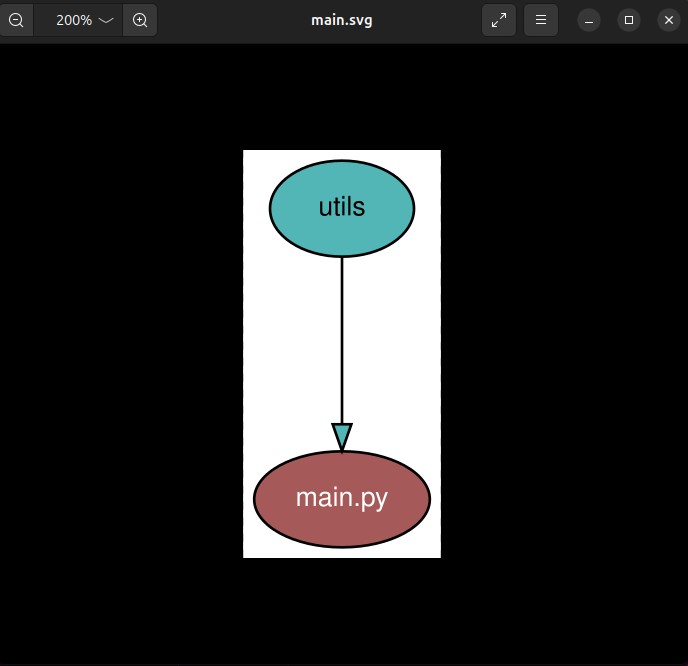
pydeps sees the line "import utils" and displays the information that "main depends on utils" as a diagram.
By the way, this is the content of a completely different project, but if there are multiple dependencies, the output will look like this
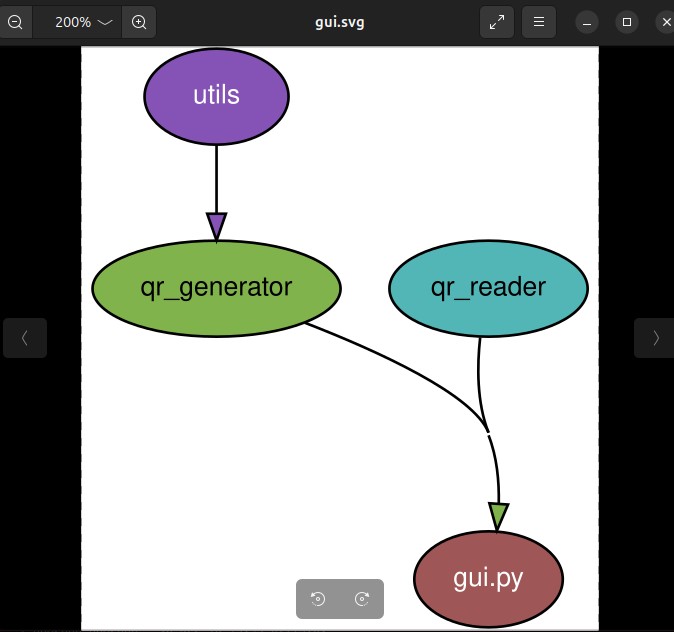
Other options
You can also use options to output in formats other than svg
■Export to other extensions
# -o option (env)$ pydeps main.py -o dependency.png
■JSON-based output
(env)$ pydeps main.py --show-deps { "main.py": { "bacon": 0, "imports": [ "utils" ], "name": "main.py", "path": null }, "utils": { "bacon": 1, "imported_by": [ "main.py" ], "name": "utils", "path": "/home/hamchan/TEST/myproject/utils.py" } }
As mentioned above, you can also output in a variety of formats
It's super easy to install, so give it a try!
complete
 4
4 Loading...4



The person who wrote this article
About the author









