

Introducing RegExr: Try out and use regular expressions!

Hello.
I'm Mandai, the Wild team member in charge of development.
When developing software, you often use regular expressions, and if you write them haphazardly, you might end up with some alarming bugs.
So, if you want to test and verify the functionality of your regular expressions but don't want to write test code, I'd like to introduce a useful website.
Use RegExr to check regular expressions
There is a website called RegExr
This site has a collection of useful functions for checking regular expressions, and is easy to use
Originally, this was a site where you could only check JavaScript regular expressions, but since I last looked, it now also supports PHP regular expressions (PCRE)
It's easy to use, and some parts are easy to understand if you just look at them, but the entire site is in English, so I'd like to go through them one by one
Menu
The menu includes site help and a regular expression cheat sheet
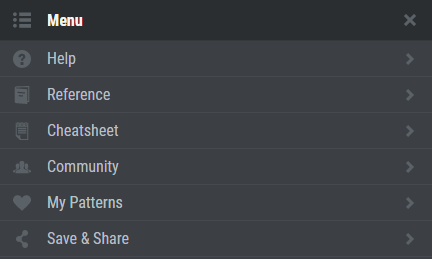
It's especially good to remember cheat sheets and references, as you'll be looking at them often
It's easy to see, so it's very useful
Expression
Here are some commonly used items, and in the Expression section you will write the actual regular expression
Since it's basically JavaScript, you write the regular expression between "/" and "/"
The parts enclosed in parentheses () and square brackets ([]) are color-coded, making it very easy to understand visually.
I wish VS Code would add a feature like this...
To the right of the title, you can choose either JavaScript or PCRE as the execution engine for your regular expression.
Additionally, under the Flags section, you can select from five options.
- g (global)
- i (case insensitive)
- m (multiline)
- u (unicode)
- y (sticky)
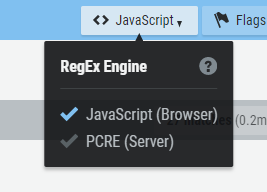
These are options that can be set in JavaScript. For example, in PHP, there is no global flag, so you will need to select a dedicated function called preg_match_all
Text
This field is for entering sample text.
There's some default text, but you can delete it or enter your own.
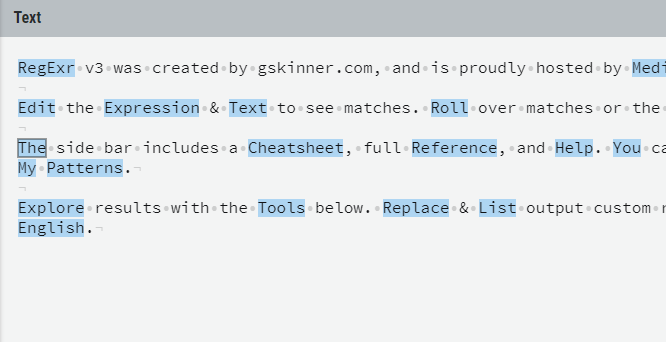
Enter a suspicious string or a string you want to test
Tools
This section contains a set of tools for processing regular expression results, and there are currently four available:
Replace
is used to replace strings that match regular expressions.
It can also perform simple string manipulations, so it can be used for purposes beyond just checking regular expressions.
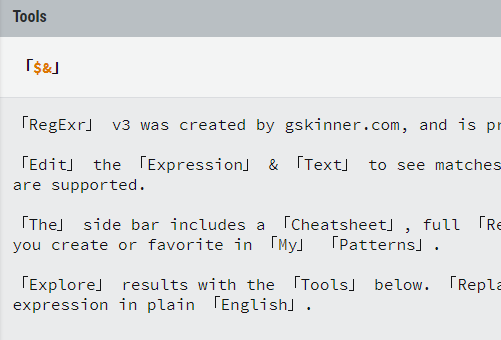
List
List displays a list of strings that match a regular expression
The matched string will be entered in the part displayed with "$&", so you can add the string you want to add before and after the extracted string all at once
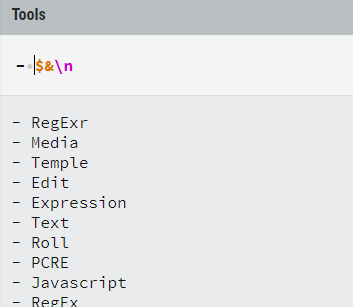
By default, a newline character "\n" is added, so each matched string is on a new line. However, you can easily turn the matched string into a Markdown list by adding a hyphen "- " at the beginning of the string.
This is quite convenient.
Details
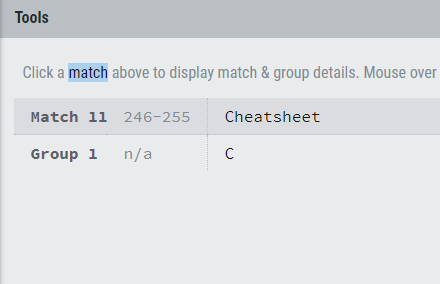
The Details tool allows you to see in detail which part of the regular expression the selected string matched. It's possible
that you're getting the expected result even though the match was in a different part than you intended, so check here to confirm that the process is working correctly.
Explain
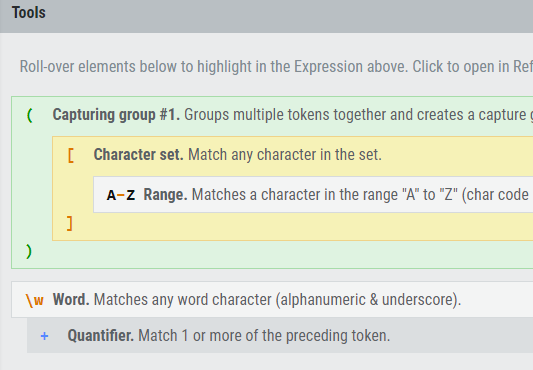
This is a feature similar to MySQL's EXPLAIN command. It shows which strings are grouped by parentheses and which parts of the string match the parentheses.
This is also very useful.
summary
I've introduced the features of RegExr, a regular expression checking tool. What did you think?
With recent updates, such as support for PHP and the addition of other tools, it seems to have become even more convenient, capable of doing more than just checking regular expressions.
Personally, I often use the Replace and List tools in Excel, so I thought I'd try to work a little smarter with them
That's all




The person who wrote this article
About the author









