

[AWS] How to perform ACM DNS authentication with IDCF Cloud DNS
2019.04.01




Hello.
This is Miyazaki from the SS Team, Operations Management Section.
This time, I'll write about my experience using IDCF Cloud's DNS service
instead of Route53 for DNS authentication with AWS Certificate Manager (ACM)
background
Personally, for the purpose of testing HTTPS implementation for WordPress, I wanted to use a domain managed by IDCF Cloud's DNS service
to place a certificate on AWS ELB, which led me to use ACM.
Normally, I use Route53 for DNS authentication, so I can just click a few buttons and the DNS authentication is completed and the certificate issued without any further effort.
However, this time, since the domain is managed by IDCF Cloud's DNS service, I needed to use IDCF Cloud's DNS service for DNS authentication.
Actual steps and some stumbling points
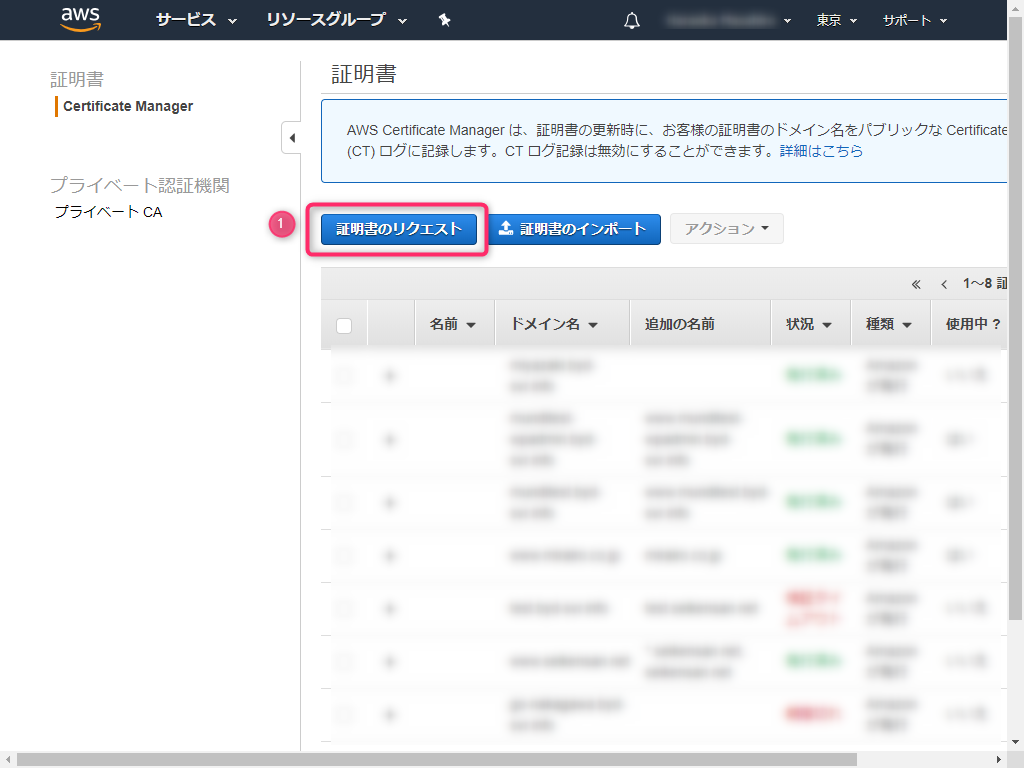
1. Request a certificate from ACM
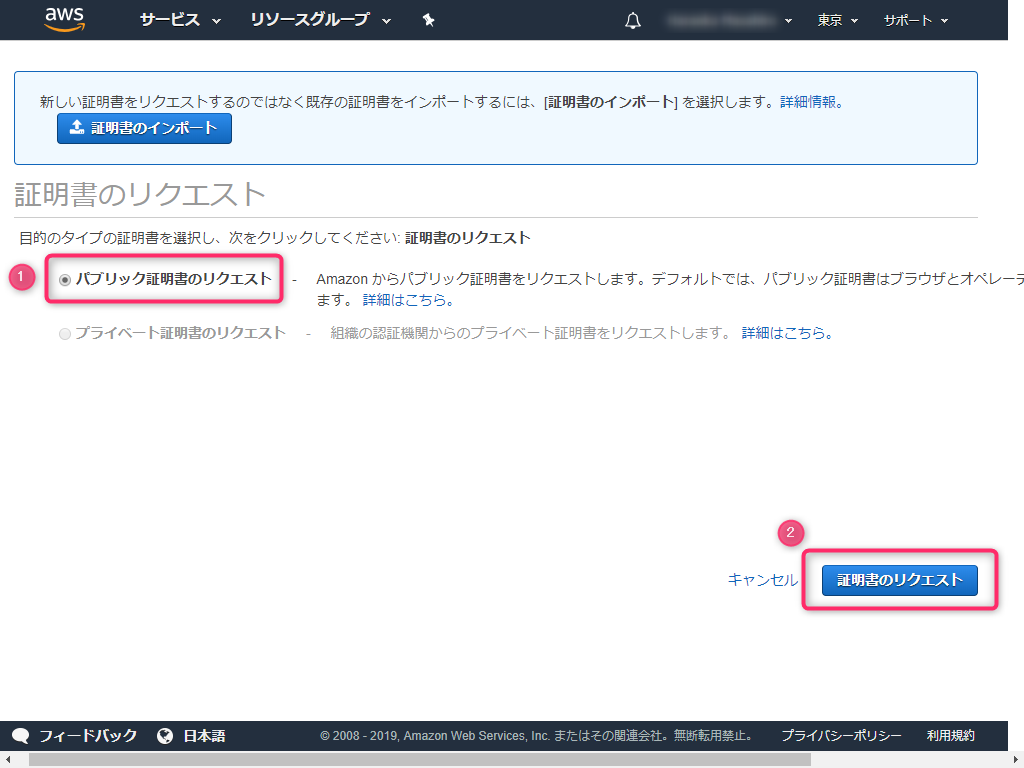
2. Select Request a public certificate
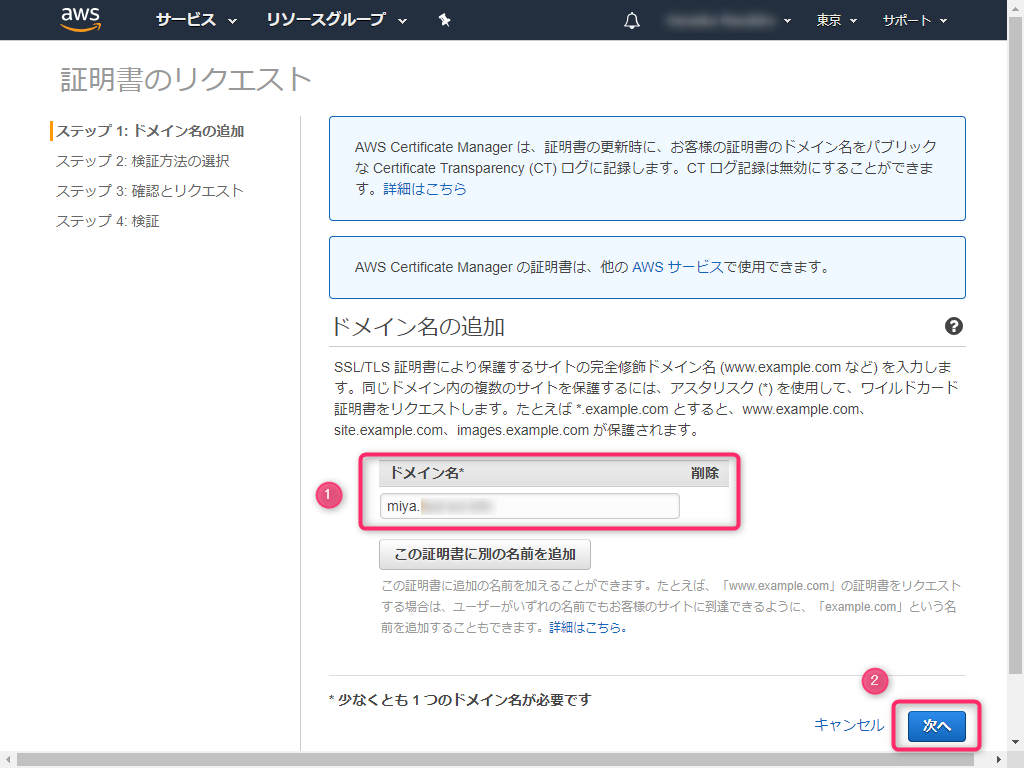
3. Enter the domain name for the certificate you want to create
4. Select DNS Verification
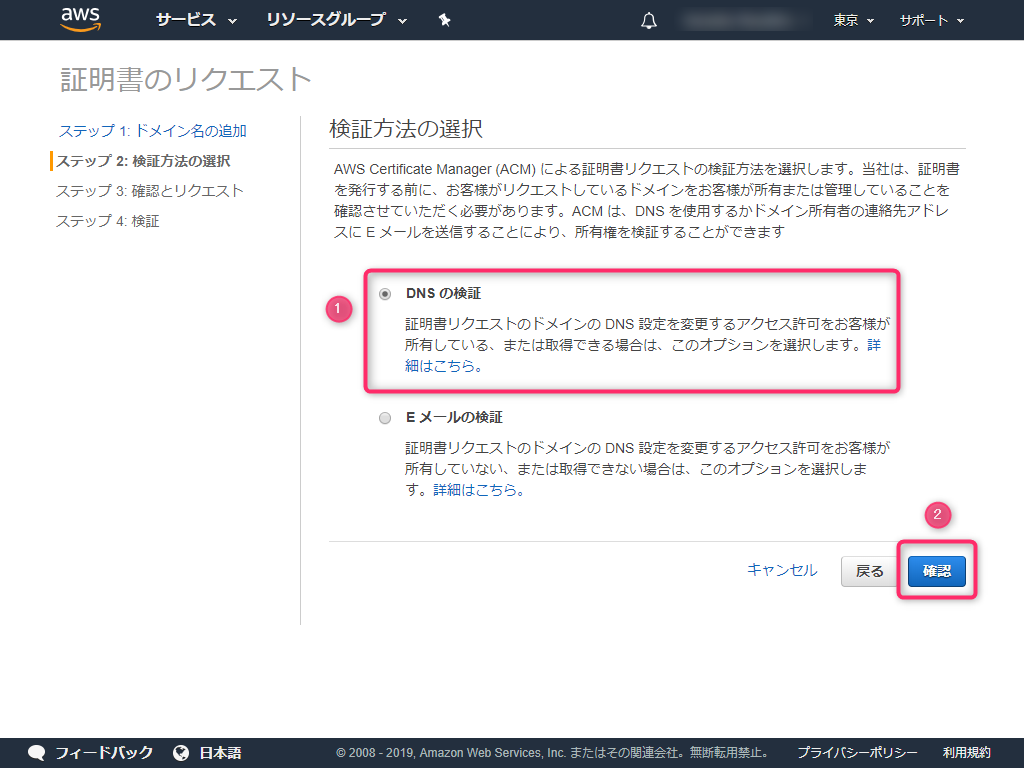
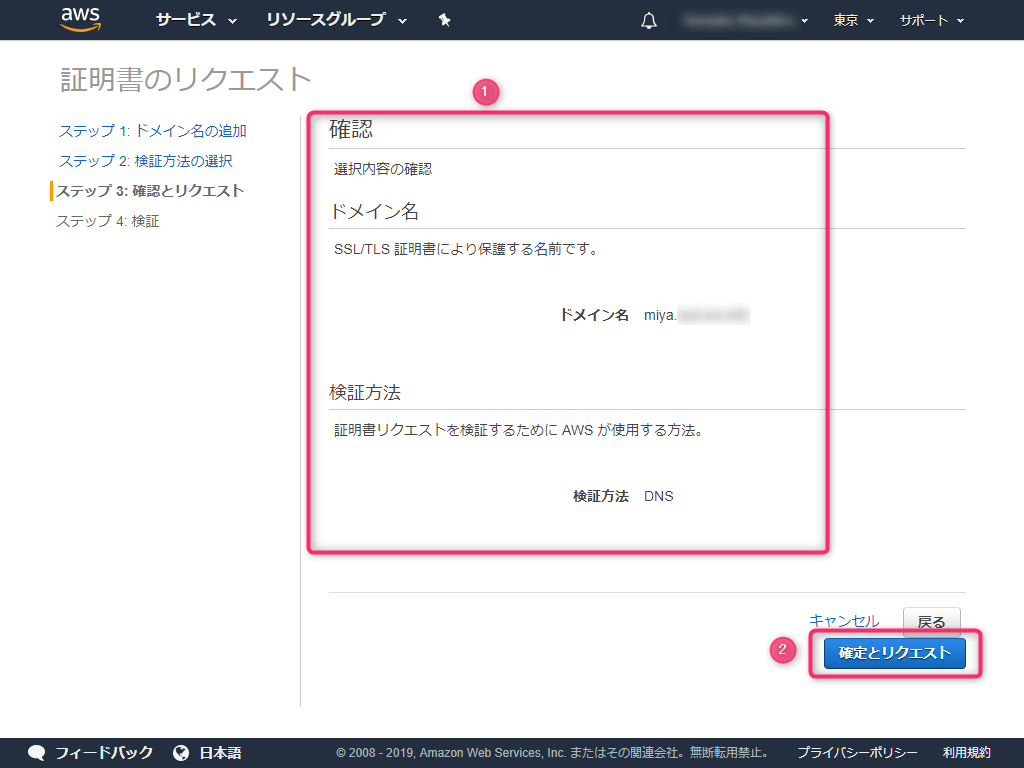
5. Check that each item is correct and select "Confirm and request."
6. Check the verification status.
It now shows "Verification Pending".
Use the "Name" and "Value" in the red box for DNS authentication.
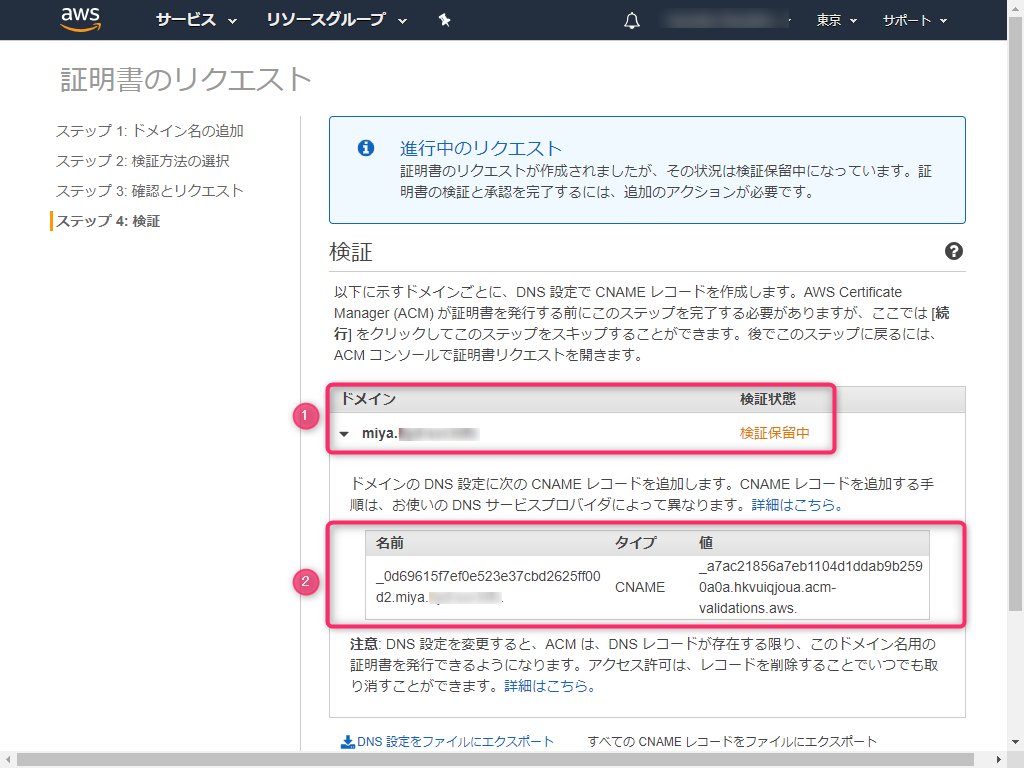
Now we move on to the DNS settings.
7. From the IDCF DNS service, select "Register Record".
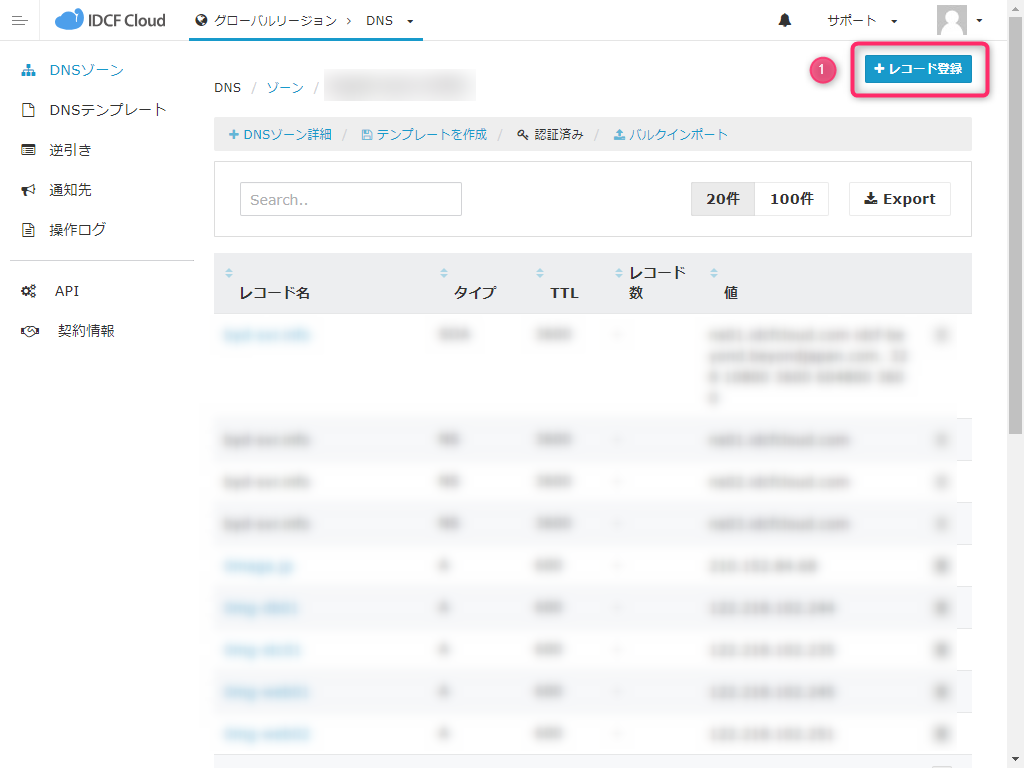
8. Enter the record information
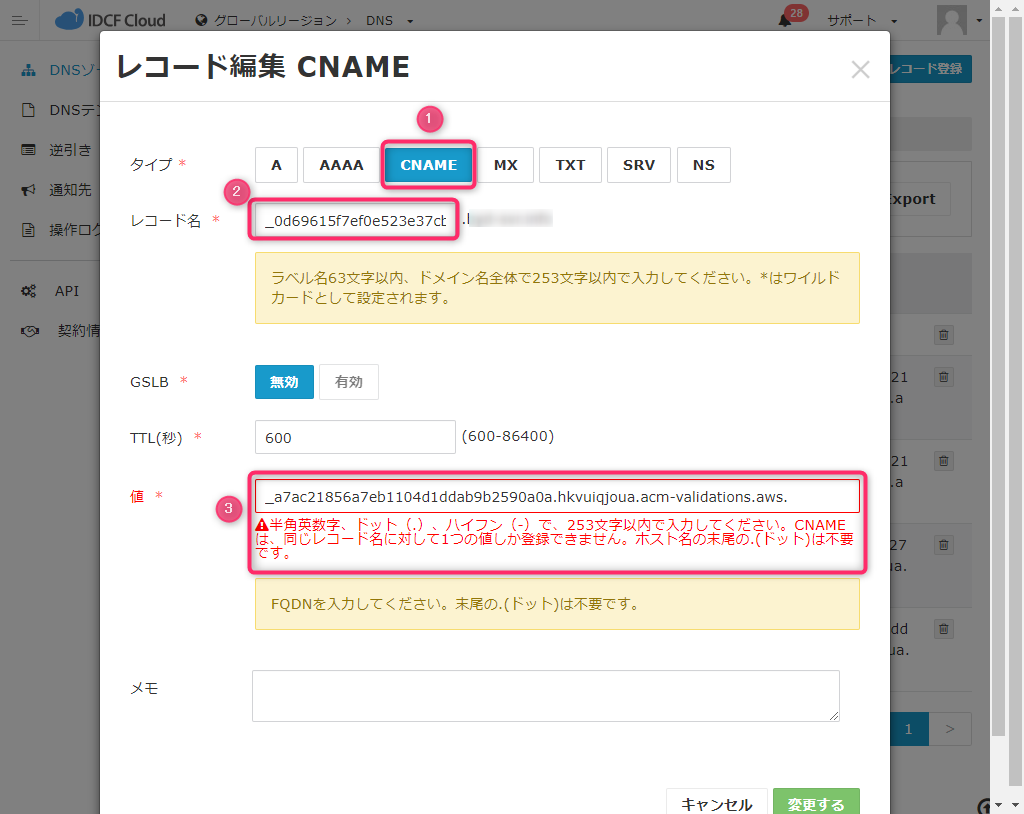
① Select "Type" CNAME.
② Enter the "Name" field you confirmed in step 6 for "Record Name".
Note that the trailing period (.) is already there. For example, make sure there are no consecutive periods like _XXXXXX..domain name.
③ Enter the "Value" field you confirmed in step 6 for "Value".
IDCF Cloud does not allow underscores (_) at the beginning of the value.
Referring to the official AWS guide, it says that if underscores are prohibited, you can register without them.
Troubleshooting DNS validation issues
If your DNS provider prohibits CNAME values that begin with an underscore, remove the underscore from the value provided by ACM and validate your domain. For example, you can change the CNAME value _x2.acm-validations.aws to x2.acm-validations.aws for validation purposes
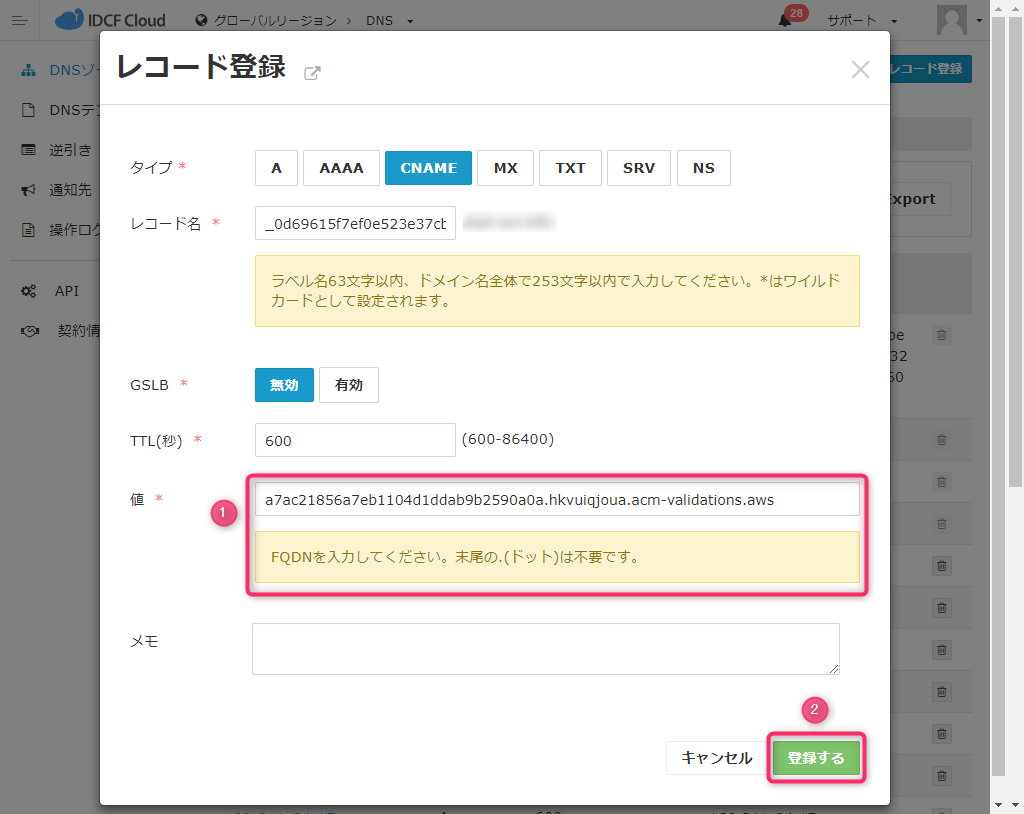
Also, as noted in the "Value" note, the trailing dot is unnecessary, so delete it
Taking all of the above into consideration, the image below will be created, so let's register it
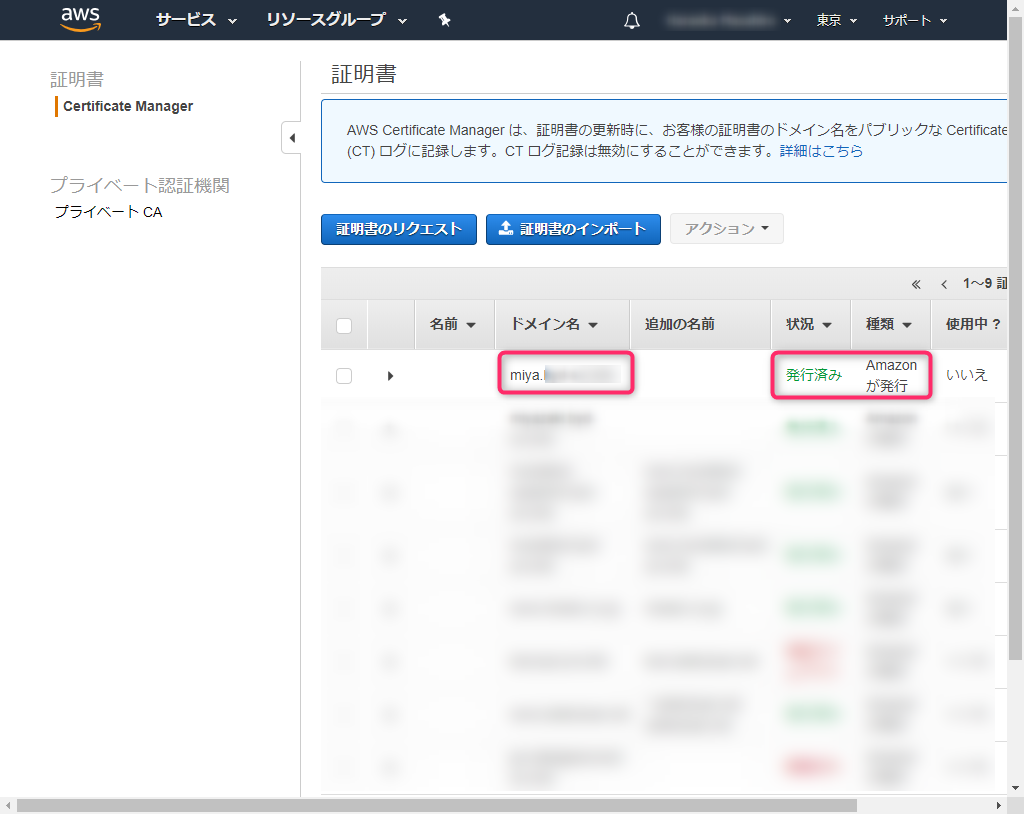
After about 5 minutes, I was able to confirm on AWS that I had been authenticated
That's the procedure
Conclusion
The procedure I've described here should be helpful not only for IDCF DNS but also for any DNS where underscores (_) cannot be used in the "value". It
's not a big deal, but when I first tried it, I didn't really understand where I was getting stuck.
I hope this is of some help
The person who wrote this article
About the author









