

Create a tool to draw members for Beyond Lunch

Good work today.
This is Matsuyama from the Systems Development Department.
This might seem sudden, but our company has a system called "Beyond Lunch."
Once a month, members are randomly divided into groups and go out for lunch together, allowing us to enjoy interacting with colleagues we don't usually get to work with.
The company also subsidizes the cost of lunch, so it's quite a good deal.
Since the organizational culture committee members seem to be doing this group assignment "manually" every month,
I thought I'd try creating an app while reviewing the basics of Unity.
Requirements
① Randomly group items using buttons
② Display each group as a single element in a scrollable list
③ Employee names are managed using Scriptable Objects
④ Randomly group items
⑤ Runs (built) in WebGL (browser)
※ Created with Unity 2019.4.11f1 (LTS)
Something like this, perhaps?
It's just a few very basic functions, but let's put them together step by step.
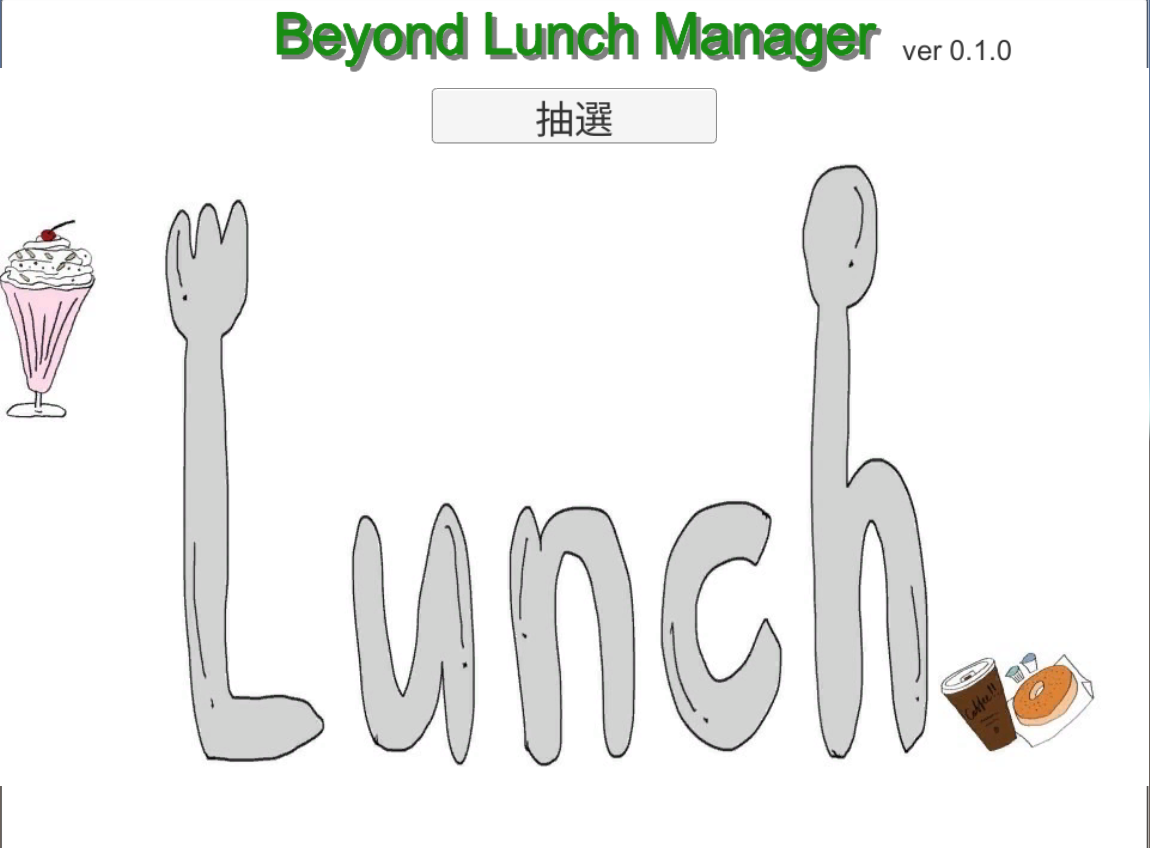
① Screen (UI) creation
The heading and version can be anything using Text.
Add a button for the lottery, and the basic structure is OK.
Set the canvas size appropriately. (Note: Due to my smartphone habits, I set it to 1920x1080 and had to correct it later.)
It's roughly like this.
I found a suitable free image for the background and pasted it there.
② Scroll List
Everyone loves scrollable lists.
I always get stuck here (cries).
First, create prefabs for each group.
Each group consists of one leader and 4-5 members, so it should look something like this.

Since names are registered when members are decided, I'll write a little code so that the Text field can be updated.
The functionality will probably just be member settings and display toggles.
public class GroupBoard : MonoBehaviour { [SerializeField] private GameObject objBoard; [SerializeField] private List<GameObject> objList = new List<GameObject> (); [SerializeField] private List<Text> txtName = new List<Text> (); private List<string> memberNames = new List<string> (); ///<summary> /// Startup processing ///</summary> void Start() { Initialize(); } ///<summary> /// Initialization ///</summary> public void Initialize() { memberNames.Clear(); hide(); } ///<summary> /// Hidden (inactive) ///</summary> private void hide() { // Hide all plates foreach (GameObject obj in objList) { obj.SetActive(false); } // Hide the underlay objBoard.SetActive(false); } ///<summary> /// Display (active) ///</summary> public void Show() { int mid = 0; objBoard.SetActive(true); for(int i=0; i <memberNames.Count; i++) { objList[mid].SetActive(true); txtName[mid].text = memberNames[mid]; mid++; } } /// <summary>/// Member Registration ///</summary> ///<param name="name"> Member Name</param> public void SetMember(string name) { memberNames.Add(name); } }
As for the crucial scroll list,
everything you need is created in
the UI > Scroll View menu
After that, you just need to adjust the settings.
- Adjust the size of the Scroll View
- Remove horizontal scrolling as it's not needed
- Change the Viewport Mask to Rect Mask 2D
- Adjust the Height of the Content
- Add a Layout Element to the group's Prefab
*Since there are few elements this time, we won't consider reusing elements.
This basically completes the UI configuration
Note: This article explains scroll lists very well (thanks!).
ScrollView Reference
③ Scriptable Object
Prepare a list of leaders and a list of employees.
Make them easy to manage and extend using Scriptable Objects.
First, we'll provide a base definition
[CreateAssetMenu] public class BeyondMember : ScriptableObject { public List<string> leaderList = new List<string> (); public List<string> memberList = new List<string> (); }
A "Beyond Member" option will be added to the Assets > Create menu; execute this.
Data will be generated, and you will register employee names here.
Place the data in Resources to make it easier to load.
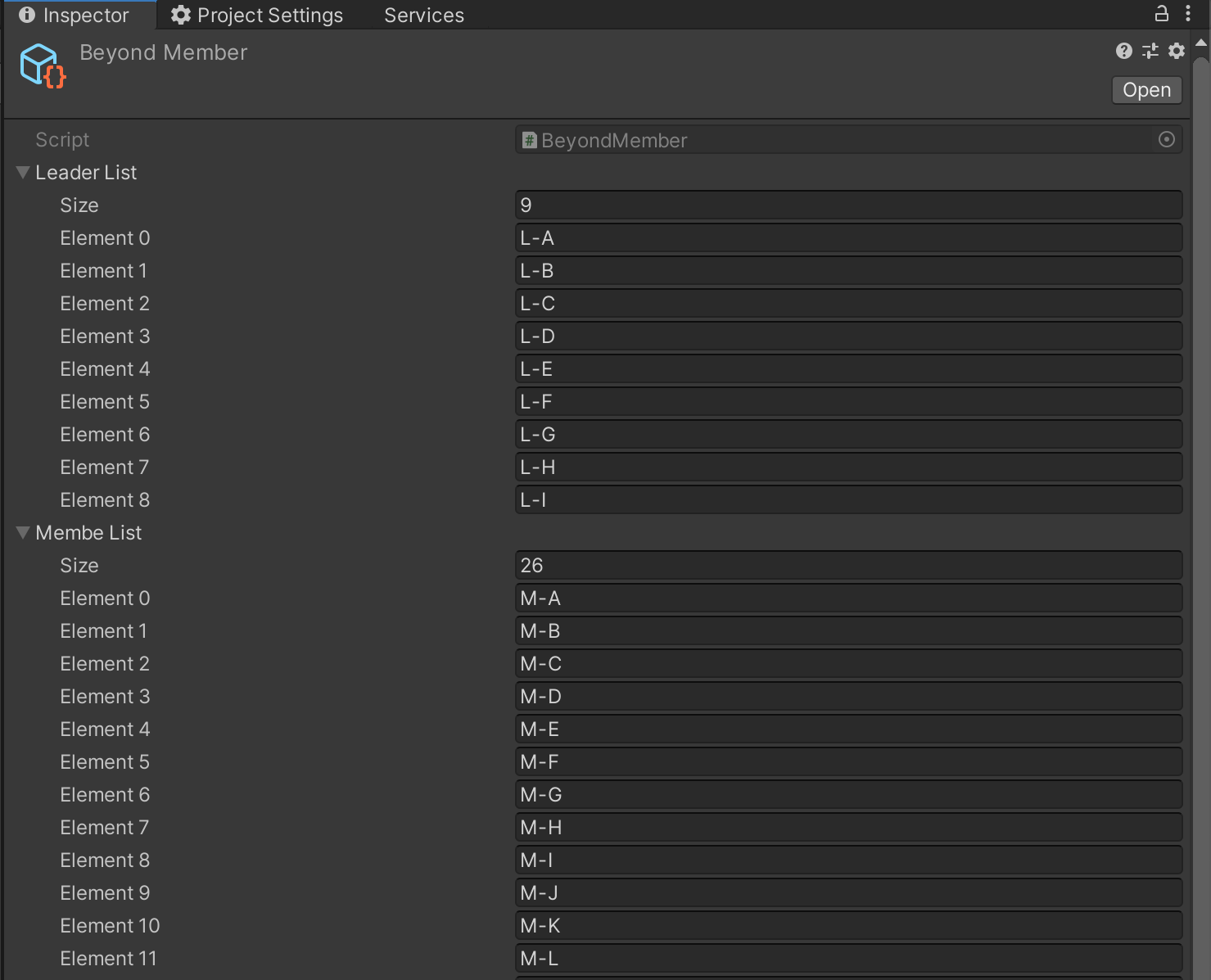
*Since we will be uploading it to GitHub, we are registering dummy names for now.
Note: This is a helpful explanation of Scriptable Objects (thanks!).
ScriptableObject Reference
④ Randomly divide into groups
This isn't a Unity feature, it's C# code.
I'll briefly explain the following two points.
Loading data from a Scriptable Object
You can simply load it with Resources.Load()
private BeyondMember beyond; beyond = Resources.Load<BeyondMember> ("Beyond Member");
After that, you can use it as it is in list format
Random Selection
The leader is fixed, so we'll set them in order. (Number of leaders = Number of groups)
For each group, we'll randomly select and assign members.
The process would look something like this.
///<summary> /// Member random draw ///</summary> private void lotteryMember() { int gno = Random.Range(0, groupNum - 1); // Starting group number List<string> members = new List<string> (beyond.membeList); do { int num = members.Count; int mid = Random.Range(0, num); boardList[gno].SetMember(members[mid]); members.RemoveAt(mid); gno++; if (gno >= groupNum) gno = 0; } while (members.Count > 0); }
*If you simply assign a List, it will be passed by reference, so you need to duplicate it using the constructor
⑤ Build with WebGL
Switch to WebGL and build.
Several files, including Index.html, will be output, so deploy these to the server and you're done.
Or so you might think, but there are a few oddities.
Fonts are not displayed
Japanese text that was displayed in the editor does not appear when run in the browser.
After some investigation, it seems that the "Arial" type of Text component does not contain Japanese characters, which is why it doesn't display. (
Note: I will use this as a reference to address the issue (thanks!))
that does not display Japanese fonts in WebGL
and switch the font being used.
The screen layout is broken
The resolution is strangely low, causing the scroll list to overlap with headings and buttons.
After investigating, it seems the default resolution is 960x600. (
Note: This explains common WebGL pitfalls, including fonts (thanks!))
WebGL Notes
: Adjusting index.html with every build is a hassle, so for now I'll just fine-tune the layout at 960x600 to address the issue.
summary
For now, I've managed to get it into a state where it can randomly group things, so it's finished. It's been
a while since I used Unity's basic functions, uGUI and ScriptableObject,
but it's easy to create simple tools with them. This
was my first time working with WebGL, and there were some subtle pitfalls hidden, like with fonts...
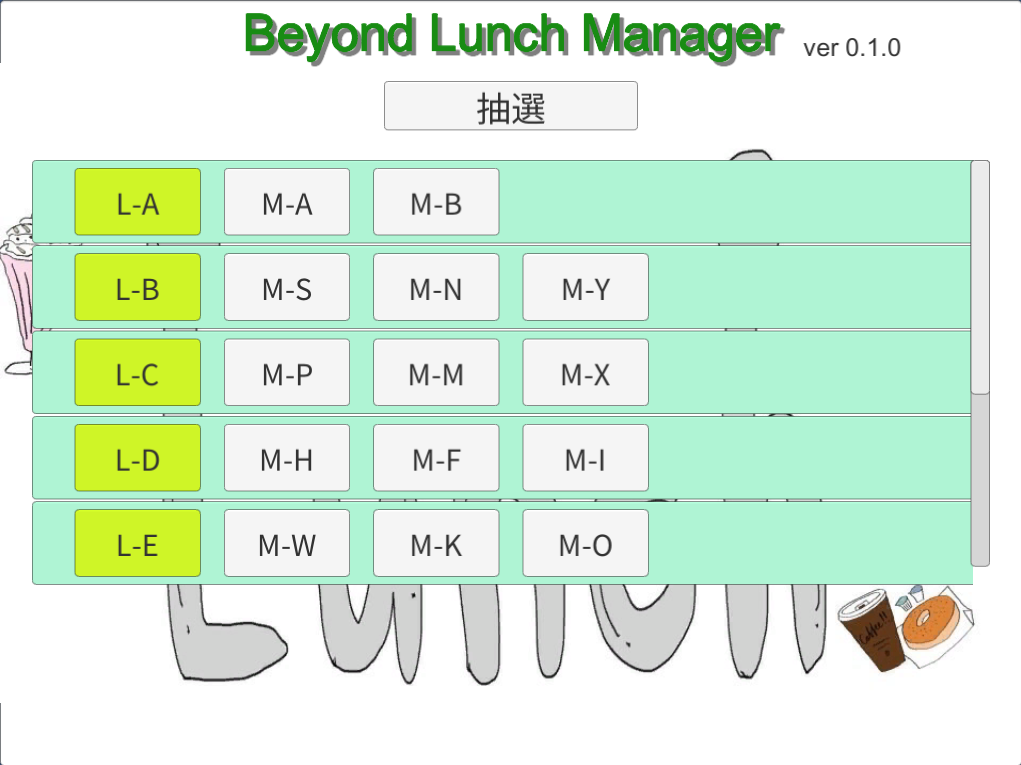
We have implemented the minimum functionality required for a Beyond Lunch tool, so we would like to add the following features in the future when we have time
- Allows selection of year and month to display monthly groupings.
- Maintains monthly group members.
- When randomly selecting members, ensures that members are not duplicated from the previous month.
If it can handle this much, it could become a pretty useful tool, couldn't it?
Well, that's all for today's discussion.
I've uploaded a sample project to GitHub again this time.
I hope it will be of some use.
Unity Sample
lastly
I have launched "SEKARAKU Lab," a service site for the system development company I belong to.
Beyond offers a one-stop service for everything from server design and construction to operation, so please feel free to contact us if you have any problems with server-side development.
SEKARAKU Lab:[https://sekarakulab.beyondjapan.com/](https://sekarakulab.beyondjapan.com/)




The person who wrote this article
About the author









