

I tried setting up VRRP with YAMAHA RTX830

Hello.
My favorite number is 4096.
I'm Kawa from the Systems Solutions Department. 🐹
Spring is almost here.
I recently had the opportunity to test VRRP with Yamaha's RTX830, so I thought I'd share my experience with the world as a kind of memo.
What is VRRP?
※If you already know, skip this
■ Official documentation from Yamaha:
http://www.rtpro.yamaha.co.jp/RT/docs/vrrp/vrrp.html
Let me explain!
VRRP (Virtual Router Redundancy Protocol)that makes routers redundant,allowing the local system to see two routers as if they were a single router.
This is a type of HA (High Availability). VRRP doesn't use TCP or UDP; it uses protocol number 112.
if one side goes down due to a failure , communication can continue through the other side . Very convenient.
Verification environment
I used two Yamaha RTX830 routers
■ Simple configuration diagram
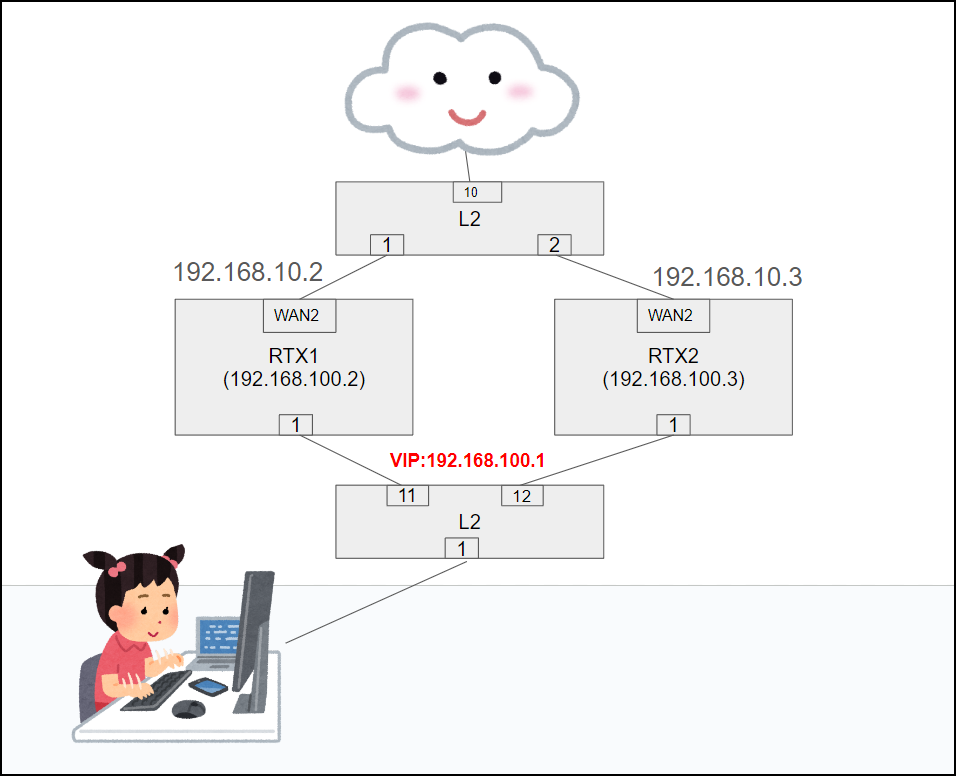
On the local PC (the girl in the image above),only the VIP (Virtual IP address) "192.168.100.1" is visible as(in reality, it is also possible to connect directly to the physical IPs "Master: 192.168.100.2" and "Backup: 192.168.100.3").
■ Points to note
- The IP address assigned to the WAN interface must be static!
- An L2 switch or similar is required both upstream and downstream!
config
That's all for the basic settings related to VRRP!
■ Main side (RTX1)
ip lan1 vrrp 1 192.168.100.1 priority=200 #Virtual IP setting. Higher priority takes precedence. ip lan1 vrrp shutdown trigger 1 lan2 #Specify the interface to determine if down (lan2 is WAN). ip lan1 address 192.168.100.2/24 #Actual address on the chassis side
■ Backup side
ip lan1 vrrp 1 192.168.100.1 priority=100 ip lan1 vrrp shutdown trigger 1 lan2 ip lan1 address 192.168.100.3/24
■ For WAN side alive monitoring
ip keepalive 10 icmp-echo 1 3 1.1.1.1 #IP is temporary
Verification Record
As a simple test, I performed a ping from my local PC to the internet (192.168.10.1)
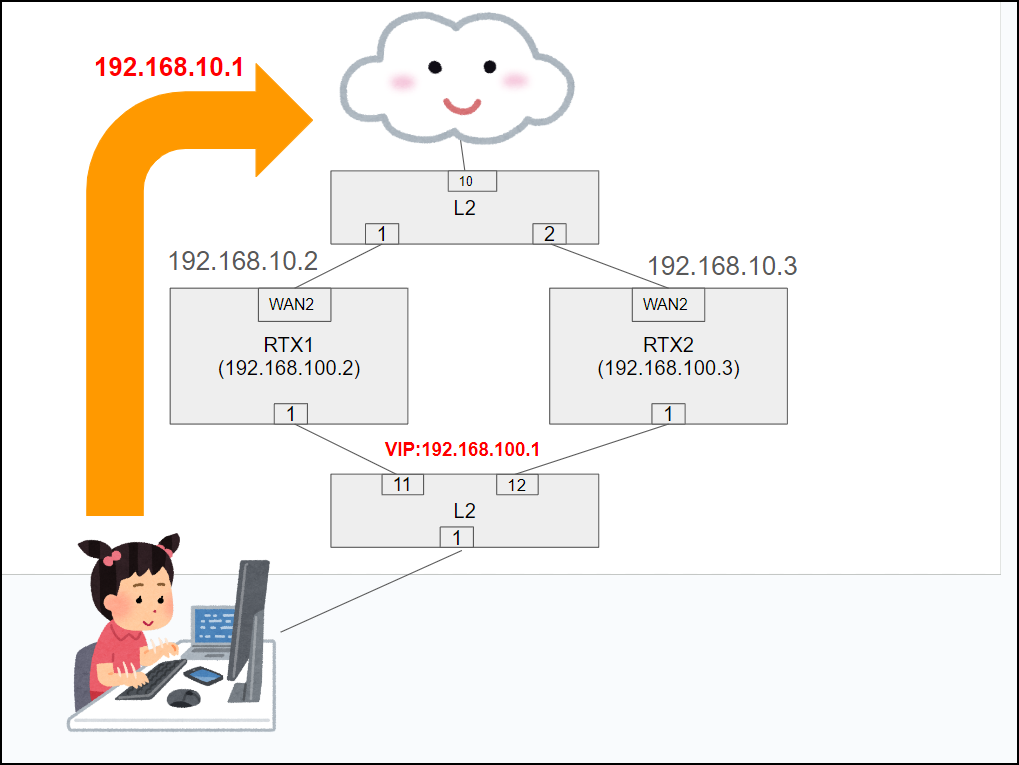
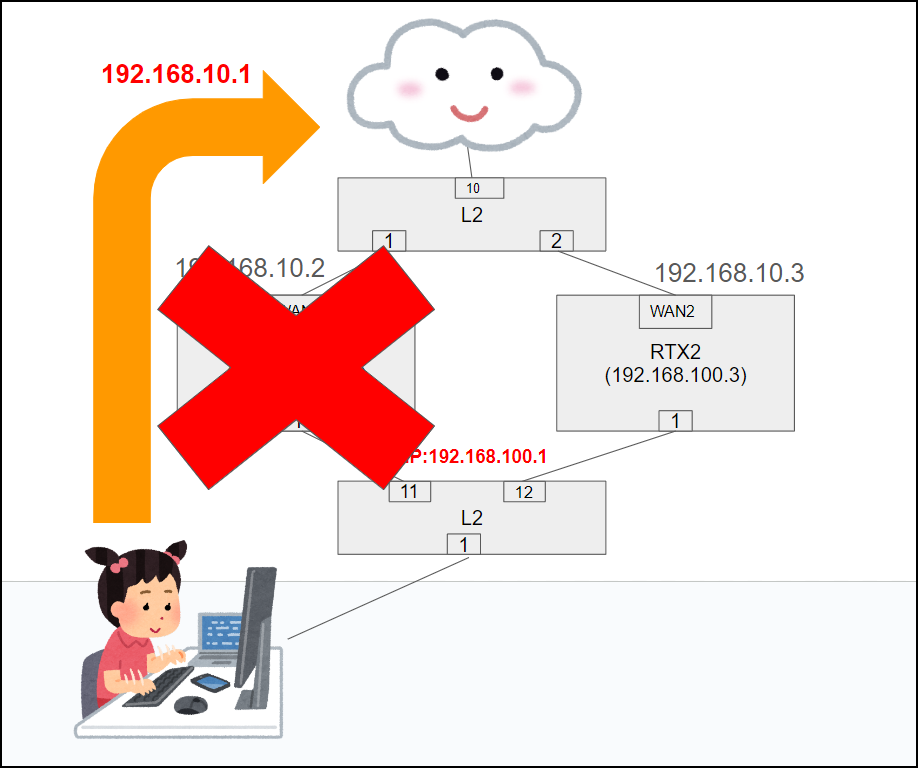
Verification 1) Ping VIP: 192.168.100.1, Internet side IP: 192.168.10.1, continuously, while sending, turn off the power on the master side
Reply from 192.168.10.1: bytes=32 time=1ms TTL=63 Reply from 192.168.10.1: bytes=32 time=1ms TTL=63 Reply from 192.168.10.1: bytes=32 time=1ms TTL=63 Reply from 192.168.10.1: bytes=32 time=1ms TTL=63 Reply from 192.168.10.1: bytes=32 time=1ms TTL=63 Request timed out. Reply from 192.168.10.1: bytes=32 time=1ms TTL=63 Reply from 192.168.10.1: bytes=32 time=1ms TTL=63 Reply from 192.168.10.1: bytes=32 time=1ms TTL=63 Ping statistics for 192.168.10.1: Packets: sent = 42, received = 41, lost = 1 (2% loss), Approximate round trip time (ms): min = 1ms, max = 4ms, average = 1ms Reply from 192.168.100.1: bytes=32 time=1ms TTL=255 Reply from 192.168.100.1: bytes=32 time=1ms TTL=255 Reply from 192.168.100.1: bytes=32 time=1ms TTL=255 Request timed out. Reply from 192.168.100.1: bytes=32 time=1ms TTL=255 Reply from 192.168.100.1: bytes=32 time=1ms TTL=255 Ping statistics for 192.168.100.1: Packets: sent = 78, received = 77, lost = 1 (1% loss), Approximate round trip time (ms): min = 0ms, max = 3ms, average = 0ms
⇧The ping timed out on line 7. After that, communication to 192.168.10.1 was restored in about 7 seconds
At the same time, the virtual IP address "192.168.100.1", which is the default gateway (line 20), is switched to the backup machine, and ping responses are restored
The loss was also kept to a minimum
Verification 2) When the Internet is down (physically disconnecting the master WAN)
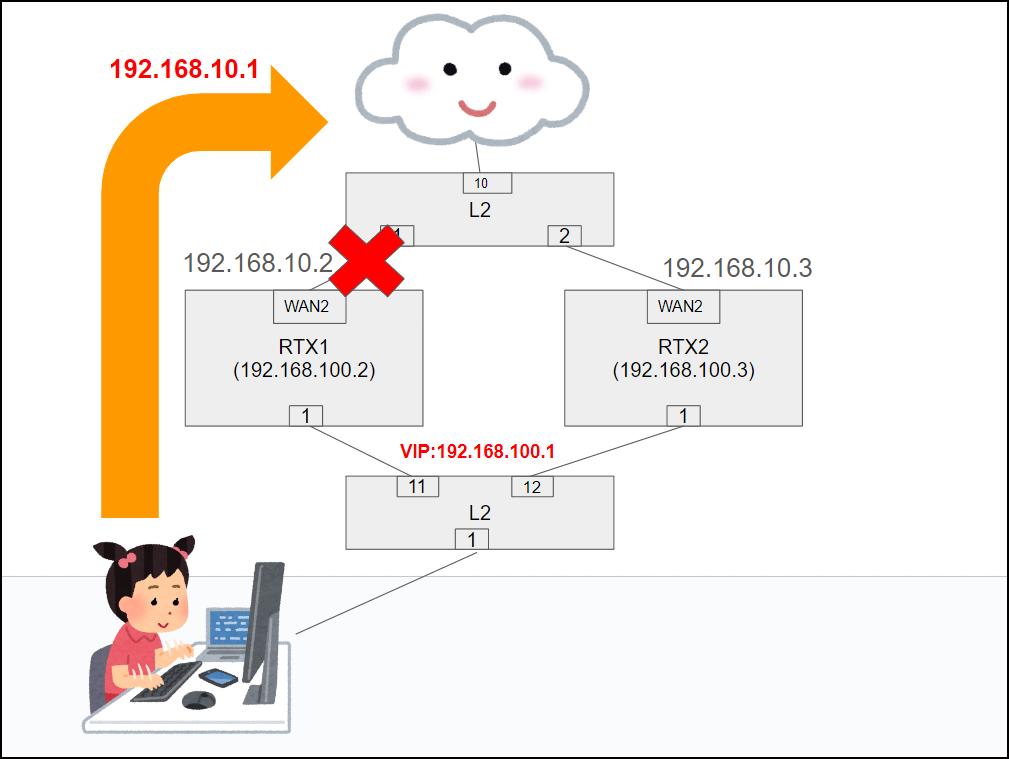
Reply from 192.168.10.1: bytes=32 time=1ms TTL=63 Request timed out. Reply from 192.168.10.1: bytes=32 time=1ms TTL=63
→ Confirmed that recovery was possible with almost instantaneous power interruption
→ Switching from master to backup was also done immediately. Yay, Tae-chan!
That's great. I have a
feeling it could handle any unexpected situation.
Status check command
During verification, I used this to check the switching status
■ VRRP
show status vrrp # Example output show status vrrp LAN1 ID:1 Virtual IP address: 192.168.100.1 Current master: 192.168.100.2 Priority: 200 My status: Master / Priority: 200 Preempt Authentication: NONE Timer: 1
⇧The main side is running as the master
■Checking the interface and keepalive
show status lan2 show status ip keepalive
~Complete~




The person who wrote this article
About the author









