

Easily sync files from Dropbox to a file server with RealSync
table of contents
This is Ohara from the Technical Sales Department
I always use Dropbox as a temporary storage location for Excel data or when exchanging large amounts of data with clients
However, the data created in Dropbox needs to be backed up to the company's file server, and
I thought it would be a hassle to manually copy it to the file server every time, so I looked for a way to automatically synchronize the data, and
found a synchronization software called "RealSync."
I will explain the steps to automatically synchronize data from "Dropbox" to "File Server" using "RealSync"
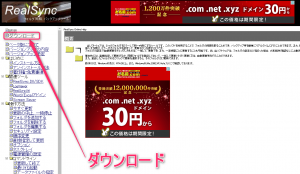
First, download RealSync
You can download it from the official website below.
( You can also download it from
Vector After downloading, a folder called "rsync193" will be created.
Also, RealSync does not use the registry after downloading, so
after installation, please store it in an easy-to-find folder of your choice.
Configuring Folders to Sync
There is a file called "RealSync.exe" in the rsync193 folder you downloaded earlier, so
use this file to set up the folders you want to synchronize.
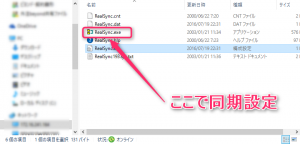
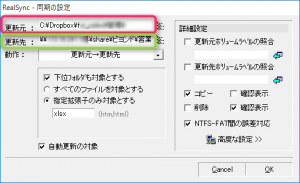
When you open "RealSync.exe", the following screen will appear, so open "Update"
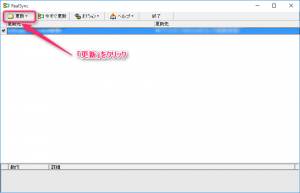
As shown below:
① "Update Source" → Enter the location of the data you want to sync/backup.
② "Update Destination" → Enter the location of the data you want to sync/backup.
Once you have completed entering ① and ②, click "OK" at the bottom right
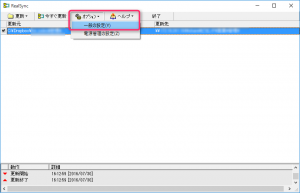
Next, go back to the first screen and click "Options" -> "General Settings."
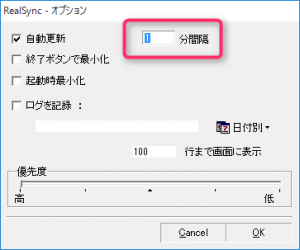
Check "Automatic Update" and enter the "Time Interval" for synchronization and backup.
The minimum time can be set to "1 minute interval."
After entering the information, click "OK."
This completes the preparation for synchronization and backup. From now on,
synchronization and backup will be automatically performed from Dropbox to the file server.
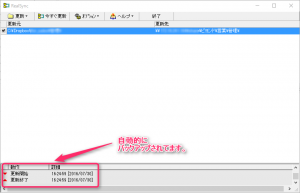
You can see that synchronization is performed automatically at the set interval as shown below
Other optional features include "synchronizing only specified extensions" and "recording logs by date."
summary
is a versatile tool that can be used to back up data on
cloud storage services other than Dropbox, such as Own Cloud and Amazon Drive, as well as It's a free and easy-to-use sync tool, so why not give it a try?
 0
0 Loading...0



The person who wrote this article
About the author









