

[Unity] About Cloud Content Delivery [CDN]
2020.10.05





This is Ohara from the Technical Sales Department
Unity , the developer of the real-time 3D development platform, has finally launched its own CDN service.
This article will cover Unity's CDN service, " Cloud Content Delivery
(Information as of September 2020)
Unity Cloud Content Delivery Overview
https://youtu.be/cTQfmMwq24M
• Cloud Content Delivery can be configured in two ways: via CLI and Developer Dashboard.
• CDN can be used for content unrelated to Unity or games.
• It is integrated with Cloud Build, so you can build and publish directly using Unity's build automation features.
• Content can be managed with regional-level API request caching and responsive API programming.
• A bucket is included by default.
• Data transfer limit: The first 50GB is free.
Content Delivery Initial Setup
First, register an account on the Unity Developer Dashboard and create a Unity ID.
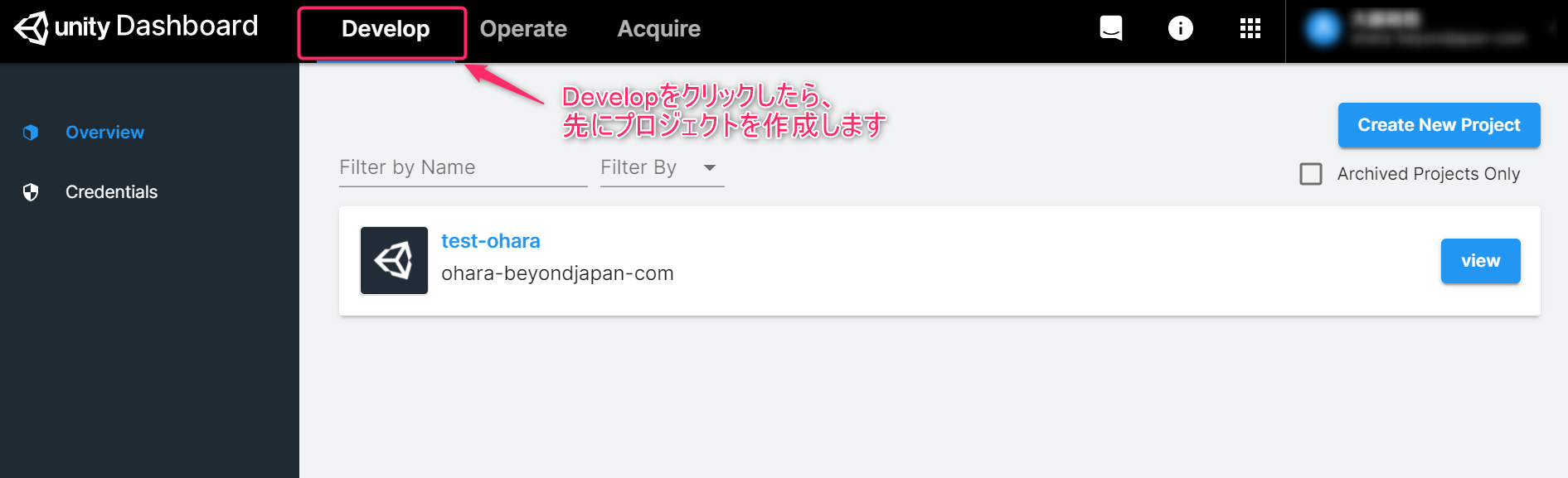
Then, after connecting to the dashboard, click "Develop" and create a "Project". Click "Content Delivery".
・Once you create a project, you will see the following screen. There is a "Start a Free Trial" button at the top of the screen, so you can start using the CDN from here. *Credit card registration is required
Also, there is a "Content Delivery" section in the side navigation on the left, so if you are unsure about the specifications or settings of the CDN function, please refer to this document

Key Features of Content Delivery
■ Bucket
Organize your content into buckets and create clear workflows for your projects. A bucket is a single context for publishing content, such as a platform or environment. An example of a common workflow might be to have separate buckets for development, staging, and production builds, with a naming convention like this:
Example: "ios_staging" "ios_production"
■ Entry
A single unit of content within a bucket. An entry supports labels and metadata. Creating a release captures the current state of all entries in a bucket, similar to the versioning process
■ Badges
Badges allow you to choose which releases your application uses. You can assign a unique badge to a release and request its content using the badge's name
Badges can be moved between releases to provide greater flexibility in your content workflow. Moving a badge removes it from any previous release it was associated with. A badge can only be assigned to one release at a time, but a release can have multiple badges associated with it
Content Delivery Pricing
This CDN service, designed for large-scale distribution, offers relatively low pricing.
Furthermore, for cases involving significantly large data transfer volumes, they reportedly accept payment methods other than credit cards.
| Data transfer volume/month | Price per GB |
| Up to 50GB | free |
| 50GB ⇒ up to 50TB | $0.08 (approximately 8.5 yen) |
| 50TB ⇒ up to 500TB | $0.06 (approximately 6.4 yen) |
| 500TB and above | $0.03 (approximately 3.2 yen) |
summary
With various APIs available for developers, it's safe to say that Unity's CDN service is geared towards developers.
It can also be used for content other than games, and the relatively low cost of data transfer is another attractive feature.
The person who wrote this article
About the author









