

[Security] Try using "EmoCheck," a tool to check for Emotet infection [Tools]

This is Ohara from the Technical Sales Department
This time, we used the security check tool "EmoCheck" to check whether a PC terminal was infected with "Emotet".
(Information as of May 2022)
Furthermore, the following articles were referenced in the creation of this article:
https://www.keishicho.metro.tokyo.lg.jp/kurashi/cyber/joho/emotet.html
https://blogs.jpcert.or.jp/ja/2019/12/emotetfaq.html
About Emotet
Emotet is a highly infectious malware that is primarily spread via attachments in malicious emails sent by malicious attackers
If a computer is infected with Emotet, the attacker will collect account information, passwords, address books, email history, and other information of users of the infected computer. After collecting this information, the attacker can create "spoofed emails" and spread them to other recipients, causing various damage
How to download, operate, and check "EmoCheck"
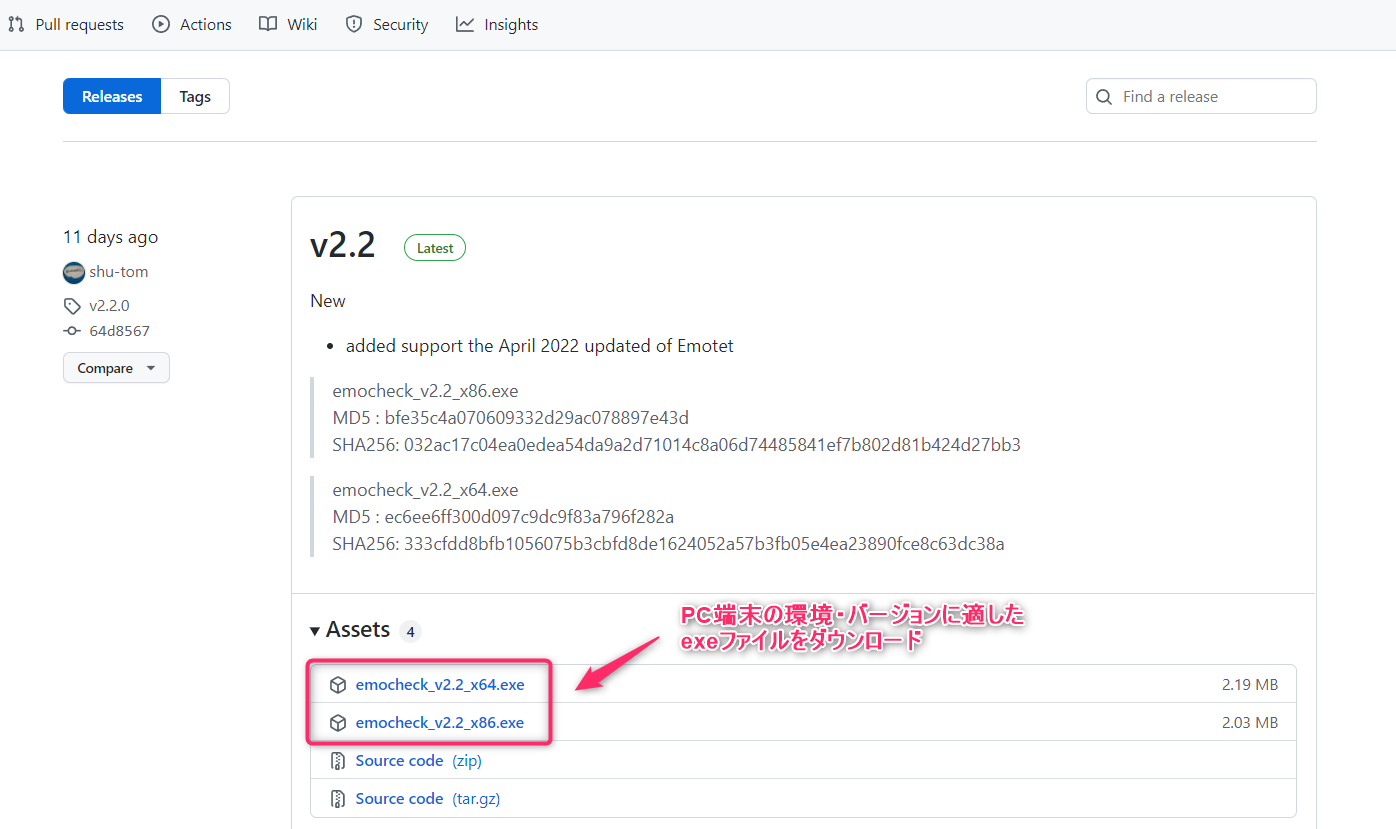
① Enter, search for, and click on 【 https://github.com/JPCERTCC/EmoCheck/releases 】 in your web browser's address bar to be redirected to the GitHub page.
② From the github page, download the exe file that is appropriate for your PC environment and version
③ After downloading and installing the exe file, the following screen will immediately appear. If there are no problems, it will say "Emotet not detected."

* If you see a message like "Emotet process found" or "Emotet detected" on screen ③ mentioned above, you need to take action according to the procedure in "2-1-3. Response to infection" at [ https://blogs.jpcert.or.jp/ja/2019/12/emotetfaq.html ]
summary
This concludes how to operate and check "EmoCheck."
We also recommend that you do not click on any unfamiliar or suspicious emails, files, or links, and that you install anti-malware and removal software on your PC to strengthen your security




The person who wrote this article
About the author









