

It turns out that Certbot's automatic updates actually use a systemd timer by default
Hi, this is Kita.
It sounds like a light novel title, but this article is about Let's Encrypt.
Recently, the SSL certificate for a website we operate expired.
As an infrastructure engineer, this is quite embarrassing, but thanks to it, I was able to realize a long-standing misconception.
I had always assumed that " automatic renewal of Let's Encrypt = cron."
However, after investigating, I found that AlmaLinux 9 + Certbot 3.x uses systemd timer by default instead of cron
Furthermore, the reason for this expiration was neither of those, but something else entirely
This time, I'll summarize what I investigated during an actual incident response and what I learned as a memo
Conclusion first (for those in a hurry)
- Automatic updates for AlmaLinux 9 (EPEL version of Certbot)instead of cron.
certbot-renew.timer) - Even with the timer running,updates may continue to fail depending on the authentication plugin settings.
- If an expiration occurs, check in the following order:
systemctl list-timers→journalctl -u certbot-renew.service - The process of reflecting updates to the web server should be automated using a deploy hook
The following explains the process in the order it actually works
A problem that occurred suddenly one day
One day, when I accessed the website for our recently released service, a warning screen appeared in my browser indicating that the SSL certificate had expired.

This is bad.
Let's Encrypt certificates have a short validity period of only 90 days, making automatic renewal a prerequisite for operation.
Conversely, if a certificate expires, it means that something in the process is not automated.
My first thought was, "Wait, didn't I set up cron?"
So I immediately checked everyone's favorite cron.
$ sudo crontab -l $ sudo cat /etc/crontab $ sudo ls /etc/cron.d/
...Huh, nothing's written here
I initially thought, "Maybe I missed a setting...", but that didn't make sense.
the updates had been successful until now, even though the cron job was empty.
As I investigated further, I found this information
Recent versions of Certbot use systemd timers
Oh, really? That's the first I've heard of it
Certbot's automatic updates are not necessarily done via cron
This was actually clearly stated in the official documentation.
The "Automated Renewals" section of the official Certbot User Guide states that most Certbot installations have automatic updates pre-configured ,
and that you can check this by looking at crontab ( /etc/crontab or /etc/cron.*/* ) or systemd timer ( systemctl list-timers )
"Look for the certbot renew command in either your system's crontab (typically /etc/crontab or /etc/cron.*/*)
or systemd timers
In other words, automatic updates aren't always implemented using cron; the method used seems to depend on the distribution and package.
In this case, the EPEL version of Certbot for AlmaLinux 9 used the systemd timer method.
Let's check the systemd timers
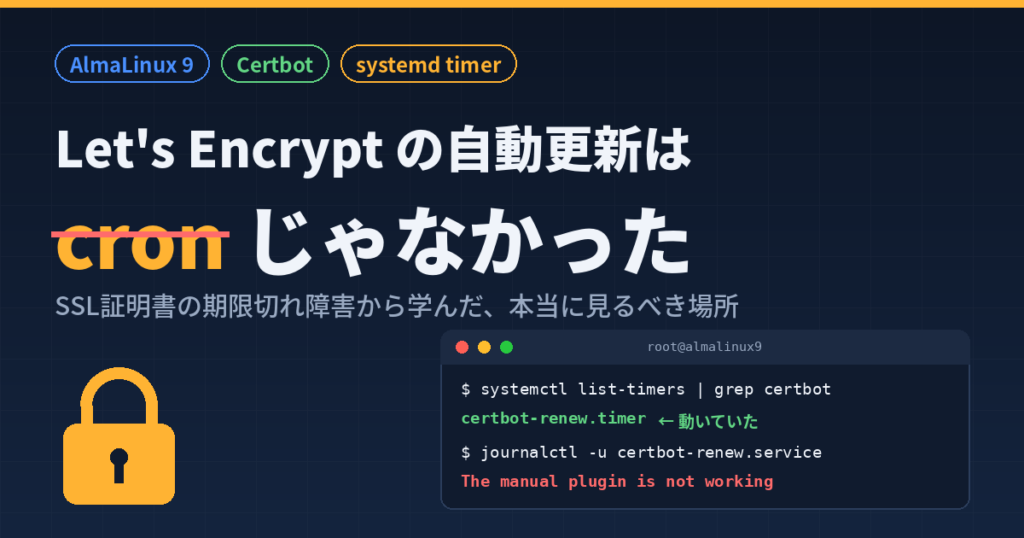
$ sudo systemctl list-timers | grep certbot
Here are the results
Surprisingly,certbot-renew.timerwas running.
In other words,automatic updates were already configured from the start, without having to write a single line of cron code.
The difference between cron and systemd timers
Since we're on the subject, let's briefly summarize the differences between the two.
From an operational perspective, the ease of viewing logs and status is vastly superior.
| item | cron | systemd timer |
|---|---|---|
| Checking the execution log | Track syslog and other logs yourself | Journalctl -u One shot |
| Next execution time | There's no way to see it directly (I have to calculate it myself) | You can see them with systemctl list-timers. |
| Execution failure while the server is down | Not executed and skipped | Persistent=true , recovery will occur after startup. |
| Certbot in AlmaLinux 9 | Unused | Standard (certbot-renew.timer) |
However, this leaves a question: Automatic renewal was working.
So why did it expire?
Why did it expire? The reason is the authentication method
The fact that the certificate expired while the timer was running
suggests that the renewal process was attempted but repeatedly failed.
Let's check the logs.
$ sudo journalctl -u certbot-renew.service --since "yesterday" | grep -i error Jul 01 11:12:29 ip-172-26-9-○○.ap-northeast-1.compute.internal certbot[355188]: Failed to renew certificate www.server-camp.com with error: The manual plugin is not working; there may be problems with your existing configuration. Jul 01 11:12:29 ip-172-26-9-○○.ap-northeast-1.compute.internal certbot[355188]: The error was: PluginError('An authentication script must be provided with --manual-auth-hook when using the manual plugin non-interactively.')
Oh...
"The manual plugin is not working"
"An authentication script must be provided"
The cause was identified here: an authentication error with the manual plugin.
The automatic renewal itself was running, but the certificate renewal process failed.
It wasn't a matter of whether cron was running or not, but rather an issue with the authentication method
Why manual plugins cannot be automatically updated
The answer is directly written
in the "Renewal with the manual plugin" section of the "Manual" section in the official Certbot User Guide
"
renewal. "
Certificates created using --manual do not support automaticSource: Certbot User Guide "Manual"
The only exception is if you have prepared an authentication hook script with --manual-auth-hook--manual is an authentication method that relies on manual human intervention, such as adding DNS records, so it cannot be updated by an unattended timer without automation via a hook.
There's one more specification you should be aware of.
The official User Guide's "Renewing certificates" section clearly outlines how plugins are handled during renewal.
"The same plugins and options that were used at the time the certificate was originally issued will be used for the renewal attempt, unless you specify other
plugins or options."
In short,certificates obtained manually in the past will continue to be renewed manually indefinitely.
The timer repeatedly fails each time it runs periodically, and then 90 days pass and the certificate expires—that was the whole story.
Solution: Switch to webroot authentication and perform an update test
Once you know the cause, all that's left is to deal with it
As an emergency measure to address the expiration, I manually renewed it using certbot certonly --webroot , which resulted in the renewal setting ( /etc/letsencrypt/renewal/ <domain name>.conf) being updated. The setting has been rewritten,
is now authenticator = webroot
$ sudo cat /etc/letsencrypt/renewal/www.server-camp.com.conf | grep authenticator authenticator = webroot
Webroot authentication is an authentication method that uses HTTP-01 challenges, eliminating the need for human intervention.
In other words,an authentication method that allows for unattended updates from the timer.
After correcting the settings, always run an update test with --dry-run.
The specifications for --dry-run are described in the official command reference as follows:
"Perform a test run against the Let's Encrypt
staging server, obtaining test (invalid) certificates but not saving them to disk.
In other words, you can check the update path without consuming the actual rate limit
$ sudo certbot renew --dry-run Saving debug log to /var/log/letsencrypt/letsencrypt.log - - - - - - - - - - - - - - - - - - - - - - - - - - - - - - - - - - - - - - - - - - Processing /etc/letsencrypt/renewal/www.server-camp.com.conf - - - - - - - - - - - - - - - - - - - - - - - - - - - - - - - - - - - - - - - - - - Simulating renewal of an existing certificate for www.server-camp.com - - - - - - - - - - - - - - - - - - - - - - - - - - - - - - - - - - - - - - - - - - Congratulations, simulate alld renewals succeeded: /etc/letsencrypt/live/www.server-camp.com/fullchain.pem (success) - - - - - - - - - - - - - - - - - - - - - - - - - - - - - - - - - - - - - - - -
"Congratulations, all simulated renewals succeeded"indicates that the renewal process was successful. Next, I will check the status of the service.
$ sudo systemctl status certbot-renew.service ○ certbot-renew.service - This service automatically renews any certbot certificates found Loaded: loaded (/usr/lib/systemd/system/certbot-renew.service; static) Active: inactive (dead) since Mon 2026-07-06 07:16:35 JST; 4h 10min ago TriggeredBy: ● certbot-renew.timer Process: 392173 ExecStart=/usr/bin/certbot renew --noninteractive --no-random-sleep-on-renew $PRE_HOOK $POST_HOOK $RENEW_HOOK $DEPLOY_HOOK $CERTBOT_ARGS (code=exited, status=0/SUCCESS) Main PID: 392173 (code=exited, status=0/SUCCESS) CPU: 333ms
The most recent execution was confirmed to have completed successfully with status=0/SUCCESS
* Although it shows Active: inactive (dead)"TriggeredBy: certbot-renew.timer" , it can also be confirmed here that it is started by a timer.
Now, automatic updates should work without any problems.
However, there's actually one more pitfall remaining.
Automate the deployment of Apache updates after changes (deployment hook)
It's surprisingly easy to overlook, buteven if the certificate file is updated,
Apache doesn't automatically load the new certificate, so a reload or restart is required.
Even if you fix the automatic update issue, it's still flawed if reloading is manual.
This can also be automated using Certbot's system.
According to the "Renewing certificates" section of the official User Guide, directories under /etc/letsencrypt/renewal-hooks/pre , deploy , and post will be automatically executed as pre, deploy, and post hooks, respectively. (If there are multiple hooks, they will be executed in alphabetical order by filename.)
| hook | Execution timing |
|---|---|
| pre | Before attempting the update (execute even if it fails) |
| deploy | Only when the update is successful |
| post | After the update attempt (even if it fails) |
The web server only needs to be reloaded "when the update is successful," soa deploy hookis appropriate.
The official documentation also states this.
"If you want your hook to run only after a
successful renewal, use --deploy-hook."
There are only two steps involved. First, create a script
$ sudo vi /etc/letsencrypt/renewal-hooks/deploy/reload-httpd.sh
This is all that's inside
#!/bin/bash systemctl reload httpd
I will also grant execution permissions
$ sudo chmod +x /etc/letsencrypt/renewal-hooks/deploy/reload-httpd.sh
With this,
Certificate renewal (on success) ↓ Execute deploy hook ↓ Apache reload ↓ New certificate is immediately reflectedThis process can be fully automated.
Furthermore, you can verify whether the certificate has been applied correctly after the changes are reflected using the openssl command.
The method for doing so is explained in the section on verifying certificate integrity and validation results using the openssl command
What I learned this time: The order in which to check things when an expiration date occurs
The most valuable lesson I learned this time was,
is that "no cron setting = no automatic updates" is not true, and
"the timer is running = updates are working" is also not true.
If you encounter an expired Let's Encrypt certificate, it's recommended to check it in this order
- Is the timer running?
$ sudo systemctl status certbot-renew.timer
- Check if the update process failed (the cause is usually found here)
$ sudo journalctl -u certbot-renew.service
- Is the authentication method one that can be updated automatically?
$ sudo cat /etc/letsencrypt/renewal/<domain name>.conf
- Test after correction
$ sudo certbot renew --dry-run
If you know this process, a survey like this one will probably only take about 15 minutes
Frequently Asked Questions (FAQ)
Q. Does Certbot's automatic updates run using cron or a systemd timer?
A. It depends on the package and distribution. The official Certbot User Guide's "Automated Renewals" section states that automatic updates are pre-configured for most installations, and lists crontab or systemd timer ( systemctl list-timers ) as ways to check. AlmaLinux 9 (EPEL version) uses systemd timer ( certbot-renew.timer ) by default.
Q. Why do my certificates expire even though certbot-renew.timer is running?
A. The timer only guarantees the periodic execution of the update command; it does not guarantee the success of the update process.
Certificates obtained with the manual plugin cannot be automatically renewed without an authentication hook, so the execution will continue to fail even if it is attempted. Check the error details with `journalctl -u certbot-renew.service`
Q. How do I resolve the "The manual plugin is not working" error?
A. Switch the certificate acquisition method to an automated renewal method such as webroot authentication.`certbot certonly --webroot -w When you re-download it, the renewal setting will also be updated, and automatic updates will work from then on.
Q. Why does my browser still show the old certificate even after I've renewed it?
A. This is because the web server is still using the old certificate that it loaded when it started up./etc/letsencrypt/renewal-hooks/deploy/ , the renewal will be automatically applied to the web server when it is successful.
Q. Is it okay to configure both cron and systemd timers?
A. I don't recommend it.
certbot renew itself only renews certificates that are nearing expiration, so the actual harm from running it twice is small, having two execution sources means that the logs are scattered across different locations, making troubleshooting more complicated.
It's best to stick to the distribution's standard method.
Q. What is the difference between certbot.timer and certbot-renew.timer?
A. The contents are the same Certbot automatic renewal systemd timer; only the name differs depending on the package.
RHEL-based systems like AlmaLinux 9 (EPEL version) use certbot-renew.timer , Debian/Ubuntu (apt version) uses certbot.timer , and the snap version uses snap.certbot.renew.timer
You can check this in any environment using `systemctl list-timers | grep certbot`
summary
Here's a summary of what we learned from this experience
- In AlmaLinux 9, Certbot's automatic renewal is handled by a systemd timer (
certbot-renew.timer) - In some cases, automatic updates may occur even without writing a cron script (this is also clearly stated in the official documentation)
- Even with automatic updates enabled, they may continue to fail due to authentication errors in manual plugins, etc
- The shortest route to identifying the cause is to
run `journalctl -u certbot-renew.service`. - After the update, it's best to automate the process of reloading the web server using a deploy hook for better performance
This incident was quite a nerve-wracking experience, but it was a valuable lesson in how relying solely on cron can lead to misdiagnosis.
I hope this will be helpful to others who are also managing Let's Encrypt.
Well then~
Reference materials (official documentation and user guide)
- Certbot User Guide - Automated Renewals … How automatic renewal works and how to check it
- Certbot User Guide - Manual ... It states that the manual plugin does not support automatic updates.
- Certbot User Guide - Renewing certificates … Plugin transfer during renewal, hook specifications (pre/deploy/post)
- certbot command reference ...
--dry-runspecifications - Let's Encrypt Official Website




The person who wrote this article
About the author