

[DNS] What is 1.1.1.1? [Cloudflare]

While researching Cloudflare's DNS, I came across information about "1.1.1.1".
This time, I'll introduce you to this "1.1.1.1" DNS.
*This information is current as of July 2026
About 1.1.1.1
 Cloudflare's 1.1.1.1 is a public DNS resolver operated through a partnership between Cloudflare and APNIC (a non-profit organization that manages IP address allocation in the Asia Pacific region), and is available to anyone free of charge
| 1.1.1.1 | https://one.one.one.one |
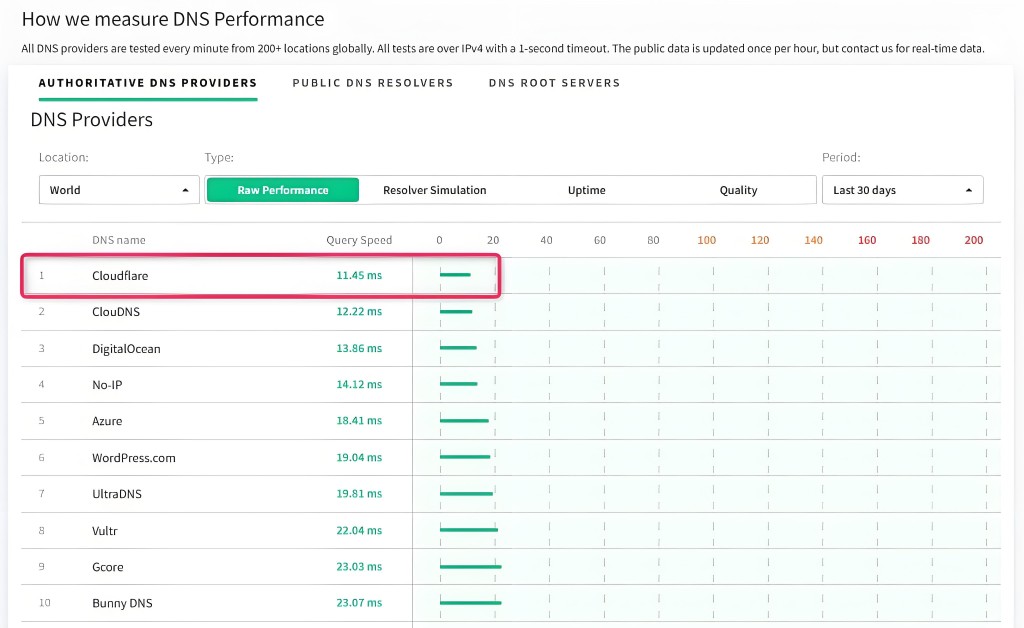
Furthermore, according to the DNSPerf website, it is also rated as the world's fastest DNS service
| DNSPerf | https://www.dnsperf.com |
1.1.1.1 Setup Instructions
This time, we will configure a Windows 11 PC to connect to Cloudflare's DNS (1.1.1.1)
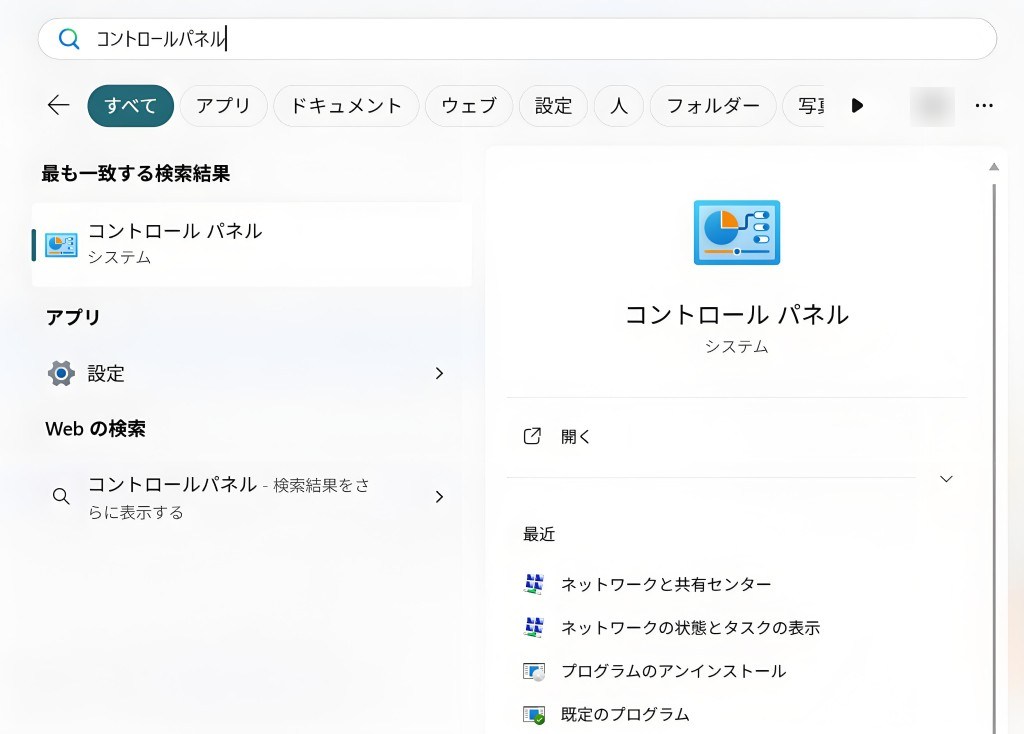
① Click the "Start" menu on your Windows PC, then click "Control Panel"
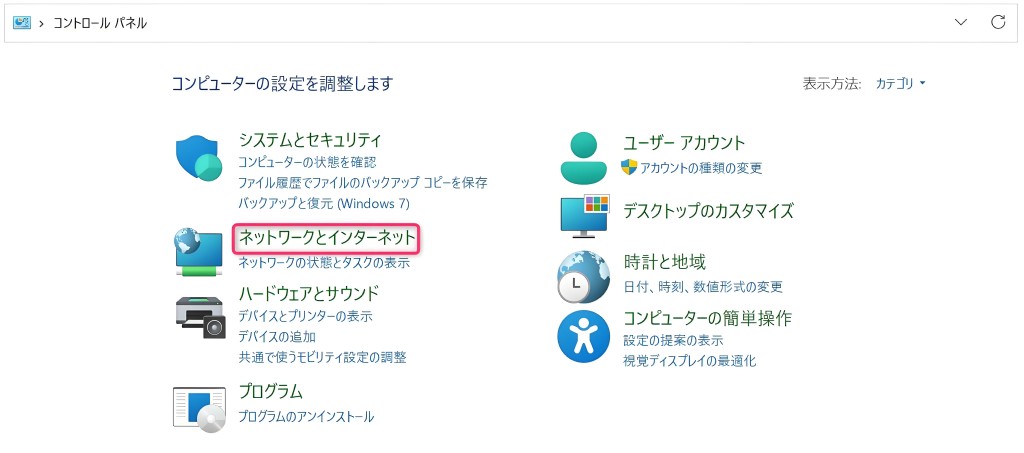
② Click "Network and Internet"
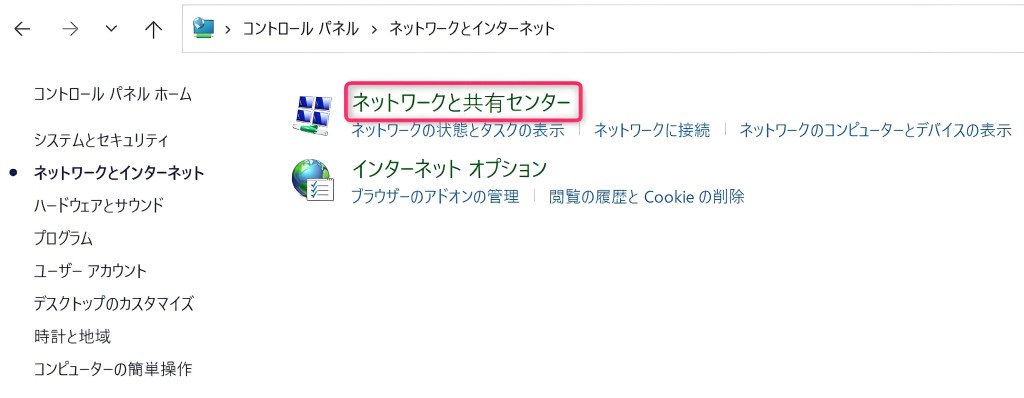
③ Click "Network and Sharing Center"
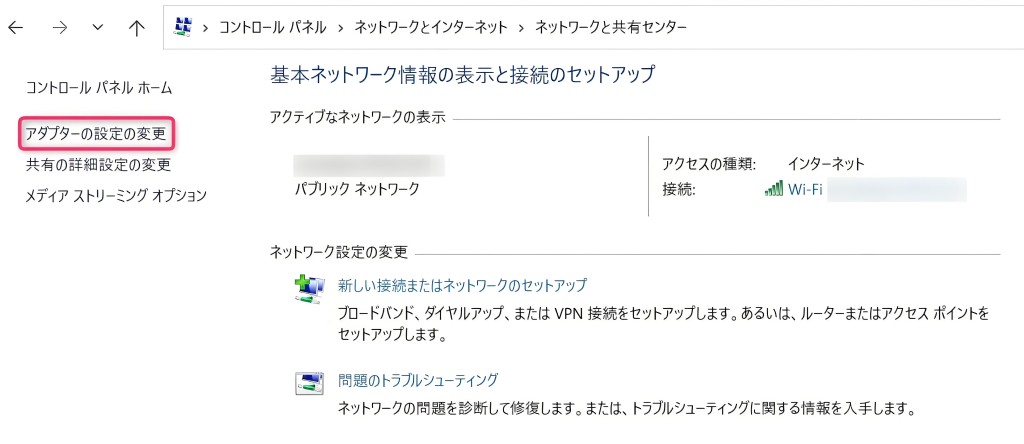
④ Click "Change adapter settings"
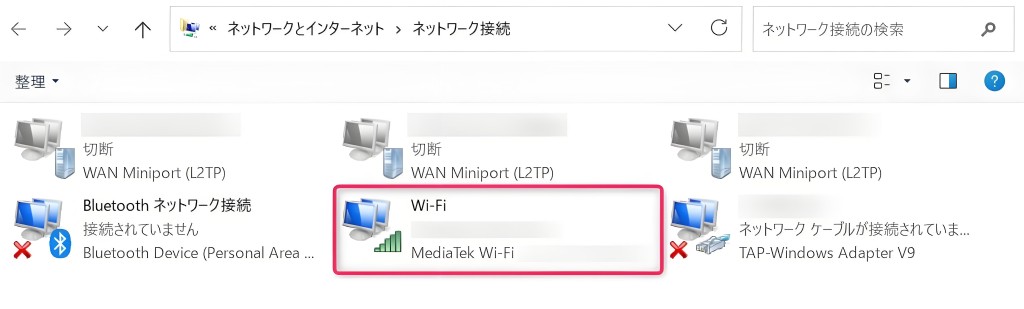
⑤ Click on the "Wi-Fi network" you are currently connected to
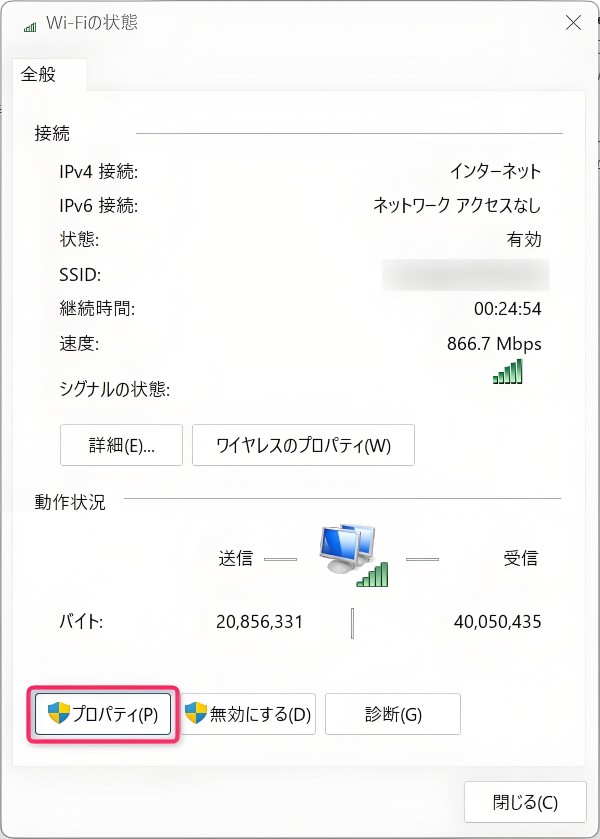
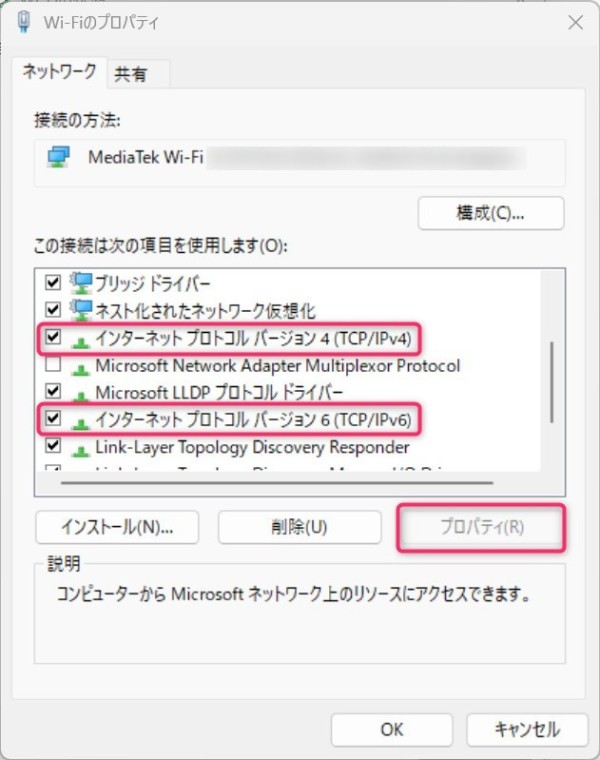
⑥ Click "Properties" in the lower left corner of the screen.
⑦ Select either "Internet Protocol Version 4 (TCP/IPv4)" or "Internet Protocol Version 6 (TCP/IPv6)".
*In this example, we have selected "Internet Protocol Version 4 (TCP/IPv4)".
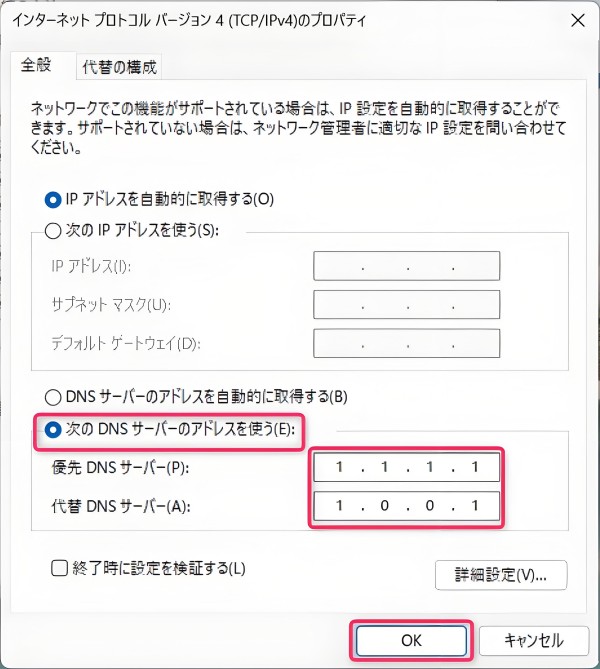
⑧ Click "Use the following DNS server addresses" and enter the DNS addresses "1.1.1.1" and "1.0.0.1".
Then click "OK" and then "Close" to complete the Cloudflare DNS connection setup.
| Cloudflare DNS server addresses | ||
| Internet Protocol Version 4 (TCP/IPv4) | Preferred DNS Server | 1.1.1.1 |
| Alternative DNS Server | 1.0.0.1 | |
| Internet Protocol Version 6 (TCP/IPv6) | Preferred DNS Server | 2606:4700:4700::1111 |
| Alternative DNS Server | 2606:4700:4700::1001 | |
About Cloudflare WARP
Cloudflare version 1.1.1.1 offers a free app called "Cloudflare WARP" that allows you to connect to websites from your PC or smartphone via a private network built on the same DNS server
While the aforementioned 1.1.1.1 only protects DNS queries, Cloudflare WARP protects all traffic between devices such as PCs and smartphones and services on the internet, establishing a private connection
By routing traffic over the Cloudflare network and automatically encrypting it, without going through the public internet, we achieve secure and high-speed communication
| Cloudflare WARP Key Features |
The app is free to use, requires no complicated settings or operations, and can be completed in just a few minutes |
| It can be used on iPhone, Android, macOS, Windows, and Linux (servers and routers) | |
| It can block access to websites suspected of containing malware or adult content |
How to configure Cloudflare WARP
For Windows 11 PCs
Download the Windows installer from the website mentioned in section 1.1.1.1 above, and install it on your PC following the installer's instructions
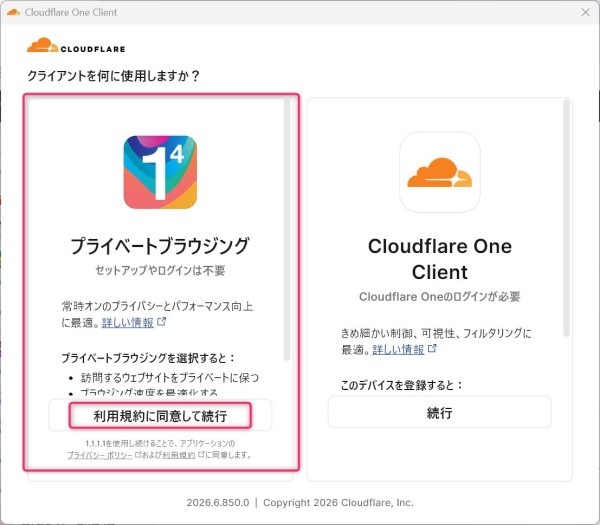
After the installation on your PC is complete, a pop-up screen like the one above will appear on your PC
Next, select "Private Browsing" on the left side of the screen and click "Agree to Terms of Service and Continue"
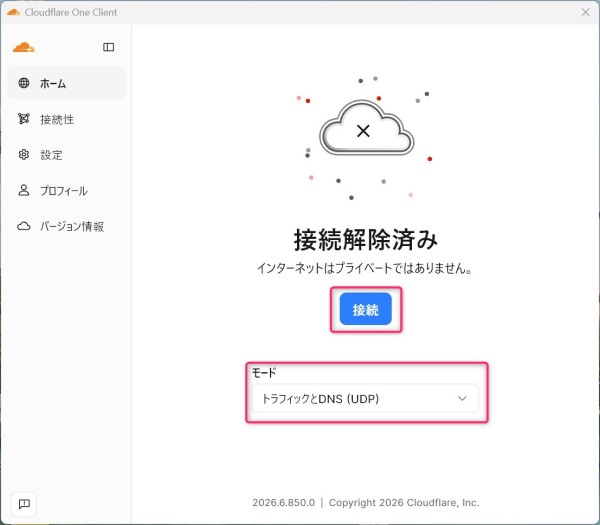
Select "Traffic and DNS (UDP)" under Mode and click the "Connect" button
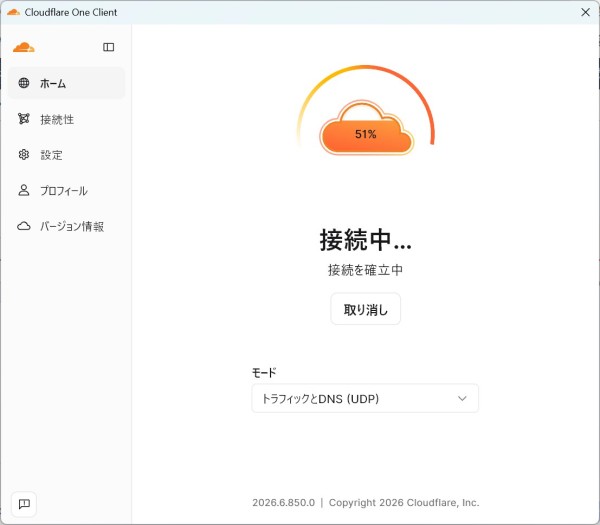
After clicking, please wait 5-10 seconds for the connection to complete
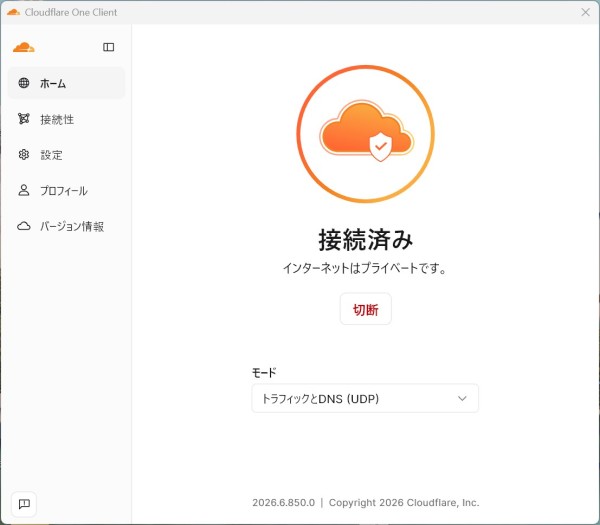
Private connection via Cloudflare WARP has been established
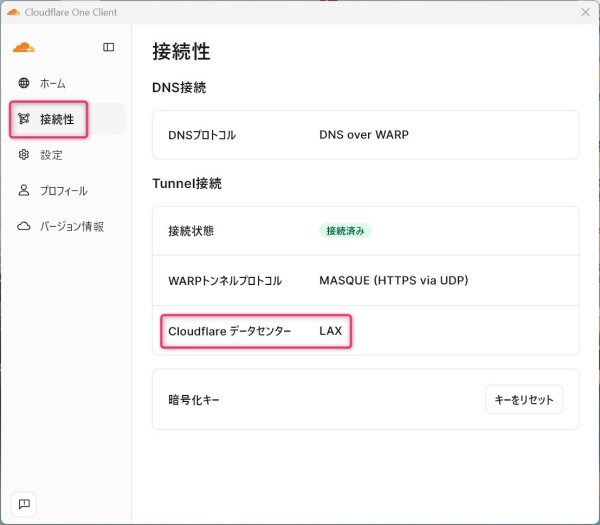
You can verify that your internet connection from your PC is routed through Cloudflare's data center (LAX/Los Angeles)
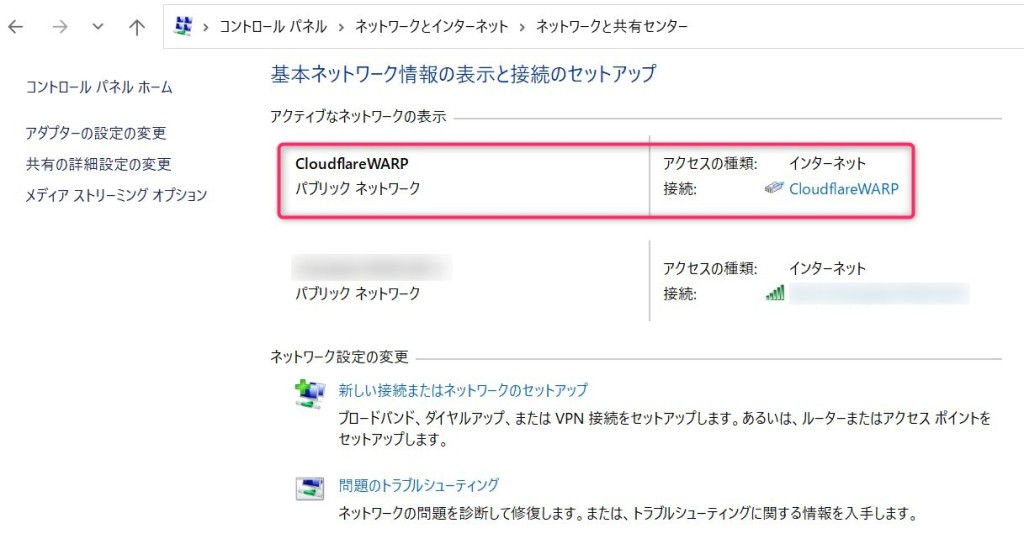
If you check your own PC's network settings, you will see that the connection has been changed to one via Cloudflare WARP
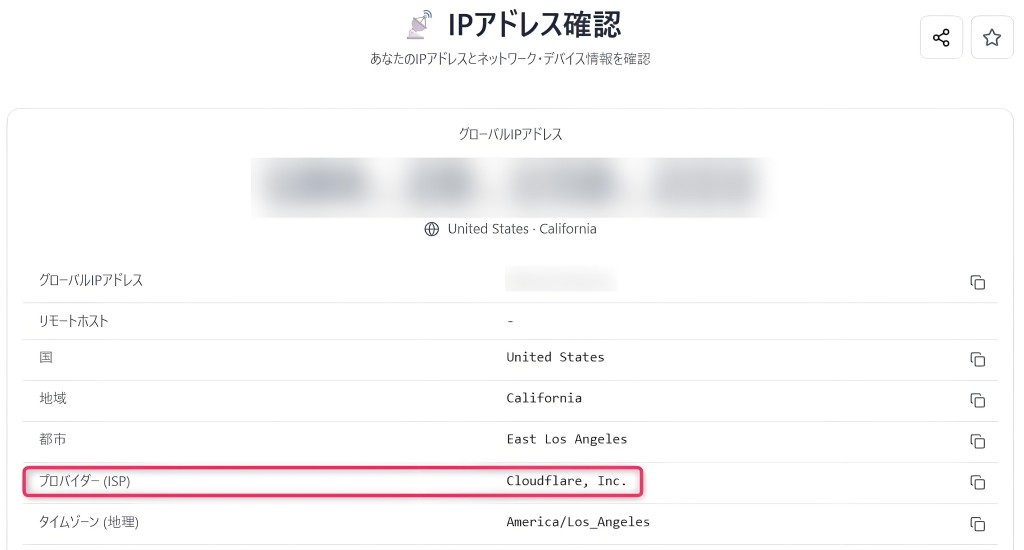
The IP address has also switched, as confirmed by an IP address verification tool
| IP address verification | https://rakko.tools/ja/tools/my-ip |
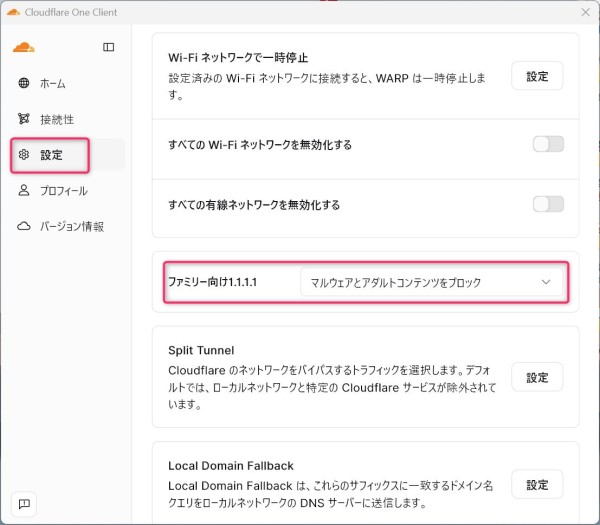
Make sure to enable the "Block malware and adult content" setting in the Cloudflare WARP app
Enabling this setting will prevent suspicious websites and adult sites from appearing in search engine results
Furthermore, even if you click on the URL of such a target site, the site will not be displayed and will be automatically blocked, allowing you to use the internet safely
For smartphones (Android)
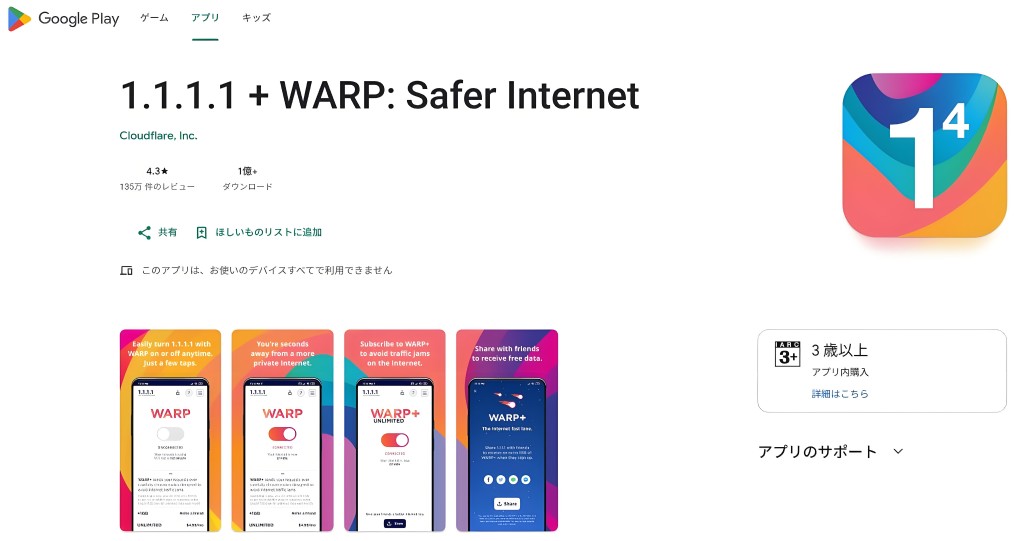
Search for the Cloudflare WARP app on Google Play on your smartphone and install it.
(Note: The app name on Google Play is "1.1.1.1 + WARP: Safer Internet")
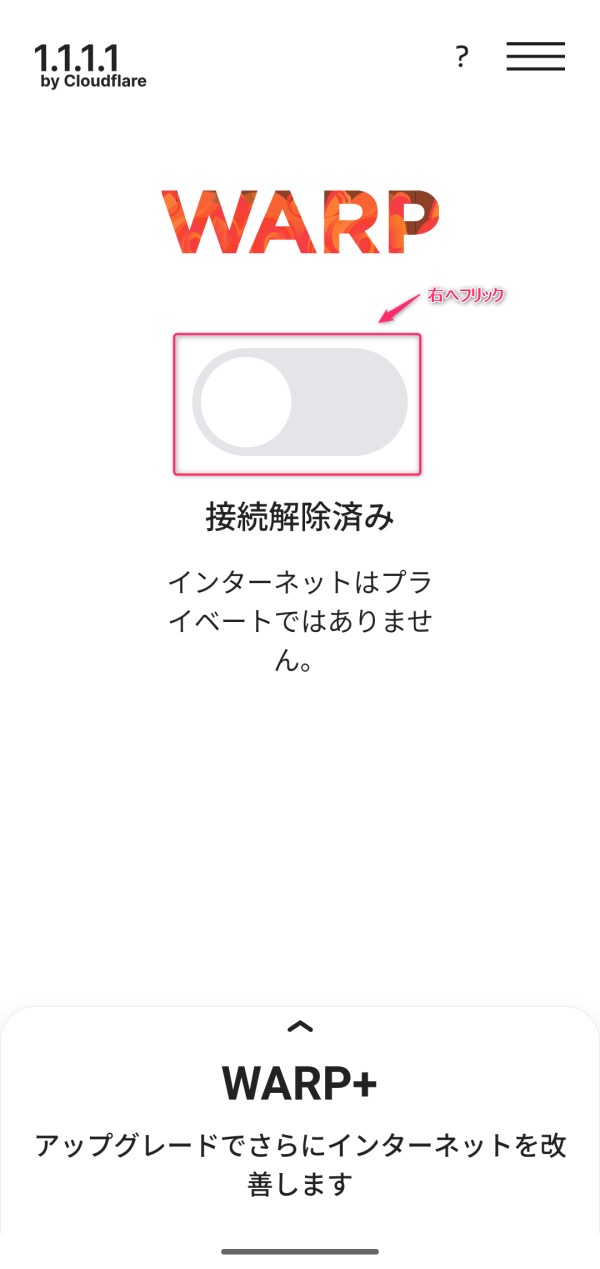
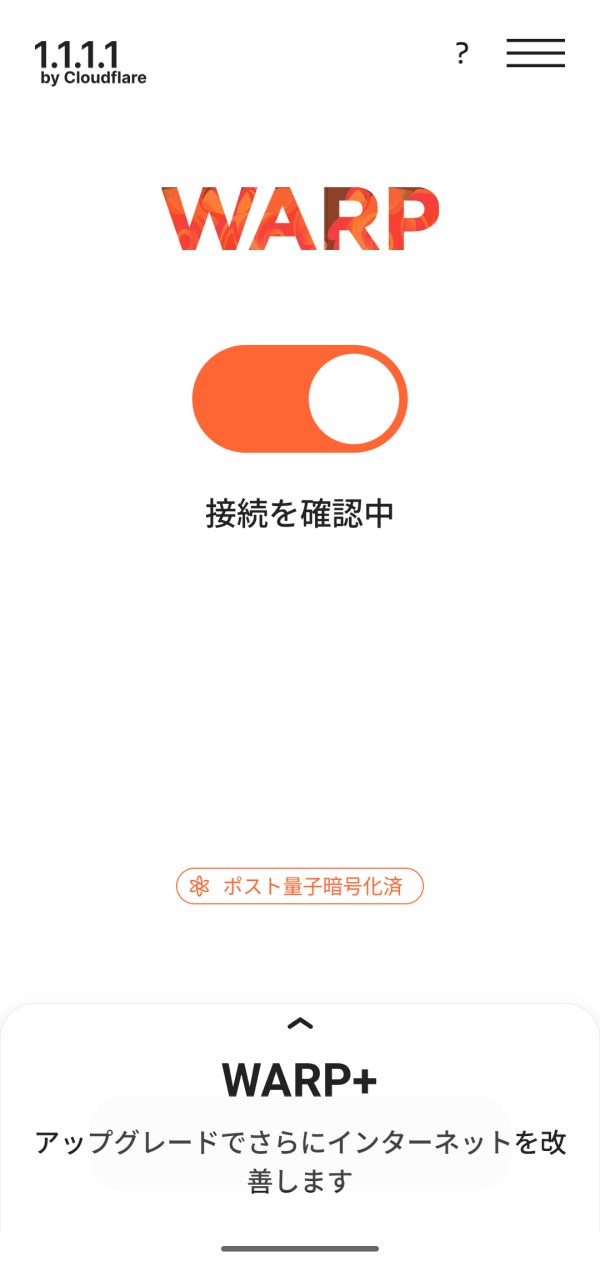
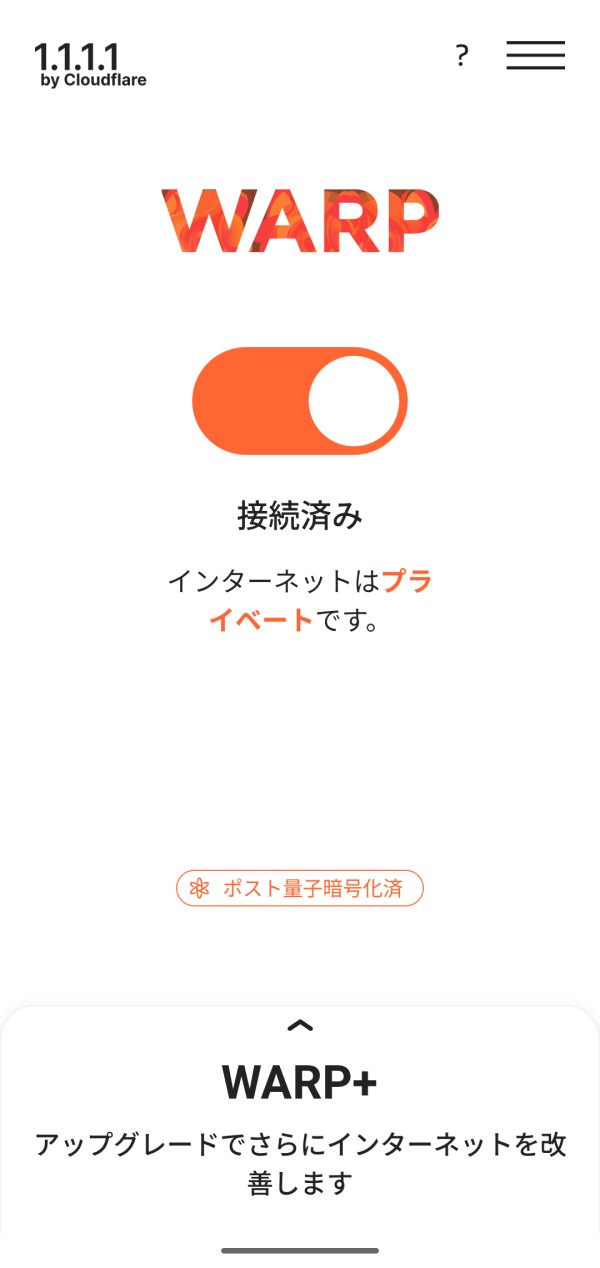
After the app has finished installing on your smartphone, with the status "Disconnected," flick the flick button to the right
After waiting 5-10 seconds,the private connection via Cloudflare WARP will be completed.
Note: Cloudflare data centers
Cloudflare WARP is a system that automatically selects the optimal data center (PoP) based on information such as the user's PC or smartphone's internet connection, IP address, and network quality
For example, when used in Japan, it may automatically connect to a data center such as "LAX (Los Angeles)"
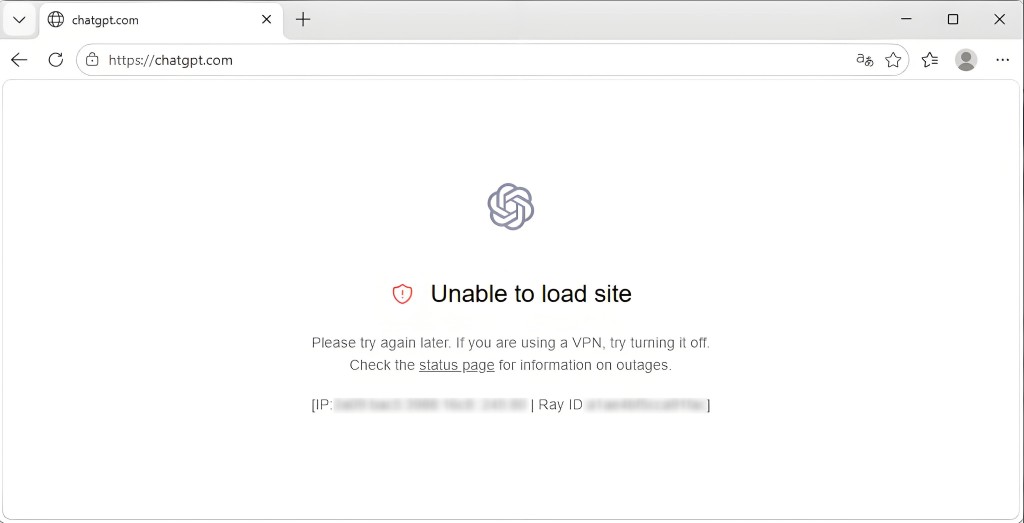
On the other hand, in some Asian countries outside of Japan, "HKG (Hong Kong)" may be automatically selected, but caution is advised in such cases
Because some services, such as ChatGPT and TikTok, are unavailable in Hong Kong, Cloudflare WARP's connection path will be set to HKG, preventing it from connecting to these services properly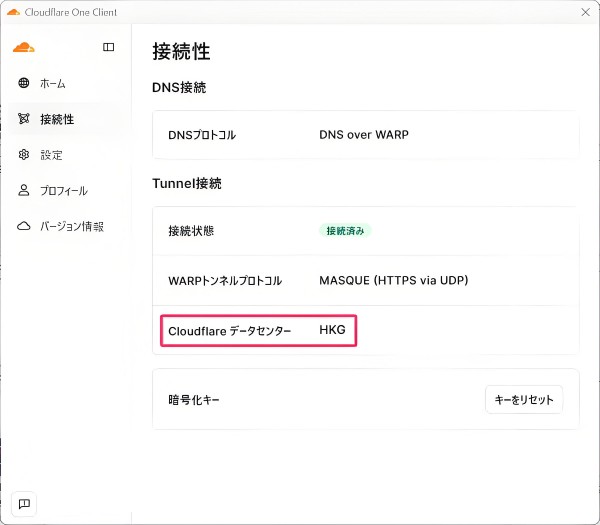
Please note that the Cloudflare WARP app does not offer a function to manually specify or change the data center to which you are connecting (such as HKG or LAX)
Therefore, if HKG is selected and you cannot connect to ChatGPT or other networks, effective troubleshooting steps include reconnecting Cloudflare WARP or disabling IPv6 to see if the routing changes
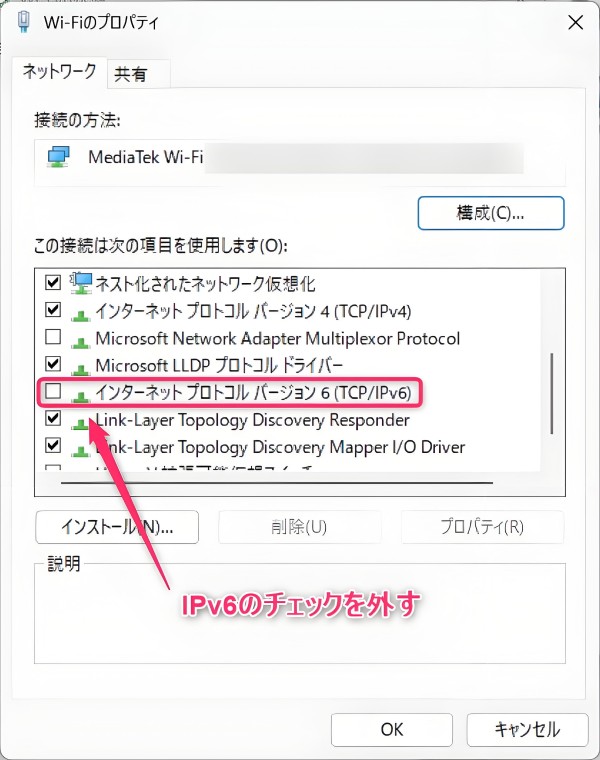
In actual testing, we confirmed that in Hong Kong, HKG is automatically selected when connecting via IPv6, and that in some cases, it switches to LAX when IPv6 is disabled
However, this will vary depending on the internet connection being used and Cloudflare's routing, so the results will not be the same in all environments
summary
Cloudflare offers a wide range of services beyond just CDNs, including a free, high-speed public DNS resolver (1.1.1.1) and an app (Cloudflare WARP) that protects all traffic
1.1.1.1 processes DNS queries quickly and privately, while Cloudflare WARP encrypts and speeds up all internet communications and automatically blocks access to dangerous and adult sites
Furthermore, it supports a wide range of devices, from PCs to smartphones, and these settings can be completed in just a few minutes without requiring any complicated operations




The person who wrote this article
About the author