

[Turtle] Python Turtle Clash Race
Hello.
the Year-Round 410 Error
System Solutions Department.
Lately, the humidity, heat, and local taxes have been draining my energy, so this time I'd like to use the Python library turtle
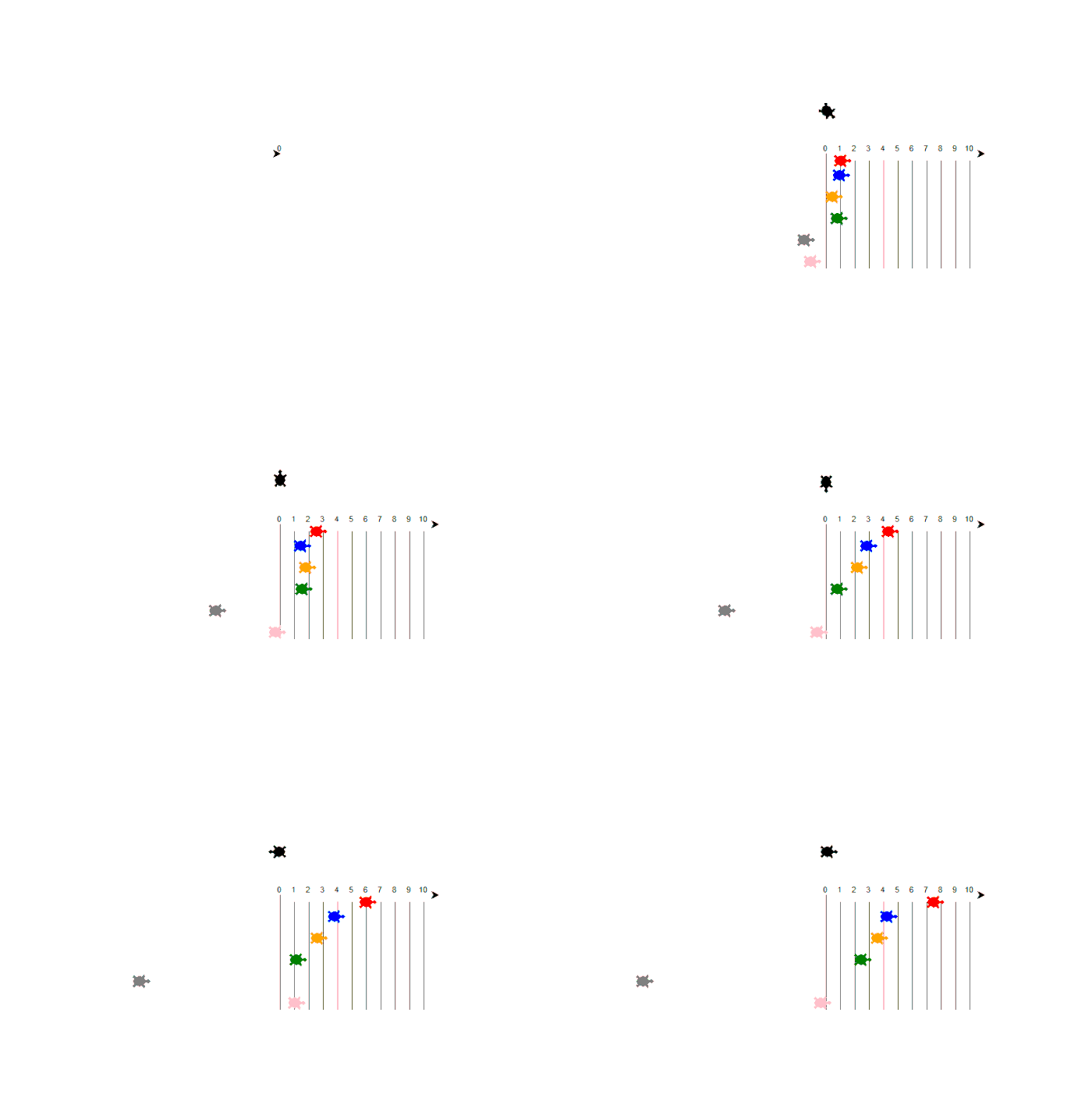
to make some turtles compete. You can do all sorts of things like in the GIF image above, so please try moving your favorite turtles around as much as you like.
Operating environment and full code
So let's get started
Operating System: Microsoft Windows 10 Pro
Python Version: 3.10
from turtle import * from random import randint import time #Draw a line for step in range(11): write(step, align='center') speed(80) right(90) forward(10) pendown() forward(150) penup() backward(160) left(90) forward(20) time.sleep(1) #Red turtle red = Turtle() red.color('red') red.shape('turtle') red.penup() red.goto(0, -10) #Blue turtle blue = Turtle() blue.color('blue') blue.shape('turtle') blue.penup() blue.goto(0, -30) #Yellow turtle yellow = Turtle() yellow.color('orange') yellow.shape('turtle') yellow.penup() yellow.goto(0, -60) #Green turtle green = Turtle() green.color('green') green.shape('turtle') green.penup() green.goto(0, -90) #black turtle black = Turtle() black.color('black') black.shape('turtle') black.penup() black.goto(0, 60) #mouse turtle gray = Turtle() gray.color('gray') gray.shape('turtle') gray.penup() gray.goto(0, -120) #rotating turtle pink = Turtle() pink.color('pink') pink.shape('turtle') pink.penup() pink.goto(0, -150) time.sleep(3) #move each turtle x100 for kame in range(100): red.forward(randint(1, 2)) blue.forward(randint(-1, 3)) yellow.forward(randint(-3, 4)) green.forward(randint(-4, 5)) black.right(90) gray.forward(randint(-3, -2)) pink.forward(randint(-10, 10))
Code explanation
Import each library.
The `random time` setting is just for the effect of making the turtles move randomly
by making them wait a little after being placed, so it's okay if you don't use it.
from turtle import * from random import randint import time
Honestly, this is the only thing to worry about.
Starting from 0, we repeat the process using a for loop until 10 lines are drawn to represent the race track.
for step in range(11): write(step, align='center') speed(80) right(90) forward(10) pendown() forward(150) penup() backward(160) left(90) forward(20)
Use `color()` to specify the turtle's color.
( You can specify the color more precisely with ` fillcolor()
) `shape()` specifies the turtle's shape, and `goto()` specifies the initial placement coordinates. For subsequent turtles, you can gradually shift them while debugging.
#Red turtle red = Turtle() red.color('red') red.shape('turtle') red.penup() red.goto(0, -10)
Use "for" to make it move 100 times
For each turtle, one of the numbers (number, number) is randomly selected
This timeIt's a painI didn't mention it here, but it would probably create a good atmosphere if they displayed something like "Goal!" when the goal was reached
for kame in range(100): red.forward(randint(1, 2)) blue.forward(randint(-1, 3)) yellow.forward(randint(-3, 4)) green.forward(randint(-4, 5)) black.right(90) gray.forward(randint(-3, -2)) pink.forward(randint(-10, 10))
Turtlr is primarily a drawing library, but by adding the turtle shape, you can use it in this way as well.
(For detailed usage, please refer to the official documentation
I think it's perfect for Python beginners, so please try drawing turtles in a cool, air-conditioned room.
See you later!




The person who wrote this article
About the author









