

[Part 2] How to set up URL redirection with GCP's global external HTTP(S) load balancer
2022.09.06






Hello!
This is Hide, the Ramen King from Beyond Co., Ltd.'s Osaka office.
This is my ninth post.
Last time, I wrote about how to set up URL redirection using the global external HTTP(S) load balancer (traditional type) of GCP's Google Cloud Load Balancing (GCLB)!
This time, continuing from the last article, I will write about how to set up URL redirection with GCLB's global external HTTP(S) load balancer
It's a little difficult and different from the traditional method, but let's work hard together
*If you are interested in traditional URL redirection settings, please take a look at the article below!
Setup Procedure
*This assumes that a load balancer (LB) has been created
① Click Load Balancing > LB Name > Edit

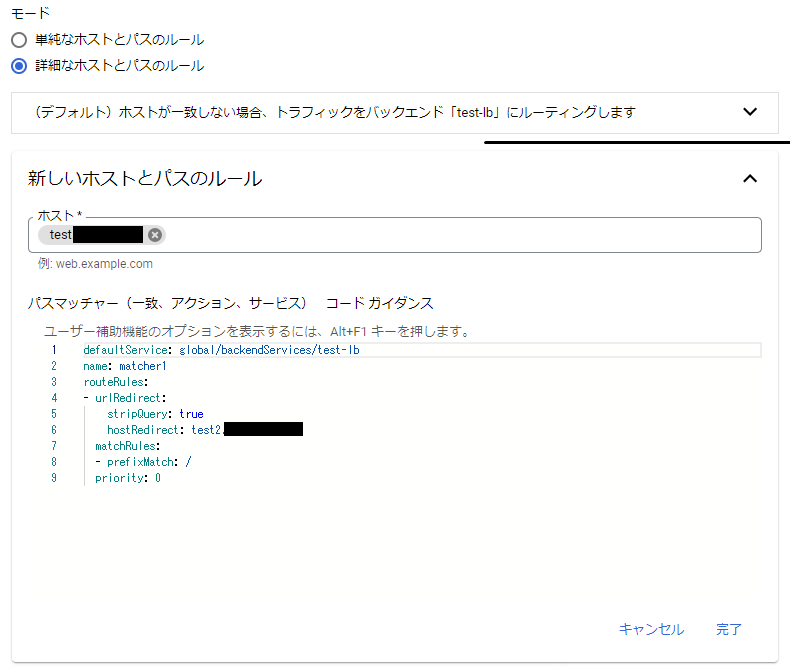
② Select Advanced Host and Path Rules and click [Add Host and Path Rule]

③ Specify the source domain in the new host and path rule

④ Set the redirect and click [Update]
*Official URL redirection settings documentation
defaultService: global/backendServices/backend name name: matcher1 *Specify your preferred name routeRules: - urlRedirect: stripQuery: true *Whether to delete query hostRedirect: test2.com *Specify redirect destination matchRules: - prefixMatch: / *Specify path when redirected priority: 0 *0 is the highest priority
⑤ Operation check
*Please wait until the LB update is complete before proceeding.
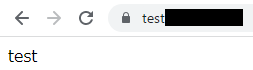
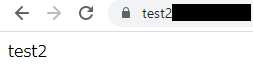
*Please check if you are redirected.
↓
summary
What did you think?
Traditional global HTTP(S) load balancers make it easy to set up redirects, but global HTTP(S) load balancers are coded, so I think it can be a bit tricky
However, if you can properly set up the redirection on the load balancer, it is recommended because you can redirect without putting a load on the server and without having to set up the redirection on the server
If you are setting up redirection with GCP LB, please refer to this!
The person who wrote this article
About the author









