

How to use Basic Authentication with Cloudflare Workers

Hello!
This is Hide, the Ramen King from Beyond Co., Ltd.'s Osaka office.
This is my 13th post.
Last time, I wrote about setting up policies in AWS IAM that allow access only to specific hosted zones!
The setup is relatively easy, but if you make a mistake in the settings, you may not be able to create the policy or you may end up showing parts that you shouldn't.
I've explained the setup method in an easy-to-understand way, so please check it out if you're interested.
[AWS IAM] Policy settings that allow access to only specific hosted zones
overview

I'd like to restrict access using Basic Authentication...
Since I'm using Cloudflare, and I don't want to put a load on the origin server,
I'd like to implement Basic Authentication on Cloudflare...
But how do I do that?
Have you ever considered the above?
Normally, when implementing Basic authentication, you'd use something like Apache or Nginx.
I was also wondering if I could use Cloudflare to reduce the load on my origin server, and it turns out you can
achieve Basic authentication using Cloudflare Workers!
Since Cloudflare doesn't put any load on the origin server, it's incredibly convenient!
The procedure is very simple, so let's get started!
Prerequisite knowledge
What are Cloudflare Workers?
Cloudflare is one of the largest CDN (Content Delivery Network) networks in the world. Cloudflare's CDN service is used by web content providers worldwide for website speed optimization.
Cloudflare Workers is a serverless service developed by Cloudflare.
Cloudflare allows you to build web functions and applications without having to configure or maintain infrastructure when deploying globally to over 275 data centers worldwide.
Implementation is done using languages such as JavaScript and TypeScript.
Cloudflare is an extremely convenient service because you can use SSL, WAF, and CDN in conjunction with building your applications.
What is Basic authentication?
This feature allows you to implement access restrictions using middleware such as Apache or Nginx.
Authentication can be done using a username and password, making it useful for situations where you want to restrict access to only certain users.
Our engineers have created a guide on how to implement Basic authentication with Nginx, so
please check it out if you're interested!
Setup Procedure
*This assumes that Cloudflare's initial setup and record registration have been completed
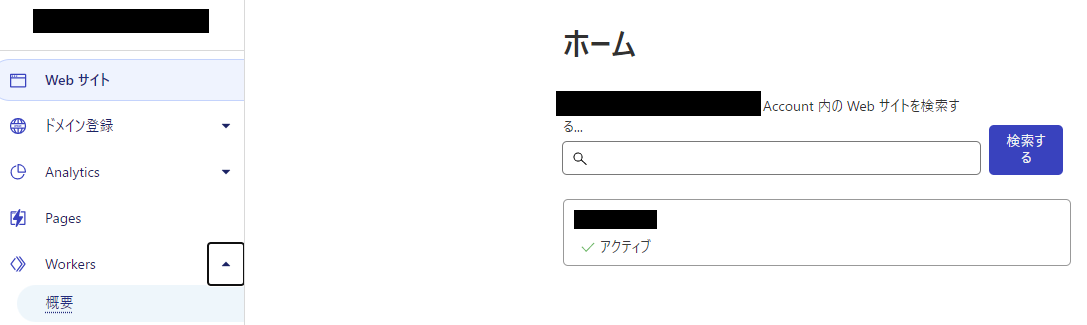
① Click Home > Workers > Overview
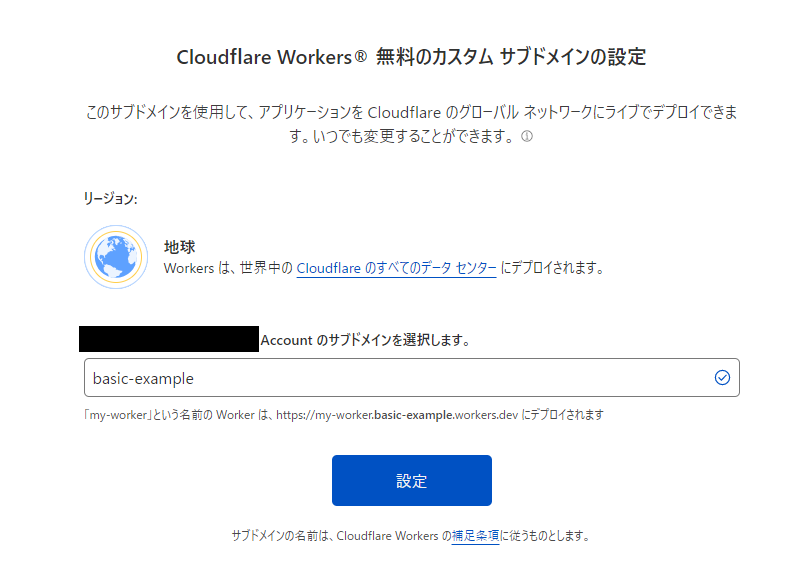
②Enter any subdomain name and click [Settings]
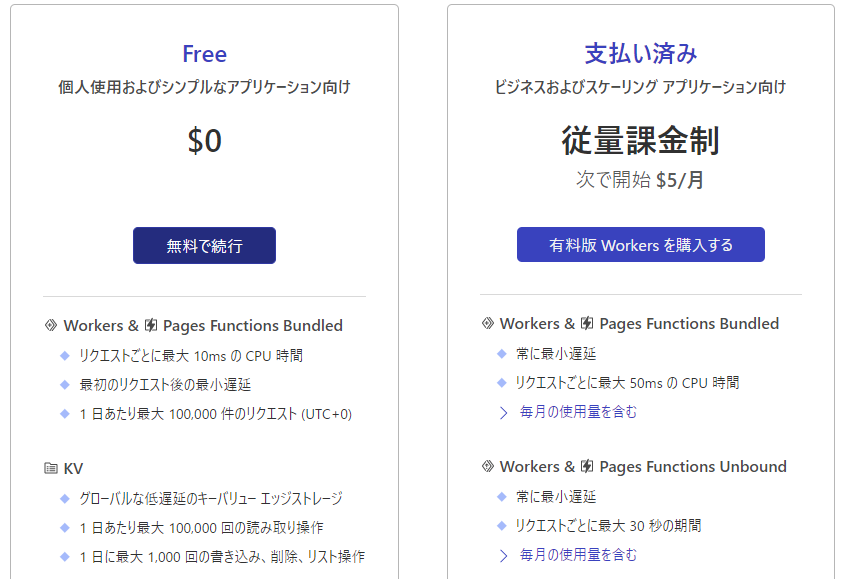
③Select a pricing plan
*This is a demo, so we've selected "Free," but please choose
the Cloudflare Workers pricing plan
④Click [Create Service]

⑤Enter the service name and click [Create Service]
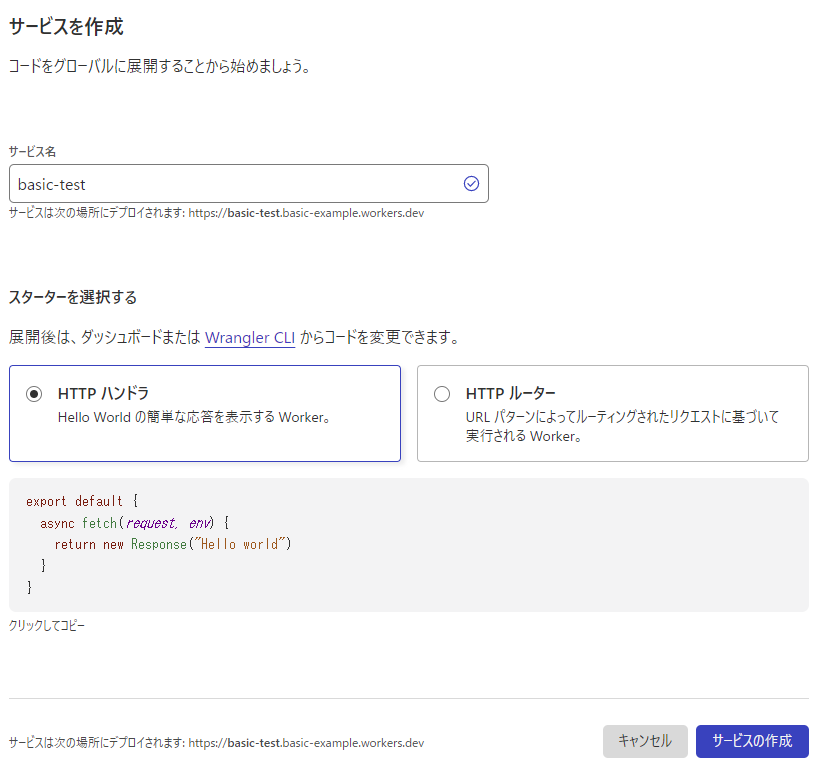
⑥Click [Quick Edit]
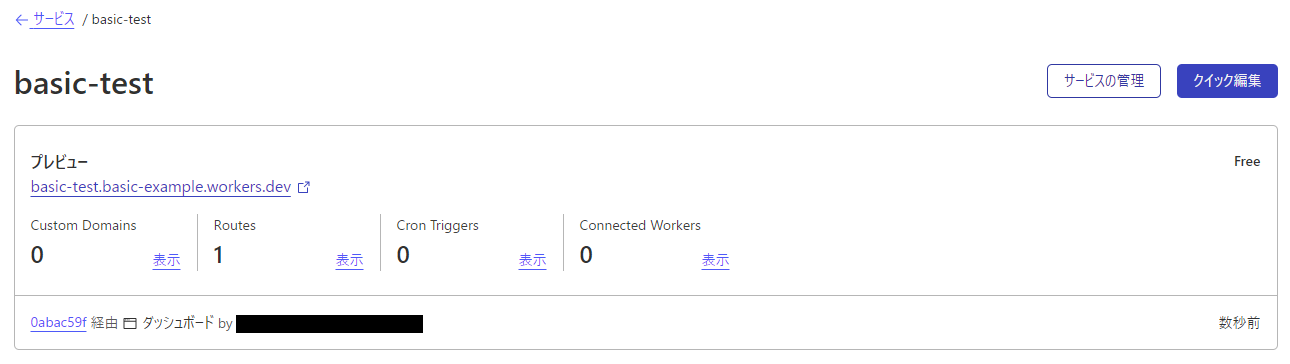
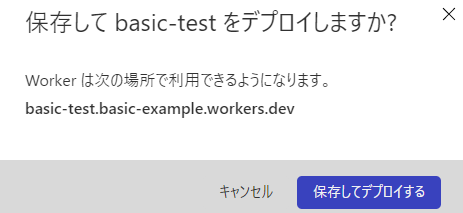
⑦Paste the Basic authentication code and click [Save and Deploy]
*Please copy and paste the Basic authentication code.
* When editing, please refer to Cloudflare's sample Basic authentication code.
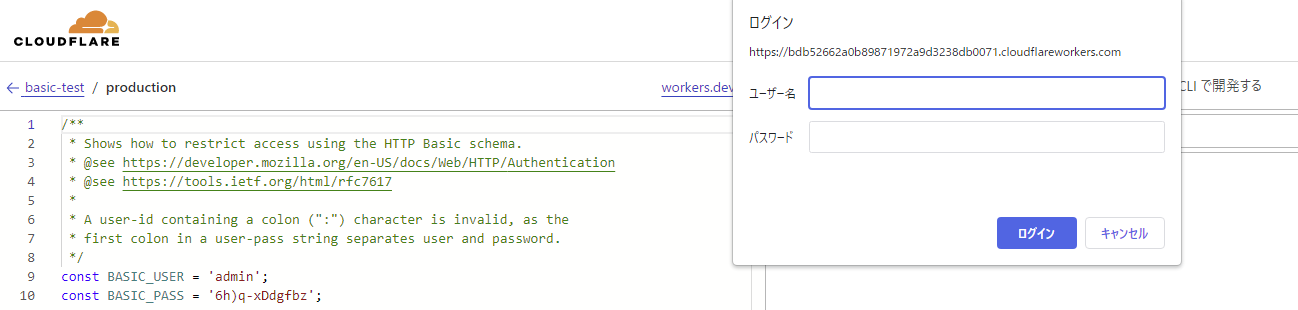
* You can change the username and password using the constants below.
const BASIC_USER = ''; const BASIC_PASS = '';
・Basic authentication code
/** * Shows how to restrict access using the HTTP Basic schema. * @see https://developer.mozilla.org/en-US/docs/Web/HTTP/Authentication * @see https://tools.ietf.org/html/rfc7617 * * A user-id containing a colon (":") character is invalid, as the * first colon in a user-pass string separates user and password. */ const BASIC_USER = ''; const BASIC_PASS = ''; /** * Receives a HTTP request and replies with a response. * @param {Request} request * @returns {Promise<Response> } */ async function handleRequest(request) { const { protocol, pathname } = new URL(request.url); // In the case of a Basic authentication, the exchange // MUST happen over an HTTPS (TLS) connection to be secure. if ('https:' !== protocol || 'https' !== request.headers.get('x-forwarded-proto')) { throw new BadRequestException('Please connect via HTTPS'); } // The "Authorization" header is sent when authenticated. if (request.headers.has('Authorization')) { // Throws exception when authorization fails. const { user, pass } = basicAuthentication(request); verifyCredentials(user, pass); return fetch(request) } // Not authenticated. return new Response('User name and password required to log in', { status: 401, headers: { // Prompts the user for credentials. 'WWW-Authenticate': 'Basic realm="my scope", charset="UTF-8"', }, }); } /** * Throws exception on verification failure. * @param {string} user * @param {string} pass * @throws {UnauthorizedException} */ function verifyCredentials(user, pass) { if (BASIC_USER !== user) { throw new UnauthorizedException('Incorrect username or password'); } if (BASIC_PASS !== pass) { throw new UnauthorizedException('Incorrect username or password'); } } /** * Parse HTTP Basic Authorization value. * @param {Request} request * @throws {BadRequestException} * @returns {{ user: string, pass: string }} */ function basicAuthentication(request) { const Authorization = request.headers.get('Authorization'); const [scheme, encoded] = Authorization.split(' '); // The Authorization header must start with Basic, followed by a space. if (!encoded || scheme !== 'Basic') { new BadRequestException('Bad authentication header'); } // Decodes the base64 value and performs unicode normalization. // @see https://datatracker.ietf.org/doc/html/rfc7613#section-3.3.2 (and #section-4.2.2) // @see https://dev.mozilla.org/docs/Web/JavaScript/Reference/Global_Objects/String/normalize const buffer = Uint8Array.from(atob(encoded), character => character.charCodeAt(0)); const decoded = new TextDecoder().decode(buffer).normalize(); // The username & password are split by the first colon. //=> example: "username:password" const index = decoded.indexOf(':'); // The user & password are split by the first colon and MUST NOT contain control characters. // @see https://tools.ietf.org/html/rfc5234#appendix-B.1 (=> "CTL = %x00-1F / %x7F") if (index === -1 || /[\0-\x1F\x7F]/.test(decoded)) { throw new BadRequestException('The authentication value is invalid.'); } return { user: decoded.substring(0, index), pass: decoded.substring(index + 1), }; } function UnauthorizedException(reason) { this.status = 401; this.statusText = 'Unauthorized'; this.reason = reason; } function BadRequestException(reason) { this.status = 400; this.statusText = 'Bad Request'; this.reason = reason; addEventListener('fetch', event => { event.respondWith( handleRequest(event.request).catch(err => { const message = err.reason || err.stack || 'Unknown Error'; return new Response(message, { status: err.status || 500, statusText: err.statusText || null, headers: { 'Content-Type': 'text/plain;charset=UTF-8', // Disables caching by default. 'Cache-Control': 'no-store', // Returns the "Content-Length" header for HTTP HEAD requests. 'Content-Length': message.length, }, }); }) ); });
*The following popup will appear, so click [Save and Deploy]
* You can preview if you want to check the operation

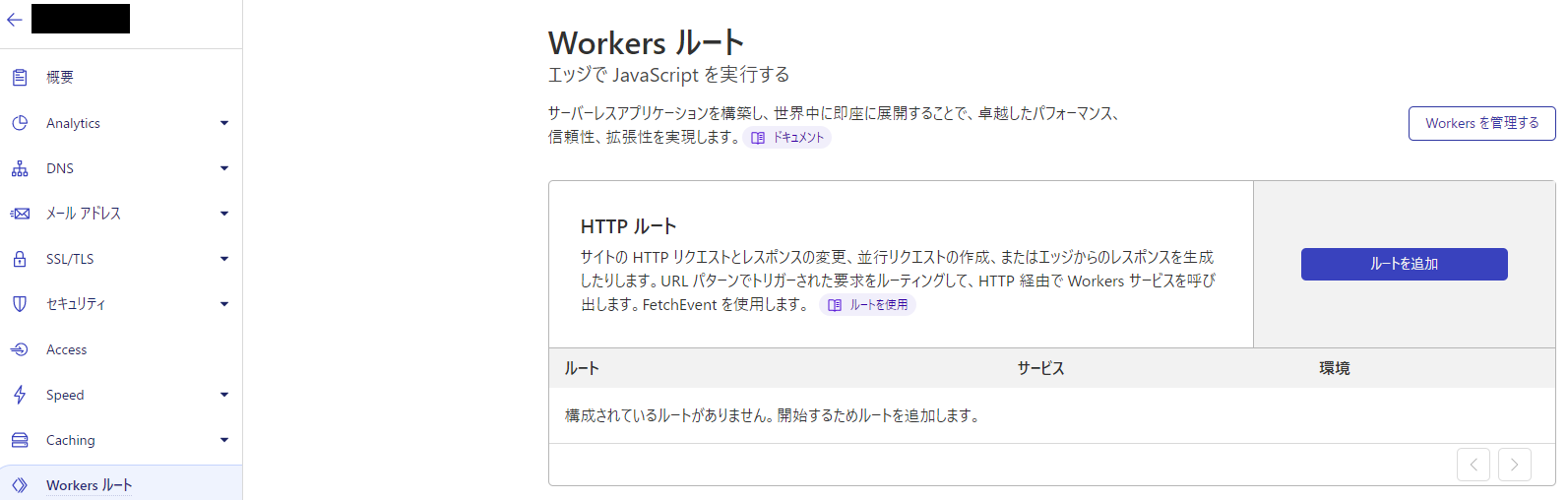
8. Home > Authenticated Domain > Workers Routes > Click [Add Route]
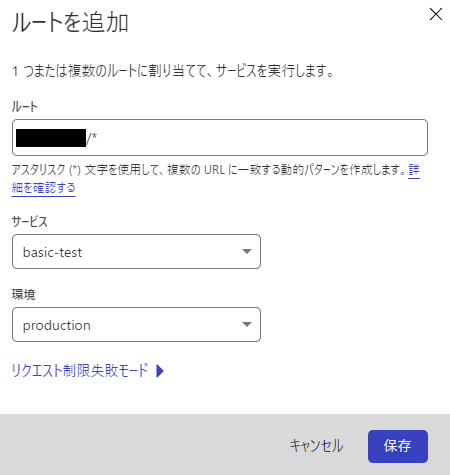
9. Enter the following information and click [Save]
Root: example-test.com/*
*Specify the domain (FQDN) for which you want to set up Basic authentication.
* Wildcards can also be specified.
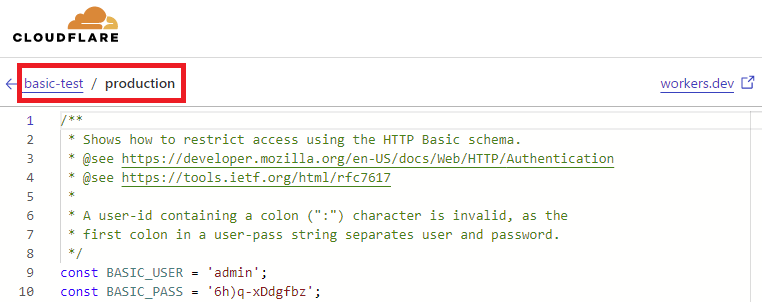
Service: basic-test
Environment: production
*The service and environment can be confirmed on the code screen added in step 7.
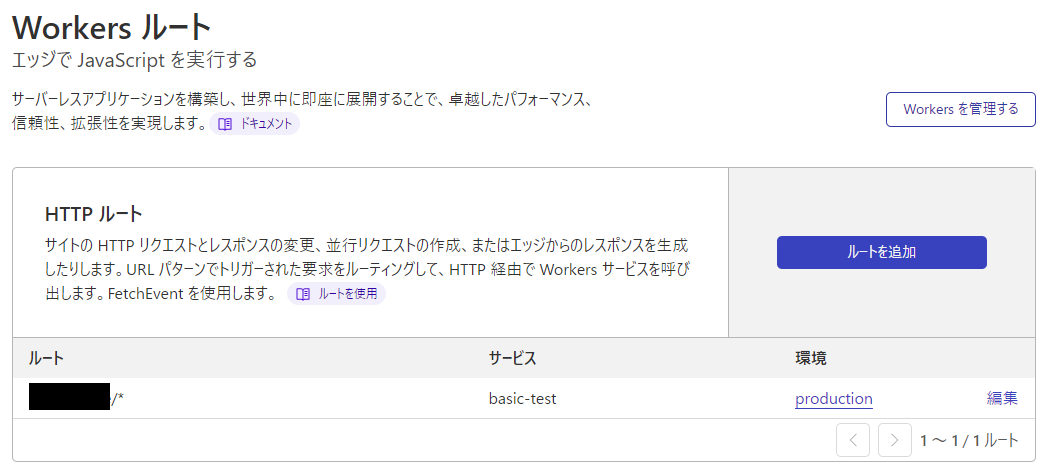
Once saved, it will be displayed in the list
⑩ Operation check
・Login screen

・Content screen after logging in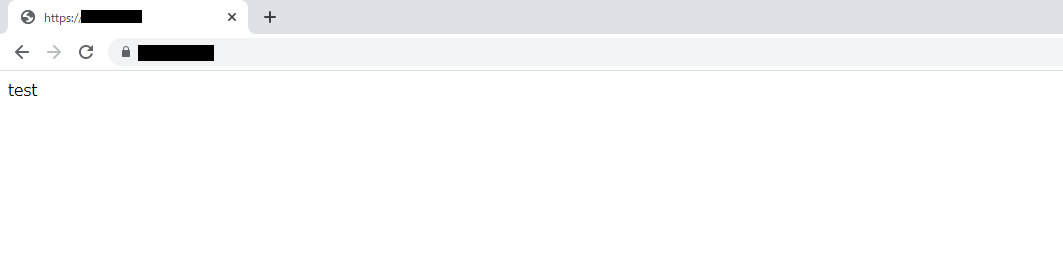
*Basic authentication will not be valid for domains other than the specified domain (FQDN)
summary
So, what did you think?
By using Cloudflare Workers, you can easily implement Basic authentication even with the free tier!
This also helps prevent content interruptions due to Apache/Nginx configuration changes and accidents caused by coding errors.
Furthermore, it allows you to maximize the benefits of Cloudflare without putting a load on your origin server.
If you're using Cloudflare and want to implement Basic authentication, please refer to this!




The person who wrote this article
About the author









