[DNS] What is 1.1.1.1? [Cloudflare]

table of contents
This is Ohara from the Technical Sales Department
While researching Cloudflare's DNS settings, I came across " 1.1.1.1 ". This blog post will discuss this "1.1.1.1" address. (Information is current as of April 2023)
About 1.1.1.1
1.1.1.1 is a public DNS resolver operated in partnership between Cloudflare and APNIC (the non-profit organization that manages IP address allocation in the Asia Pacific and Oceania region) and is available to all users free of charge
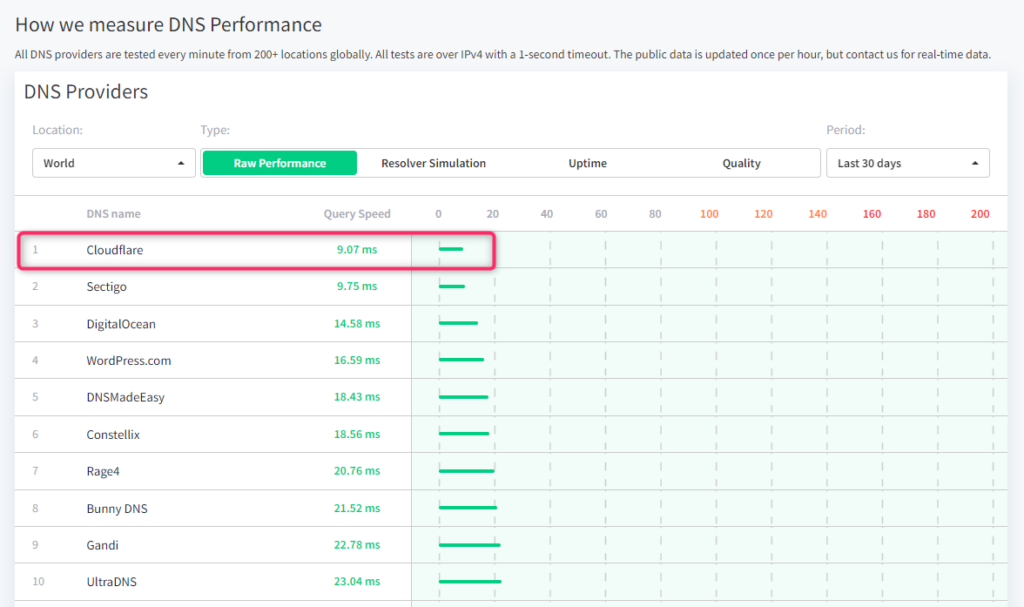
Furthermore the DNSPeft website reveals that it boasts the world's fastest internet speed.
About Cloudflare WARP
Cloudflare WARP is a VPN app that allows you to connect to websites from your PC or smartphone via a private network built on Cloudflare's DNS (1.1.1.1)
While 1.1.1.1 only protects DNS queries, Cloudflare WARP protects all traffic coming from devices (such as PCs and smartphones) to and from services on the internet, establishing secure connections
By routing and automatically encrypting traffic over Cloudflare's network instead of the public internet, we route it over a lower latency network, making more traffic faster
Additionally, by using Cloudflare WARP, you can block access to websites suspected of containing malware and adult sites
Private connection via Cloudflare WARP
Cloudflare WARP is compatible with iPhone, Android, Mac OS, Windows, Linux, and any router
This time, we will configure a Windows (Windows 11) PC to connect to a website via Cloudflare's DNS (1.1.1.1)
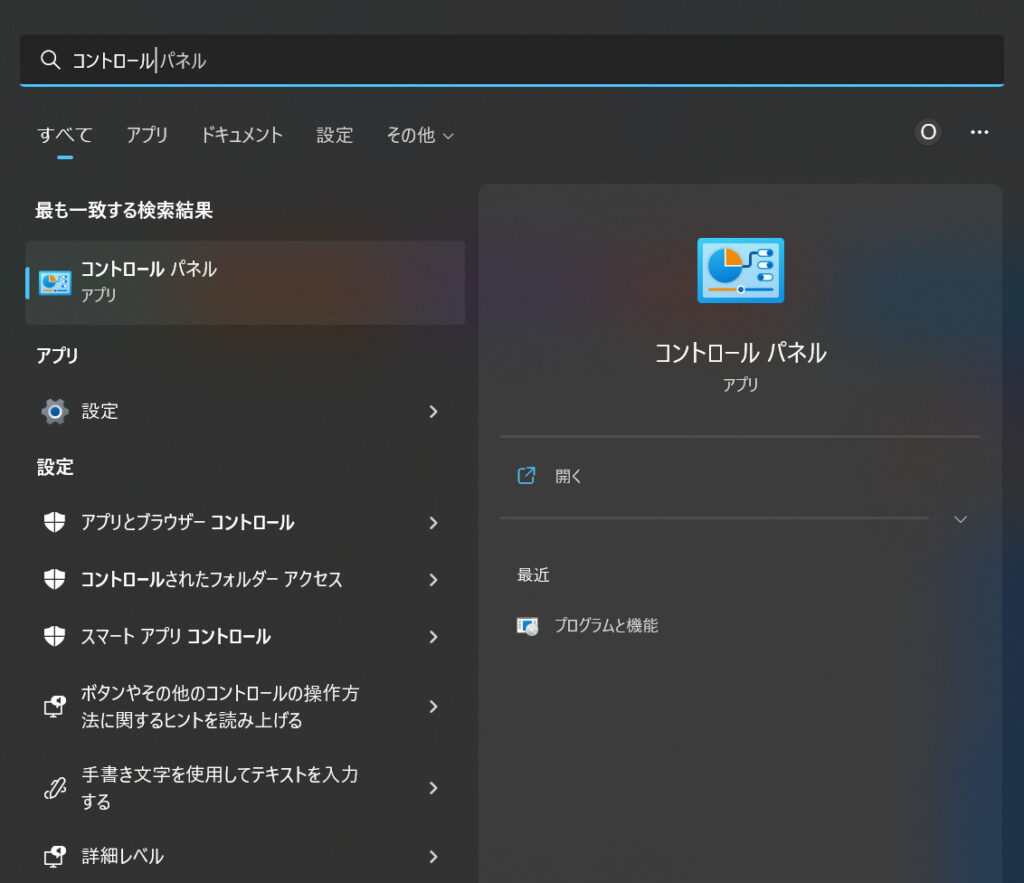
① Click the "Start" menu on your Windows PC and then click "Control Panel."
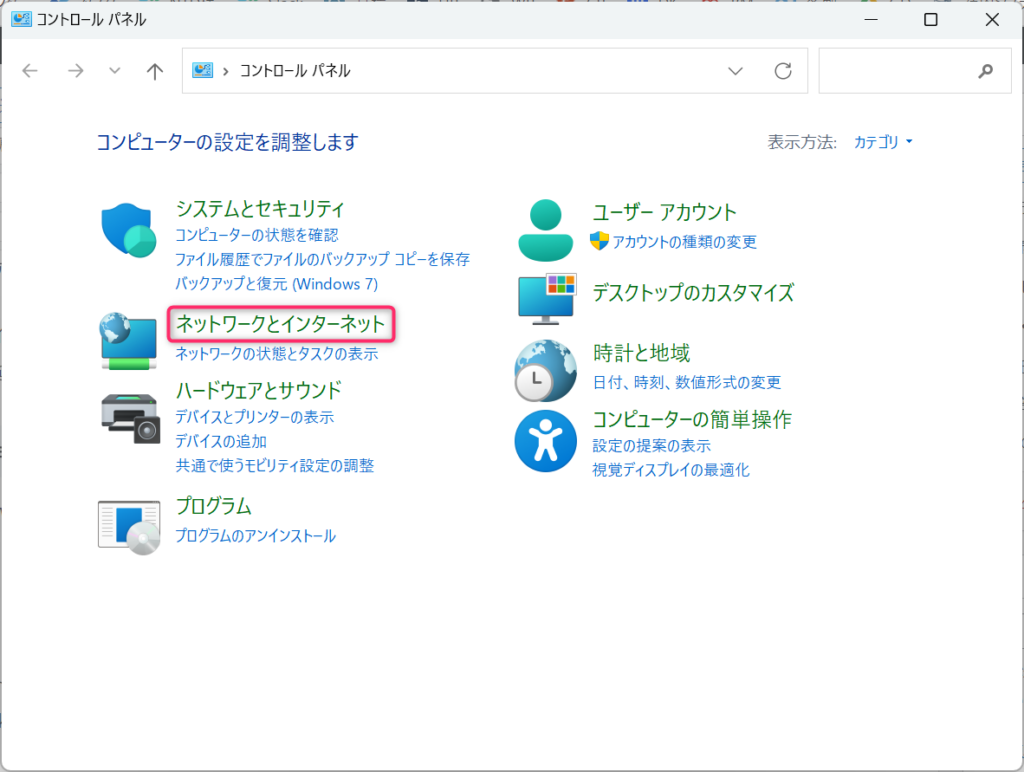
② Click "Network and Internet"
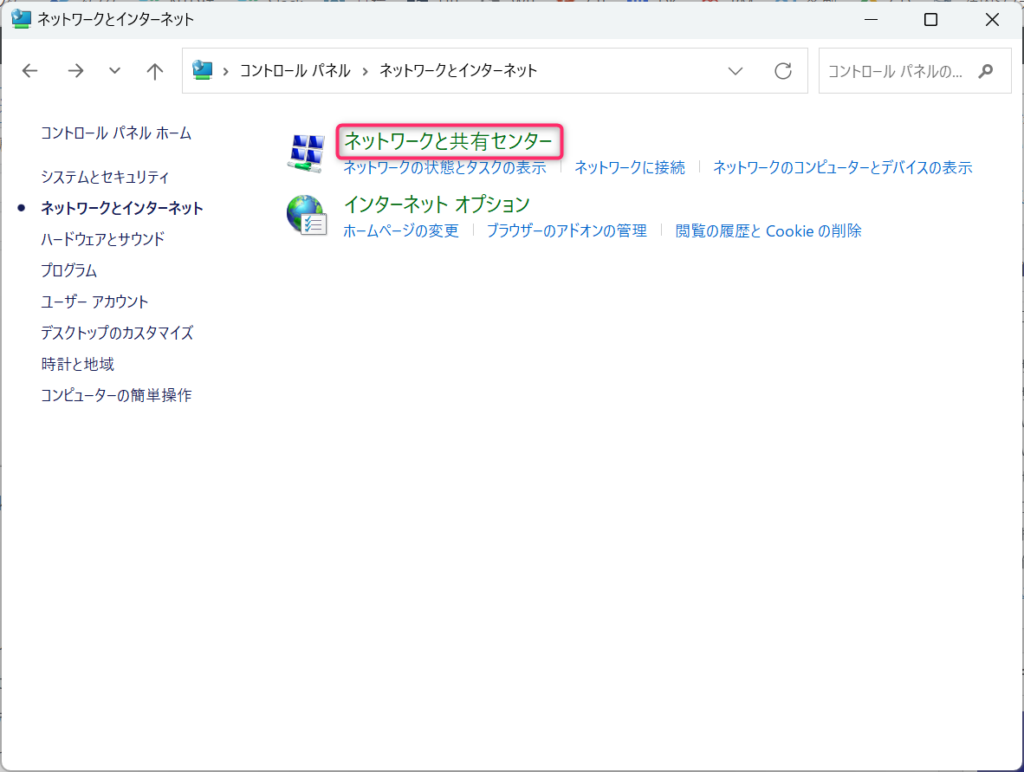
 ③Click "Network and Sharing Center"
④Click "Change adapter settings"
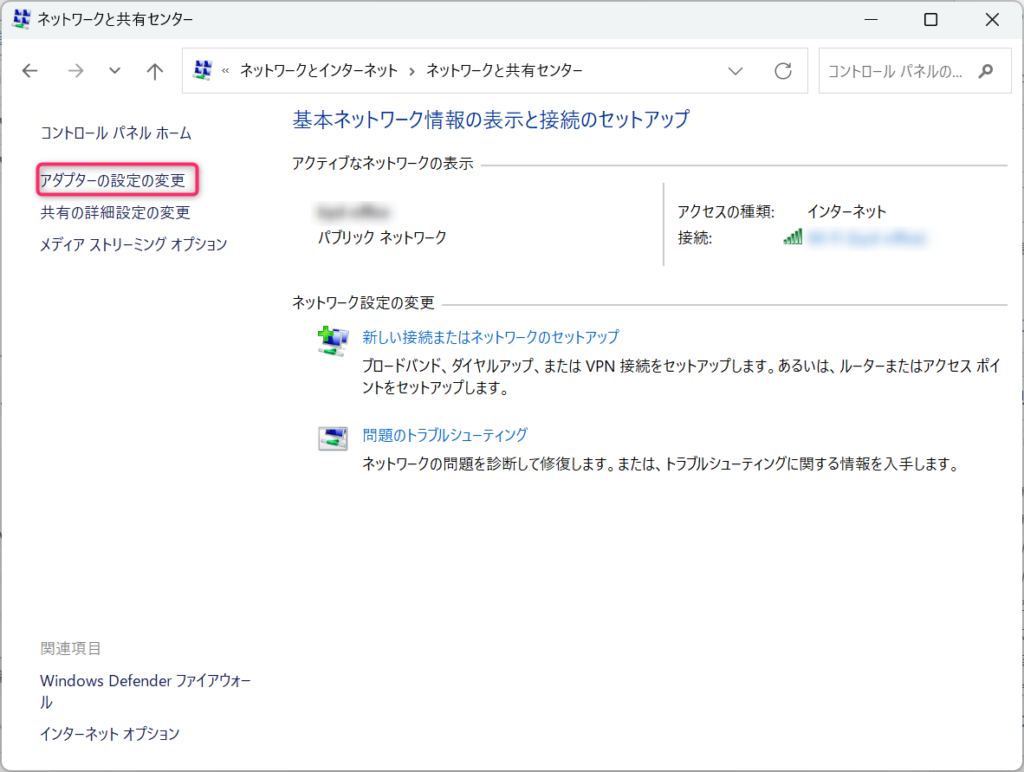
⑤ Right-click the Wi-Fi network you are connected to and click "Properties"
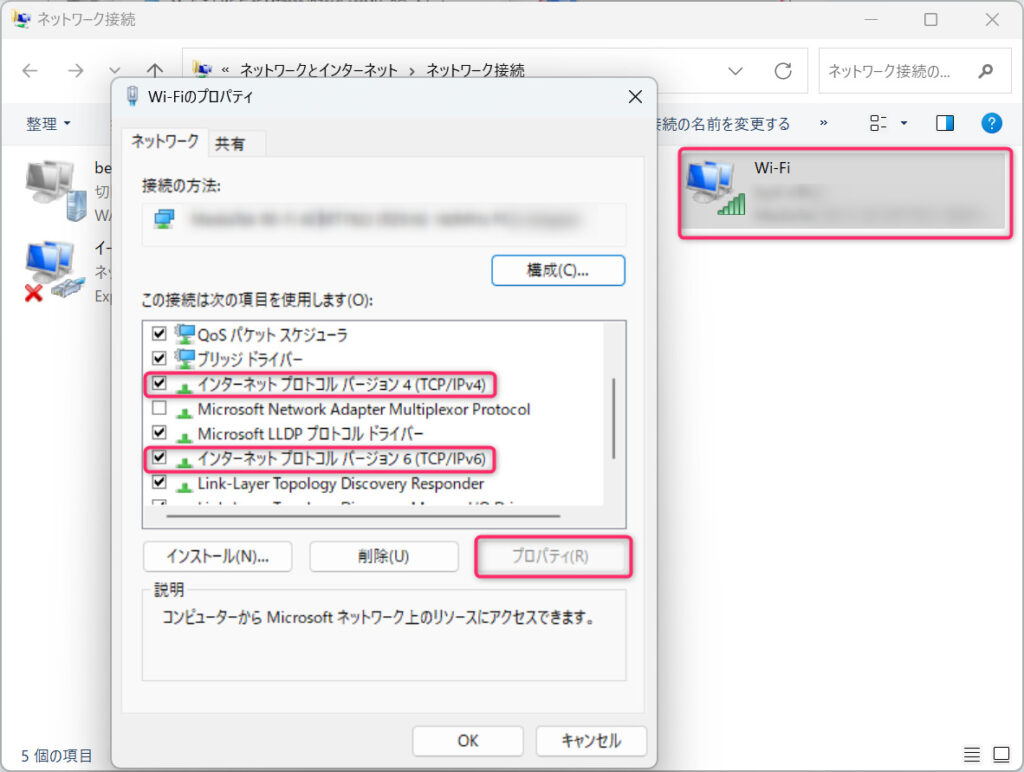
⑥ Select "Internet Protocol Version 4" (or "Internet Protocol Version 6")
⑦ Select "Properties"
⑧ Click "Use the following DNS server addresses" and replace it with the DNS address 1.1.1.1
(this time, we will configure it for IPv4 only).
For IPv4: 1.1.1.1 and 1.0.0.1
For IPv6: 2606:4700:4700::1111 and 2606:4700:4700::1001
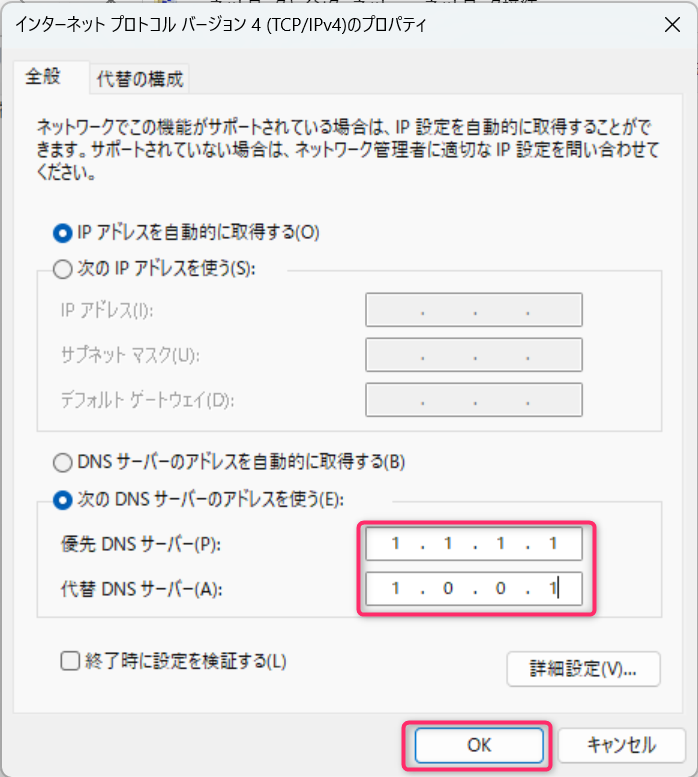 ⑨ Click "OK" and then click "Close"
. ⑩ Restart your PC.
◆ Now your PC is ready. You can now connect to websites via Cloudflare's DNS (1.1.1.1)◆
⑪ Download any installer from https://1.1.1.1 . Follow the installer's instructions and install it. Once the installation is complete, a screen similar to the one below will appear in a pop-up window on your PC
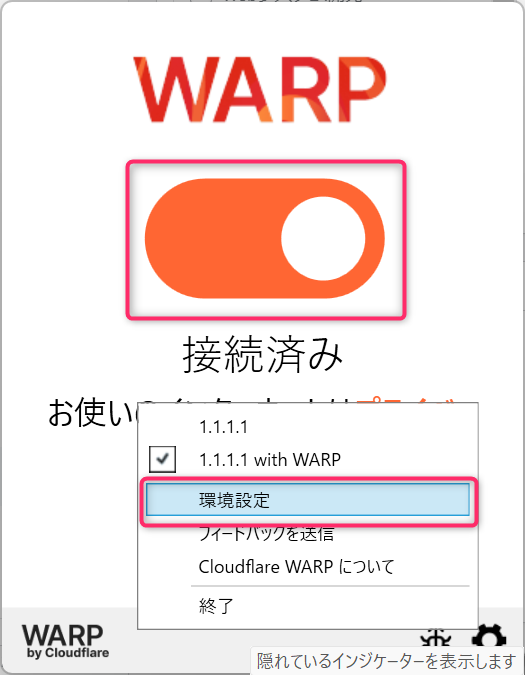
12. Go to Preferences → Connections and select "Block malware and adult content" from the dropdown menu. This will also prevent adult sites from appearing in search engines
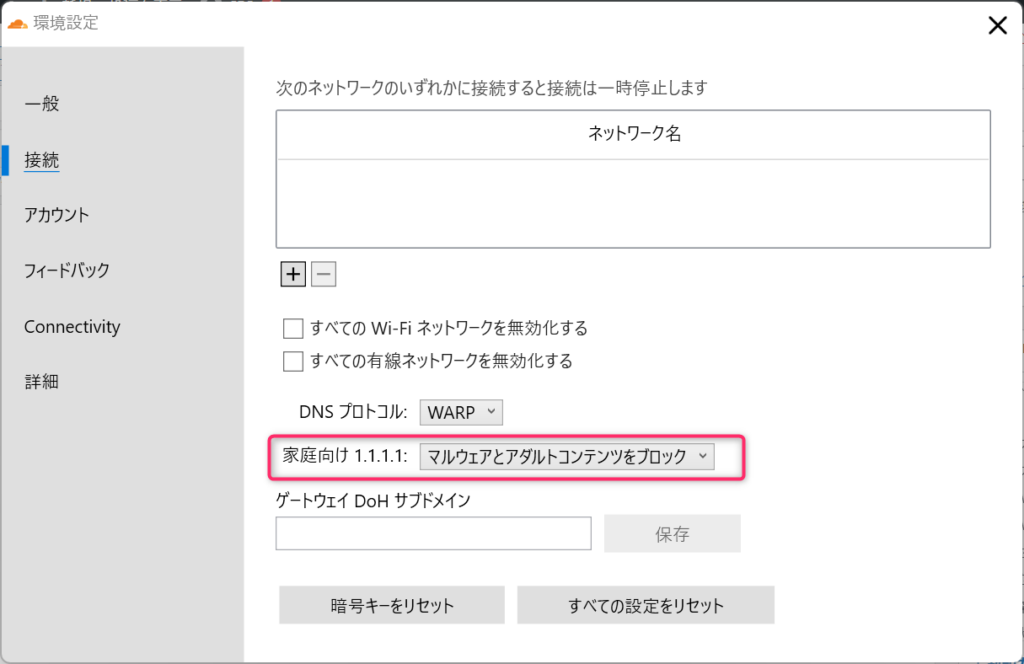 By the way, if you look at the settings below, you can see that all connections to the website are via Cloudflare's DNS (1.1.1.1)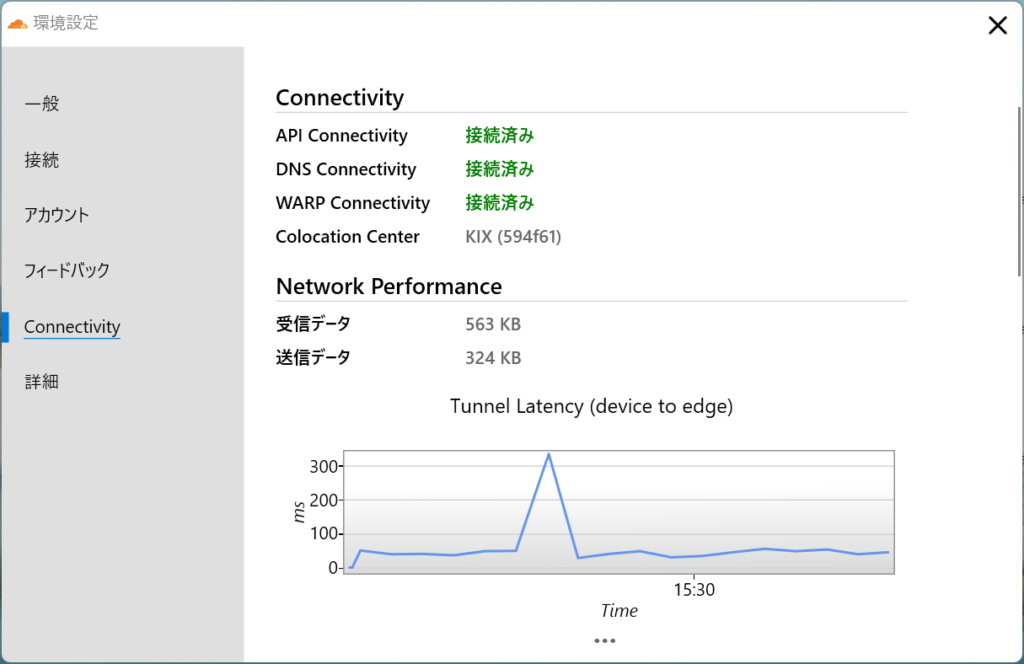
summary
Cloudflare can be used not only as a CDN, but also as a security solution, leveraging its extensive global network, as in this case
 14
14 Loading...14



The person who wrote this article
About the author