

A detailed explanation of how to count page views with Google Analytics 4!

Thank you for watching the Beyond Blog
This is Narita from the Technical Sales Department at Beyond Co. , Ltd., where I'm in charge of web marketing.
In this article, I'll be explaining the new version of Google Analytics, " Google Analytics 4 (GA4), " which will be released very soon!
What is GA4?
It is an abbreviation for "Google Analytics 4" and is a new property that will be completely replaced by the previous generation Universal Analytics (UA) from July 1, 2023
First, let's explain what the big changes are from before
The measurement methods used in the previous version of Universal Analytics and GA4 are different
Previously, measurements were taken on a per-browser (cookie-based) basis for PCs and smartphones, but with this measurement method, when the same user used different devices, the data would show them as "two people."
Therefore, GA4 was designed with an event-based method that can recognize the same user even when they are using different devices, enabling measurement that is in line with the times.
*Source: Google Analytics Solutions "Prepare for the future with Google Analytics 4"
Counting page impressions
Now, let's actually look at the screen and try it out.
1. Click on GA4's search and select "Blank" to start a new search.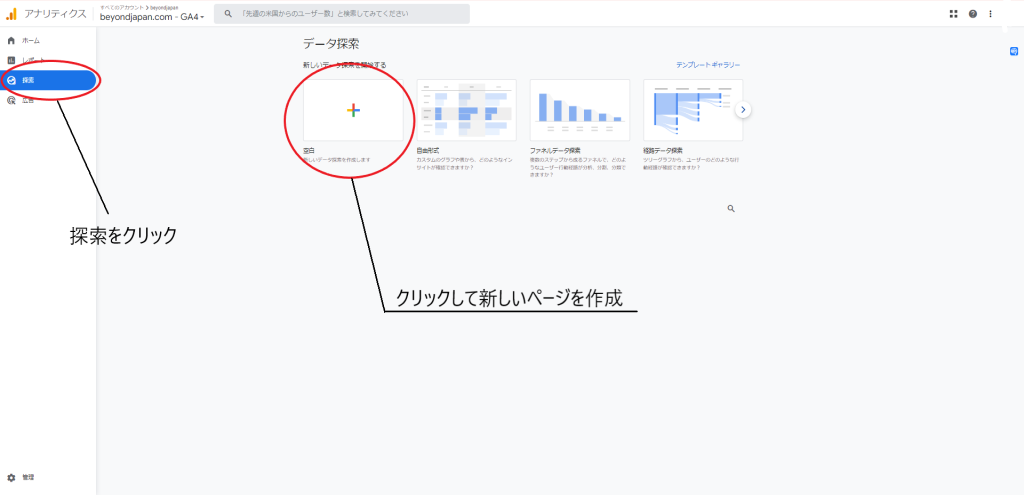
2. Under "Variables," under "Dimensions," under "Page/Screen," select "Page Path + Query String" and "Page Title," and click "Import" in the upper right corner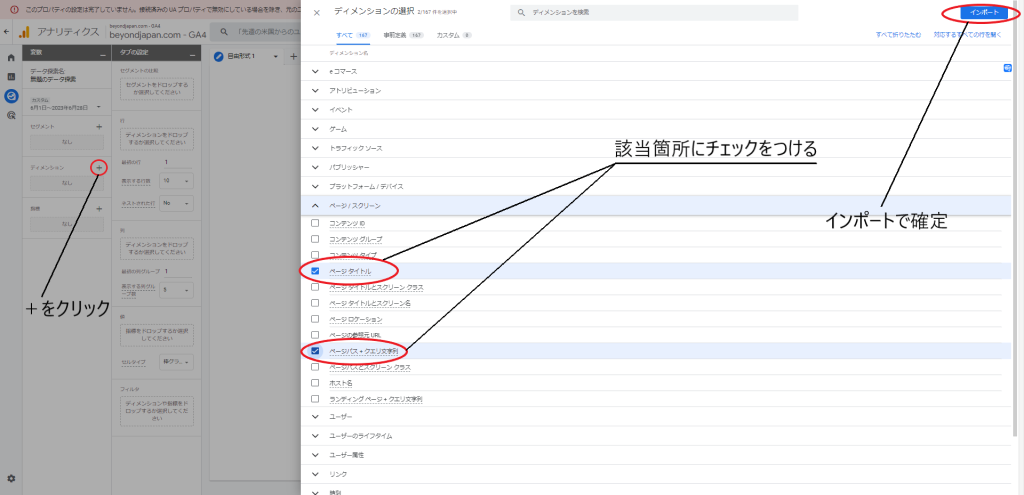
3. Set the metric to "Number of impressions."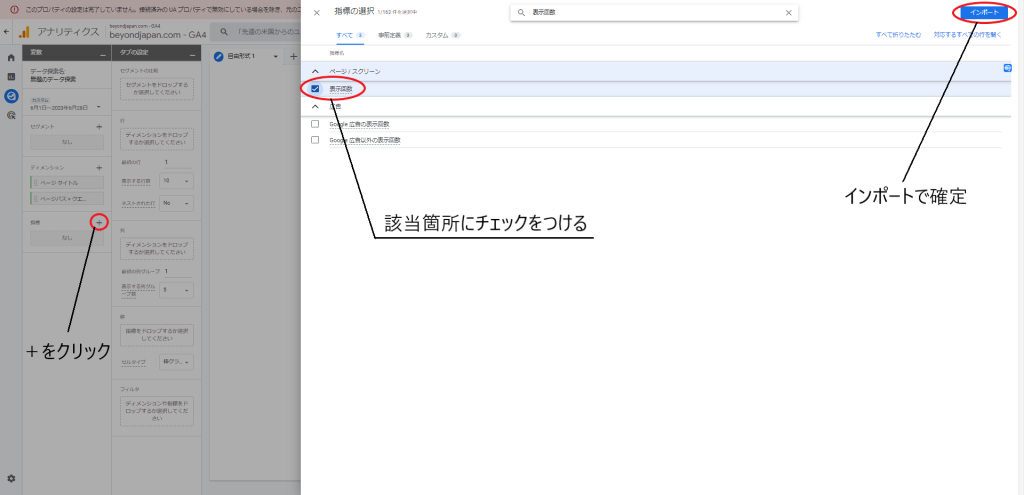
4. In the "Row" tab settings, select "Page Path + Query String" and "Page Title" 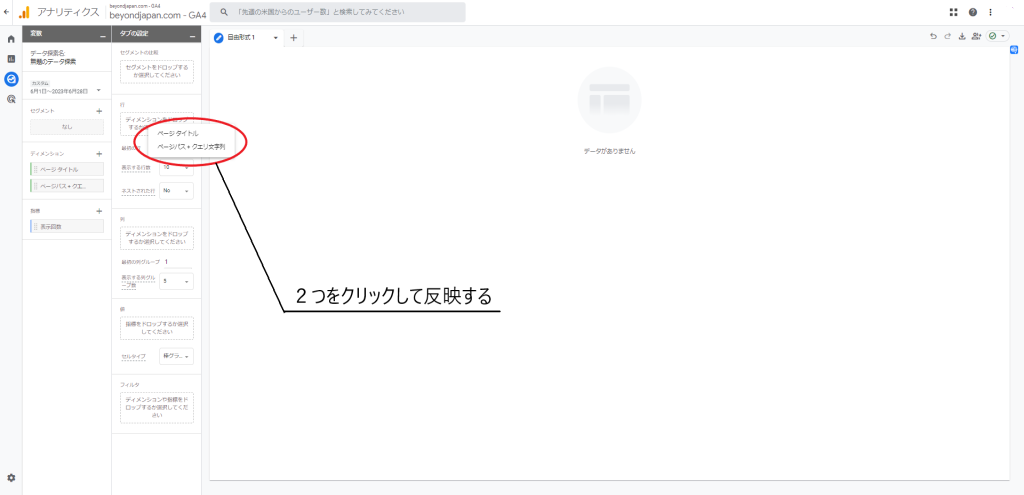
5. Set the value to "Number of views." (At this point, the data will already be displayed.)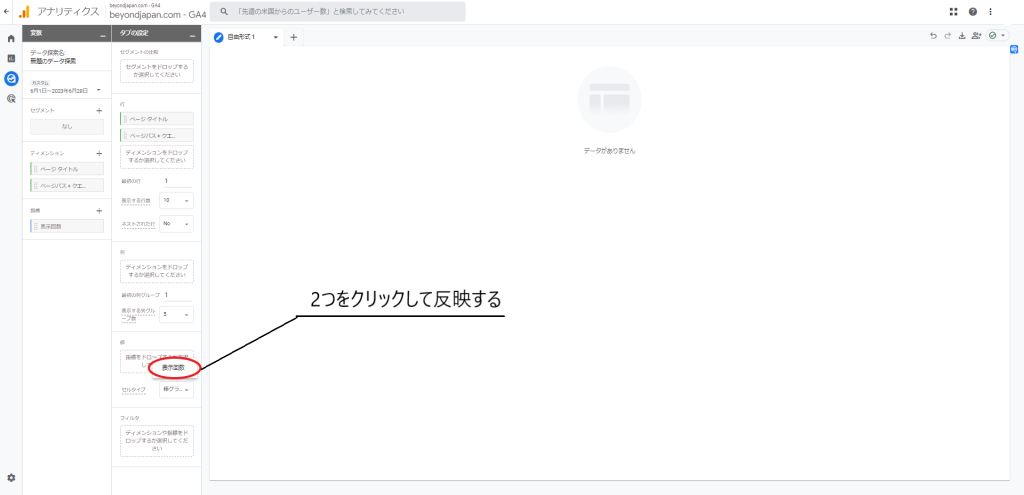
6. You can also narrow down your search by selecting "Page Path + Query String" as the filter, choosing "Contains," and entering the time period to display.
(Use this if you want to add more detailed settings in addition to the time period displayed in the upper left.)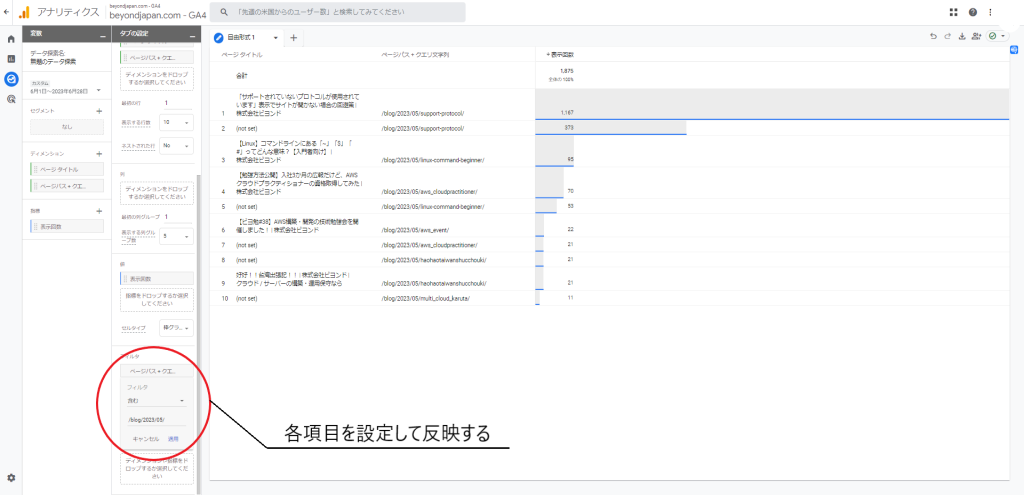
By following the steps above, you can count the number of times each page is viewed
summary
This time, we explained the overview of GA4, which will soon be fully migrated to, and how to count page views like in previous versions!
Anyone who uses Google Analytics will definitely need to study this, so please use this as reference!
Thank you for reading to the end!




The person who wrote this article
About the author









