

The basic concept of NAT

Hello, this
is Kawa from the Credit Balance System Solutions Department,
off work on my days off.
It's July. It's so hot these days, I'm longing for a vacation.
This time, I'd like to talk about networking, mainly for new members, and
I'll write about the basic concepts of NAT, which can be quite complicated. I hope this article will help you understand the concepts a little better.
What is NAT anyway?
NAT (Network Address Translation), as the name suggests, is a mechanism for translating IP addresses. It
is an essential technology for applications, websites, and systems used on various networks, and
there is also a technology called NAPT that translates port numbers.
Understanding the background
The simple reason this was created is the question: how do you communicate with a completely different network?
Especially when communicating from a LAN to a WAN (and vice versa), the source address needs to be translated to match the address facing the network boundary, depending on the direction of communication.
For this reason, research into this technology progressed at various universities in the late 1980s, leading to the development of translation techniques.
(NATformalized as an RFCしたのが1999年頃)
In addition to convenience, NAT also plays a vital role in resolving the IPv4 address depletion problem
While you can look into it further, when IPv4 addresses were created, it was thought that "there are 2 to the power of 32 = approximately 4.3 billion addresses, so there should be enough." However,
in 2011, IANA (ICANN) made a de facto declaration that "there is no more in stock," which became a hot topic (or so it seems).
Given that the adoption of IPv6 has not progressed much, if only one IP address is needed for the internet interface, it
would reduce the number of IP addresses used, and individuals and businesses would save money, making it a win-win situation.
NAT Basics
With that background in mind, let's talk about the basics of NAT.
The phrase "translating IP addresses" might not be immediately clear, so let me give you a little analogy.
Let's say you have a relatively large company with several departments, and a customer comes in for the sales department.
The receptionist on the first floor confirms that the customer is there for "Mr./Ms. XX in sales." Once the confirmation is complete, the customer is escorted to the fourth floor where the sales representative is located.

This is actually almost the same as NAT
- Customers cannot see inside the company building; only the reception area is visible as the point of contact (IP address linked to the router's WAN interface).
- They are guided to the sales department on the 4th floor (global IP → private IP conversion process).
With this understanding of the concept, I would like to check the surveillance cameras installed on the company's internal network from outside
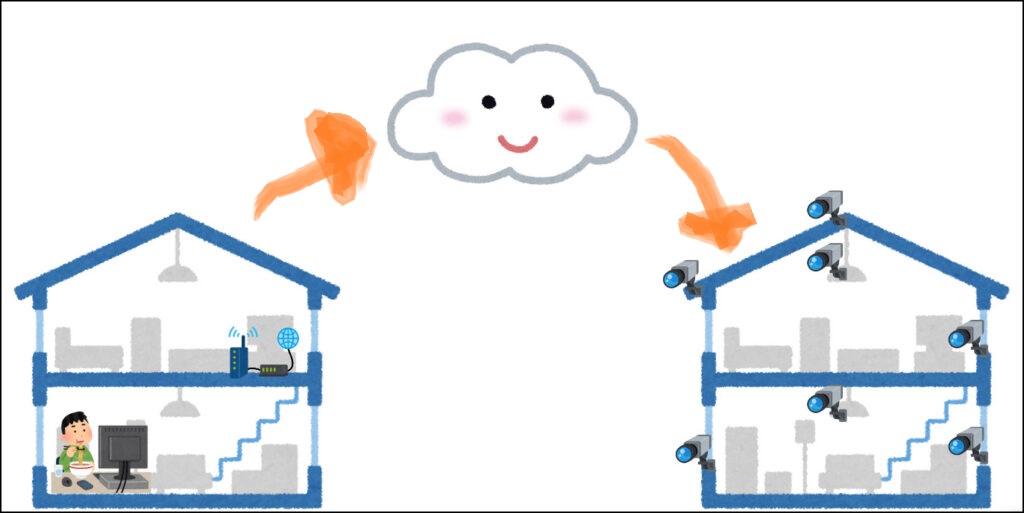
I'm planning to assign the IP addresses like this.
(I'll omit the router's local IP address to avoid confusion.)
- Destination router's WAN IP address: 12.34.56.78
- Surveillance camera's private IP address: 192.168.10.252
- Connecting router's global IP address: 98.76.54.32
- Connecting PC's private IP address: 172.16.0.3
- Port number used by the camera: TCP/60000
1) You, who want to access the network, access the company's global IP address from your home local PC
(・ω・)つ Click [PC]--→[Source Router]----(Internet)--→[Destination Router]
172.16.0.3--→98.76.54.32--→12.34.56.78:60000
When the data goes out onto the internet, the source IP address undergoes source NAT translation, and
the destination router sees the access as coming from 98.76.54.32.
2) Transferring from the destination router to the security camera
(・ω・) *nervous* [Source router]----(Internet)---[Destination router]--→[Security camera]
98.76.54.32--→12.34.56.78--→192.168.10.252:60000
When the packet reaches the destination router, it will think, "Since it's coming in TCP/60000, I should forward it to the surveillance camera" (prior configuration is required on the destination router), and
the packet will ultimately be forwarded to 192.168.10.252.
Stateful inspection (ask ChatGPT for details) is applied to the return packets, so
the source PC can view the surveillance camera footage.
NAPT Basics
But what if the company president is a micromanager and installs 10 surveillance cameras...?
There's only one global IP address, and the port number can't be changed from 60000 due to the camera's specifications.
This is whereNAPT (Network Address Port Translation).
the router with thisStatic NATsetting,
WAN:60000 --→ 192.168.10.252:60000
WAN:60001 --→ 192.168.10.253:60000
WAN:60002 --→ 192.168.10.254:60000
...
You can connect to each camera by simply shifting the port number one position while keeping the IP address the same (12.34.56.78).
For example, if the connection is on port 60000, it goes directly to 192.168.10.252.
If it's on port 60001, it goes to another camera: 192.168.10.253 on port 60000.
If it's on port 60002, it goes to another camera: 192.168.10.254 on port 60000.
By associating destination IPs and port numbers one-to-one in this way, you can operate even with limited resources.
Summary and various NATs
Since our services are mostly provided in a cloud environment, we don't have to think about NAT very often, as it's handled automatically, which is convenient.
However, a NAT Gateway may be required when integrating with APIs, so I think this kind of knowledge is essential.
Even in modern services, NAT technology is used in various situations, such as online multiplayer games using P2P technology and IP telephony, so it's clear that it's actually a technology that is used very extensively behind the scenes.
The example I just gave is Static NAT, but there are also Dynamic NAT, Source NAT, Destination NAT, and so on.
In addition, there are technologies that use complex port control mechanisms, such as Cone NAT and Synmetric NAT used in P2P.Meijo University's materialsare very detailed on this topic.
Looking back at these technologies, I'm always impressed by how amazing they are, supporting online games without any lag.
I've written this rather haphazardly, but I hope this article will be helpful to someone.
See you next time!
~Complete~




The person who wrote this article
About the author









