

[High-speed search] Incremental search with Laravel and Livewire

table of contents
Hello! I'm Shirai from the Web Services Division, and I'm not very good at JavaScript
This time, I would like to introduce Livewire, which is aimed at people like me and can be implemented in the same way as regular server-side development, with almost no JavaScript required
We will actually use Laravel and Livewire to implement a simple incremental search function, so please take a look!
What is incremental search?
Incremental search, also known as literal search or sequential search, is a search function that automatically filters and displays search results as the user types characters in the input field
In other words, it is a system that narrows down search results in real time as you type, and displays search results dynamically
In a normal search, you enter characters → search → search results are displayed, but with incremental search, search results are returned each time you enter a character!
What is Livewire?
Livewire is a dynamic component library written in PHP based on Laravel.
It provides a way to implement real-time UI updates and interactivity while still writing server-side code in PHP
Therefore, by using Livewire, it is possible to develop reactive web applications with very little JavaScript required
This time, let's use Livewire in Laravel to implement an incremental search function!
Version Information
The framework and library versions used in this article are as follows:
Laravel 11.1.1 Livewire 3.4.9 PHP 8.3.4
Now let's implement it
Installing Livewire is very easy
In the directory where your Laravel project composer.json is located:
composer require livewire/livewire
and just install it using composer
Once you have Livewire installed, the next step is to create a component that performs incremental search
This time we want to search for users, so we will create a user search component with the command below
php artisan make:livewire UserSearch
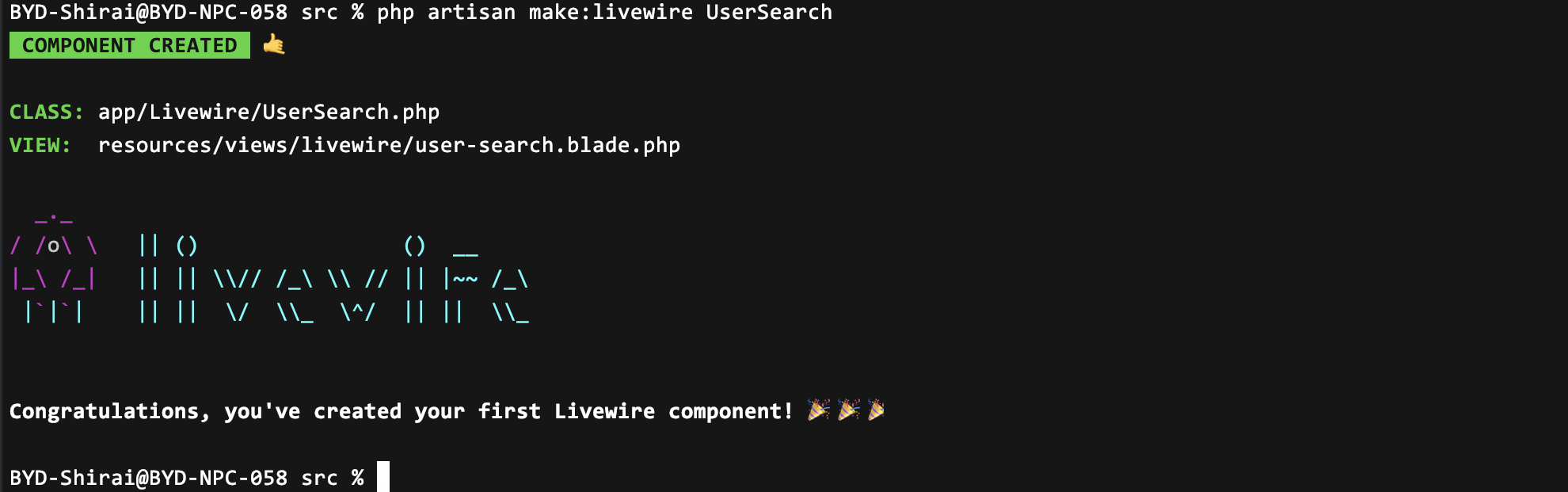
After running the command, you will see that the UserSearch class and view have been created
Next, implement the logic class
This time, when you enter a name or email address into the form, search results that match either will be returned
<?php namespace App\Livewire; use Livewire\Component; use App\Services\User\ListUsersService; class UserSearch extends Component { // 検索文字列を保持するプロパティ public $search = ''; // コンポーネントの描画を担当するメソッド public function render(ListUsersService $listUsersService) { // ユーザー一覧を取得し、検索文字列に基づいてフィルタリング $users = $listUsersService-> list()->filter(function ($user) { return str_contains($user->name, $this->search) || str_contains($user->email, $this->search); }); // Render the view and return the filtered list of users return view('livewire.user-search', ['users' => $users]); } }
Define $search as the property that holds the search string, and this property will contain the characters entered by the user in the search form
The flow is to get a list of users from the ListUsersService, filter by the user's name or email address, and pass the returned results to the component's view
Next, we will implement the view part
<div>{{--The value entered in the form is reflected in the $search property in real time, and the component is rendered after 100 milliseconds--}} <input type="text" class="form-control" placeholder="名前orメールアドレスで検索" wire:model.live.debounce.100ms="search"> {{--Display search results in table format only if the $search property is not empty--}} @if($search)<table class="mt-3 w-100"><thead><tr><th scope="col"> name</th><th scope="col"> email address</th><th scope="col"></th></tr></thead><tbody> @forelse($users as $user)<tr><td> {{ $user->name }}</td><td> {{ $user->email }}</td><td> <button type="button" class="btn btn-success" wire:click="detail({{ $user->id }})">detail</button></td></tr> {{--If no search results found--}} @empty<tr><td colspan="3" class="text-center"> Your search did not match any results.</td></tr> @endforelse</tbody></table> @endif</div>
Without going into too much detail, we'll use Livewire data binding for the form, which will return search results in a table once the user has filled out the form
Now that the component that searches for users is complete, at the end, in the part of the blade file where you want to load it,
@livewire('user-search') @livewireScripts
If you load the above directive, the component you created this time will be loaded!
Completion
Congratulations! That's all there is to the implementation!
The incremental search function we implemented this time looks like this.
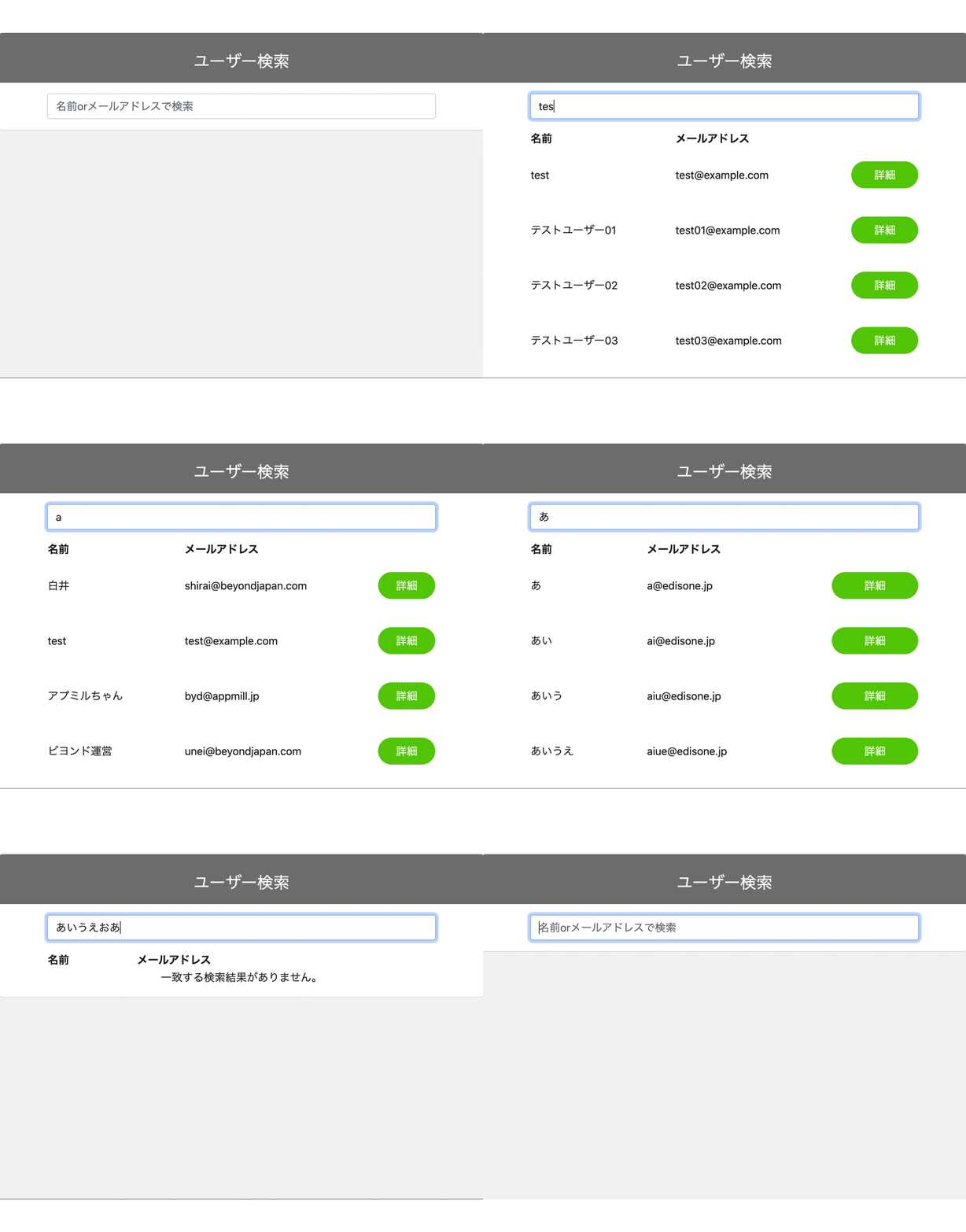 What do you think?
Things that were previously implemented using JavaScript can now be implemented so easily just by using Livewire
This time we implemented a simple search function that only searches by name and email address, but you can also enhance the search function by adding user attributes or narrowing down the search. It would also be interesting to listen to events with an event listener for the output search results and run a different process!
summary
I think what's unique about Livewire is that it can be easily implemented without using JavaScript, using the same techniques as regular server-side development
The only drawback is that it can only be used with Laravel
However, if you are developing with Laravel, I think it's worth giving it a try! It's such an easy and fun library
Have a great Laravel life!
 4
4 Loading...4



The person who wrote this article
About the author









