

I want to buy a Raspberry Pi 3 cheaply
2016.06.14





Hello.
I'm Mandai, the Wild team member in charge of development.
This happened a little while ago, but the third generation of the Raspberry Pi was released.
It generated a lot of buzz in Japan, but it remained in short supply domestically, making it difficult to get hold of.
Suddenly remembering, I looked at a few websites to see if I could buy it, but all of them were priced at over 5,000 yen, and I was left wondering, "Isn't it $35?"
Selling at a 30% markup means resellers can make a profit
If you were to buy two at the domestic price, it would cost as much as getting another one for free at the regular price
So, I thought I'd try buying one at a slightly cheaper price, and I'd like to report on my experience purchasing one from ModMyPi, the official overseas Raspberry Pi shopping site, and how much it actually cost
Visit the site
First, looking at the website, one unit is priced at 29.99 GBP. The current exchange rate (as of May 31, 2016) is 162.54 JPY to 1 GBP, so it comes out to 4,879 JPY. Compared to the domestic price, it's only slightly cheaper, but not particularly good value
But this is not the price we pay
ModMyPi is a shopping site operated by a company based in the UK, so the price of £29.99 includes UK taxes. However, we, being overseas, are not obligated to pay UK taxes.
Therefore, the price we pay when purchasing is £24.99, which is marked "EX. Tax".
If we recalculate using the current exchange rate, it comes to 4,067 yen, which means you can buy it for over 1,000 yen cheaper!
Shall I buy it now?
the ModMyPi | Raspberry Pipage, select the Raspberry Pi 3 - Model B (NEW) product, which is a standalone Raspberry Pi, and click "add to basket" to add it to your cart.
There are also various other products available, including sets that include all kinds of cables (the power cable requires 2.5A, so a cheap one from a 100-yen store might not be sufficient; the official one is a safe bet!). As will
be mentioned later, there are shipping costs involved, so it's a good idea to buy together with friends or colleagues.
Select MY BAG in the top right corner to be redirected to the shopping cart product list, where you can check the items you want to purchase and the quantity
You can also change the quantity of items here
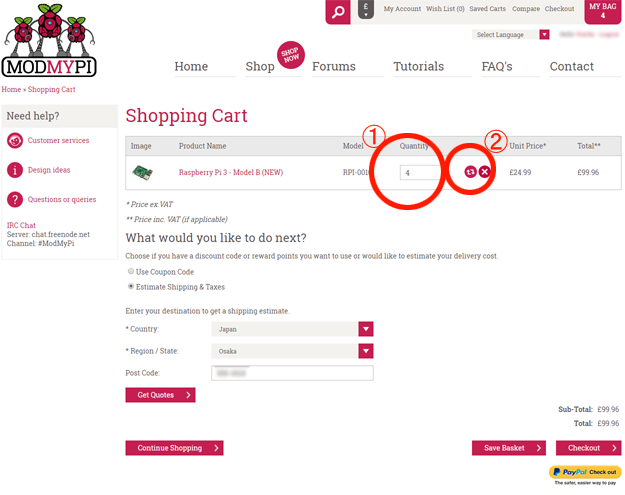
Let's buy!
Once you have selected what you want to purchase, you can proceed to checkout. There are six steps to the purchase process, so let's take a look at each one
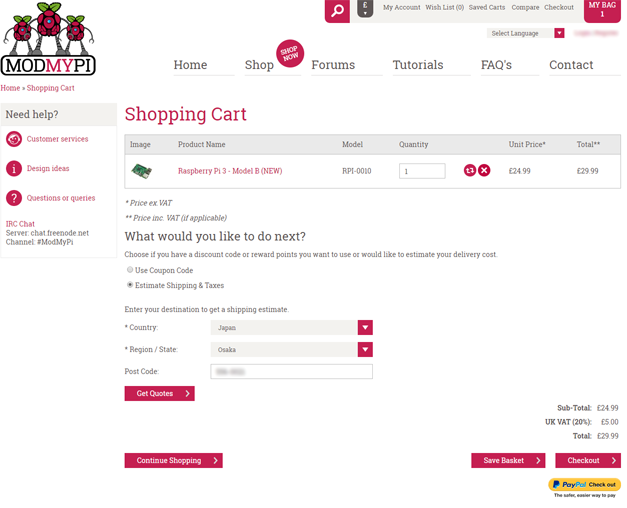
In the shopping cart, select "Estimate Shipping & Taxes" in the "What would you like to do next?" section
A form will then appear where you can select the shipping address. Select "Japan" under "Country".
The prefecture information will be entered in the "Region / State" section, so select the name of the prefecture where you want to send the item.
Enter your postal code in "Post Code" and press "Get Quotes". A modal window will appear where you can select the shipping method, either airmail (Airmail Global Tracked + Signed) or DHL (DHL Express).
Airmail is cheaper, but it takes 3 to 12 business days.
DHL can deliver as quickly as the next day, but the shipping cost is higher than the product itself.
Once you have completed the above registration, the shipping fee will be added to the total amount and the Total amount should change
Once you've completed this, click the "Checkout" button to proceed
Account Registration
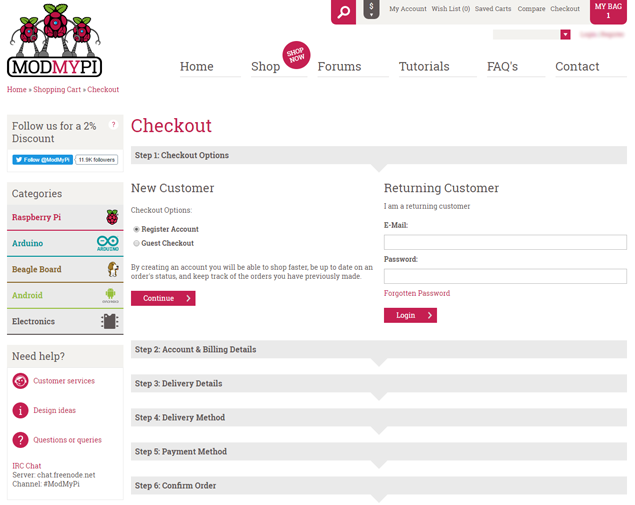
When purchasing as an individual, there are only a few fields to fill in: name, email address, phone number, address, and password.
I don't like receiving calls on my phone, but since it's highly unlikely, I just went ahead and entered it.
As for entering your address, I think it's more intuitive for Japanese people to enter it by starting with the Country at the bottom and working your way up.
The Post Code is not a required field, but it's probably more convenient to enter it (especially if you're having it sent by regular mail).
Registering your billing address
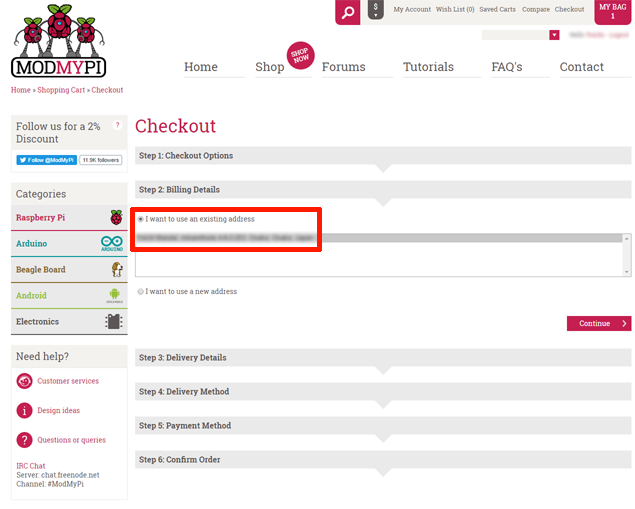
The address in your account information is entered here, so if there are no problems, you can proceed
Registering your shipping address
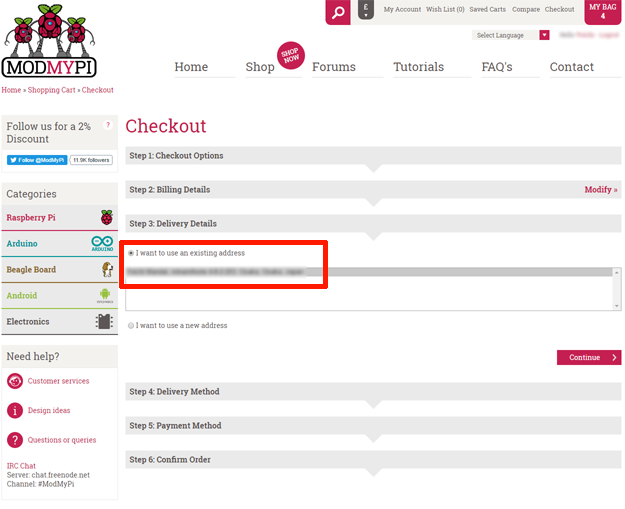
The address in your account information is also entered here, so if there are no problems, you can proceed
Choosing a shipping method
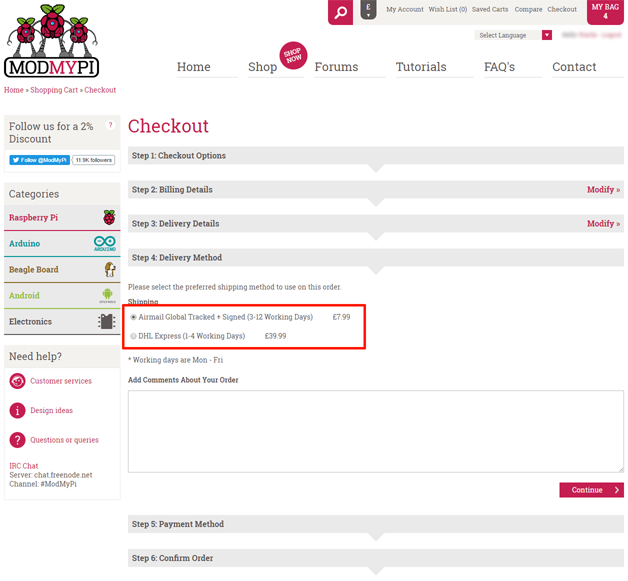
This will already contain the information you registered on the previous page, so just proceed
Choose a payment method
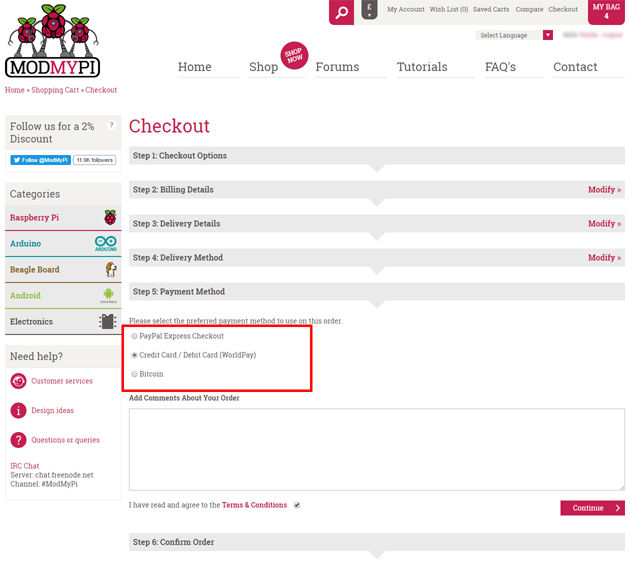
Regarding payment methods, I think PayPal is also a good option.
This time I paid with a credit card, but the next day I received a call from my card company confirming that there had been a transaction on an overseas website. It seems this has been happening
a lot lately, so be careful.
I don't have any Bitcoin, but it seems to be overseas
Check the contents
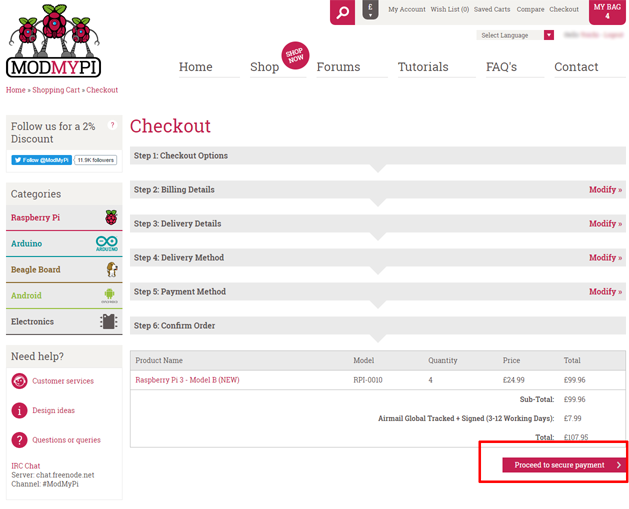
If the quantity you wish to purchase and the shipping method are correct, proceed to the payment screen!
Go to the payment screen selected by payment method
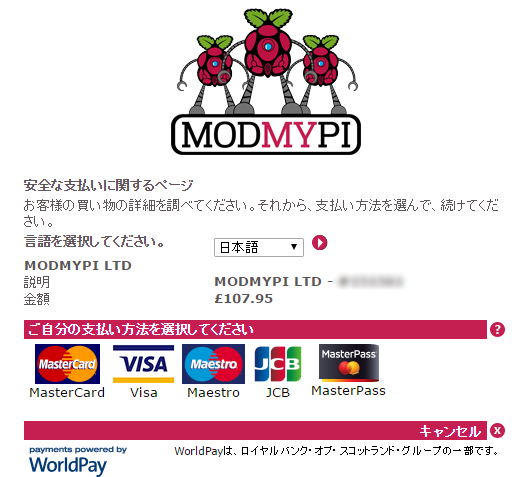
When paying by credit card, the structure is the same as domestic shopping sites, so there is no confusion
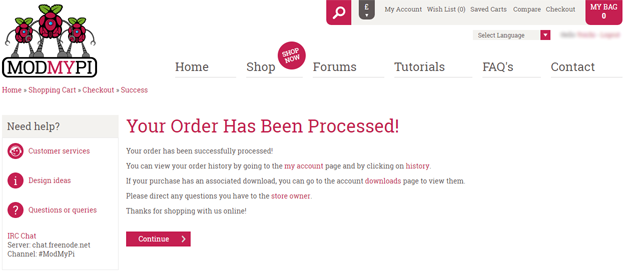
Once you have entered your credit card information, return to the website to complete your purchase!
All that's left is to wait and excitedly check the tracking ID attached to the purchase confirmation email to see where your package is currently traveling.
In my case, I was so busy that I completely forgot, and by the time I noticed, it had already reached the Kanto region. What a bummer!
As for estimated delivery times, an order placed late at night on May 31st arrived on June 7th, so it takes about a week.
If you absolutely need it tomorrow, it's faster to simply buy from a domestic supplier.
The world of Raspberry Pi continues to expand
While the current trend surrounding Raspberry Pi 3 seems to be centered around personal electronics projects, there are some developments happening on Android, such as the following:
Google may officially support Android on Raspberry Pi 3 - Computerworld News: Computerworld.
I'm surprised there are people watching to see if any new repositories have been added, but there were indeed some empty repositories.
device/pifoundation/rpi3 - Git at Google
Given this trend, I'm not sure if it will gain any more momentum, but I hope that the Raspberry Pi will become more widely used as a small server for the home, as an introductory device for electronics projects, or as a first PC for children, which is its intended use
That's all
The person who wrote this article
About the author









