

Difference between GET and POST
Hello! My name is Hase, and I'm a new graduate who joined the development team this year.
Today, I'd like to explain the difference between "GET" and "POST," which are used to pass information in PHP, for beginners in programming.
What are GET and POST?
This refers to the method used when transferring data such as input forms to a web server
GET Features
- The data is added after the URL and sent
- Since the data is written in the URL, the data you enter can be seen by others
- Because the number of characters that can be used in a URL is limited (Internet Explorer allows a maximum of 2,048 characters in a URL), the amount of data that can be sent is also limited
- Only text data can be sent (binary data such as image data cannot be sent as it cannot be written in a URL)
Example: http://localhost/sample/confirm.php?name=%E5%B1%B1%E7%94%B0%E5%A4%AA%E9%83%8E&age=22
"?" marks the beginning of a parameter.
"&" indicates a parameter break.
"=" means the left side is the GET variable name and the right side is the value being passed.
The value being passed appears as %E5%B1%B1%E7... because Japanese characters have been converted. (Japanese characters cannot be used in URLs.)
POST Features
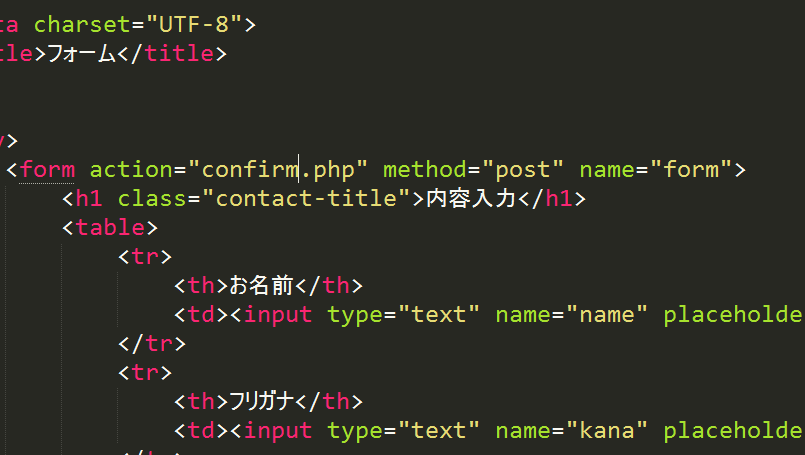
- The data is not added to the URL
- Since the data is not written in the URL, it cannot be seen by others
- There is no limit to the amount of data that can be sent
- Both text and binary data can be sent
Example: http://localhost/sample/confirm.php
When to use GET or POST
You should use POST if any of the following apply :
When there is a large amount of data
As mentioned earlier, Internet Explorer has a maximum URL length limit of 2,048 characters.
Furthermore, GET requests append data to the URL, limiting the amount of data that can be sent.
Therefore, use POST requests when sending large amounts of data.
When sending confidential information
If your data contains sensitive information such as email addresses or passwords,
using GET will append this information after the URL, making it visible to others.
Therefore, please use POST when sending confidential information.
When sending binary data
Use POST when sending binary data such as images
Conclusion
If you want to share data via a URL, you can use GET if it's okay for others to see the data.
However, you should always use POST if the data contains personal information, such as in input forms or product order forms.
That's all.




The person who wrote this article
About the author









