

How to "Allow security groups from other accounts" in AWS
2017.01.11




My name is Ito and I am an infrastructure engineer
Many companies use multiple AWS accounts
, for various reasons such as internal billing.
Have you ever had a situation where you wanted to separate your AWS accounts for some reason, but still wanted to communicate with them?
With CIDR, if you're connecting using VPC Peering,
you only need to allow the CIDR of the other network.
However, with ELB, there's no internal IP address, so
you need to allow the entire security group.
Furthermore, when allowing EC2 instances in an Auto Scaling group under a specific subnet,
even if individual IP addresses are permitted, some EC2 instances created by autoscaling
may end up with IP addresses that are not permitted by the security group.
In such cases, you'll need to allow the security group as well.
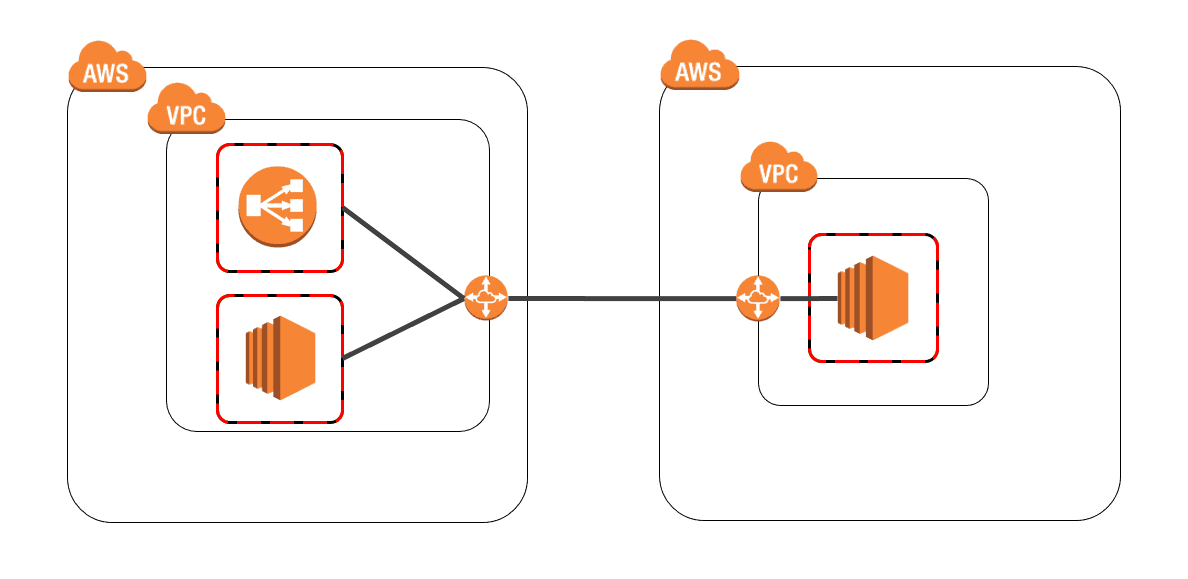
So, this is how to allow "security groups of other accounts" in security groups
The image is something like this
<Account ID>/<Group ID>
This is the answer:
you specify the "Account ID/Group ID" in the security group you want to allow access to.
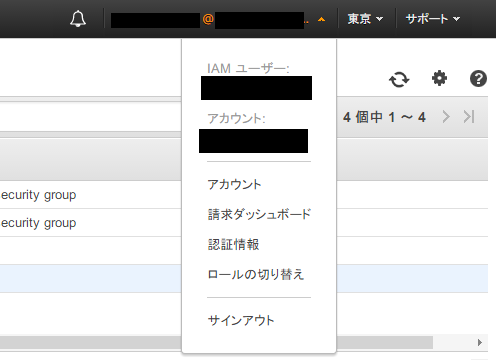
You can find your Account ID in the upper right corner of the AWS console.
It's the 12-digit number labeled "Account" (it's mostly blacked out).
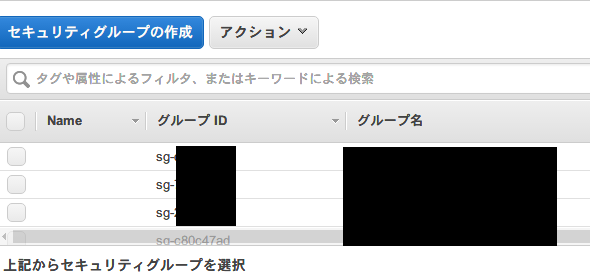
The group ID can be found in the security group.
Although it's mostly blacked out, it's an ID that starts with "sg-".
By separating these two with a "/", you can allow (or deny) security groups from different accounts

It looks like this.
It's mostly blacked out.
The person who wrote this article
About the author









