

When using the internal ELB with Apache 2.4 and Tomcat integration, a "too long" error occurs
2017.01.16





I'm Ito, an infrastructure engineer.
it's common to see a setup where
a web server receives access requests and then proxies those requests to the application server behind it
In that case, considering availability, it's better to make each server redundant, right?
So, this is the configuration.
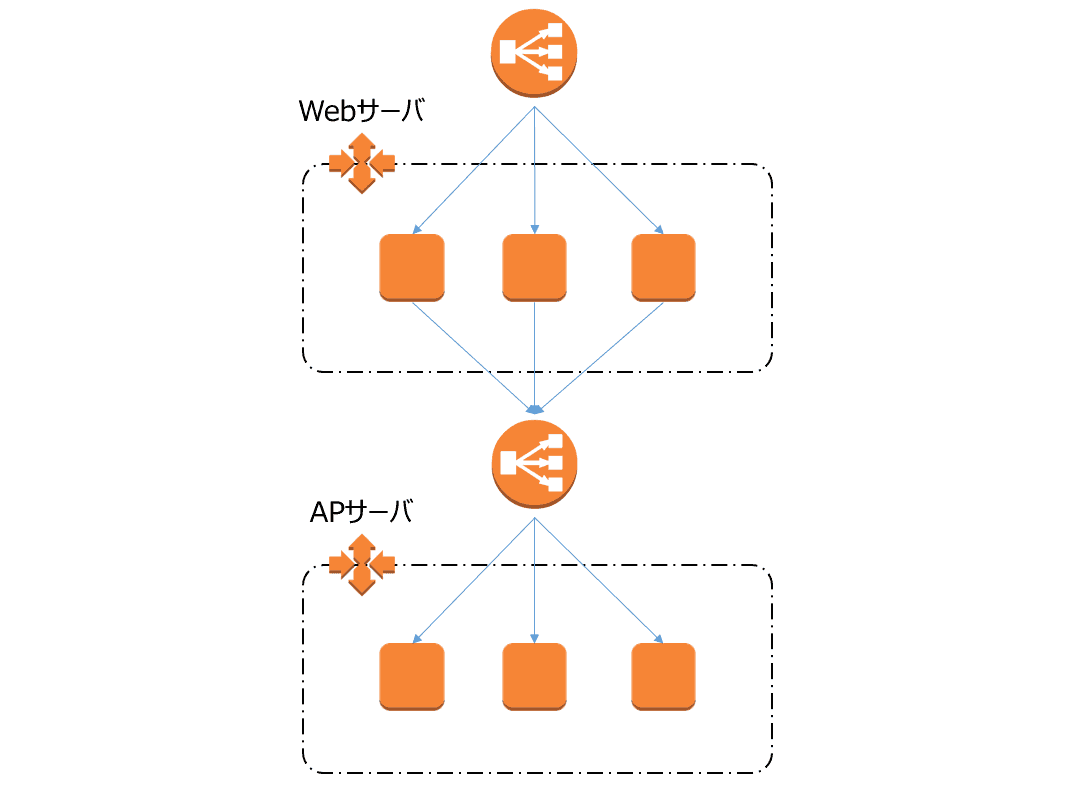
A common configuration involves
using Apache as the web server and Tomcat as the application server
So, I ran into a problem when Apache was throwing it to tomcat, so I'd like to leave the solution here
I got stuck with ProxyPass settings
Write a statement in the Apache virtual host that will route received requests to Tomcat
ProxyPass / ajp://internal-elb-xxxxxxxxxxxxxx.ap-northeast-1.elb.amazonaws.com:8009/
ProxyPass is used to forward incoming requests to port 8009 of AJP.
"internal-elb-~~" refers to the internal ELB.
However, if you run a syntax check on Apache in this state, the following error will be output:
# httpd -t ProxyPass worker hostname (internal-elb-xxxxxxxxxxxxxx.ap-northeast-1.elb.amazonaws.com) too long
The hostname being sent to ProxyPass is too long...
But even if they say that, the hostname of the internal ELB looks like this, and the IP address isn't fixed, so what am I supposed to do
?!
Rewrite rules
In this configuration, it's fine if ProxyPass sends the requests directly to Tomcat, so
I changed the rules as follows.
RewriteEngine on RewriteRule ^/(.*)$ ajp://internal-elb-xxxxxxxxxxxxxx.ap-northeast-1.elb.amazonaws.com:8009/$1 [P,L]
We'll use a rewrite rule.
The rewrite rule is to send the message to AJP if it comes to all recipients.
Now Apache requests can be successfully sent to Tomcat (internal ELB)
The person who wrote this article
About the author









