

Uninstalling apps installed from the Windows Store (Windows 10)
I'm Ito, an infrastructure engineer.
We use Windows for our work at our company.
Like Mac, Windows now has the Windows Store, from which you can install applications
I thought I could uninstall
unwanted programs from "Add or Remove Programs" in the Control Panel,
I'd like to write
about how to uninstall applications installed from the Windows Store
You can do this from Settings
Things that used to be handled entirely through the Control Panel have become a bit more complicated with the introduction of "Settings" in Windows 10.
I wish they'd stick to one or the other.
You can uninstall apps installed from the Windows Store from Settings
First, open Settings and go to "System." The shortcut to open "Settings" is [Win+I]
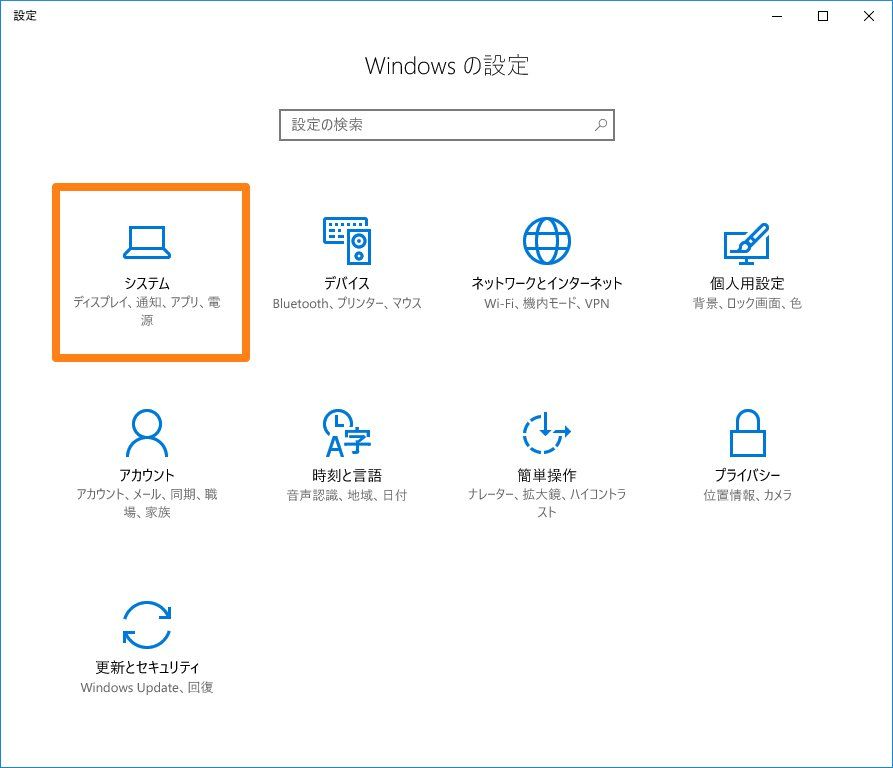
Go to System > Apps and Features
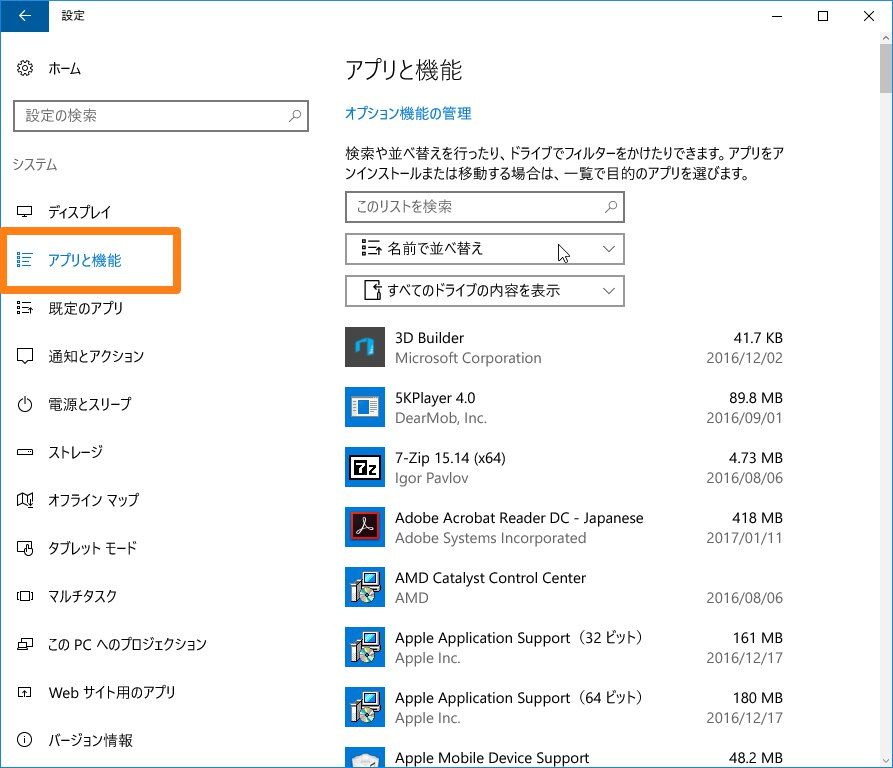
Various applications are displayed under "Apps and Features."
This section shows applications displayed under "Programs and Features" in the Control Panel, as well as
apps installed from the Windows Store.
I wish they would consolidate them into one of these sections.
Select the app you want to uninstall and you're done
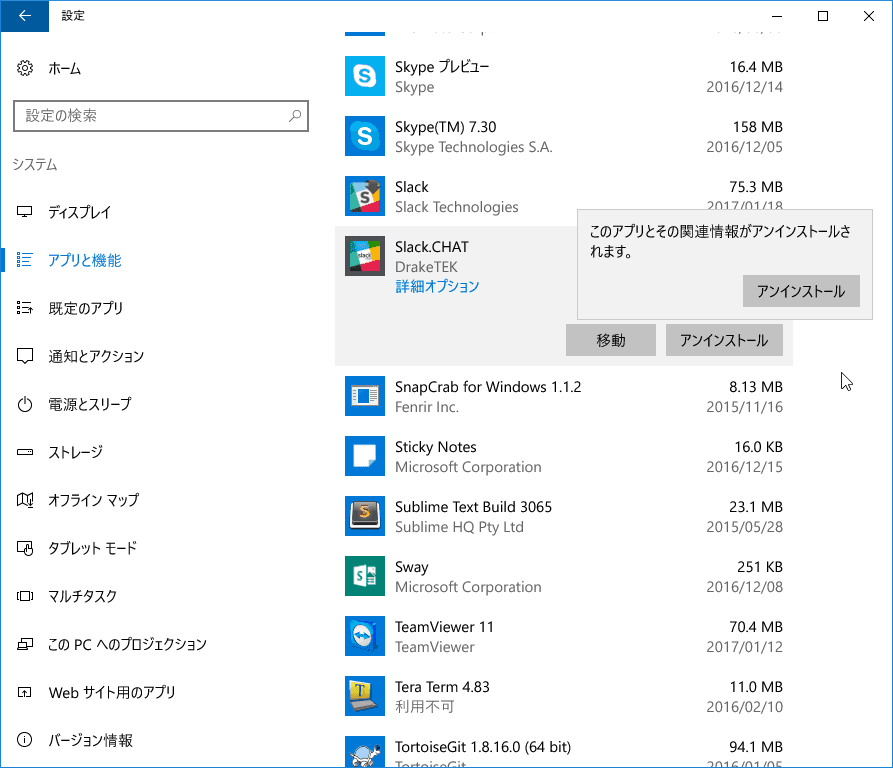
By the way, "Move" seems to allow you to change the installation drive (only for apps via the Windows Store)
This should allow you to uninstall applications from the Windows Store.
While apps like "Settings" are likely designed for tablets, it would be great if this "available on one device but not on the other" situation could be resolved soon.




The person who wrote this article
About the author









