

[AWS] You can now tag EBS volumes when creating an EC2 instance
2017.04.25





Hi, I'm Teraoka, an infrastructure engineer.
This time, I'd like to introduce a convenient update, although it's not a major one: You
can now tag EBS volumes when creating EC2 instances!
■Before the update..
Until now, we could tag EC2 instances themselves, but we
couldn't tag the associated EBS volumes...
and this became a problem as the number of EBS volumes increased...
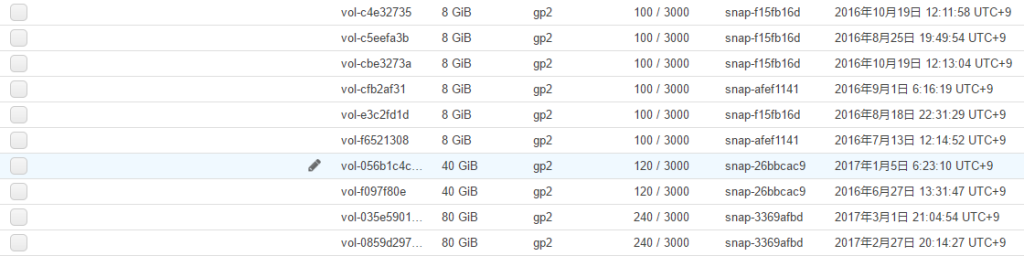
see, the tag section is blank,
making it difficult to quickly see which EBS volume is associated with which instance. (
Of course, you can tag them from the EBS list screen, but tagging
them after creating an instance is a bit of extra work...)
■After the update!
When creating an instance , checkboxes labeled "Instance" and "Volume" have been added
to the tagging screen
Check both checkboxes and try creating an instance!

■Then..
Tags attached to EC2 instances

Tags attached to EBS

Both have the same tag!
Now you can tell at a glance at the management console screen!
Summary
It's just a minor UI improvement and not a major update, but
I was really happy with it!
I'll write another article if I find anything else useful.
The person who wrote this article
About the author









