

How to display Android browser (Chrome) on PC
This is Hase from development
This time, I'd like to show you how to
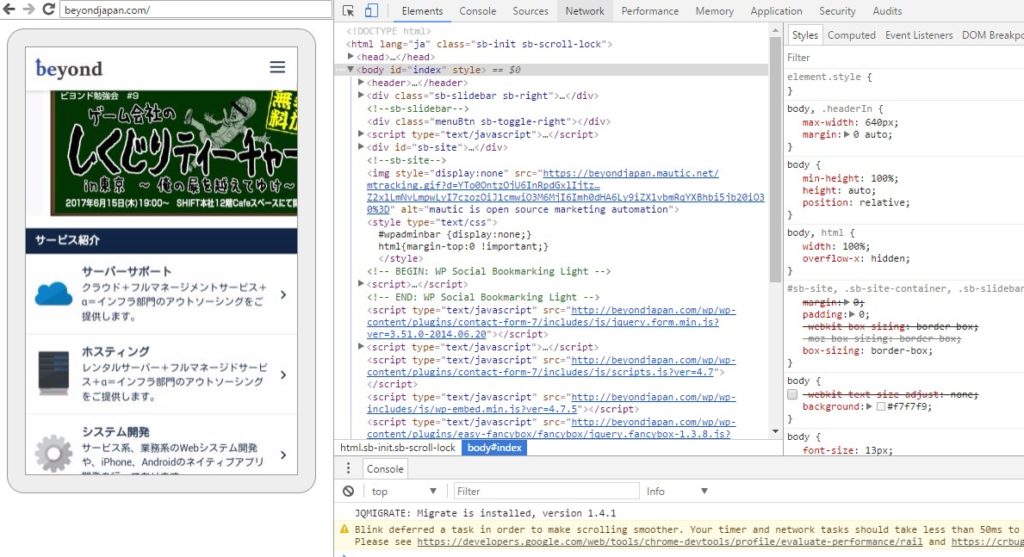
use Chrome Developer Tools to display the browser (Chrome) on an Android device on your PC and perform debugging and other tasks
Preparation
Android device settings
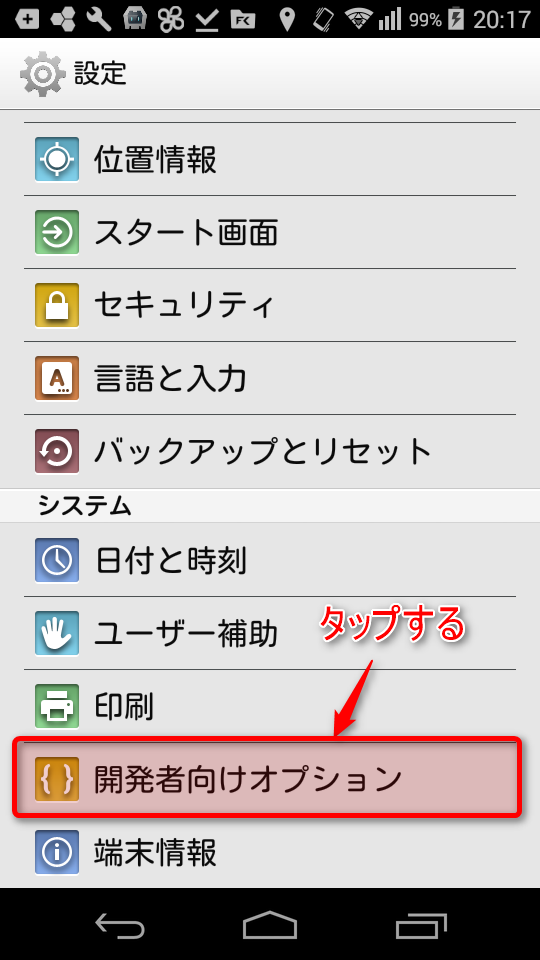
1. Launch "Settings"
2. Tap "Developer options"
3. Turn on "Developer Options" and check "USB Debugging."
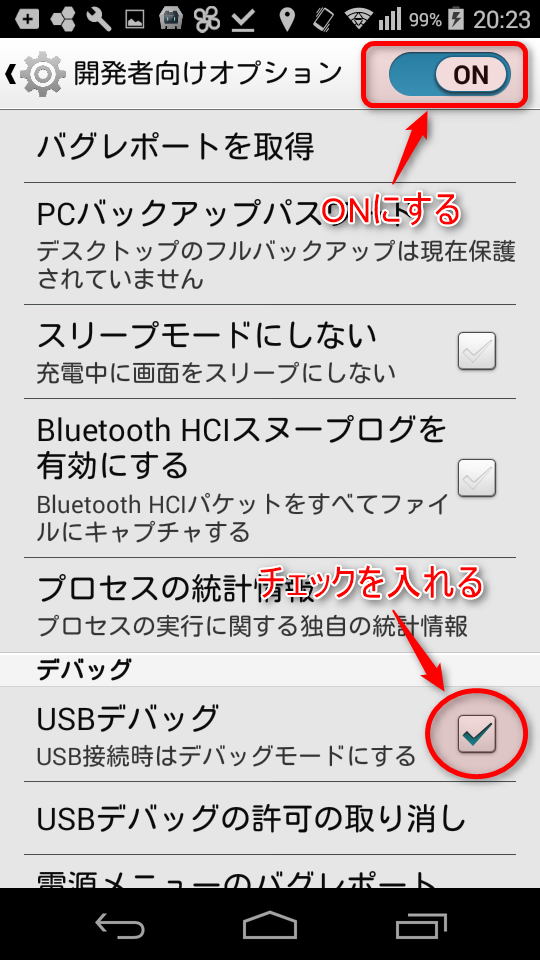
That's all for Android settings
Connection Method
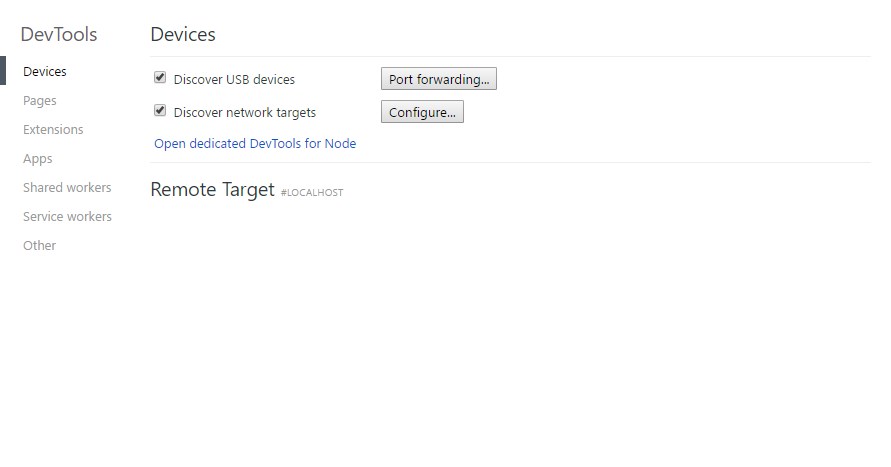
1. Launch Chrome on your PC and open chrome://inspect.
↓The screen will look like this
2. Connect the Android device you just set up to your PC
3. Launch Chrome on your Android device and open the URL you want to debug
↓Then the open URL was displayed under Remote Target
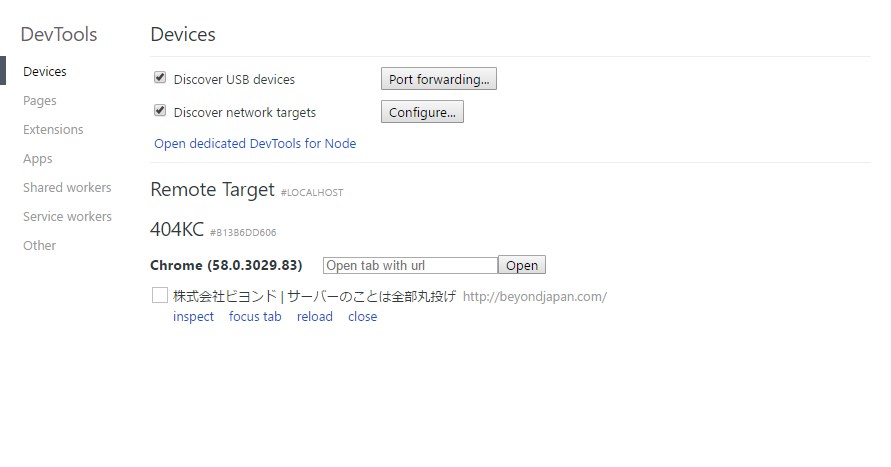
4. Click "inspect"
↓A new window will open and the Android screen will be displayed
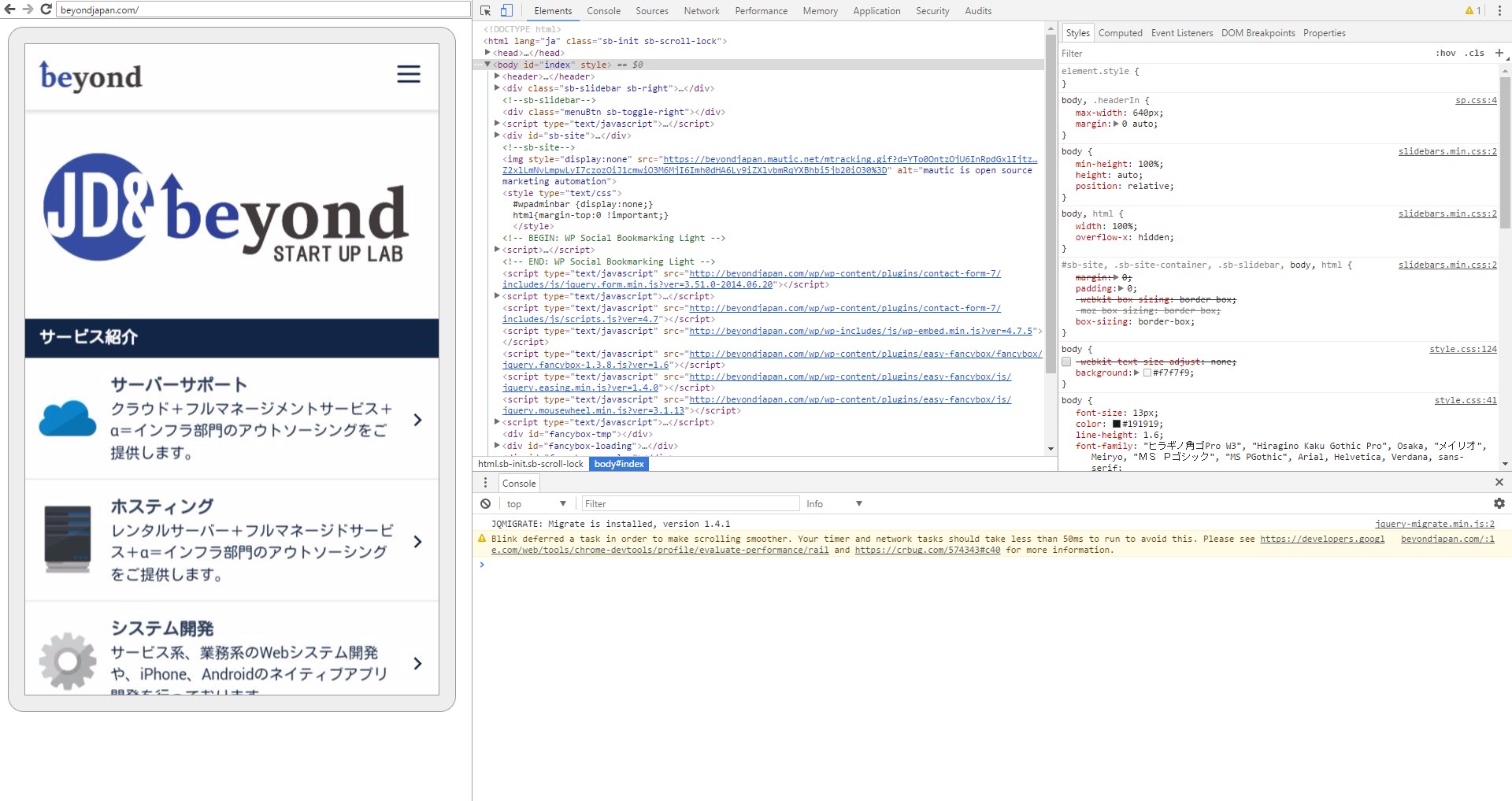
Since it is a developer tool, you can also edit HTML, CSS, and JavaScript
Furthermore , you can control the Android browser from your PC
by clicking or dragging the displayed Android screen, making it very user-friendly
when you need to debug websites that only display correctly on smartphones,
so I highly recommend giving it a try.
That's all
If you found this article helpful,please give it a "Like"!
2,893




The person who wrote this article
About the author









