

I tried using Teletype, a pair programming environment that can be easily set up using only Atom
Hello.
I'm Mandai, the Wild team member in charge of development.
At "AWS re:Invent 2017," it was announced that a development environment using Cloud9 on AWS had been established, and this has caused quite a stir. It also serves as a source code collaboration tool, making pair programming easy, which has been a hot topic
Speaking of pair programming, Microsoft has also recently announced "Visual Studio Live Share," which means that pair programming, which is something you do while staring blankly in the background, is finally about to change course (or maybe just watching)
But wait a minute!
Atom has been setting up a pair programming environment for a while now!
This time, I would like to set up a simple pair programming environment using Atom and report on how it feels to use
Installing Atom
Installing Atom is incredibly easy.
As expected from the original Electron editor, all you have to do isAtom, click the red download button, and double-click the downloaded .exe file.
If you have installed it after reading this article, there is no problem, but in order to pair program, you need Atom version 1.22 or higher, so if you already have it installed, you will need to update it
Installing the package
The communication package for pair programming with Atom is "Teletype," which is not included in the default Atom
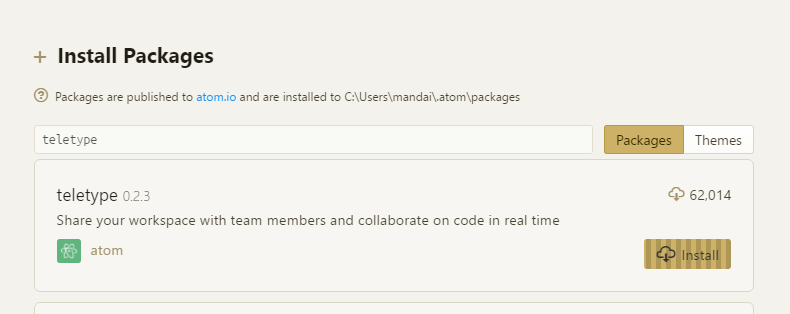
Teletype is released as a regular package, so youCtrl + ,and selecting "Install" from the side menu, or by navigating through the menu: "Packages" → "Settings View" → "Install Packages/Themes".
If you enter "Teletype" in the input form labeled "Search Packages," you will see a result, so click the "Install" button and wait for completion
Time for pair programming!
Now, let's prepare two machines with Atom 1.22 or later and the teletype package installed, and try pair programming
First, open any project on the host machine.
Next, click on the icon that looks like a radio tower (we'll call it the Teletype icon for convenience) that appears on the right side of the status bar.
The first time you use it,Teletype for Atomwith your GitHub account, so please log in.
Once you have logged in, a token will be issued that will allow you to use Teletype.
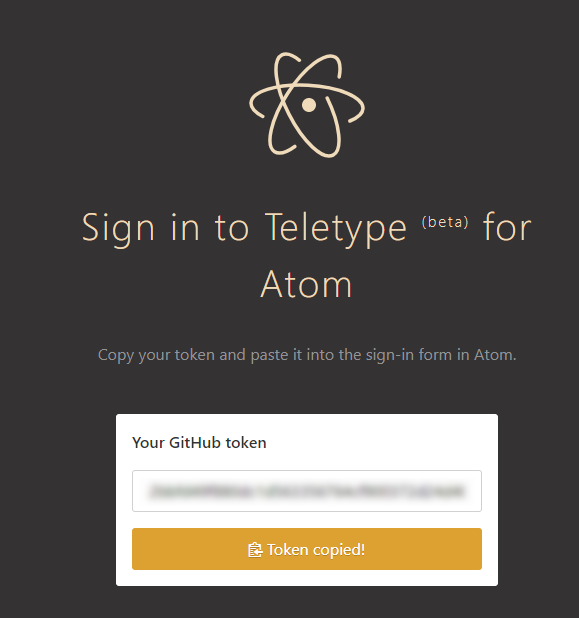
Copy this token and paste it into the form that appears in the bottom right corner of Atom.
Unless you made a copy-paste error, your Teletype setup is now complete.
Once you have successfully logged in, click "Share" to the right of your user icon
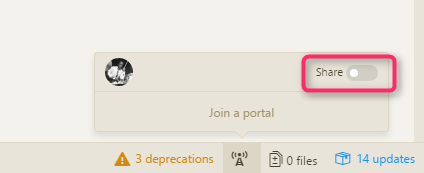
A pair programming token will be issued, so press the copy button to copy it and give it to the person you want to pair with
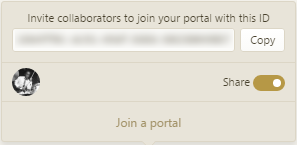
And then wait
On the client side, just like on the host side,Teletype for Atomso log in.
Click the Teletype icon again and click "Join a portal."
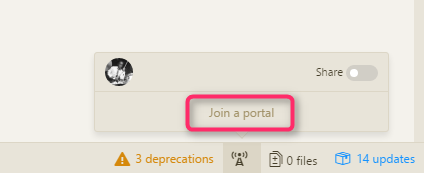
Paste the PairPro token shared by the host to begin sharing source code
If the Teletype icon in the bottom right corner on both the host and client sides is blue, it means that the code is being shared
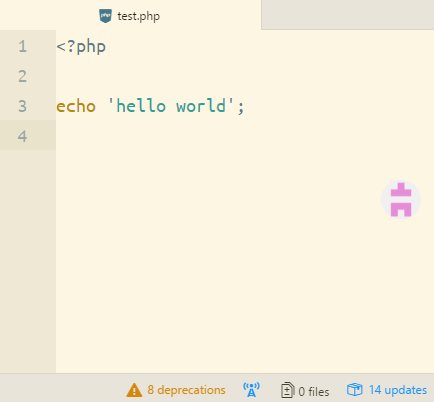
How it feels when used
This may not be very helpful since we are on the same local network, but when I changed the code on either the host or client side, the changes were immediately propagated to the other side, so I didn't feel any stress
Only one file can be displayed, and it does not seem to support multiple files displayed in tabs, so errors kept popping up
In terms of authentication, the system currently fully trusts GitHub accounts, so even if the host closes the file, the information remains on the client side and can be saved as is, which gives the impression that file operations are a bit rough
Since there's no distinction between changes made on the host and client sides, I wouldn't recommend working on multiple things simultaneously. It seems that once you commit the completed code, all changes become the committer's responsibility.
GitHub's purpose is supposed to be code quality assurance, so I think this lack of attention to detail is problematic.
Also, since I wasn't able to set up an account, this was a one-on-one pair program, but I'm interested to see how many accounts can share code
Switching between tabbed files on the host side seems to be quite a challenge.
This is somewhat unavoidable since it's currently in beta, but considering the trends of Cloud9 and Visual Studio Live Share, if it doesn't become official soon, it might be forgotten in this genre.
summary
Overall, even though it was rough and pair programming, when they did intervene, they only wrote test code like "What about this code?", and there was also talk about responsibility for commits, so I got the impression that the client side didn't write the code lightly
Actually, at the time of writing this article, I have not yet tried Cloud9, so I am very excited to see how it will fare in this area
That's all




The person who wrote this article
About the author









