

Visual Studio Code 1.21 has been released, ushering in the era of splitting the terminal (we didn't say splitting it into two)!

Hello.
I'm Mandai, the Wild team member in charge of development.
Is the latest version of Visual Studio Code (hereinafter referred to as VS Code) working fine on your computer?
There are some pretty cool updates this time around, like a refreshed notification system and Emmet finally supporting BEM, but server engineers will love the split terminal feature
The question is how many divisions can be made
Needless to say, editors are limited to three splits, and each editor can have multiple tabs.
However, when it comes to splitting the terminal, it's ridiculously unlimited!
I was experimenting to see how far it could expand horizontally, and it ended up being a two-tiered structure, allowing for even more additions.
However, instead of going into a third tier, the first tier simply moves to a place where it's no longer visible.
This is clearly a bug.
Furthermore, as I also shared on Twitter , when I used two 1920px displays to fill the screen, I was able to confirm that there were up to 31 terminals lined up horizontally

Memory usage is comparable to Google Chrome.
Checking the Task Manager, it appears that PowerShell is using about 20MB of memory, and the Node.js process wrapping it is using about 10MB.

If you have an even larger display or are using three displays, please try to see how much further you can extend the record and let us know on Twitter or Facebook.
This implementation is probably only temporary!
We expect a fix to be implemented soon, so please try it out as soon as possible.
By the way, in Windows, you can enlarge or shrink the terminal window using Shift + Ctrl + ← and Shift + Ctrl + →
Speaking of terminals, it would be great to be able to run multiple terminals simultaneously (PowerShell, Windows Subsystem for Linux, Command Prompt, or Git Bash on Windows)
Markdown improvements
I had no particular complaints about the ease of use of Markdown, but when editing multiple Markdown articles and displaying a preview, if you switch the Markdown you are displaying, the preview will also change accordingly
This means you no longer need to open multiple previews
Of course, you can also lock it in place by selecting the "Toggle Preview Lock" menu from the three dots in the upper right corner.
If there is a bracket next to the "Preview" part of the tab, it means it is locked.
Also, scrolling the preview when scrolling through a Markdown article now works smoothly and accurately
The search box is now movable (preview)
The full-text search function within projects can now be moved to the same pane as the terminal, which is displayed at the bottom or right of the screen.
This feature is currently in preview and is located in the sidebar by default.
If you want to move it,Ctrl + ,and search for "location". You will find an item called "search.location", change this to "panel".
By the way, I just found out that there is a setting that allows you to move the sidebar (the one on the left where the Explorer and search screen are stored by default) to the right!
Notifications in VSCode have been redesigned
The biggest topics this time around are probably the change in the display position of the notification window and the UI adjustments.
Not only does it look different, but the fact that multiple notifications are now stacked vertically is also a major change.
It's become a little more fashionable
summary
There are many improvements, such as the ability to display symbolic links in Explorer, the ability to create directories when creating files, and improvements to the extension authoring tool
The included Language Server Protocol upgrade is also a subtle but not-to-be-missed update, but since this requires extensions that use this protocol to keep up, it may be a while before we see the benefits
I'll close by uploading an image that shows how the amount of information on the screen became overwhelming after splitting the editor too much
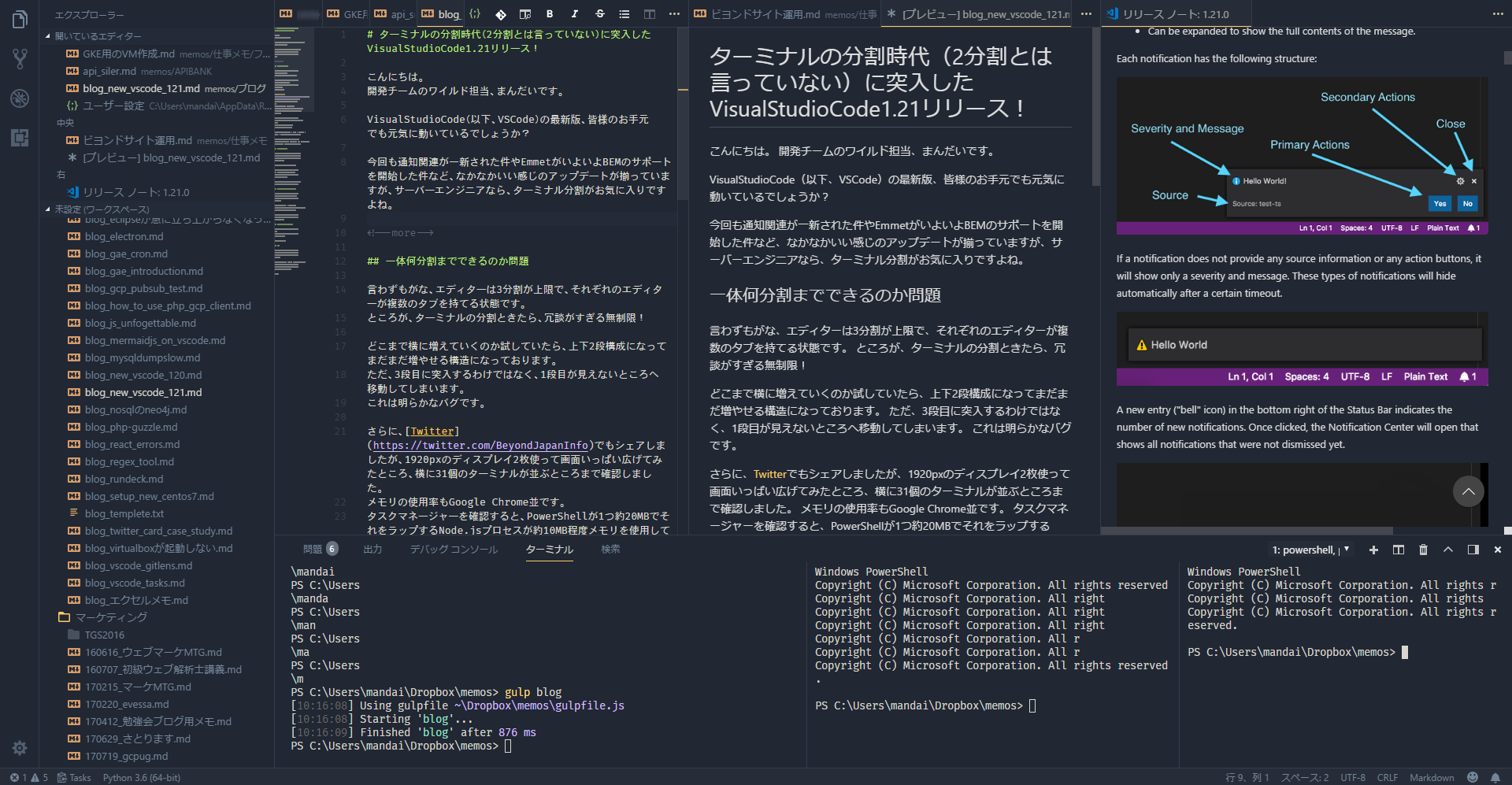
That's all




The person who wrote this article
About the author









