

"Appmill" is a simple, easy and smart website monitoring service
This is Nakagawa from the Systems Solutions Department.
recently issued regarding Beyond's new content , "Appmill" !
For those unfamiliar with Appmill,
a simple, easy, and smart website monitoring service.
With a simple registration process, it monitors your site 24/7 to ensure smooth display. It
displays errors and website status using diagrams, graphs, and alert functions,
making it easy to use even for those without specialized knowledge.
For more detailed information, please click here
This article will explain how to use
Appmill for those who want to use it or are interested but don't know how
It's surprisingly easy to use in just three steps!
Start using Appmill
1. Access Appmill
Access the following link:
https://appmill.work
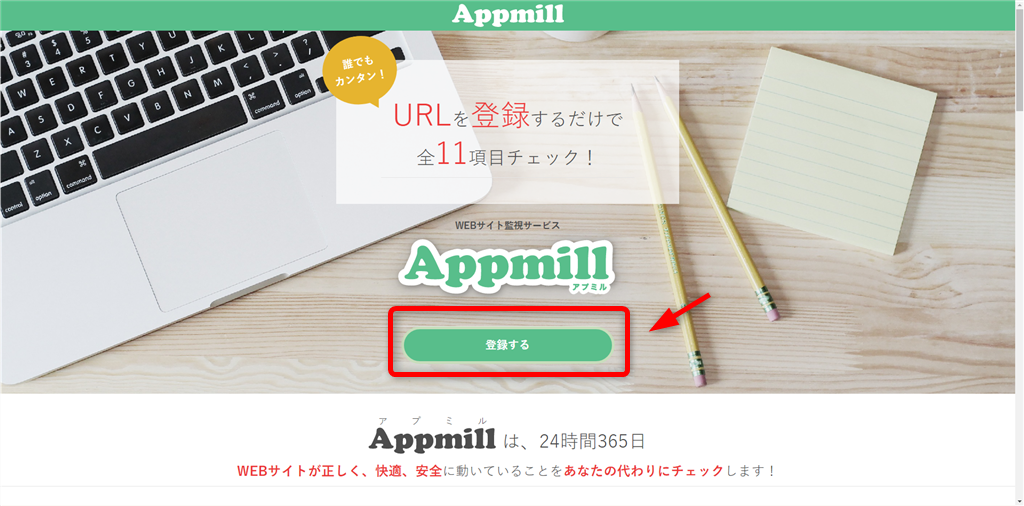
Click "Register" on the page
2. User Registration
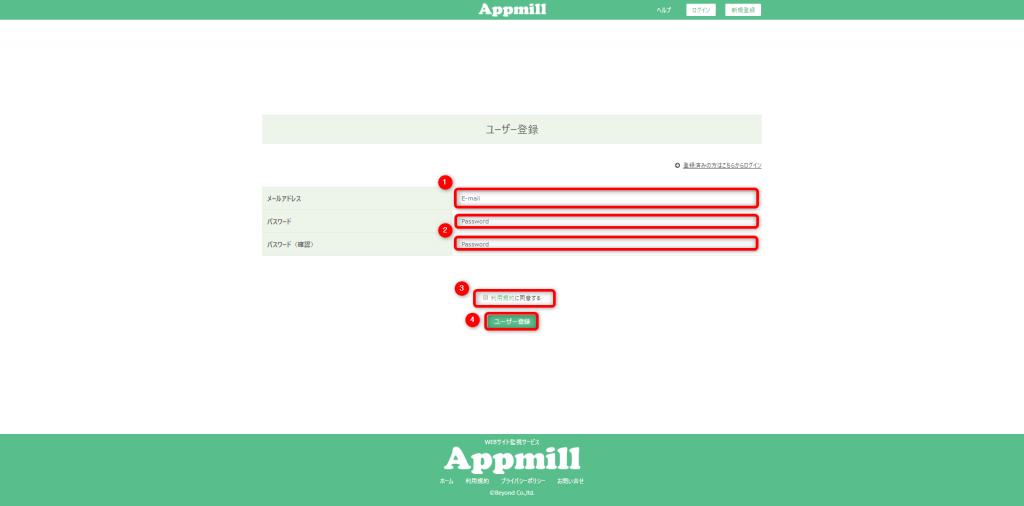
Once you are redirected to the user registration screen, please enter/select the following items:
1. Email address
2. Password and confirmation password
*Passwords must be at least 8 characters long and include at least one letter and one number.
3. Check "I agree to the Terms of Service"
4. Click the "Register" button
. Once registration is complete, the next screen will be displayed.
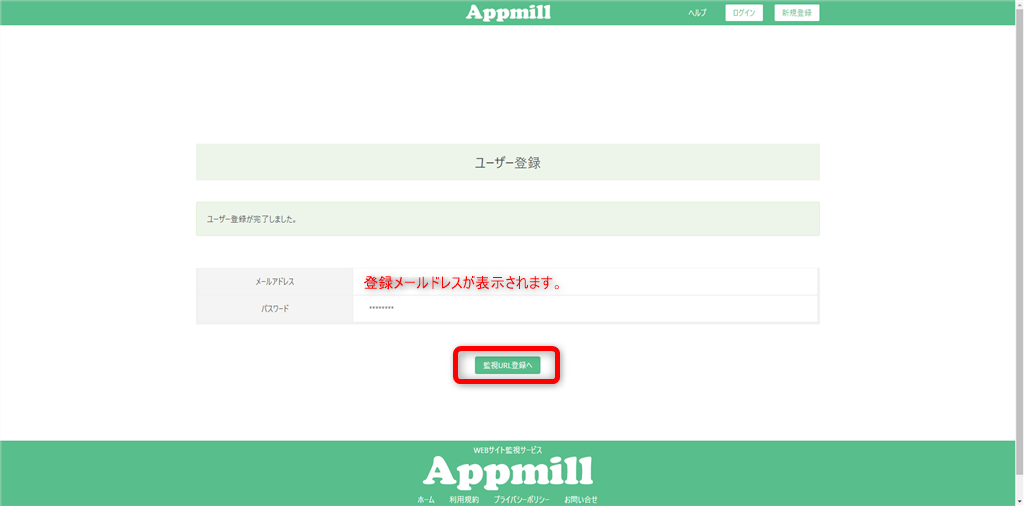
Congratulations on registering!
3. URL registration
Now, let's register the URL to be monitored.
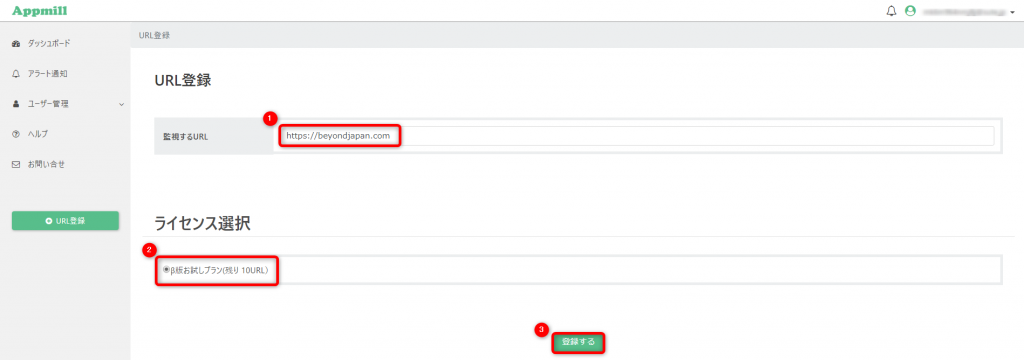
1. URL Registration On the registration screen, enter the URL to be monitored (here, we will enter https://beyondjapan.com/)
2. Select the radio button for license selection
3. Click "Register"
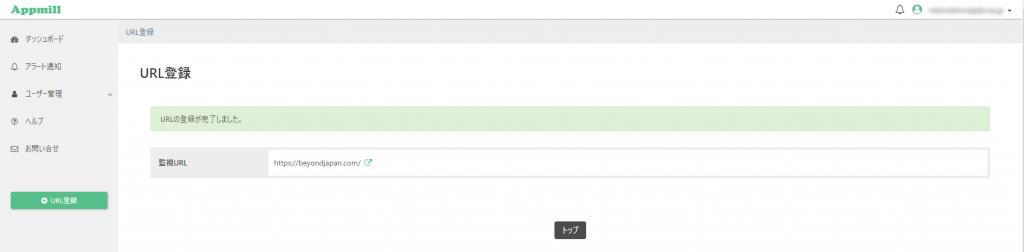
After registration, if the message "URL registration completed" is displayed, the registration was successful
Great job!
You have now completed the process of using Appmill and registering for URL monitoring.
Monitoring content and settings
Let's check the registered URLs.
The URLs you've registered for monitoring will be displayed in the dashboard section of the management screen.
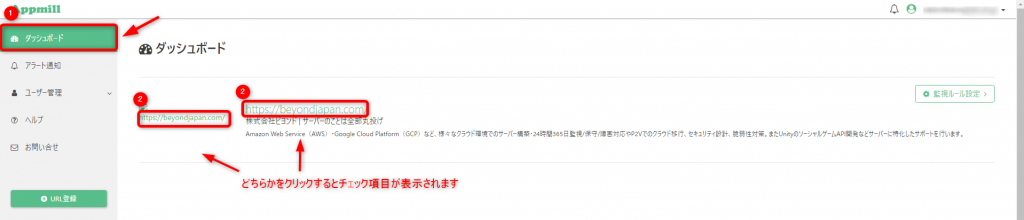
Selecting a URL to monitor will display the following checklist items.
- Site check = Check if the site is in an inaccessible state.
- Response time = Check if the page is displayed within 10 seconds of accessing the URL.
- Status code = Check if a normal status code (200) is returned.
Response time and status code are set to default values, but they can be changed.
To change monitoring rules, click "Monitoring Rule Settings" for the target URL on the dashboard.

You can customize the settings such as timeout and status code to your liking
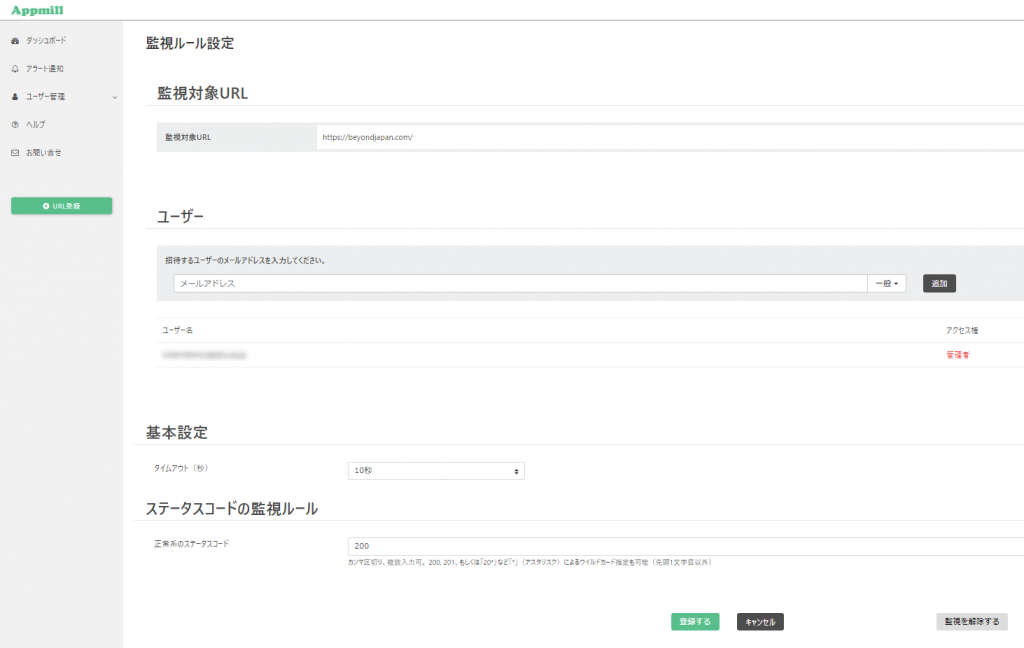
Also, if you accidentally registered the wrong URL,
you can remove the monitoring rule from these settings, so please don't worry.
In addition to the items listed above,
a total of 11 items can be monitored, including broken links and WordPress program errors.
If you're interested, please give it a try.
If you have server-related issues beyond just content, and are considering server monitoring and support,
please feel free to contact us via the icon in the bottom right corner or through this link
We look forward to your inquiries and use of our services.




The person who wrote this article
About the author









