

The era of split editors is upon us! Visual Studio Code 1.25 release summary

Hello.
I'm Mandai, the Wild team member in charge of development.
I've been away for a while, but the Visual Studio Code (VSCode) 1.25 update has arrived, so I'd like to take a quick look at the new features!
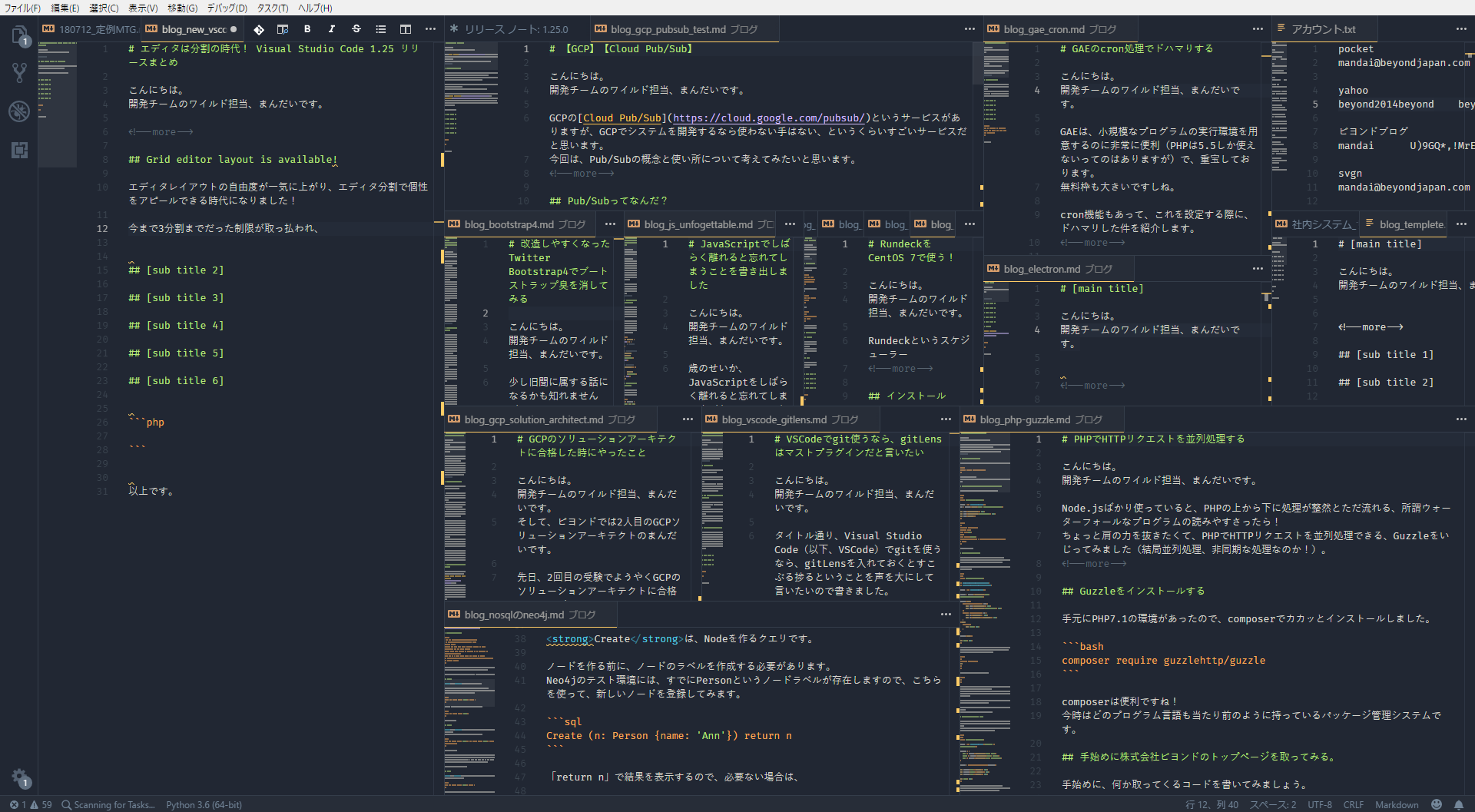
Grid editor layout is available!
The freedom of editor layout has increased dramatically, and we are now in an era where you can express your individuality by dividing the editor!
The previous limit of three divisions has been removed, and you can now open it as much as you like
Well, in that case, what you'll be concerned about is resource usage.If you look at the task manager, you'll see that processes are generated for each editor, so although it's a small number, the number of processes is quite staggering
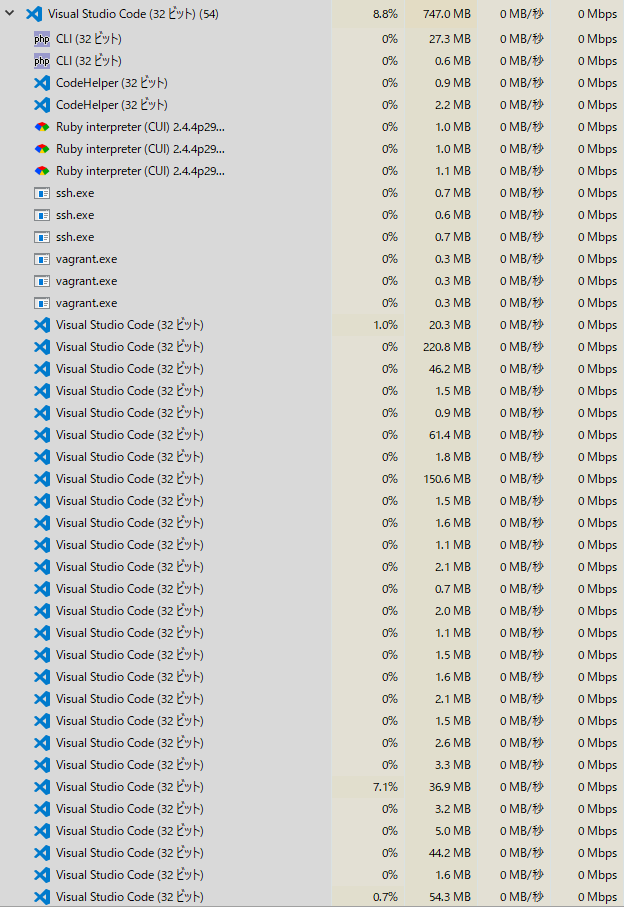
You can split it however you want, so it's best to split it while keeping resources in mind
There are some new related shortcut keys
- Move the active grid using "Ctrl + K , ↑", "Ctrl + K , ↓", "Ctrl + K , ←", and "Ctrl + K , →".
- Close all editors in the active grid with "Ctrl + F4".
- Split the active editor into a separate gridCtrl + K , Ctrl + \」
- If "workbench.editor.openSideBySideDirection" in setting.json is right, it will split down (downward), and if it is down, it will split right (to the right)
- "Ctrl + n (number key)" activates the nth editor group.
There are also other unassigned shortcut keys, and you may find the one you're looking for among them. Please take a look at the release notes
Portable mode now available!
VSCode now has a portable mode
The download page provides small zip files for Windows and tar.gz files for Linux.
There's also some information about the Mac version , but it's not very clear, so please refer to the documentation if you need it.
In other words, if you put this portable mode on a USB memory stick, you will be able to use VSCode with the same settings anywhere
There's also a guide on how to switch from an existing installed VS Code to portable mode; please follow this link
Do you use an outline?
By default, the Outline feature is located within the Explorer in the left-hand side menu. In Japanese environments, it's titled "Overview," but are you making good use of it?
I don't know when it was implemented, but it seems to have been there for a while without much discussion. However, it has graduated from preview and is now officially available with this update.
The main function of this feature is to display the symbol tree of the active editor and jump to the desired method or member variable.
I use it quite often because it makes the code easier to read, especially when the source code is getting a bit long, and it's very convenient.
As additional information, the icon makes it immediately clear whether a method is a method or a variable.
It would be even better if it also indicated whether it's public or private, but we can hopefully expect that in future updates.
The shortcut key to open the overview exists, but it's not assigned yet; it's called "outline.focus".
For now, I'll assign "Ctrl + F11" and try using it.
summary
It's been a while since we last updated VSCode, and this time the big topic is the implementation of grid layout, which will completely change the way you use VSCode
The introduction of portable mode has made it easier to use in situations different from before.
While setting up the portable version of VS Code initially can be a bit of a hassle if you're using an existing environment, it's worth the effort if you plan to use it regularly. I'm
also curious to see how it will keep up with future version updates.
And finally, be sure to try out the overview feature, which has quietly moved beyond the preview
In addition, the development environment is being improved rapidly, making it easier to create things conveniently, so I'm thinking about creating a plugin soon
That's all




The person who wrote this article
About the author









