

Now that Fargate supports EFS, I'll build a WordPress environment using Terraform
2020.04.27




My name is Teraoka and I am an infrastructure engineer
AWS has a service called "Amazon ECS," which has two launch modes: "Amazon EC2" and "AWS Fargate."
Fargate is very convenient because the container execution environment is fully managed by AWS, eliminating the need to manage a cluster. However, due to its specifications, it is not possible to mount persistent volumes to containers, and the storage is deleted as soon as the task is stopped
When the WordPress we tested this time is started in a container, all images used in the posted articles are stored in the local volume, so it would be a problem if the storage were deleted
For those who still want to use Fargate because of its convenience, we have good news.
Fargate platform version 1.4 now supports EFS endpoints.
● AWS Fargate releases platform version 1.4
This approach seems to allow for data sharing between containers while maintaining persistent data.
I actually tried it.
Configuration verified this time
If you build it according to the instructions in this article, you will end up with the following configuration:
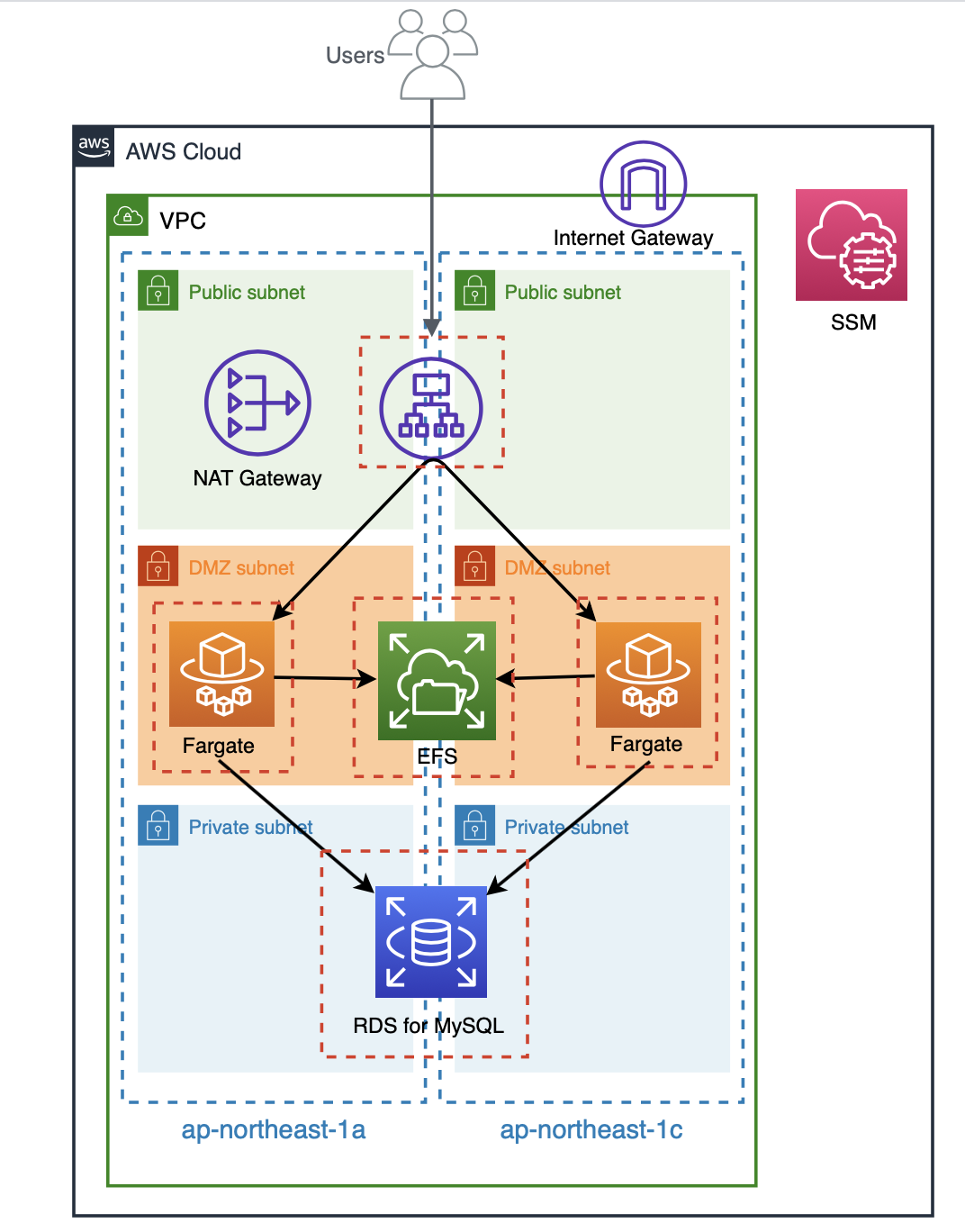
The entire build process was done using Terraform, so the code is provided below.
Please note that
the Terraform version is "0.12.24".
The code I wrote
The directory structure is as follows:
$ tree . ├── README.md ├── alb.tf ├── efs.tf ├── fargate.tf ├── iam.tf ├── provider.tf ├── rds.tf ├── roles │ ├── fargate_task_assume_role.json │ └── fargate_task_execution_policy.json ├── securitygroup.tf ├── ssm.tf ├── tasks │ └── container_definitions.json ├── terraform.tfstate ├── terraform.tfstate.backup ├── variables.tf └── vpc.tf 2 directories, 16 files
provider.tf
provider "aws" { access_key = var.access_key secret_key = var.secret_key region = var.region assume_role { role_arn = var.role_arn } }
variables.tf
#################### # Provider ################### variable "access_key" { description = "AWS Access Key" } variable "secret_key" { description = "AWS Secret Key" } variable "role_arn" { description = "AWS Role Arn" } variable "region" { default = "ap-northeast-1" }
vpc.tf
#################### # VPC ################### resource "aws_vpc" "vpc" { cidr_block = "10.0.0.0/16" enable_dns_support = true enable_dns_hostnames = true tags = { Name = "vpc-fargate-efs" } } #################### # Subnet ################### resource "aws_subnet" "public_1a" { vpc_id = aws_vpc.vpc.id availability_zone = "${var.region}a" cidr_block = "10.0.10.0/24" map_public_ip_on_launch = true tags = { Name = "subnet-fargate-efs-public-1a" } } resource "aws_subnet" "public_1c" { vpc_id = aws_vpc.vpc.id availability_zone = "${var.region}c" cidr_block = "10.0.11.0/24" map_public_ip_on_launch = true tags = { Name = "subnet-fargate-efs-public-1c" } } resource "aws_subnet" "dmz_1a" { vpc_id = aws_vpc.vpc.id availability_zone = "${var.region}a" cidr_block = "10.0.20.0/24" map_public_ip_on_launch = true tags = { Name = "subnet-fargate-efs-dmz-1a" } } resource "aws_subnet" "dmz_1c" { vpc_id = aws_vpc.vpc.id availability_zone = "${var.region}c" cidr_block = "10.0.21.0/24" map_public_ip_on_launch = true tags = { Name = "subnet-fargate-efs-dmz-1c" } } resource "aws_subnet" "private_1a" { vpc_id = aws_vpc.vpc.id availability_zone = "${var.region}a" cidr_block = "10.0.30.0/24" map_public_ip_on_launch = true tags = { Name = "subnet-fargate-efs-private-1a" } } resource "aws_subnet" "private_1c" { vpc_id = aws_vpc.vpc.id availability_zone = "${var.region}c" cidr_block = "10.0.31.0/24" map_public_ip_on_launch = true tags = { Name = "subnet-fargate-efs-private-1c" } } #################### # Route Table ################### resource "aws_route_table" "public" { vpc_id = aws_vpc.vpc.id tags = { Name = "route-fargate-efs-public" } } resource "aws_route_table" "dmz" { vpc_id = aws_vpc.vpc.id tags = { Name = "route-fargate-efs-dmz" } } resource "aws_route_table" "private" { vpc_id = aws_vpc.vpc.id tags = { Name = "route-fargate-efs-private" } } #################### # IGW #################### resource "aws_internet_gateway" "igw" { vpc_id = aws_vpc.vpc.id tags = { Name = "igw-fargate-efs" } } ################### # NATGW #################### resource "aws_eip" "natgw" { vpc = true tags = { Name = "natgw-fargate-efs" } } resource "aws_nat_gateway" "natgw" { allocation_id = aws_eip.natgw.id subnet_id = aws_subnet.public_1a.id tags = { Name = "natgw-fargate-efs" } depends_on = [aws_internet_gateway.igw] } #################### # Route #################### resource "aws_route" "public" { route_table_id = aws_route_table.public.id destination_cidr_block = "0.0.0.0/0" gateway_id = aws_internet_gateway.igw.id depends_on = [aws_route_table.public] } resource "aws_route" "dmz" { route_table_id = aws_route_table.dmz.id destination_cidr_block = "0.0.0.0/0" nat_gateway_id = aws_nat_gateway.natgw.id depends_on = [aws_route_table.dmz] } ################### # Route Association ################### resource "aws_route_table_association" "public_1a" { subnet_id = aws_subnet.public_1a.id route_table_id = aws_route_table.public.id } resource "aws_route_table_association" "public_1c" { subnet_id = aws_subnet.public_1c.id route_table_id = aws_route_table.public.id } resource "aws_route_table_association" "dmz_1a" { subnet_id = aws_subnet.dmz_1a.id route_table_id = aws_route_table.dmz.id } resource "aws_route_table_association" "dmz_1c" { subnet_id = aws_subnet.dmz_1c.id route_table_id = aws_route_table.dmz.id } resource "aws_route_table_association" "private_1a" { subnet_id = aws_subnet.private_1a.id route_table_id = aws_route_table.private.id } resource "aws_route_table_association" "private_1c" { subnet_id = aws_subnet.private_1c.id route_table_id = aws_route_table.private.id }
securitygroup.tf
#################### # Security Group ################### resource "aws_security_group" "alb" { name = "alb-sg" description = "for ALB" vpc_id = aws_vpc.vpc.id } resource "aws_security_group" "fargate" { name = "fargate-sg" description = "for Fargate" vpc_id = aws_vpc.vpc.id } resource "aws_security_group" "efs" { name = "efs-sg" description = "for EFS" vpc_id = aws_vpc.vpc.id } resource "aws_security_group" "rds" { name = "rds-sg" description = "for RDS" vpc_id = aws_vpc.vpc.id } ##################### # Security Group Rule ##################### resource "aws_security_group_rule" "allow_http_for_alb" { security_group_id = aws_security_group.alb.id type = "ingress" protocol = "tcp" from_port = 80 to_port = 80 cidr_blocks = ["0.0.0.0/0"] description = "allow_http_for_alb" } resource "aws_security_group_rule" "from_alb_to_fargate" { security_group_id = aws_security_group.fargate.id type = "ingress" protocol = "tcp" from_port = 80 to_port = 80 source_security_group_id = aws_security_group.alb.id description = "from_alb_to_fargate" } resource "aws_security_group_rule" "from_fargate_to_efs" { security_group_id = aws_security_group.efs.id type = "ingress" protocol = "tcp" from_port = 2049 to_port = 2049 source_security_group_id = aws_security_group.fargate.id description = "from_fargate_to_efs" } resource "aws_security_group_rule" "from_fargate_to_rds" { security_group_id = aws_security_group.rds.id type = "ingress" protocol = "tcp" from_port = 3306 to_port = 3306 source_security_group_id = aws_security_group.fargate.id description = "from_fargate_to_rds" } resource "aws_security_group_rule" "egress_alb" { security_group_id = aws_security_group.alb.id type = "egress" protocol = "-1" from_port = 0 to_port = 0 cidr_blocks = ["0.0.0.0/0"] description = "Outbound ALL" } resource "aws_security_group_rule" "egress_fargate" { security_group_id = aws_security_group.fargate.id type = "egress" protocol = "-1" from_port = 0 to_port = 0 cidr_blocks = ["0.0.0.0/0"] description = "Outbound ALL" } resource "aws_security_group_rule" "egress_efs" { security_group_id = aws_security_group.efs.id type = "egress" protocol = "-1" from_port = 0 to_port = 0 cidr_blocks = ["0.0.0.0/0"] description = "Outbound ALL" } resource "aws_security_group_rule" "egress_rds" { security_group_id = aws_security_group.rds.id type = "egress" protocol = "-1" from_port = 0 to_port = 0 cidr_blocks = ["0.0.0.0/0"] description = "Outbound ALL" }
alb.tf
#################### # ALB ################### resource "aws_lb" "alb" { name = "alb-fargate-efs" internal = false load_balancer_type = "application" security_groups = [ aws_security_group.alb.id ] subnets = [ aws_subnet.public_1a.id, aws_subnet.public_1c.id ] } ################### # Target Group ################### resource "aws_lb_target_group" "alb" { name = "fargate-efs-tg" port = "80" protocol = "HTTP" target_type = "ip" vpc_id = aws_vpc.vpc.id deregistration_delay = "60" health_check { interval = "10" path = "/" port = "traffic-port" protocol = "HTTP" timeout = "4" healthy_threshold = "2" unhealthy_threshold = "10" matcher = "200-302" } } ################### # Listener #################### resource "aws_lb_listener" "alb" { load_balancer_arn = aws_lb.alb.arn port = "80" protocol = "HTTP" default_action { type = "forward" target_group_arn = aws_lb_target_group.alb.arn } }
efs.tf
#################### # EFS ################### resource "aws_efs_file_system" "efs" { creation_token = "fargate-efs" provisioned_throughput_in_mibps = "50" throughput_mode = "provisioned" tags = { Name = "fargate-efs" } } #################### # Mount Target ################### resource "aws_efs_mount_target" "dmz_1a" { file_system_id = aws_efs_file_system.efs.id subnet_id = aws_subnet.dmz_1a.id security_groups = [ aws_security_group.efs.id ] } resource "aws_efs_mount_target" "dmz_1c" { file_system_id = aws_efs_file_system.efs.id subnet_id = aws_subnet.dmz_1c.id security_groups = [ aws_security_group.efs.id ] }
rds.tf
#################### # Parameter Group ################### resource "aws_db_parameter_group" "rds" { name = "fargate-efs-pg" family = "mysql5.7" description = "for RDS" } #################### # # Subnet Group ################### resource "aws_db_subnet_group" "rds" { name = "fargate-efs-sg" description = "for RDS" subnet_ids = [ aws_subnet.private_1a.id, aws_subnet.private_1c.id ] } #################### # Instance #################### resource "aws_db_instance" "rds" { identifier = "fargate-efs-db01" engine = "mysql" engine_version = "5.7" instance_class = "db.t3.micro" storage_type = "gp2" allocated_storage = "50" max_allocated_storage = "100" username = "root" password = "password" final_snapshot_identifier = "fargate-efs-db01-final" db_subnet_group_name = aws_db_subnet_group.rds.name parameter_group_name = aws_db_parameter_group.rds.name multi_az = false vpc_security_group_ids = [ aws_security_group.rds.id ] backup_retention_period = "7" apply_immediately = true }
fargate.tf
#################### # Cluster ################### resource "aws_ecs_cluster" "cluster" { name = "cluster-fargate-efs" setting { name = "containerInsights" value = "disabled" } } #################### # Task Definition ################### resource "aws_ecs_task_definition" "task" { family = "task-fargate-wordpress" container_definitions = file("tasks/container_definitions.json") cpu = "256" memory = "512" network_mode = "awsvpc" execution_role_arn = aws_iam_role.fargate_task_execution.arn volume { name = "fargate-efs" efs_volume_configuration { file_system_id = aws_efs_file_system.efs.id root_directory = "/" } } requires_compatibilities = [ "FARGATE" ] } ################### # Service ################### resource "aws_ecs_service" "service" { name = "service-fargate-efs" cluster = aws_ecs_cluster.cluster.arn task_definition = aws_ecs_task_definition.task.arn desired_count = 2 launch_type = "FARGATE" platform_version = "1.4.0" load_balancer { target_group_arn = aws_lb_target_group.alb.arn container_name = "wordpress" container_port = "80" } network_configuration { subnets = [ aws_subnet.dmz_1a.id, aws_subnet.dmz_1c.id ] security_groups = [ aws_security_group.fargate.id ] assign_public_ip = false } }
container_definition.json
[ { "name": "wordpress", "image": "wordpress:latest", "essential": true, "portMappings": [ { "containerPort": 80, "hostPort": 80 } ], "mountPoints": [ { "containerPath": "/var/www/html", "sourceVolume": "fargate-efs" } ], "secrets": [ { "name": "WORDPRESS_DB_HOST", "valueFrom": "WORDPRESS_DB_HOST" }, { "name": "WORDPRESS_DB_USER", "valueFrom": "WORDPRESS_DB_USER" }, { "name": "WORDPRESS_DB_PASSWORD", "valueFrom": "WORDPRESS_DB_PASSWORD" }, { "name": "WORDPRESS_DB_NAME", "valueFrom": "WORDPRESS_DB_NAME" } ] } ]
iam.tf
#################### # IAM Role ################### resource "aws_iam_role" "fargate_task_execution" { name = "role-fargate_task_execution" assume_role_policy = file("./roles/fargate_task_assume_role.json") } #################### # IAM Role Policy ################### resource "aws_iam_role_policy" "fargate_task_execution" { name = "execution-policy" role = aws_iam_role.fargate_task_execution.name policy = file("./roles/fargate_task_execution_policy.json") }
fargate_task_assume_role.json
{ "Version": "2012-10-17", "Statement": [ { "Effect": "Allow", "Principal": { "Service": "ecs-tasks.amazonaws.com" }, "Action": "sts:AssumeRole" } ] }
fargate_task_execution_policy.json
{ "Version": "2012-10-17", "Statement": [ { "Effect": "Allow", "Action": "ssm:GetParameters", "Resource": "*" } ] }
ssm.tf
#################### # Parameter ################### resource "aws_ssm_parameter" "wordpress_db_host" { name = "WORDPRESS_DB_HOST" description = "WORDPRESS_DB_HOST" type = "String" value = aws_db_instance.rds.address } resource "aws_ssm_parameter" "wordpress_db_user" { name = "WORDPRESS_DB_USER" description = "WORDPRESS_DB_USER" type = "String" value = "wordpress" } resource "aws_ssm_parameter" "wordpress_db_password" { name = "WORDPRESS_DB_PASSWORD" description = "WORDPRESS_DB_PASSWORD" type = "String" value = "password" } resource "aws_ssm_parameter" "wordpress_db_name" { name = "WORDPRESS_DB_NAME" description = "WORDPRESS_DB_NAME" type = "String" value = "wordpress" }
RDS Initial Setup
Create a database and user for WordPress
$ create database wordpress; $ CREATE USER 'wordpress'@'%' IDENTIFIED WITH mysql_native_password BY 'password'; $ grant all privileges on wordpress.* to wordpress@'%';
Operation check
After running terraform apply, two Fargate tasks will be launched, which will access the ALB endpoint
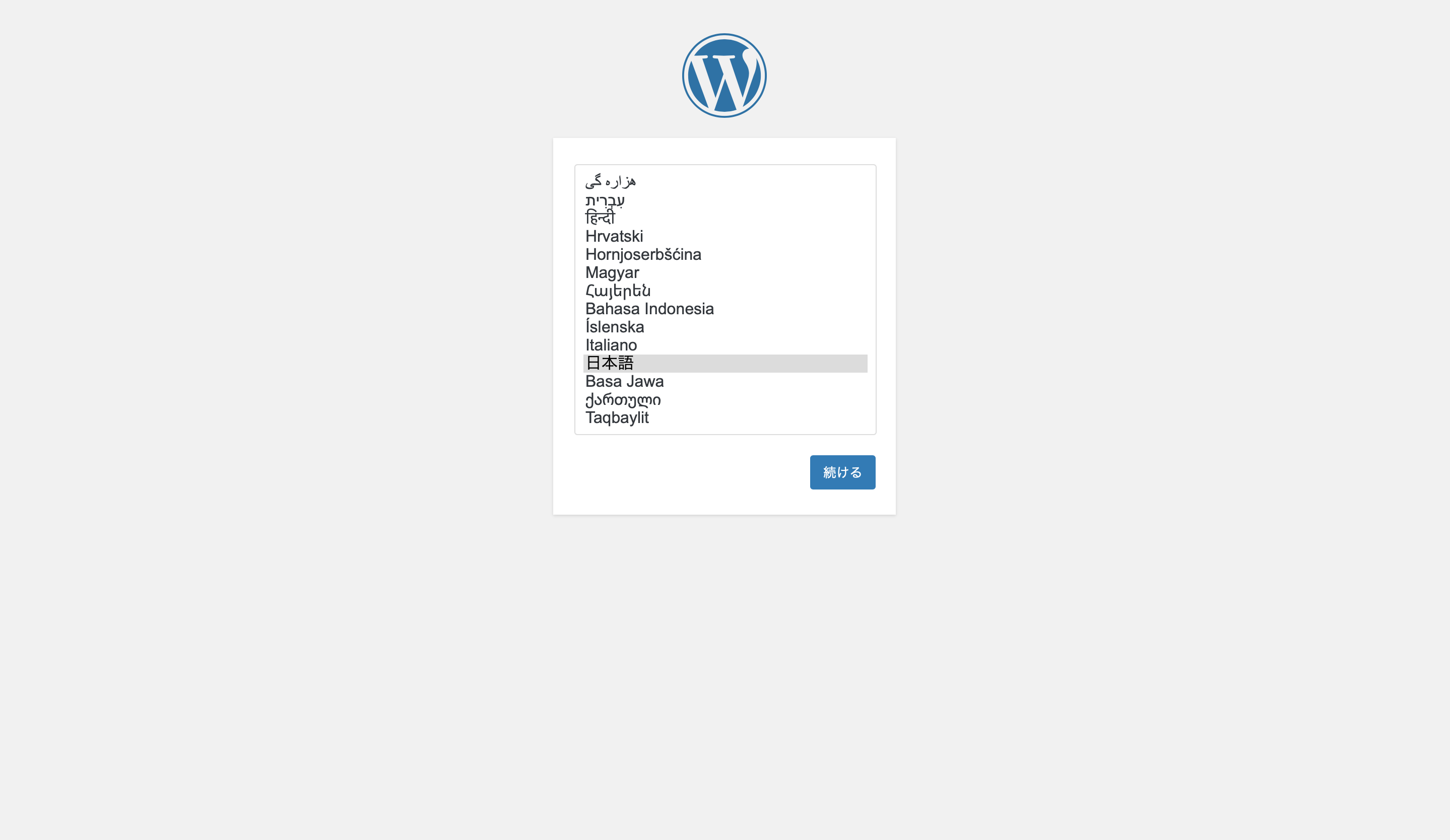
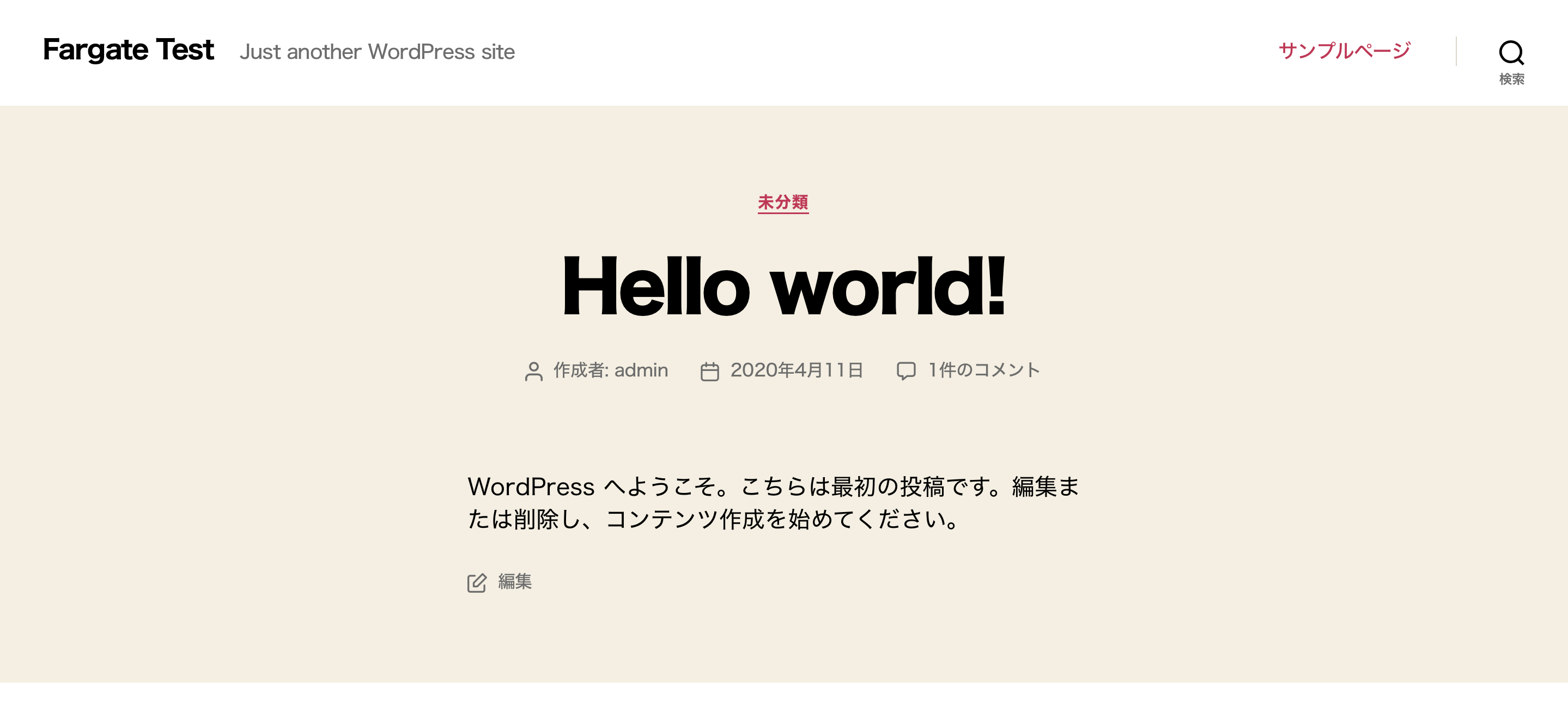
The WordPress screen appeared, and after completing the initial setup, the site was displayed as shown below.
So far, there are no problems.
Now we get to the main topic: posting an article with an image from the admin panel
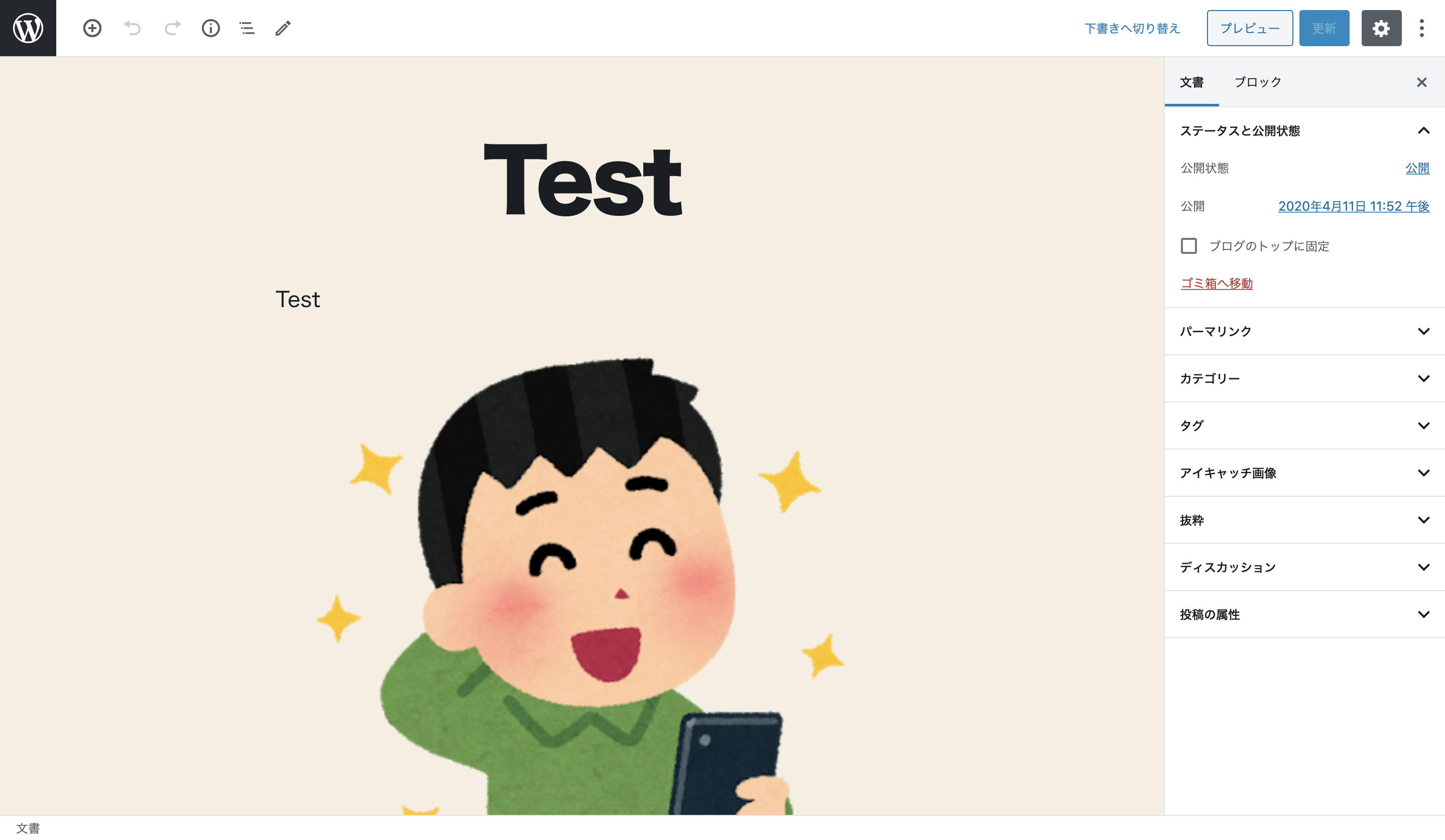
Once you press the submit button, you will be redirected to the article page and will be able to refresh it by repeatedly pressing the F5 key

If EFS is not recognized correctly, reloading the screen may result in images sometimes being displayed and sometimes not, but I mindlessly reloaded the screen about 100 times and there was no particular display disruption, so it seems to be OK
summary
The ability to integrate Fargate with EFS has greatly expanded the design possibilities when building systems.
Platform version 1.4 also includes many other convenient updates, so we encourage you to try it out.
The person who wrote this article
About the author









