

My first online LLC briefing session
My name is Kai Fujisawa, and I work in public relations and recruitment. I've gained about 2kg due to continuous teleworking
We held the "Kansai IT Online Joint Company Information Session" for 2021 graduates on March 25, 2020 !

This was our first ever joint company information session, and we were fortunate enoughninecompanies agree to participate, allowing us to proceed with the event.
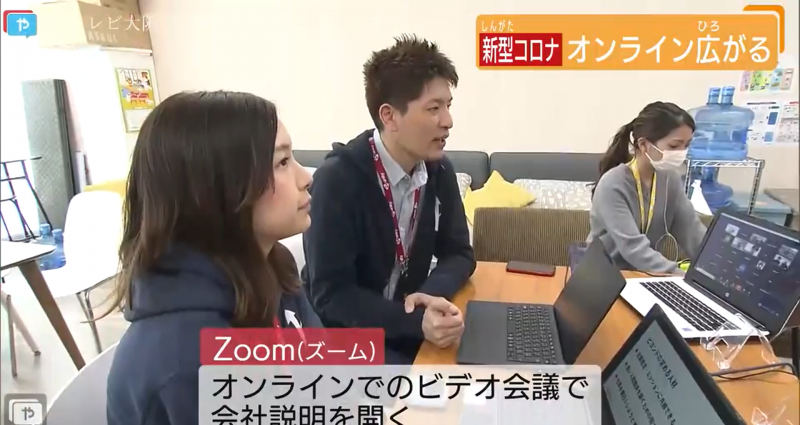
And to our great relief, TV Osaka suddenly requested an interview, and Beyond finally made itsterrestrial television debut!
Click here for the video↓
Online usage is expanding Wednesday, March 25, 2020
I learned a lot from conducting our first online company information session, so I've written about the good points and areas for improvement of online company information sessions
table of contents
- This was my first time using Zoom
- The time schedule of the 10 companies is difficult
- I'm starting to feel anxious even though there are participants
- I finally felt relieved by the final applause
- Voices of students and participating companies
- Online benefits/challenges
- I'll be holding a LT event from home
This was my first time using Zoom
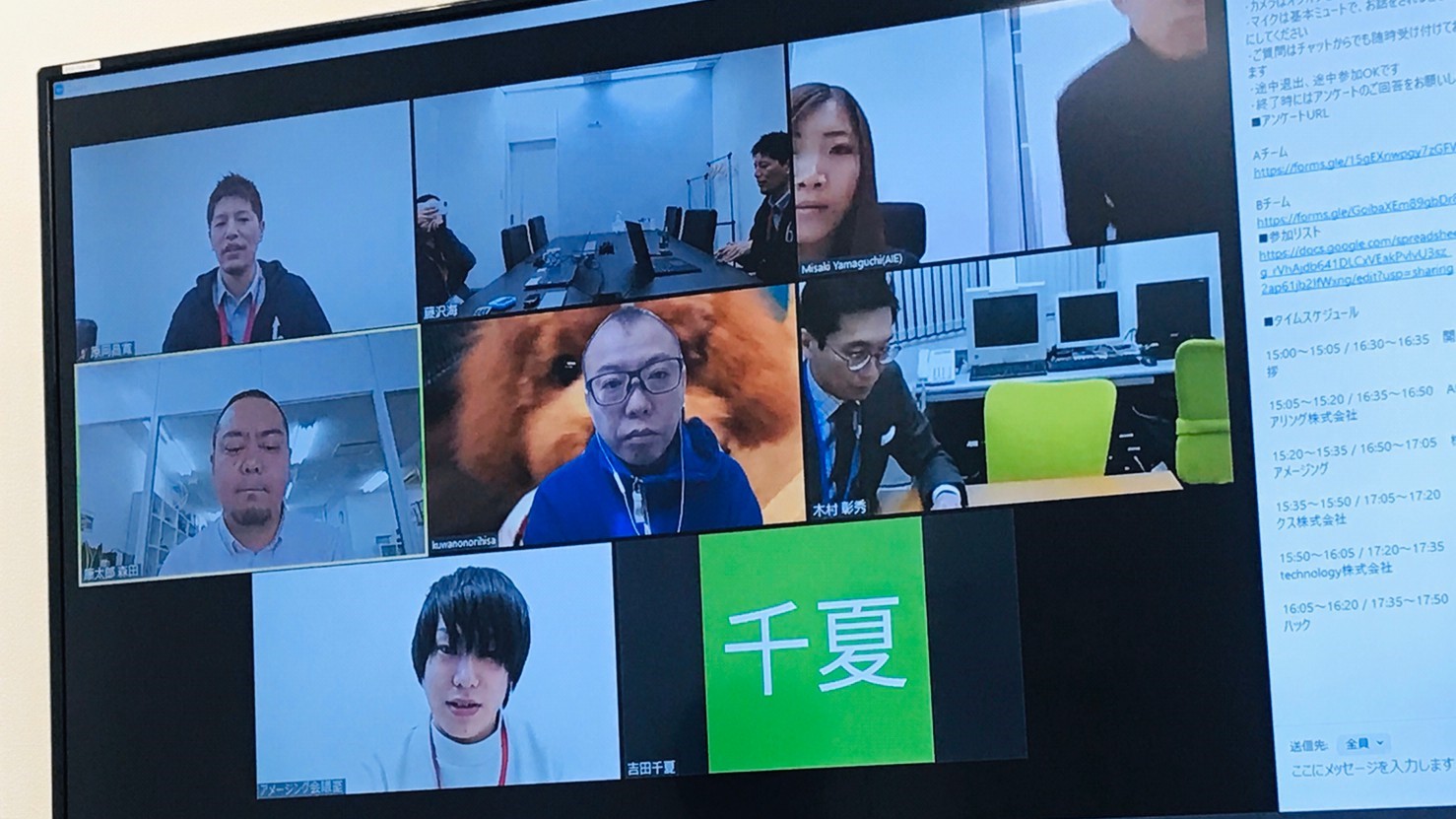
First time using Zoom for pre-meeting
What we normally use in the company
•Google Meet(Constant connection between three locations: Osaka, Yokohama, and Shikoku)
•Whereby(for meetings)
It's usually one of these two options, but since a large number of people will be participating this time, I decided to try using Zoom for the first time
Although Zoom has some security issues, it has already surpassed 200 million users, and as a well-known tool that everyone has used, I think it is the best tool for online events
Trend Micro Incorporated 's blog provides a clear explanation of Zoom's security measures , so please be sure to check it out
For safe remote work: Understanding Zoom risks and security
The time schedule of the 10 companies is difficult
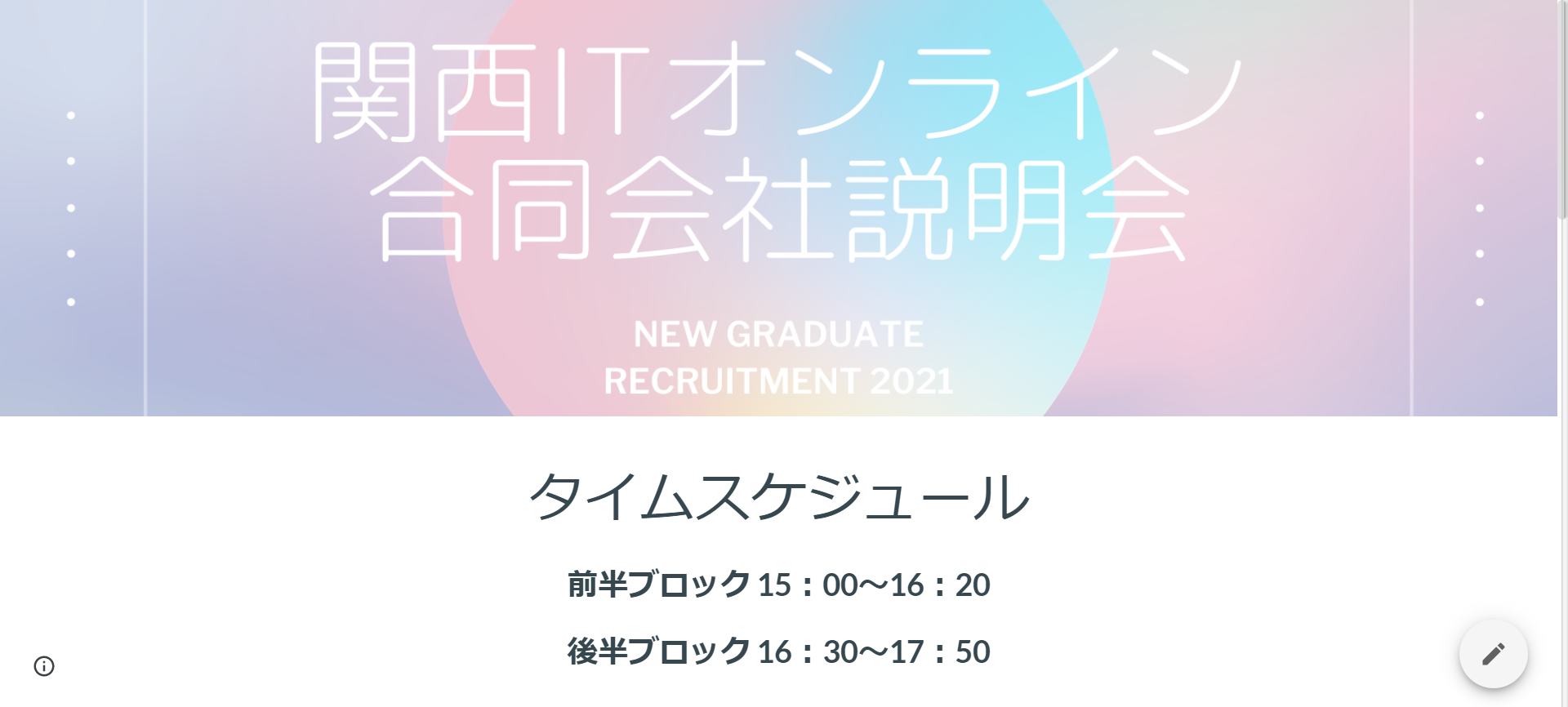
I quickly created the time schedule page using Google Sites.
I struggled to come up with a time schedule that would allow participants to hear company presentations from 10 companies
If we were to speak with each company for 30 minutes, it would take a total of 5 hours, so we decided to split into two teams (Team A and Team B)
We also allocated 15 minutes for each company's presentation , dividing it into two blocks: the first half and the second half
As a result, most of the people in the first half of the block were on Team A, while Team B only had about seven people
It's natural for the first half to be Team A and the second half to be Team B, but Beyond was on Team B, so I was pretty nervous in the first half (laughs)
Therefore, even if it becomes longer, it may be easier for students to understand if they don't divide into teams and create a time schedule with one line. (I will continue to think about this issue as I go along.)
I'm starting to feel anxious even though there are participants
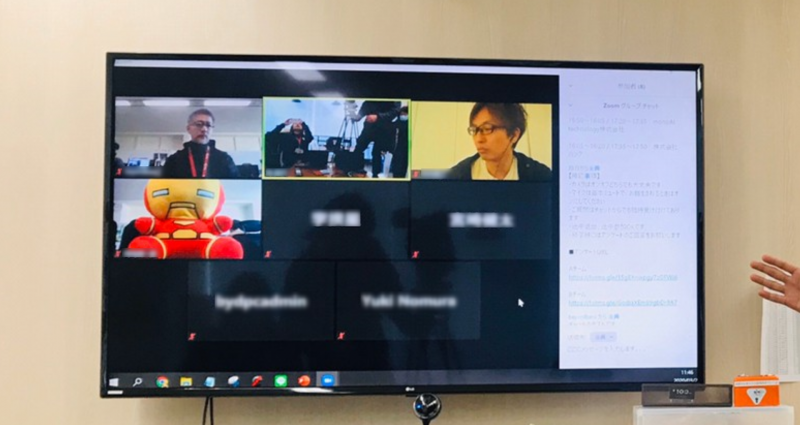
If you turn off the camera, only your name will be displayed
I was giving a company presentation to about 70 students, sharing slides as I went, but I found it more difficult than I expected to "just stare at the materials I created that filled the entire screen and keep talking."
- Students generally have their cameras and microphones turned off, so their reactions cannot be seen
- I can't even see your face nodding
- I'm starting to worry whether my voice is really being heard
- I'm starting to lose track of what I'm talking about
- My head gets fuzzy and I bite my tongue a lot
This is a phenomenon that would never occur at a regular company information session
I guess I'll just have to get used to this, but I feel like I need to come up with some kind of countermeasure, such as creating online explanatory materials
I finally felt relieved by the final applause
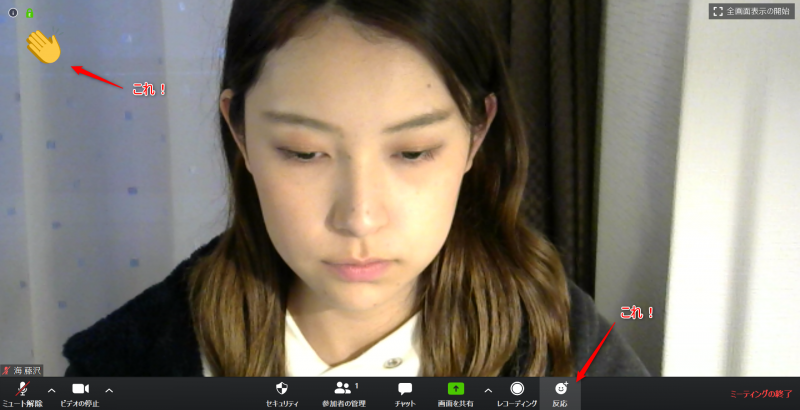
Zoom has a feature called "Reactions."
When the second half of the show finished and I said "Thank you for today" to the blank screen, several applause marks appeared
That was the first time I truly realized that the students had been there, and I thought , "So they were there all along!!"
If I had been able to sense this at the beginning of the information session, I think my anxiety would have been alleviated
Therefore, when holding an online event, I recommend including some kind of introductory remarks at the beginning
Voices of students and participating companies
Here are some comments from the students who participated
Good points (students)
- It was great to hear about various companies I was interested in all in one place
- The opportunity to listen to presentations from multiple companies that I might not have visited if it had been an offline information session was extremely valuable.
- I was able to relax and feel satisfied
The most common impression this time was that it was good to hear from multiple companies at once
Being able to listen to the talks from the comfort of their own homes also meant that participants were able to participate in a relaxed manner with minimal stress
What was not good (students)
- I felt it would be good to hear more details from each company
It was difficult to chat in real time.
- I felt it would be good if the microphone environment was more stable
The time allotted for each company's presentation was shorter than usual, so some participants said they wanted to hear more details
There were also some areas that were lacking in terms of the broadcasting environment, and I feel that we need to improve on this next time
We also received feedback from representatives of participating companies
Good points (company)
- I thought this event was mutually beneficial , as it allowed students to learn about various companies in one session.
- We were also able to encourage participation from students in regional areas.
- As a result of participating, our company has alsomade progress in moving meetings and company information sessions online.
- Speakerscan also participate from home.
- The speakers'time commitment (including travel and waiting) was shorter
The company representatives were also able to give explanations from home, which was a new approach that had never been seen before
I'm glad to have been able to help, as I've heard that this has led to more online work within the company
Improvement points (company)
- Since we weren't able to make the most of the chat function, I think it would have been better to have participants familiarize themselves with Zoom's chat function during a pre-meeting icebreaker before starting the session.
- it allows for two-way communication,it ended up feeling rather one-way,so an interactive mechanism would likely make it more engaging (a voting function, perhaps using Remo?).
- I thought it might be a good idea to have seminars for students on understanding IT jobs.
- Next time, we'll have a Q&A session after the company presentation , where we'll be sure to answer the students' questions thoroughly.
The unfortunate thing about this event was that I wasn't able to communicate with the students
If we do this again, we might consider holding a more casual online get-together with student participation
Online benefits/challenges
These are the three main advantages I noticed from holding an online joint company information session
- Students can listen to talks from multiple companies without having to move
- There's no need to be nervous around each other
- Less time commitment required
Our nextchallengewill be to address these three issues first.
- Prepare the minimum necessary broadcasting environment (microphone and camera)
- Use chat
- Encourage participants to react and participate
alsoonline presentation materialsare necessary. Online, if the presentation doesn't move quickly, viewers tend to get bored.
- Pack more information per slide
- Be conscious of the speed at which you turn the slides
- Speak concisely
I felt that creating materials with this in mind was the key to keeping listeners entertained
Please keep this in mind when using materials in online meetings or speaking at events
The above is a summary of my impressions and challenges after holding an online LLC briefing session
I'll be holding a LT event from home
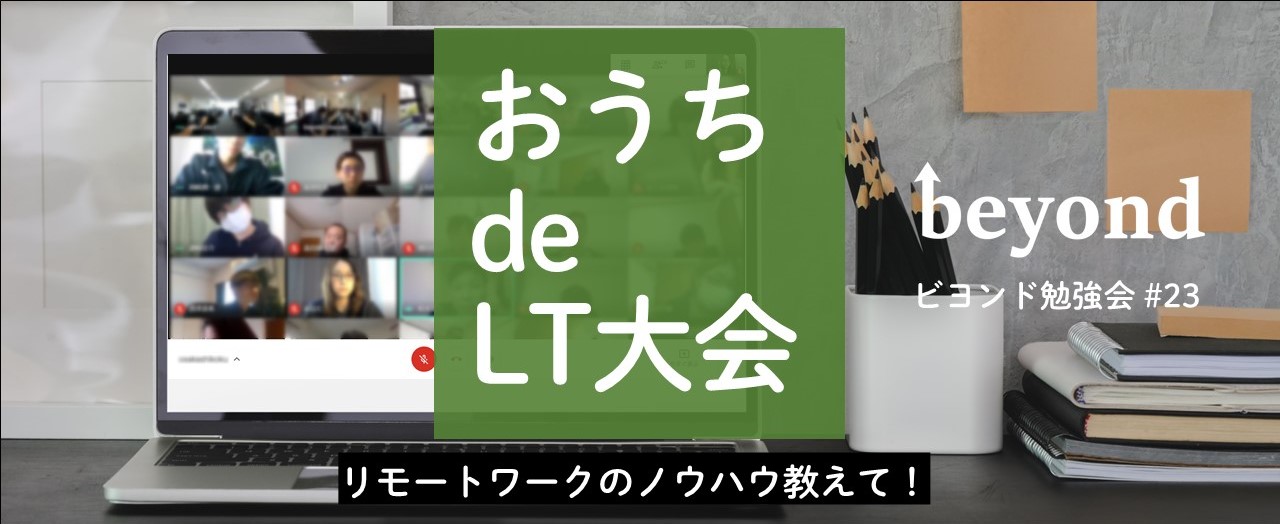
Let me give you a little announcement
The Beyond Study Session #23 will be held on Wednesday, April 22nd at 7:00 PM !
「Home LT Tournament -Teach us the know-how of remote work!-"
So, interesting people will talk about the know-how and concerns of remote work
You can join us at home while eating or drinking. Please come and join us!
connpass event page:https://beyondjapan.connpass.com/event/172781/




The person who wrote this article
About the author









