

[How to get started] Start a subscription with Shopify!
サービスロゴ.png)
This is Nishihara from the development department!
I previously wrote a blog post titled "Introduction to Shopify," but this time the topicShopify subscriptions (recurring purchases)!
There are a lot of subscription services these days! In fact, it's possible to implement subscriptions with Shopify
In this blog, we will introduce some examples of subscription implementation and the future of Shopify subscriptions!
How do I subscribe on Shopify?
Currently,Shopify itself does not have a built-in subscription service feature.
However,this can be achieved by installing an app!
There are several apps available, but this time I'd like to introduce "BOLD Subscriptions," which is a popular choice
What are Bold Subscriptions?
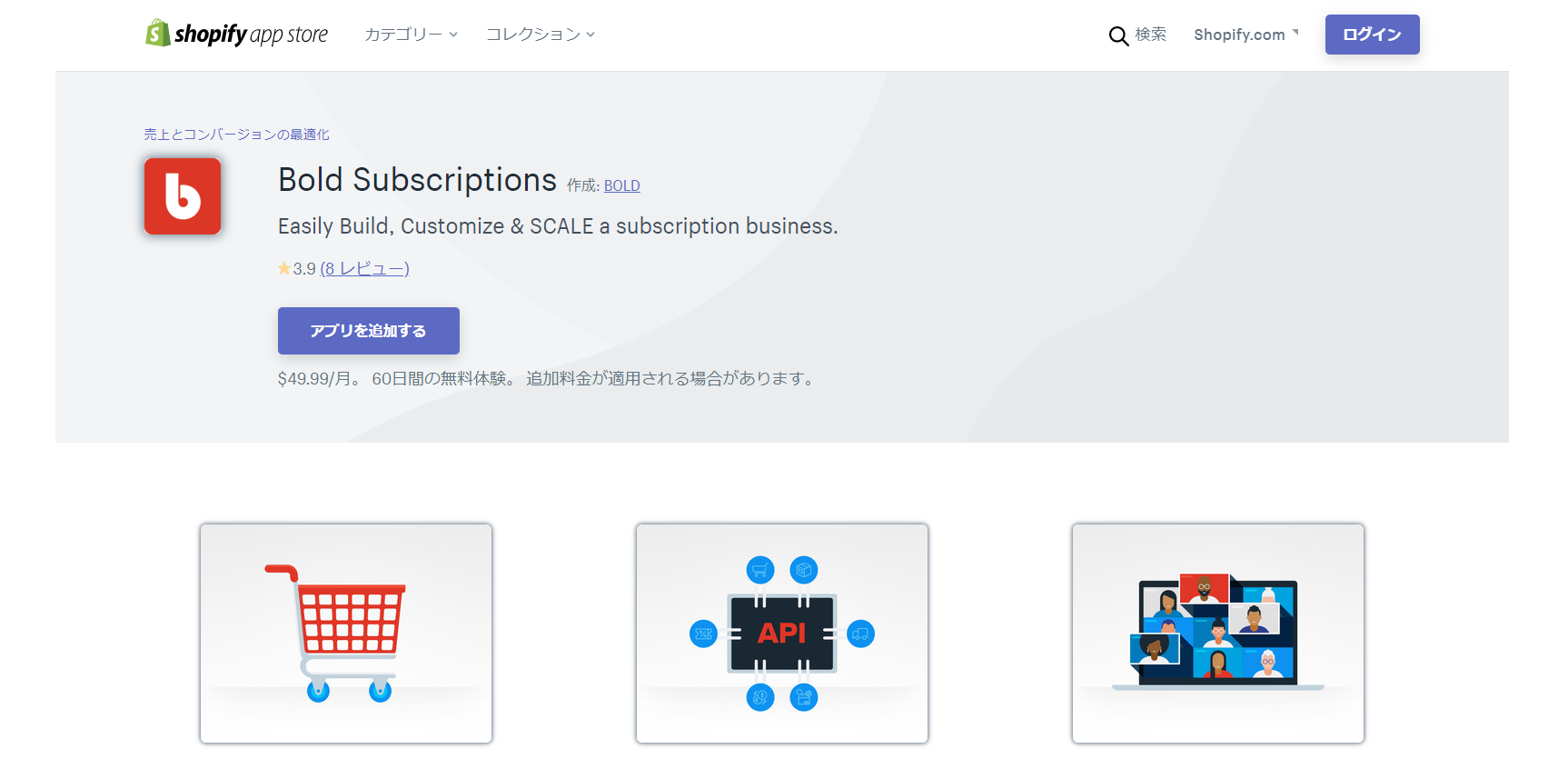
This is a subscription service developed by BOLD, a well-known Shopify app development company
(Image source: Shopify App Store)
Although the monthly fee is a bit high at $49.99, there is a 60-day free trial available, so you can try it out!
Let's get started right away!
Installation procedure
- Installing to Liquid
- Payment method settings
- Product registration and setting changes
- Japanese localization
How to install
Installing to Liquid
After installing the BOLD app, you will be prompted to install the Liquid file
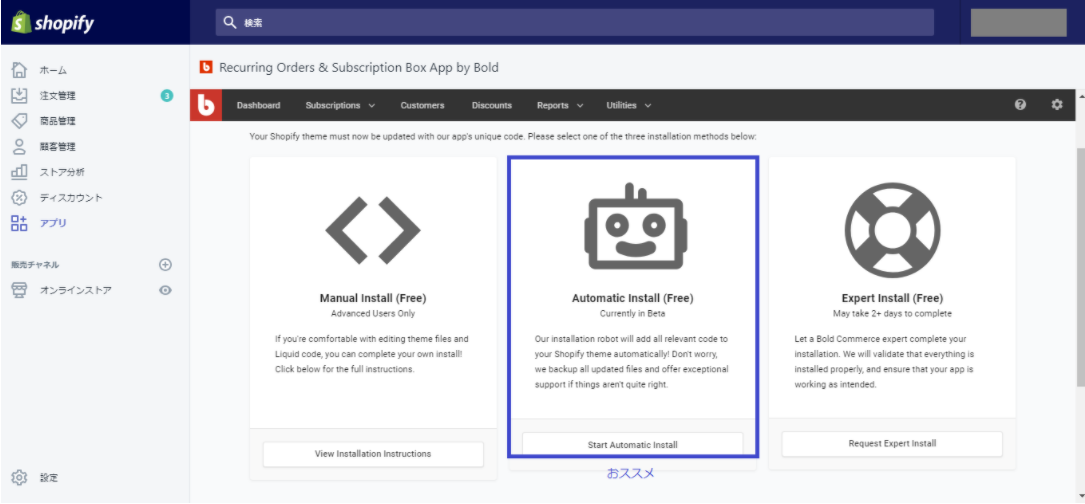
There are three types of Liquid files to install: "Manual," "Automatic," and "Expert."
This time, select "Automatic."
*Since the Liquid file will be automatically updated when you install it, we recommend that you make a copy of your current theme
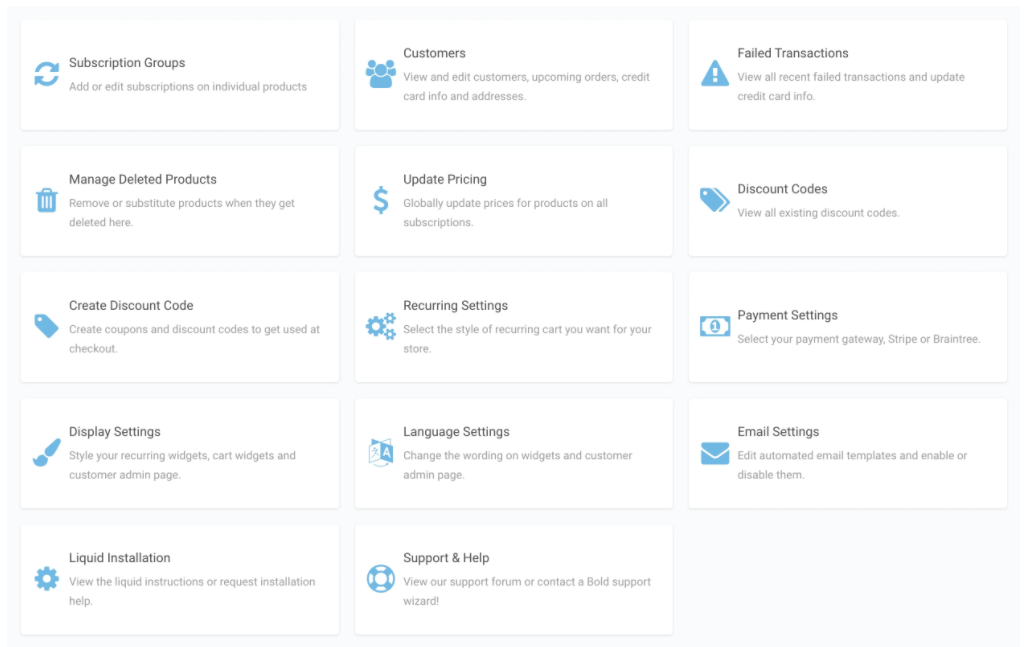
After installation, the following dashboard will be displayed. You can configure various settings here
Payment method settings
Next is the payment method
You cannot use Shopify's payment system through the BOLD app, so you will need to implement a different payment system
There are several payment methods available, but this time we will use "Stripe"
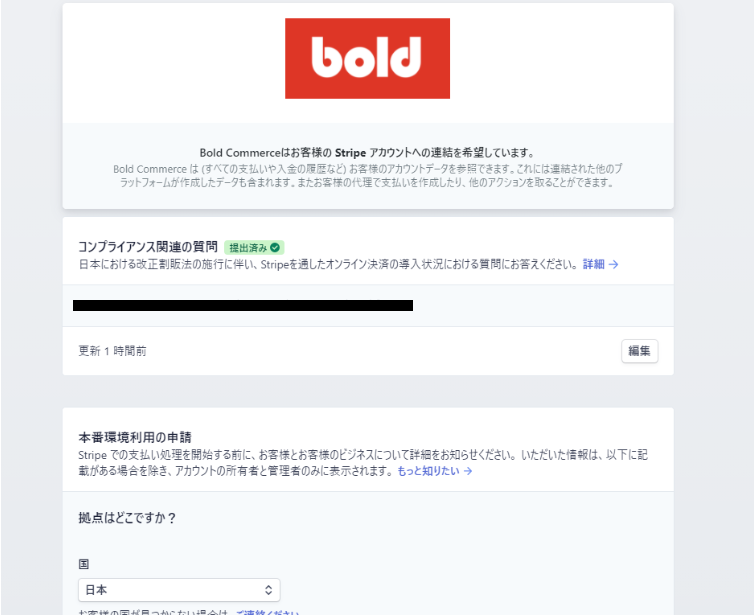
Select "Connect to Stripe" from "Payment Settings" in your dashboard
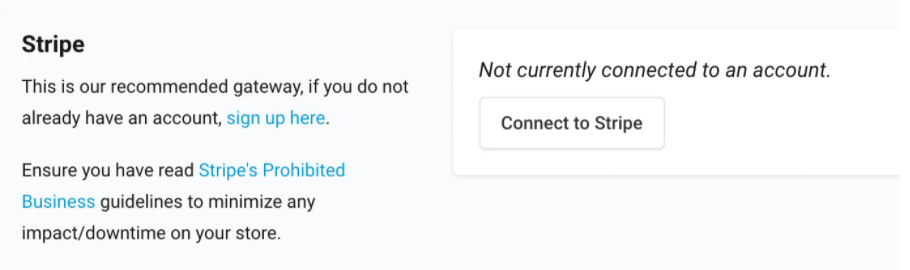
It will be linked to BOLD. (*You must register a Stripe account in advance.)
Product registration and setting changes
Now it's time to register the products you want to subscribe to
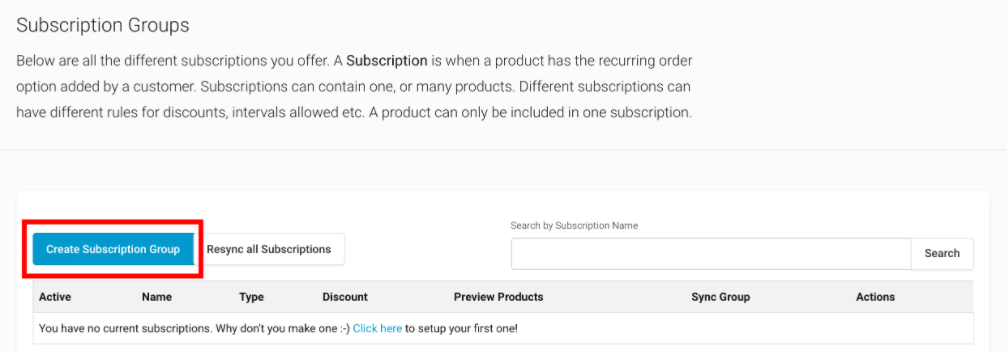
Select "Subscription Groups" on the dashboard
Click the "Create Subscription Groups" button below to create a new subscription product
Next, enter a "Subscription Name" and select a "Subscription Type."
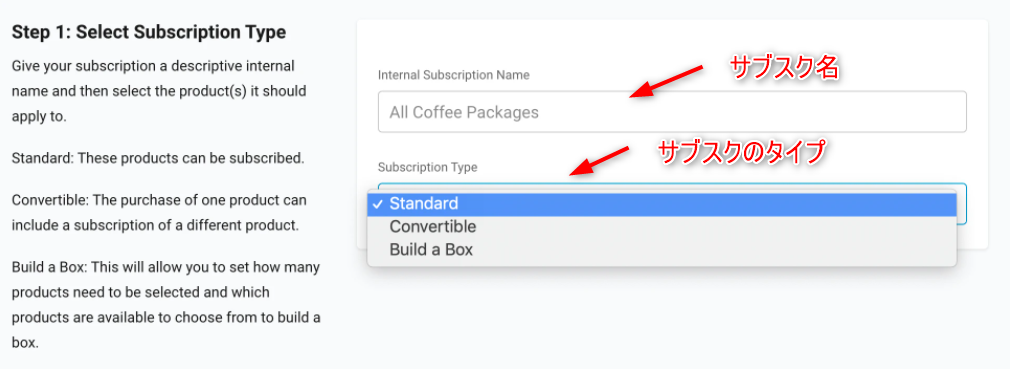
(Type of subscription)
| Standard | A type that simply sells specified products on a regular basis | |||||||||||||||||||||
| Convertible | A type where a specific product is sold together with a regular product for the first time only | |||||||||||||||||||||
| Build a Box | A type where you can choose your favorite product from multiple specified products | |||||||||||||||||||||
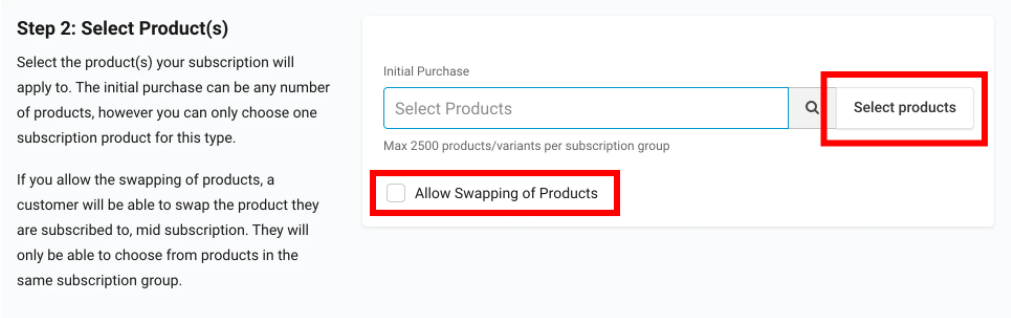
Next, select the products you want to sell on a regular basis from the products registered in your store
When you press the "Select products" button, a list of registered products will be displayed, so press the "Add" button to select
*If you check "Allow Swapping Products", when multiple products are selected, the buyer will be able to switch between the products that are delivered on a regular basis
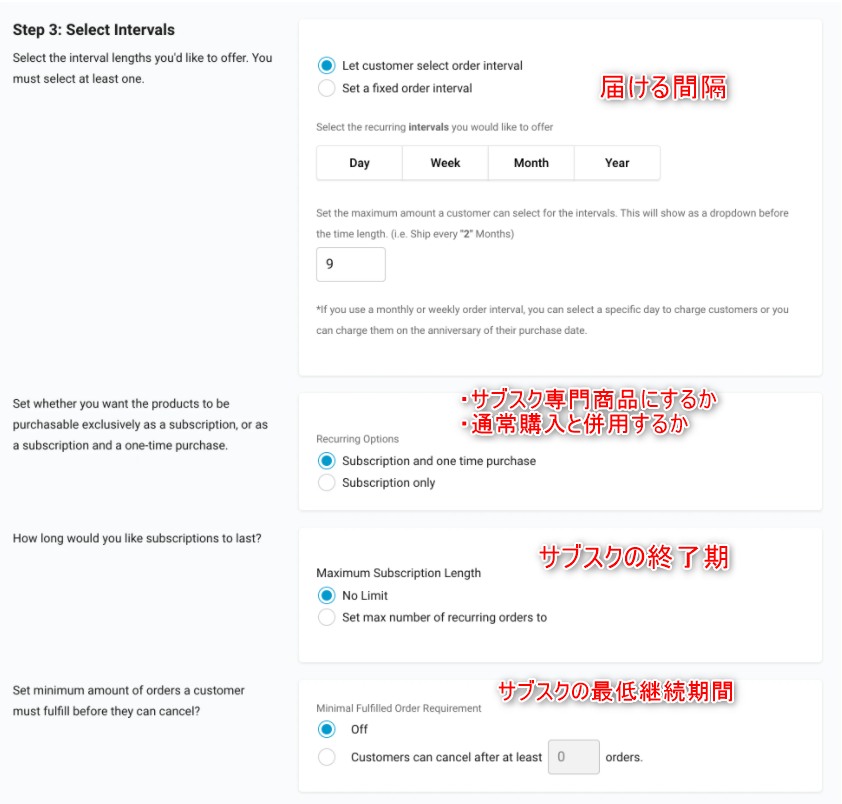
■ Advanced settings
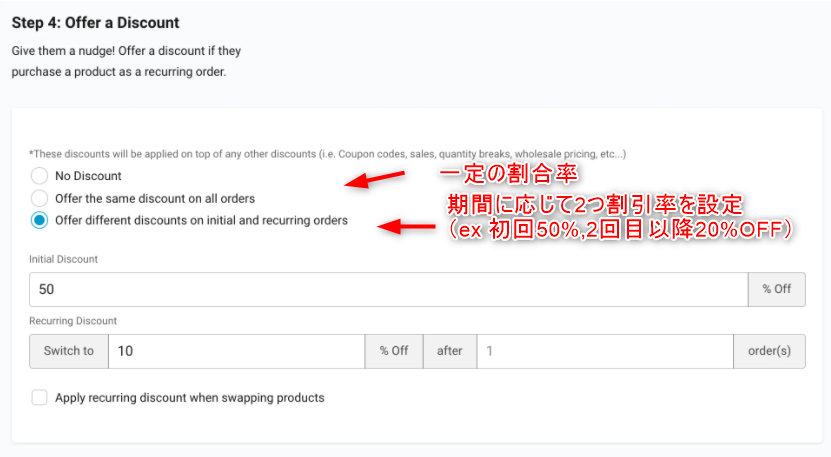
■ Discount settings
Japanese localization
From the dashboard, set the language settings under "Language Settings."
However, the slightly cumbersome aspectthat you have to manually translate the entire page and every single item displayed.
I wish it would be automated
That's how to install it!
bonus
Information has been posted on Shopify's official blog that a subscription API will be released in the future!
Below is the official Shopify blog:
https://www.shopify.jp/blog/partner-town-hall-recap-october
According to the blog, it is scheduled to be released in January 2021, so it looks like subscriptions will become even more popular!
lastly
I have launched "SEKARAKU Lab," a service site for the system development company I belong to.
Beyond offers a one-stop service for everything from server design and construction to operation, so please feel free to contact us if you have any problems with server-side development.
SEKARAKU Lab:[https://sekarakulab.beyondjapan.com/](https://sekarakulab.beyondjapan.com/)
Thank you for reading to the end!




The person who wrote this article
About the author









