

[Zoom] 6 things I found useful when using the webinar function
My name is Kai Fujisawa, and I work in public relations and recruitment. I always watch ASMR videos before going to bed
This time, I'll be introducing the "Zoom webinar function" that we've been using at the Beyond study group since 2020
In simple terms, the webinar functionto restrict the camera and microphone functions of anyone other than the presenter.
The regular functions are sufficient for in-house study sessions and other events between close friends and family, but for study sessions and company information sessions with many external participants, the webinar function is highly recommended
The webinar feature costs 2000 yen per month, but it's worth using if you regularly host webinars. So, this time, I 'll introduce six points that I personally found particularly convenient after using the webinar feature
*Prices vary by plan, please seehere.
table of contents
- Panelists can be selected
- Create a webinar template
- Create a participant registration form
- There is practice session time (rehearsal time)
- A survey can be taken when you leave
- The participant reports are extremely detailed
1. You can choose your panelists

The webinar feature allows you to pre-register who can speak, soonly the host and panelists can use cameras and microphones.
(The screenshot above is of a panelist from Beyond Study Group #32)
Unlike regular Zoom features, there will be no problems with a general participant's microphone being turned on by mistake, or with too many participants making it difficult to tell who is speaking
To invite someone to be a panelist, the host sends an invitation email from the webinar's management screen to the email address of the person they want to be a panelist
Participants can be changed to panelists even after the webinar has started, allowing for verbal Q&A
2. You can create webinar templates
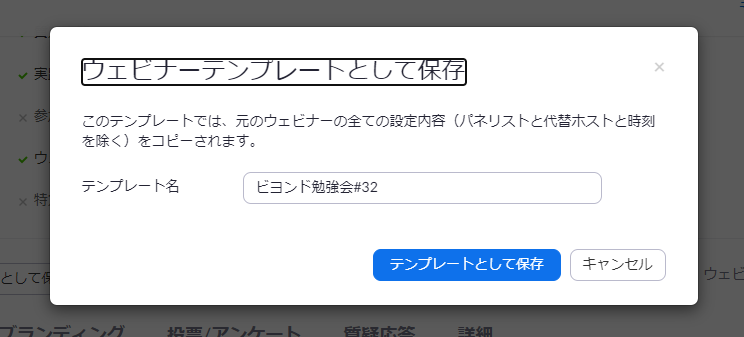
If you regularly host webinars in the same format , using a "template" will make creating each webinar much easier
Each time you host a webinar,fill in the webinar descriptionandwhether or not to include a Q&A session and recording. Saving these as a template is recommended because it saves you the trouble of configuring them again when you host the same webinar in the future.
3. You can create a registration form for participants
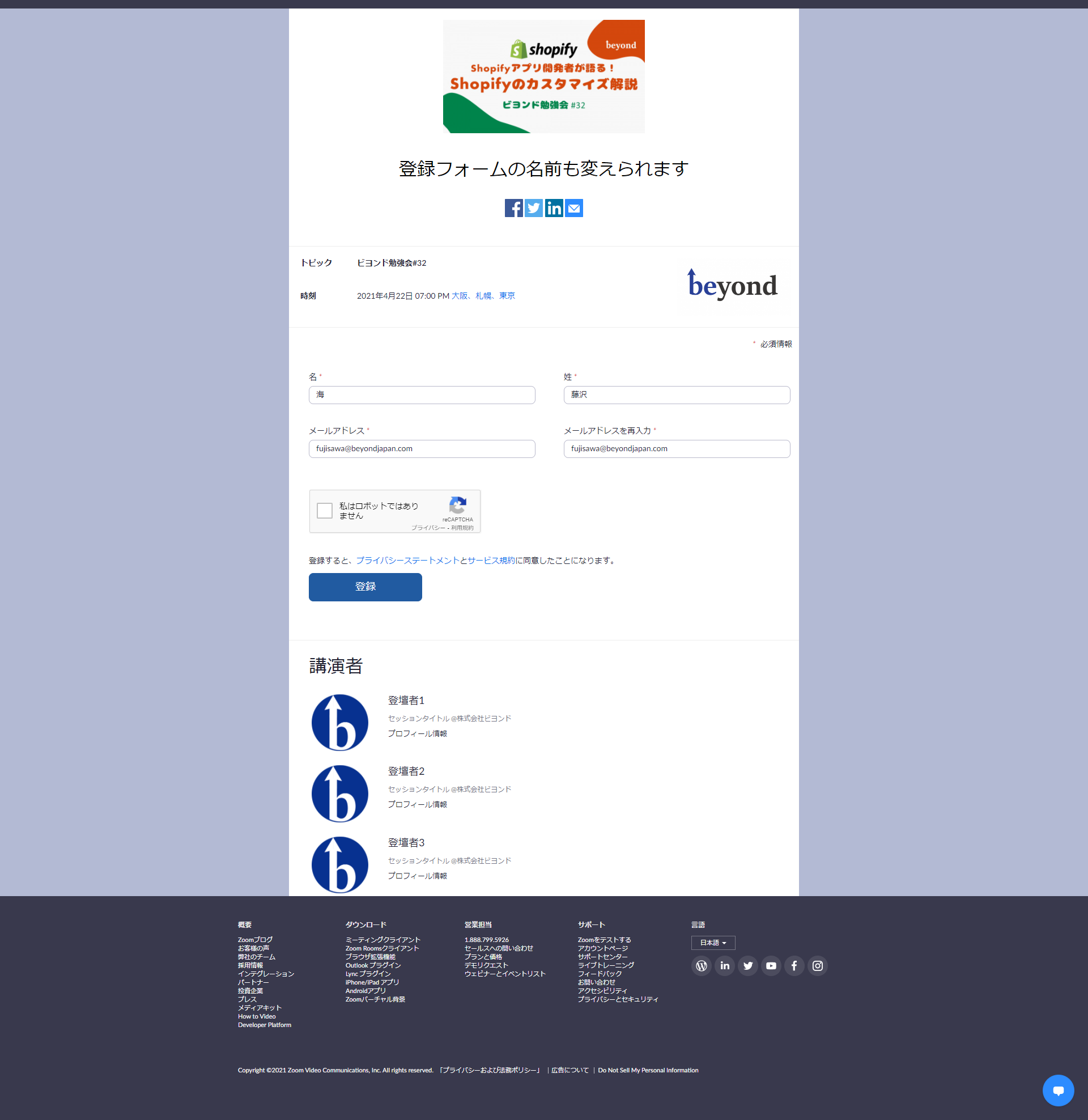
If participant registration is required, you can easily create a dedicated "registration form"
eye-catching imagesandspeaker profiles, and the required input fields for registrationcan be customized by the administrator.
Reminder emails can also be sent to those who have applied, so you can complete the registration process using just this Zoom registration form, without having to use services like connpass or Doorkeeper
4. There is time for practical sessions (rehearsal time)

, on the day of the webinar,presenters want to practice screen sharing with each other beforehand,enable "Practice Session"to schedule a rehearsal time.

During the practical session, participants will be placed in a waiting room, so there is no need to hold meetings until you press the "Start Webinar" button
At our company's Beyond study sessions, we check the screen sharing well before the start, usually about an hour before, and then press the "Start Webinar" button 10 minutes before the start to allow participants to enter
5. You can take a survey when you leave
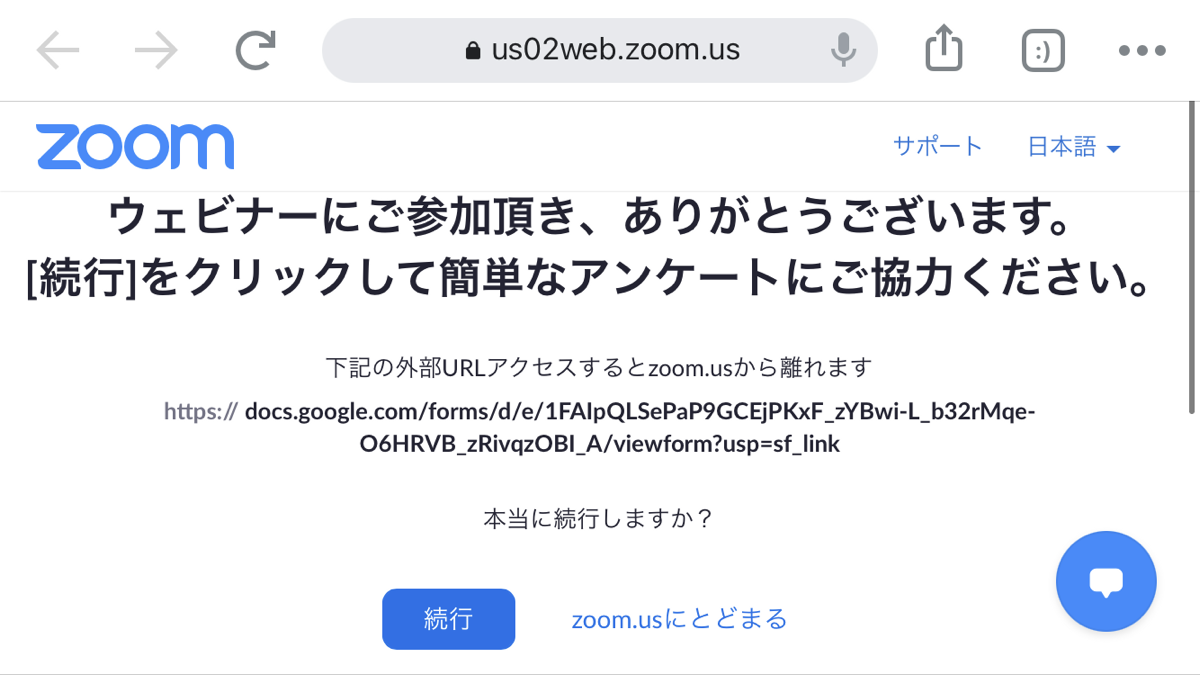
We often ask participants to fill out a survey at the end of study sessions and company information sessions, but there is a function that automatically prompts participants to complete the survey when they leave if you register the survey URL in advance
Even if someone leaves midway through the survey, they will be shown a screen like the one in the screenshot above, which can increase the response rate of the survey

We use Google Forms, so if you enter the Google Form URL in the admin panel, participants will be able to access the specified form

6. The participant reports are extremely detailed
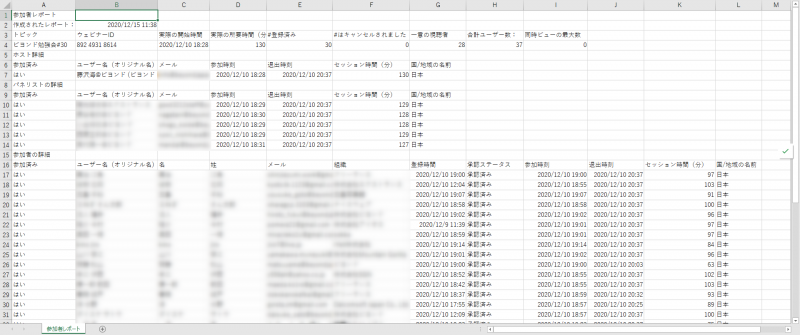
The webinar feature allows you to download event participant reports in CSV format, andI was surprised by how detailed these reports were.
It contains all the information you want to know, such as who entered and left at what time, how long they stayed, how many people applied and how many actually attended
Even if some people were unable to respond to the survey, you can still find out who participated by looking at this report, so please make use of it
*If you wish to submit a report, we will need to know the names of the participants, so registration on the form is required
summary
Those were six convenient features of the webinar function !
If you want to hold an online study session even during the COVID-19 pandemic, be sure to try using this webinar feature
Since it's not a free feature, you might find that your internal approval doesn't go through...! If that's you, I hope you'll pass on the information in this blog to your boss and use it as a means to persuade them (lol)
We would also be delighted if you could join our Beyond study group, where we make extensive use of this webinar function!

We'll be holding a Shopify study session on Thursday, April 22nd, 2021 , so please join us if you're interested!
A Shopify App Developer Discusses Shopify Customization [Beyond Workshop #32]
The Beyond Study Group community page ishere.
This is Kai Fujisawa, in charge of public relations and recruitment




The person who wrote this article
About the author









