

Useful settings for Amazon SNS + CloudWatch email notifications

Hello, this is UZI from the System Solutions Department
The theme of this blog is
● Disable unsubscribe setting for SNS topic
This is about
For example, if you specify email as the notification destination for a subscription set up in an SNS topic, and you set that SNS topic as the notification destination for a CloudWatch metric alarm, AWS will notify you by email if there is an abnormality in the metric
This time, we will introduce a setting that will prevent email notifications that are enabled (subscription status) from being accidentally disabled (unsubscribed)
What is unsubscribe?
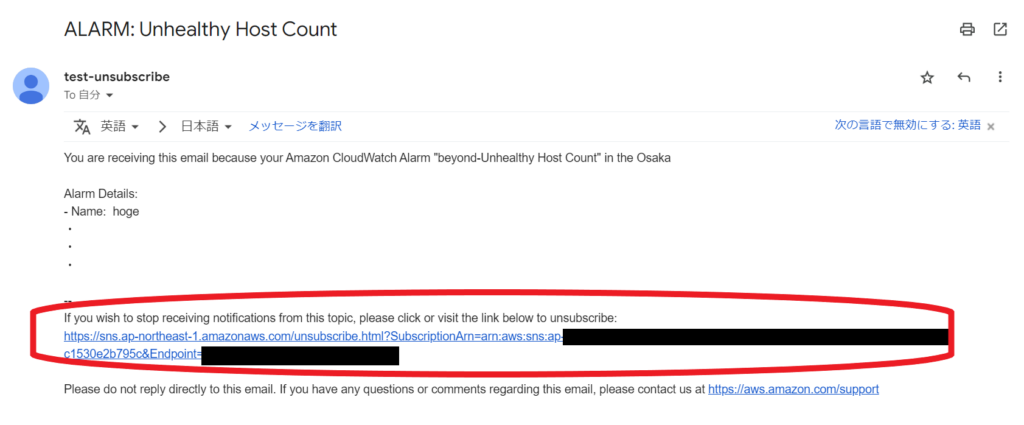
"Unsubscribe" means to cancel the subscription set for the SNS topic
Specifically, simply clicking the email link in the red box will cancel your subscription !
● Email from SNS topic
● Subscription canceled screen
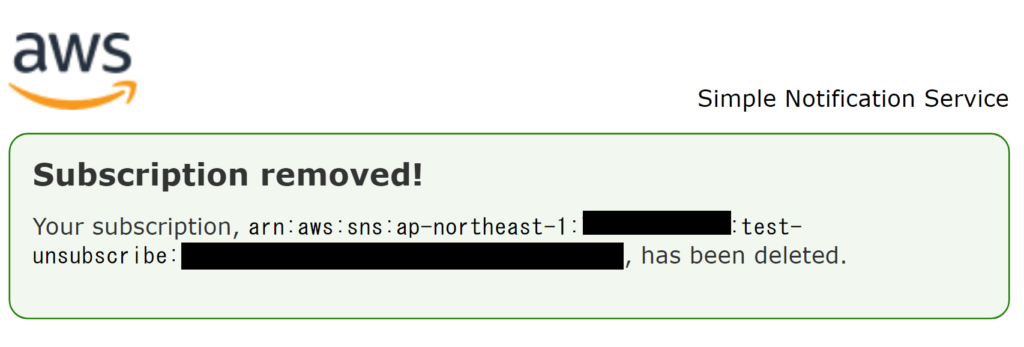
The problem with being unsubscribed
If someone accidentally presses it, they'll never receive any notifications again unless they subscribe again..
What if the notification email informed you that you had accidentally cancelled the service, which delayed the discovery of an abnormality in your content, or that you were being charged a flat-rate fee?
This could result in lost opportunities for customers, and when customers look at their AWS bill, they could be faced with a huge bill...a terrifying situation
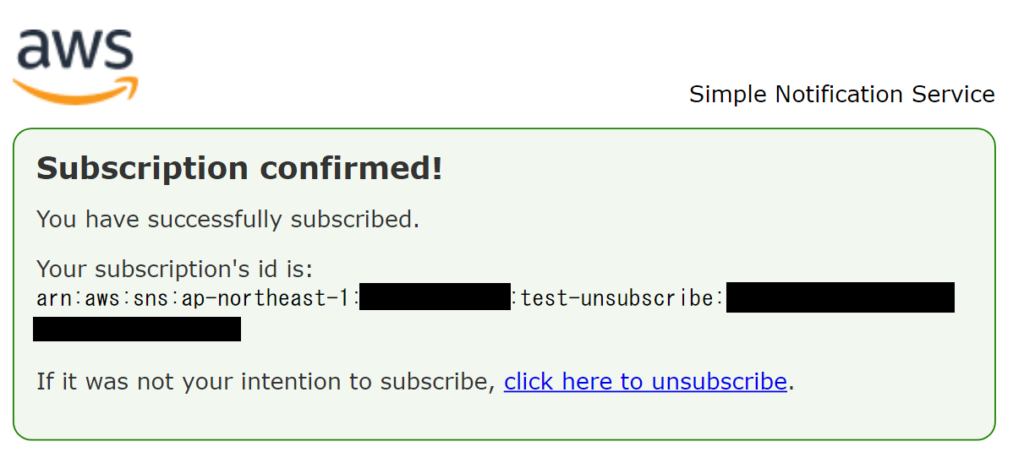
● Before canceling your subscription
Before canceling the subscription, the ID was displayed
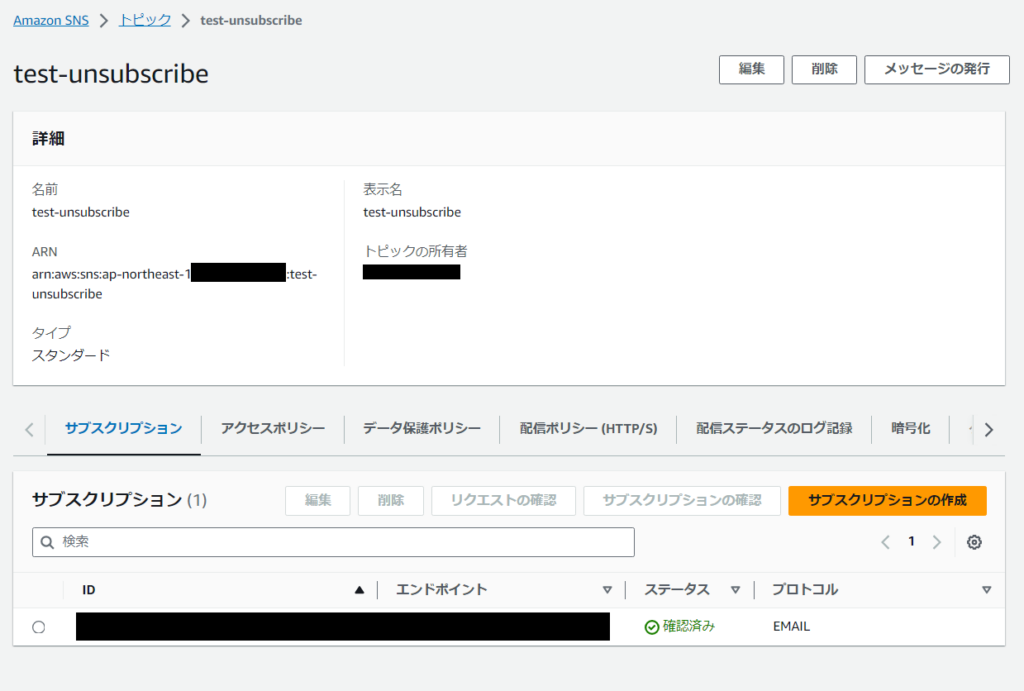
● After cancellation..
It will show as deleted

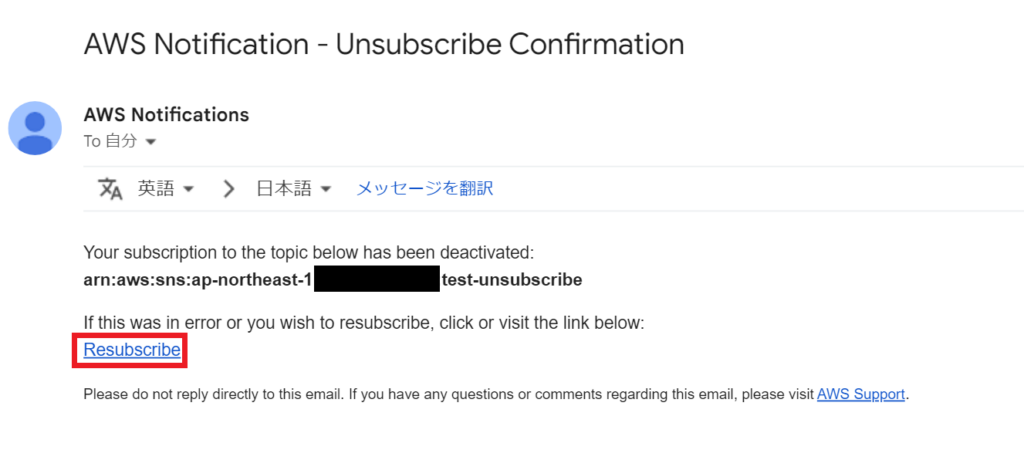
● Cancellation notification email
A subscription cancellation notification will also be sent to your email address. (A nice touch.)
"Resubscribe " in that email will re-register your subscription.
● Screen after resubscription
Disable unsubscribe setting
Now, after that lengthy introduction, let's move on to the main topic : disabling the unsubscribe function
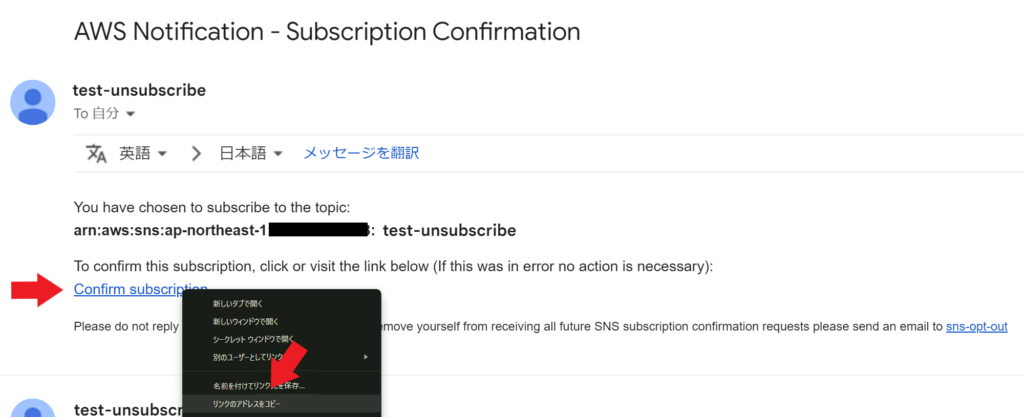
You should receive a confirmation email to the email address you specified as the endpoint when creating the subscription
Do not click the "Confirm subscription" link in the email ; instead , copy the URL of that link.
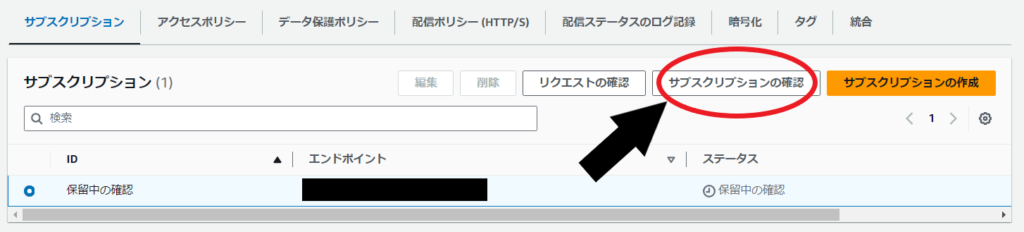
Then, select the subscription you want to create (its pending confirmation status) and click Confirm Subscription, and asubscription confirmationpop-up will appear.
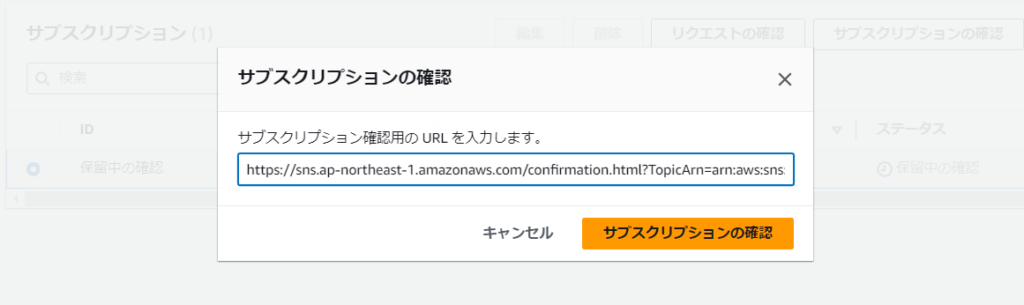
Paste the URL you copied there and click Confirm Subscription
・
・
・
Yes, that completes unsubscribethe setting to disable !
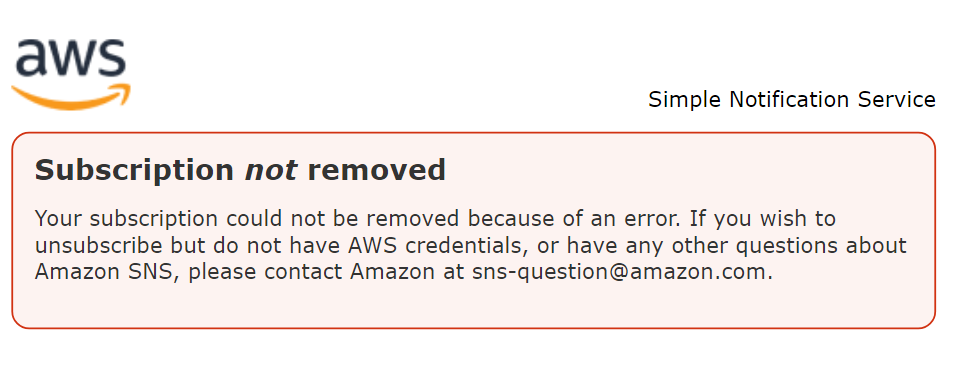
I actually sent a message from the subscription section and clicked on the unsubscribe link in the email I received..
As shown in the image, it says "Unable to unsubscribe" 👏👏
Disable existing SNS topics
Unfortunately, it seems that it is not possible to disable the unsubscribe setting for existing SNS subscriptions..
There seem to be two alternatives:
Details are introduced in the article below, so if you're interested, please take a look!
- Delete an existing SNS subscription and create a new SNS subscription as soon as possible
- Temporarily add an SNS subscription for another endpoint to receive notifications while you are working on "Delete → New"
○ Reference:Multiple SNS subscriptions with the same endpoint cannot be associated with an SNS topic.
summary
This concludes our introduction to disabling the unsubscribe setting for SNS topics
I hope this will be helpful when building and configuring monitoring using SNS on AWS
Until next time,




The person who wrote this article
About the author









