

What causes high server load? How to identify the part that is under load
2016.02.25
 4
4 



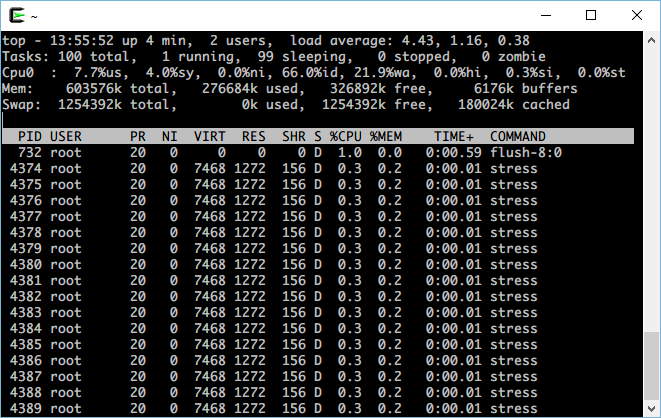
table of contents
My name is Ito and I am an infrastructure engineer
Last time, we introduced "load average," which can be checked when server load increases.
How to check server load with load average? Beyond Blog
The load average indicates the number of processes waiting to be processed.
The higher the number, the more processes are waiting to be processed, indicating a "heavy load."
This time, I would like to explore the causes of high load situations
There are two main reasons for this:
There are basically two main reasons why a high load average occurs
- CPU processing cannot keep up
- Disk I/O processing cannot keep up
Now, I would like to explain how to find the cause of each of these
If the CPU is the cause
First, check the CPU usage using the top command. The following two values are important:
| %user | CPU usage by user processes |
| %system | CPU usage by the system (kernel) |
If a typical process is CPU intensive, you will likely see high CPU usage in user mode (%user)
Additionally, when a user mode process is running a large number of processes, it will switch processes etc.
This "process switching" will use the kernel mode (%system) CPU, so
for programs that switch processes frequently, the kernel mode CPU usage will be high.
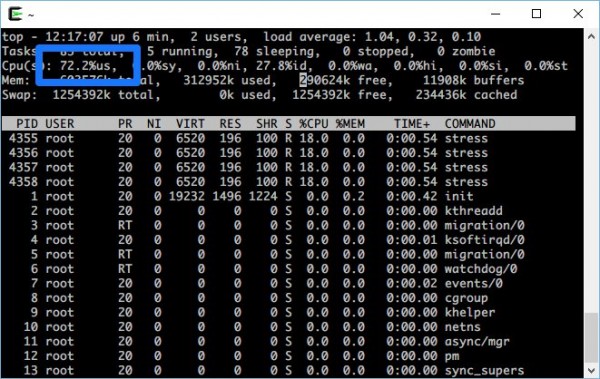
High user mode CPU usage
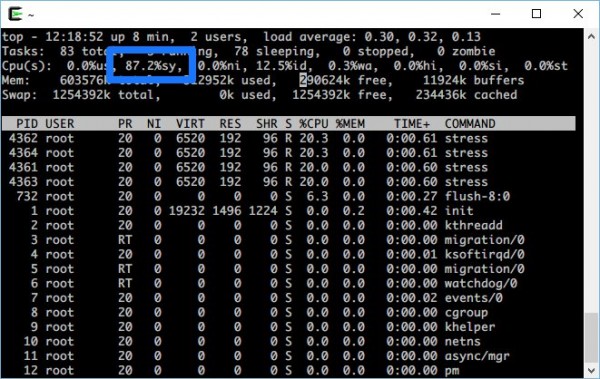
High kernel CPU usage
If the cause is disk I/O
If disk I/O is the problem, check the following in top:
| %iowait | The process is idle when disk I/O is required |
| SWAP | The amount of memory used up and the HDD is being used instead of memory |
The iowait value is often high when a large amount of data is being read or written from the disk.
For example, a DB server with a lot of database access is likely to have a high iowait value.
SWAP is the capacity that is used on the HDD instead of memory when a process has used up all of the memory.
An example of using SWAP is when a web server, etc., allocates memory and uses SWAP when there is a large amount of access.
When using SWAP, the server will be slower because the HDD is used instead of memory, which increases the load on disk I/O
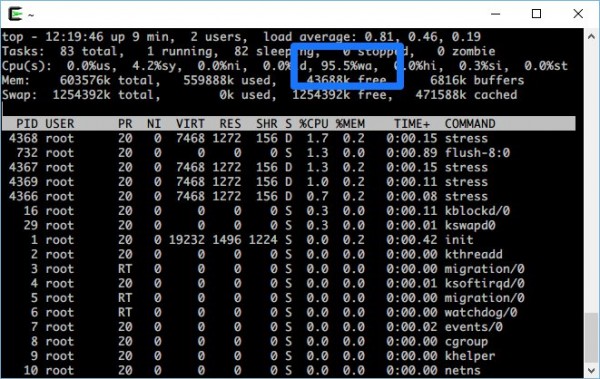
High iowait and high load due to disk I/O
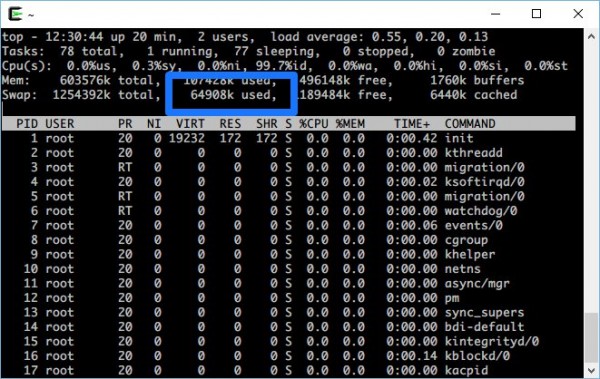
If you are using SWAP
We will investigate the cause
This should help you determine whether the problem is CPU or I/O.
Use the ps command to find out which process is using the CPU (or memory in the case of SWAP).
If the CPU usage rate in user mode is high, there are no problems with I/O, etc., so you
may need to increase CPU performance or review your program.
If there is a problem with the disk I/O, you may need to add more memory or review the program to perform processing in a location with available memory rather than using disk I/O
Also, if the load average is low but processing is slow,
there may be a problem with the software settings or network processing.
When you are faced with the problem of "high load," the first step to solving it is to stay calm and identify which part is under load
If you want to talk to a cloud professional
Since our founding, Beyond has used the technical capabilities we have cultivated as a multi-cloud integrator and managed service provider (MSP) to design, build, and migrate systems using a variety of cloud server platforms, including AWS, GCP, Azure, and Oracle Cloud
We provide a custom-made cloud server environment optimized for our customers based on the specifications and functions of the systems and applications they require, so if you are interested in the cloud, please feel free to contact us
● Cloud / Server design and construction
● Cloud / Server migration
● Cloud / Server operation, maintenance and monitoring (24 hours a day, 365 days a year)
4 Loading...4
The person who wrote this article
About the author









