

ChatWork Quick Info Input is convenient

This is Fukuoka from the infrastructure team!
Some of you may already be using it, but
I highly recommend the Google extension "ChatWork Quick Info Input" as it's very convenient.
■Installation method
1. Click "Add to Chrome" on the following website:
ChatWork Quick Info Input
2. Check that the following mark is displayed on the toolbar

3. Open your Chatwork account
There are more icons on the sending screen!

■Usage example
The icons alone may not be very clear, so here are some specific examples of their use
If you want to surround "Notes" with a line like below..
1. Select the text you want to enclose, "Notes"
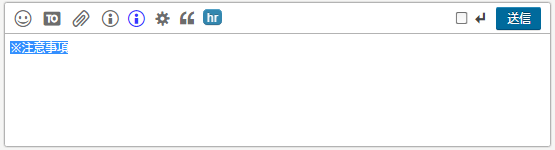
2. Click the i mark
There is also a shortcut key, so Ctrl+i is also OK!
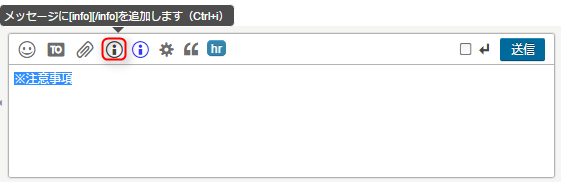
3.Here, I clicked on the i mark
It will automatically surround it with [info][/info]
When you press the send button, it will be surrounded by a line as shown above
■Summary of output results
i:[info][/info]
【result】

Blue i: [info][title][/title][/info]
【result】

gear:
【result】

❝: [qt][/qt]
【result】

hr: [hr]
【result】
You can use tags without having to type them in manually, so please give it a try!




The person who wrote this article
About the author









