

"Fluenter": Check regular expressions with Fluentd
2016.11.28




I'm Ito, an infrastructure engineer.
Fluentd is a convenient tool for collecting logs, but
the regular expression verification is a real pain.
While researching, I came across
many websites that suggest setting up a script to check regular expressions and then configuring the regular expression settings, but I
found this website instead.
Fluentular: a Fluentd regular expression editor
It's very easy to use
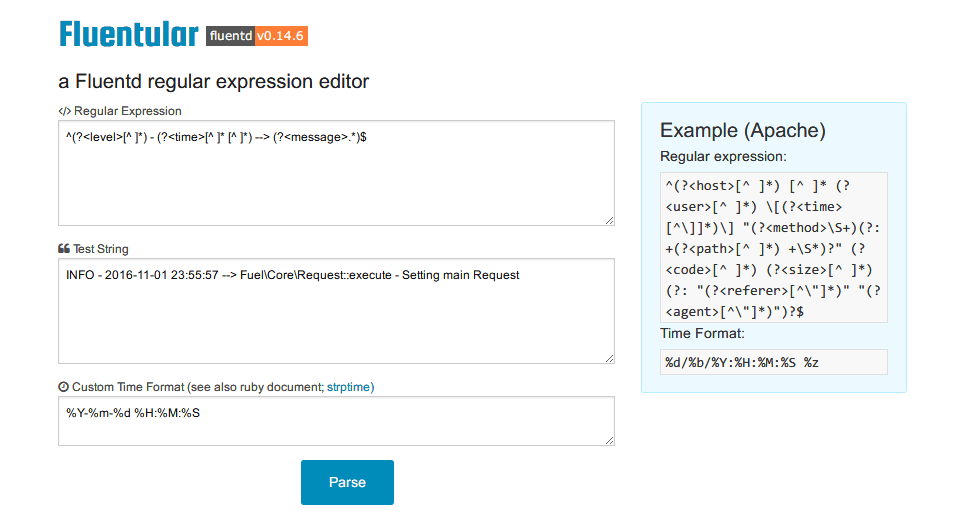
First, enter the regular expression and write the log you want to parse.
If you want to specify a time format, enter it in "Custom Time Format".
Click "Parse" and the results will appear at the bottom of the screen
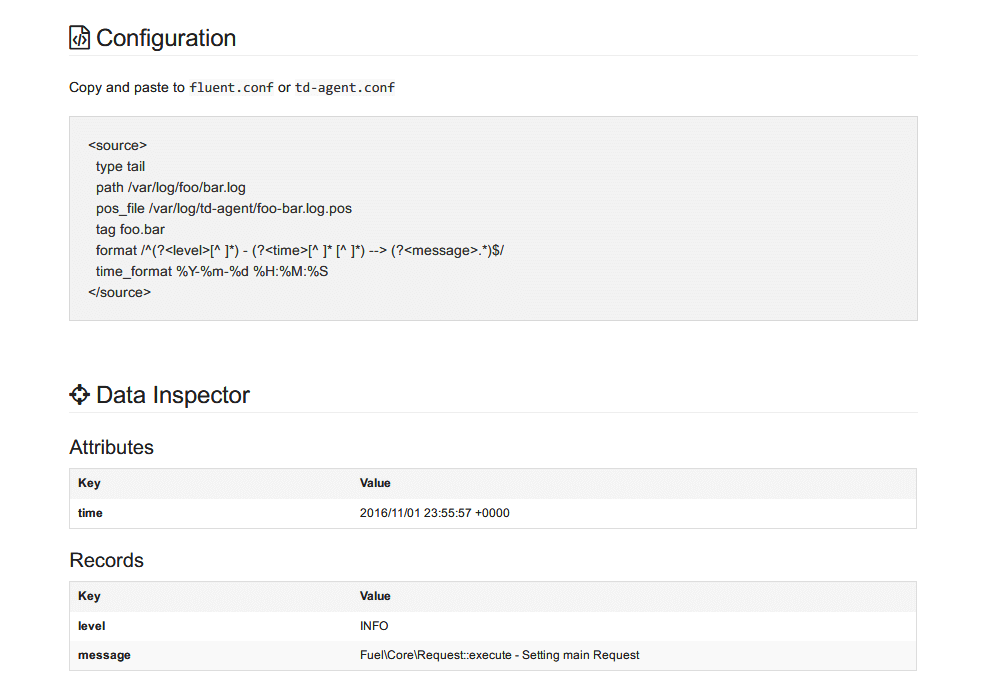
The configuration file settings will be automatically output
Furthermore, you should be able to confirm that the data has been parsed using "Data Inspector".
If the regular expression is written incorrectly, the contents of Data Inspector will be empty.
That's it. It's that simple
Fluentular: a Fluentd regular expression editor
The person who wrote this article
About the author









