

[2016] Microsoft's Emotion API Determines the Best Companion at TGS2016 [Review]
table of contents
Hello,
I'm Mandai, the Wild Team member of the development team.
My wife told me to cut and trim the edges of a pumpkin because she was going to make simmered pumpkin, so I trimmed the edges for the first time in a while. I
need to learn from the delicacy of Japanese cuisine.
Today I wanted to use Microsoft's Emotion API, so I was looking for something to use, but the only images I had that looked like they might be useful were of the companions at Tokyo Game Show 2016 (hereafter referred to as TGS2016).
So, I'd like to hold a "Looking back on 2016! TGS2016 Best Companion Competition"!
Preparing to use Emotion API with a Microsoft account
In order to access the Emotion API, you will need an API key, so first prepare to use the Emotion API from the Microsoft Cognitive Services
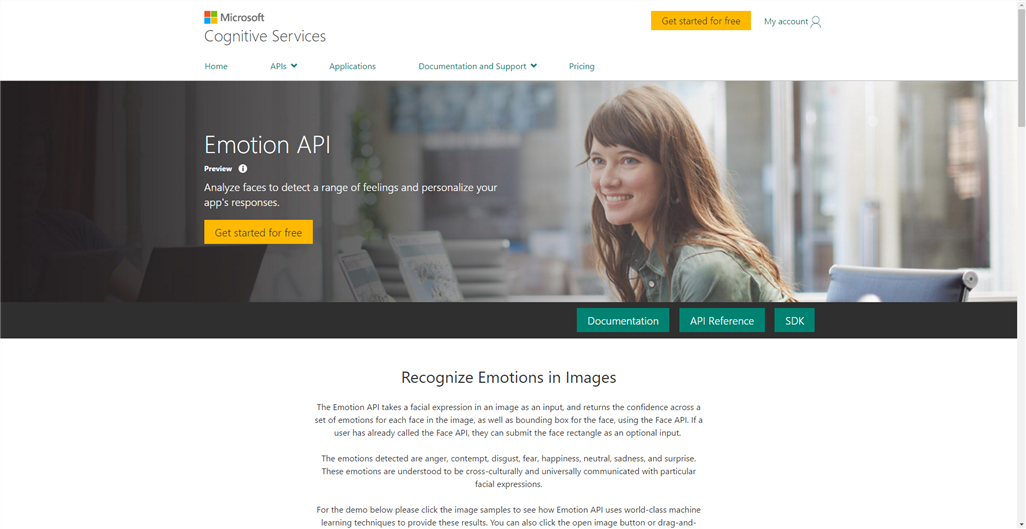
Click the "My Account" link on the top right to go to the login screen
- Microsoft account
- Github account
- LinkedIn account
It seems you can log in from these three.
I was wondering why LinkdIn existed, but now that I think about it, it was acquired by Microsoft.
Once you have successfully logged in, enable the API you want to use by clicking "Get started for free" next to "Sign Out" in the upper right corner
This time, we will enable the Emotion API.
Check the select box where "Product Name" is "Emotion" and also check "I agree to the Microsoft Cognitive Services Terms and Microsoft Privacy Statement." at the bottom.
Then, click "Subscribe" and you're ready to go.
The screen will change to show a list of currently enabled APIs
As of December 27, 2016, the Emotion API is in preview and can be used for free up to 30,000 times per month.
The pricing structure is slightly different from GCP's Vision API, but there is a free tier of up to 1,000 units per month.
The unit may be a little confusing, but it refers to an analysis item. For example, one unit is used for face recognition, and another unit is used for text recognition. This allows you to obtain data for multiple items from a single image.
Going a little deeper, the Vision API is characterized by the amount of information it can provide.
For example, facial recognition can obtain the precise position of facial features, which may be useful for further processing.
Back to the topic, once you enable the Emotion API, you need to get an API Key.
When you enable the API, two API Keys will be enabled, so you can use either one.
The API Key is the one hidden by an "X" in the Keys section of the list, so you can either click Show to copy it, or click the Copy link to copy it
Once you have successfully obtained the API key, your work here is done!
If you want to try it out, curl seems like a good option
If you have a Linux environment, you can quickly try it out using curl
The Emotion API documentation includes an example of sending the URL of a file on the Internet in JSON format, but this time we will try sending a local binary file directly from curl
curl -v -X POST "https://api.projectoxford.ai/emotion/v1.0/recognize" \ -H "Content-Type: application/octet-stream" \ -H "Ocp-Apim-Subscription-Key: [API Key]" \ --data-binary "@[/path/to/image]"
To send the file directly:
- Set Content-Type to "application/octet-stream"
- --data-binary option, image path
Enter the
If you receive a 200 response and the following JSON data, it's a success.
(It's a single line of data, but I've formatted it with line breaks and tabs to make it easier to read.)
[ { "faceRectangle":{ "height":184, "left":223, "top":217, "width":184 }, "scores":{ "anger":2.41070044E-08, "contempt":4.531843E-06, "disgust":7.3893716E-07, "fear":1.44139625E-08, "happiness":0.9999242, "neutral":6.80201556E-05, "sadness":3.14932123E-07, "surprise":2.19046137E-06 } } ]
If you can get this far, you'll have a lot of fun
Rewrite it in PHP
The acquired analysis data can be used in a variety of interesting ways, such as processing it, creating web pages, and arranging it.
This time, I want to play around with putting the analysis data into a database, so I'll rewrite it in PHP.
All I need to do is drop in the above command.
$url = 'https://api.projectoxford.ai/emotion/v1.0/recognize'; $subscription_key = 'your api key'; $path = '/path/to/image'; $ch = curl_init($url); curl_setopt_array($ch, [ CURLOPT_HTTPHEADER => [ 'Content-Type: application/octet-stream', 'Ocp-Apim-Subscription-Key: '. $subscription_key, ], CURLOPT_POST => true, CURLOPT_RETURNTRANSFER => true, CURLOPT_HEADER => true, CURLOPT_VERBOSE => true, CURLOPT_POSTFIELDS => file_get_contents($path), ]); $res = curl_exec($ch);
All you have to do is create a list of files and loop through them to analyze a large number of images.
However, there is a limit of 20 times per minute, so don't forget to adjust the time using sleep or similar.
I tried analyzing about 200 images, and the results were good.
Since there is a limit to the number of times it can be used, it would be a waste to run it multiple times, so it would be a good idea to store the acquired data in a database.
Now that we have all the data, it's time for the review!
I felt like I had created a lot of things and was thinking about wrapping it up, but it turns out that the all-important judging to decide the number one is still left!
The analyzed data includes data on what emotions are expressed in facial expressions and to what extent.
The emotions that can be classified are as follows:
- anger
- contempt
- disgust
- fear
- happiness
- neutral
- sadness
- surprise
This classification is a preview version as of December 27, 2016, so it may be expanded or expanded in the future.
Also, the data format may change to something completely incompatible.
Furthermore, these data are provided so that the total sum is 1.
In other words, each number multiplied by 100 can be viewed as a percentage with the total being 100%.
Of the emotions listed above, the only one that seems usable is "happiness," so we will use this data as the basis for our evaluation.
(However, since the analysis is complete at this point, it's safe to say that the evaluation is complete.)
The shocking result... And then..
Perhaps because of her job she is used to smiling, her happiness score was quite high, making this judging difficult
The reason is that there were 21 pieces of data that only contained happiness!
In other words, "100% Happiness."
I feel so compelled to award all the companions who achieved those scores
However, there was one person who was exceptionally amazing, and appeared in six photos, all of which showed 100% happiness
I'm honored
That's the image!!!

There are five of us, I'm the one in the middle
The Red Ranger from Gorenger
He is like Ikariya Chosuke from The Drifters
Ginyu, from the Ginyu Special Forces
So that's it.
You're right in the middle.
Amazing.
I'm moved.
I hope to see you at next year's game show
That's all
Who said there would be a grand prize?
However,
there was one image that stood out from the crowd and struck me deeply.
That's the image

The score is, of course, 100% Happiness.
The data doesn't lie.
Aren't you someone from Beyond?
However, even if people say I'm favoring my own family, I have no regrets about this decision
She was wearing a Little Red Riding Hood costume borrowed from IIJ, so this photo was taken before the start of the second day. She
must have been tired from standing all day the day before, but she had a wonderful smile. I think
that this resulted in some successful work.
As one of the people involved, I was deeply moved by this result, so I would like to award this image the grand prize
Well, I'm glad it all worked out!
Finally, I would like to close with a close-up of the grand prize winner
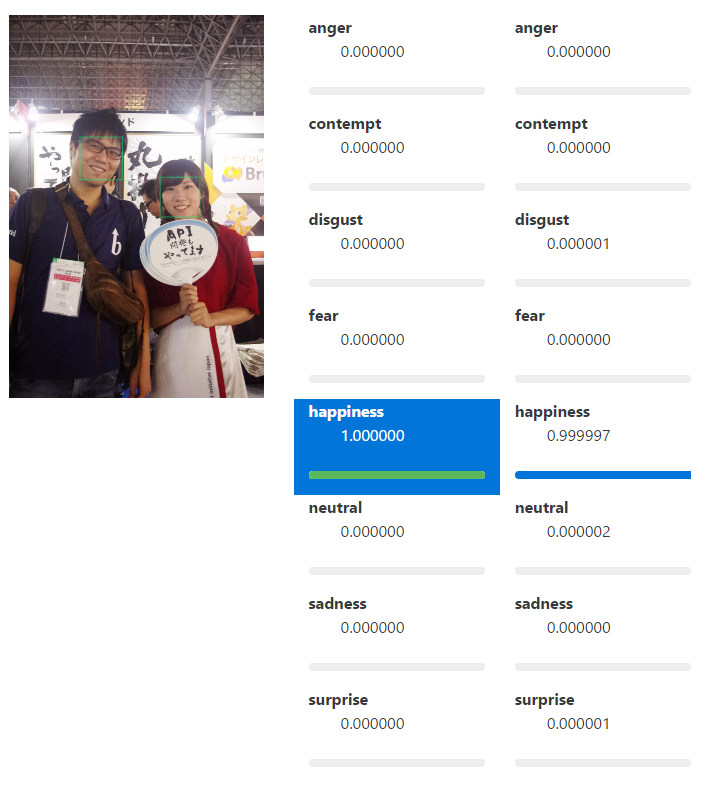

Is that you?
That's all
 0
0 Loading...0



The person who wrote this article
About the author









