

Improvement of the tool to extract members of Beyond Lunch

Good work today.
This is Matsuyama from the Systems Development Department.
Last time, I created a simple tool for grouping people at Beyond Lunch. You can find
the previous blog post here.
Thanks to that, the members of the Organizational Culture Committee have been very grateful. (Imagination)
However, President Haraoka gave me some strict but kind feedback that simply grouping people randomly wasn't enough,
so let's try to improve it a bit more. (Reality)
Requirements
① Since it is held every month, make it possible to specify the month.
② Make it possible to save (load) the selected data.
③ When a month that has already been selected is chosen, display the groups that have been decided.
④ Try to avoid having the same members as the previous month (as much as possible).
* Updated to Unity 2019.4.18f1 (LTS)
Something like this, I guess.
In terms of Unity features, it's mainly using PlayerPrefs in steps ② and ③.
The rest depends on the program.
① Allows you to specify the month
In the previous step, around the time we created the lottery button, we'll add a UI element (Button and Text) to specify the month.
It will look something like this.

For the date, we can use System.DateTime, so we get the current date and time at startup and
update it using AddMonth() with the left and right buttons (◀︎ / ▶︎).
Since only the year and month are displayed, we set year and month to Text.
Next, I'll review the screen size.
The default resolution for WebGL is 960x600, but I was able to change it in Project Settings, so I'll set it to 1960x1080. I'll
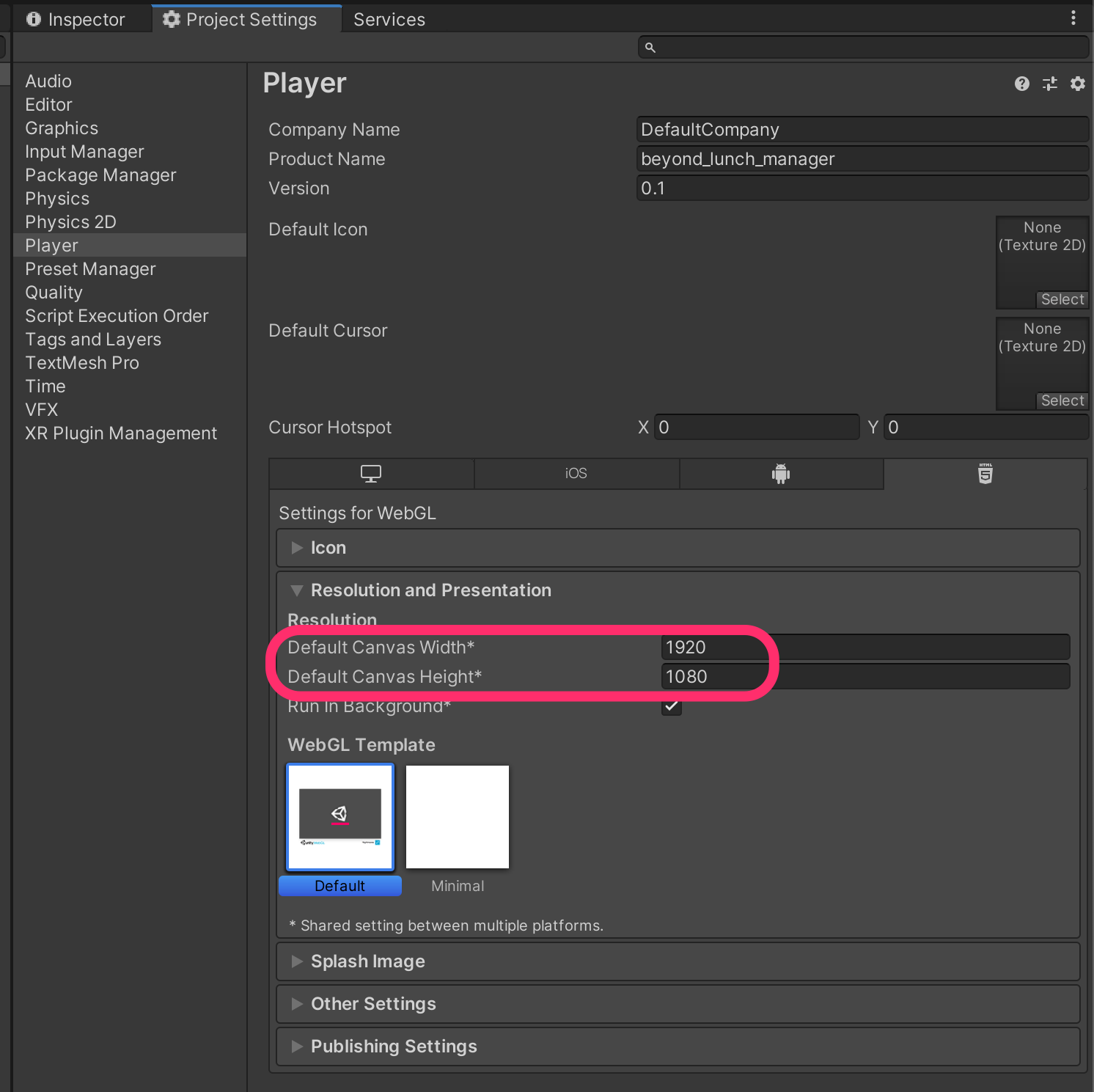
also change the size of the Canvas and adjust the UI layout.
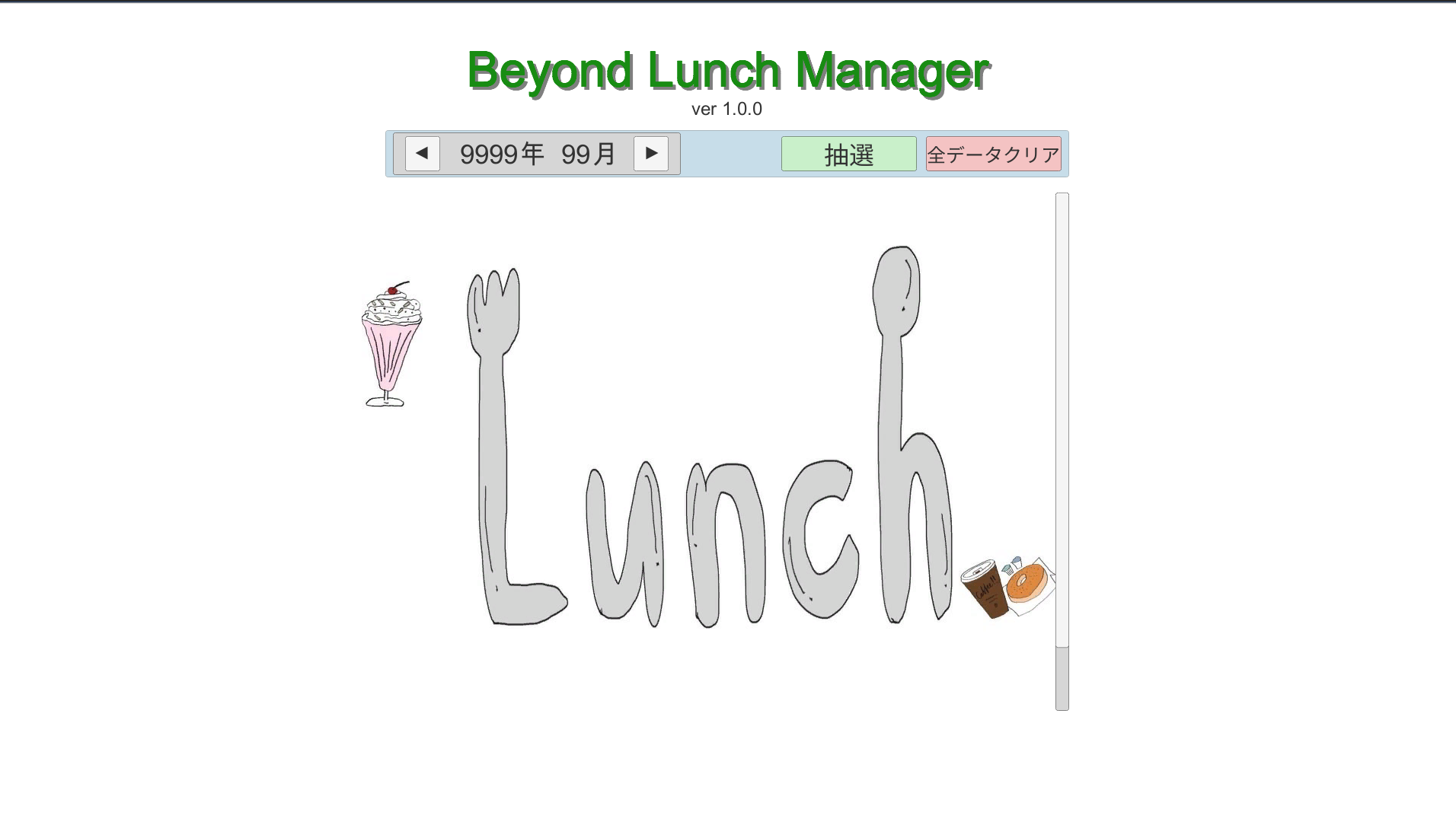
This is what it looks like overall.
It's a bit sparse on the sides, but please excuse that.
② Make it possible to save (load) the lottery data
Save the data (members) of the selected group.
For local saving, it's best to use PlayerPrefs.
Instructions for PlayerPrefs can be found here.
Since you can set a value for any key, the first step is to define the rules for the key. We
'll use the year, month, and group number to create a unique key.
string key = string.Format("group_{0}_{1}_{2}", GroupNo, date.Year, date.Month);
The value to save is the member's name.
We'll split it later with Split(), so we'll separate it into strings using spaces (half-width characters).
string val = ""; for(int i=0; i<memberNames.Count; i++) { if (i > 0) val += " "; val += memberNames[i]; }
Now that we have the Key and Value, we can save them in PlayerPrefs
PlayerPrefs.SetString(key, val); PlayerPrefs.Save();
It's simple.
When using it seriously for work, I encrypt it before saving, but since this is an internal company tool, I think plain text is fine.
③ After selecting the month for which the lottery has been drawn, the determined group will be displayed
Load the data saved in ② from PlayerPrefs
string val = PlayerPrefs.GetString(key); string[] members = val.Split(' ');
All that's left to do is reflect the loaded data in the UI
④ Avoid having the same members as the previous month (as much as possible)
Finally, we will add a check during the draw to ensure that the same members as last month are not included.
This time, a redraw will be held in the following cases:
1. Not being in the same group (leader) as last month
2. Not having the same members as last month
However, as a measure to prevent infinite loops, if a redraw occurs 5 times in a row, it will be OK even if there are duplicates.
First, we load the members of each group from last month.
Then, we randomly select candidates and perform the following evaluation.
Do not join the same group (leader) as last month
We determine if the selected candidate was in the same group last month.
The members from last month are stored in a List, so we check using Contains().
If they are the same, we draw again.
Do not overlap with the same members as the previous month
We check which group the selected candidate belonged to last month.
We compare the members of last month's group with the members already registered in the group the candidate is expected to join this month, and
if there are any duplicate members, we conduct a re-draw.
Since both member lists are Lists, we iterate through them using foreach and check with Contains().
public bool IsSameMember(List<string> lastManthMembers) { // Check if this month's members are not members from last month bool isSame = false; foreach (string mem in memberNames) { if(lastManthMembers.Contains(mem)) { isSame = true; break; } } return isSame; }
Hmm, it's a little underwhelming, but I can't come up with any good ideas.
However, I think it will work correctly.
summary
I think I managed to meet the requirements somehow.
- Allows specifying the month (System.DateTime)
- Saves (loads) the selected members (PlayerPrefs)
- Prevents overlap with last month's members (custom implementation)
- Also adjusts the resolution (WebGL) Once again
, I've built this using only basic functions.
For now, the Beyond Ranch tool is complete (ver1.0.0).
If you have any requests for feature improvements, please feel free to contact us.
That's all for today.
I'll update Git.
I hope this is helpful in some way.
Unity Sample
lastly
I have launched "SEKARAKU Lab," a service site for the system development company I belong to.
Beyond offers a one-stop service for everything from server design and construction to operation, so please feel free to contact us if you have any problems with server-side development.
SEKARAKU Lab:[https://sekarakulab.beyondjapan.com/](https://sekarakulab.beyondjapan.com/)




The person who wrote this article
About the author









