

What is Poe? Introducing an app that lets you easily create AI chatbots on your smartphone
Introduction
Hello!
This is Mikoto from Beyond Inc.
Lately, I've encountered even more things I don't understand, and I'm struggling to keep up with learning new terminology every day.
'd like to explain my strong ally , [Poe]
This is an app that a professor recommended to me when I was a student, and I used it regularly to learn English and Unity, but even now that I'm working, I still use it a lot!
(Actually,my previous blog postto explain the status code error was output by PoE.)
What is Poe?
overview
Simply put,an app that lets you easily create chatbots on your smartphone!
(Although you can also do it in a browser...)
To explain in more detail, you choose one AI that catches your eye from the many available, and then use it as a base to decide on the tone of voice, bot settings, initial greeting, etc
I understand that some people (including myself) may have a strong aversion to the tone of help bots and similar chatbots that you often see around town, but rest assured that this is not the monotonous, mechanical Japanese typical of AI chats!
You can find the official explanation here
About the free tier
With the free plan (where you only register an account), there is a limit to the number of times you can use the AI per day!
The usage limit varies depending on the type of AI, and you can check the settings for each. Some bots only allow one use per day, so if you're interested, try them out.
(Don't worry, people like me will quickly find it insufficient and before you know it, you'll be subscribed...)
About Premium Registration
PoE Subscription
per month¥3,000
, and 1,000,000 points are reset each month.At current rates, you can send up to 50,000 messages per month to Poe Assistant, 3,000 to GPT-4, and 1,000 to Claude-2-100k
For information on subscriptions, please see the official FAQ regarding PoE subscriptions !
Let's make a bot!
What you need
- PC or smartphone
- Register as a member of Poe.com (free)
Membership registration itself is free, but if you sign up for a paid plan you can get access to even more AI!
*Please note that I have been using a paid plan since I started using the service,I have no experience with the free plan.
Basic setup
Let's start by creating a simple bot.
(I created this on my computer, but the basic operation is the same on a smartphone.)
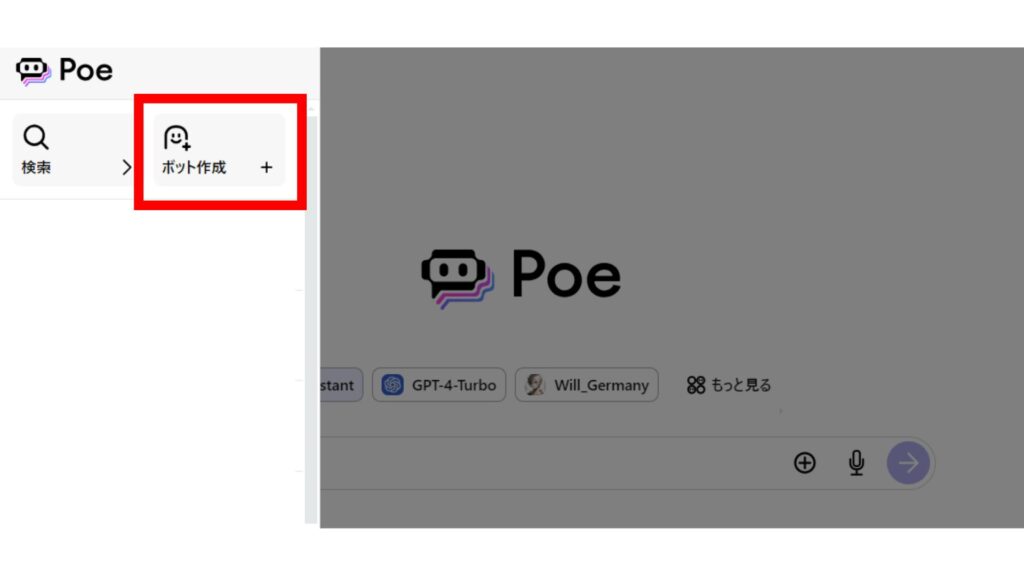
①Click "Create a Bot" from the menu button
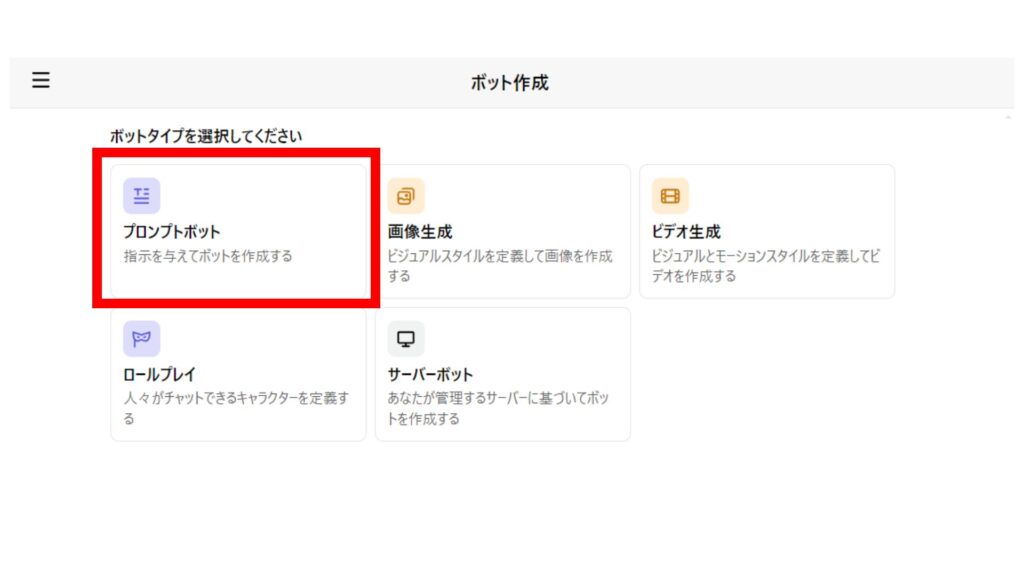
② Select "PromptBot".
I've chosen "PromptBot" this time because I'm familiar with it, but there are other types available, so please try them out!
Set up the bot details
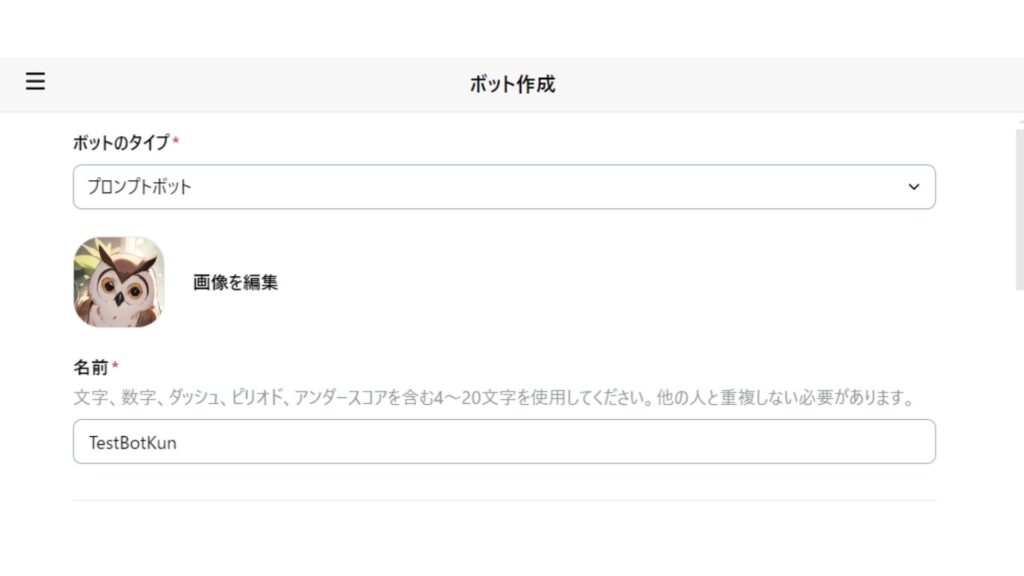
① Choose an image and a name.
The "image" here will be the icon image for this bot. This time, we'll use a cute illustration generated using PoE!
*You can choose any name you like, but unfortunately, Japanese input is not supported.
This time, I chose "TestBotKun"!
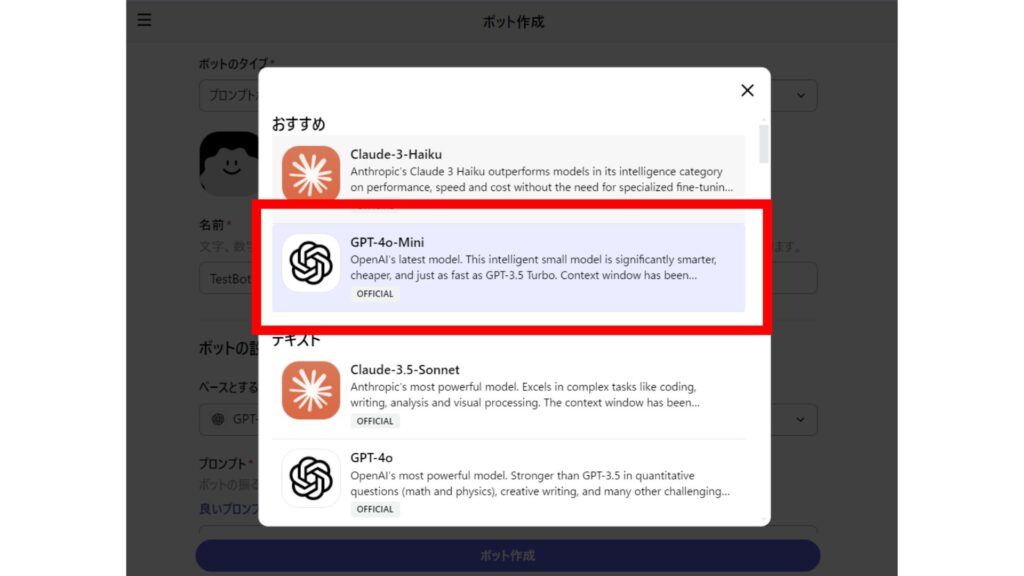
 ② Choose a base bot
Here, you choose one base bot from among many AIs.
Among the AIs you can choose from are many well-known ones such as ChatGPT, Gemini, and Claude! You can even choose the version.
*Some AIs require a subscription registration.
This time, we'll be using "GPT-4o-Mini," which is available for free !
(By the way, I personally love using "ChatGPT-4-Turbo," which is a subscription service.)
③ Enter a prompt.
In the prompt, you can add various settings such as the bot's characteristics, tone of voice, and personality!
This is where the fun begins!
This timeTo the extent that the author's tastes are not revealedLet's set it up easily
(Many pioneers have already created unique bots, so if you're interested, take a look at the public bots in the app. Occasionally, someone will publish a prompt.)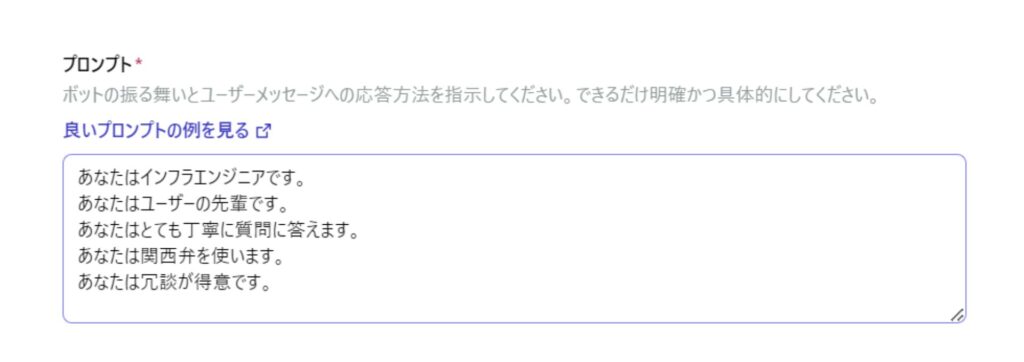
④ Enter your first message.
This is a personally important point.
As I explained earlier, you can set the tone in the prompt, and here you can write an example of that tone!
This is because this section will be the first line spoken by the AI you created .
If you use polite language in the first message, the effectiveness of setting up polite language in the prompts will be diminished.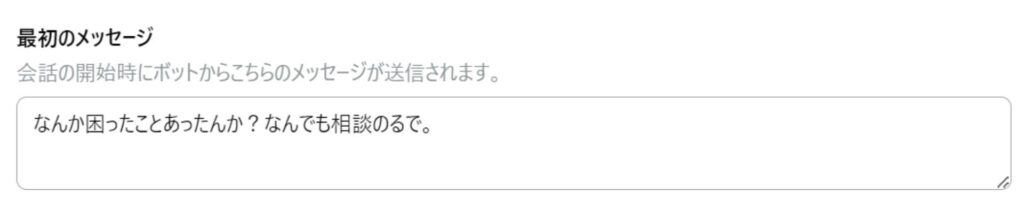
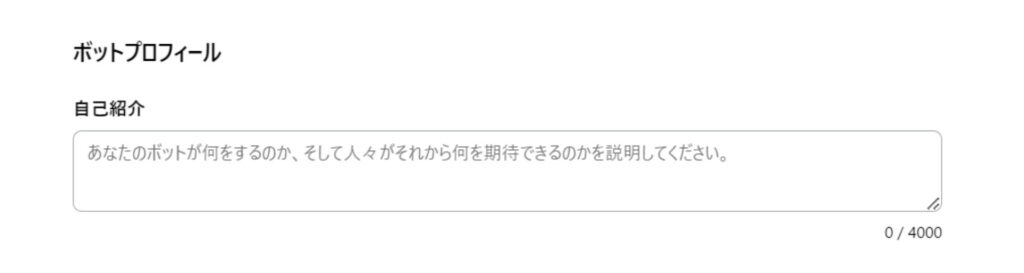
⑤ Set up your bot's profile.
First, a section for writing a "self-introduction" will appear.
This is where you write about the characteristics of the bot you created when you make it public.
(I've never written anything here because I never make my bot public except to show it off to friends.)
⑥ Configure public access settings.
Here, "access" refers to three different settings you can configure.
- Whether you make your bot publicly accessible
- Whether to display your bot in the recommendations section for other related bots
- Whether to include the prompt you created in the bot's profile
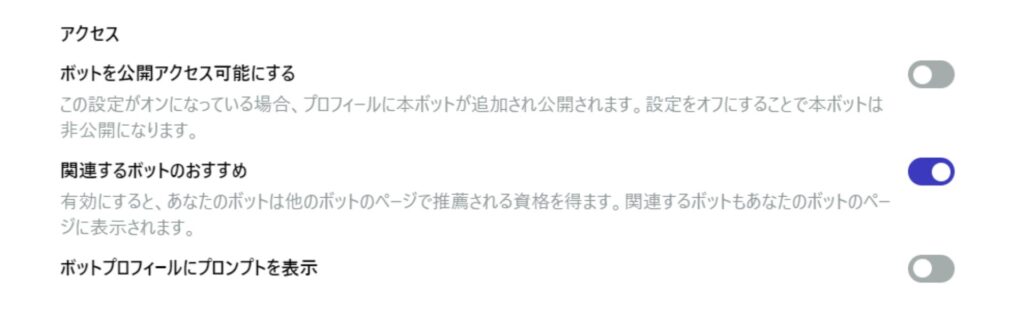
Needless to say, I have it OFF!!!
But if you'd like to make it public, please feel free to turn it ON (;'∀')
⑥ Click "Create Bot".
That's it for the setup!
You can edit it later, so for now, just go ahead and click the create button!
A little trivia
As a side note, there's a trick to writing effective prompts.
It's using the words "you are..." and "user." Even though it supports Japanese, everyday conversation is difficult for AI.
So, writing in a crisp SV structure like when directly translating from English, such as "you are..." , makes it easier for the AI to understand the settings! (This is just my experience, though...)
And then there's "user," which refers to the person the bot is talking to.
In other words, when the bot talks to you,it recognizes you as a "user.
So, for example, if you write "You are user...",you can even set the relationship!
(I've used this to create some interesting AWS experts.)
Talk to the bot you created!
A little chat
This time, the bot is set up as an engineer, so I'll try some casual conversation
The topic is about the advantages and disadvantages of operating a cloud server and an on-premise server
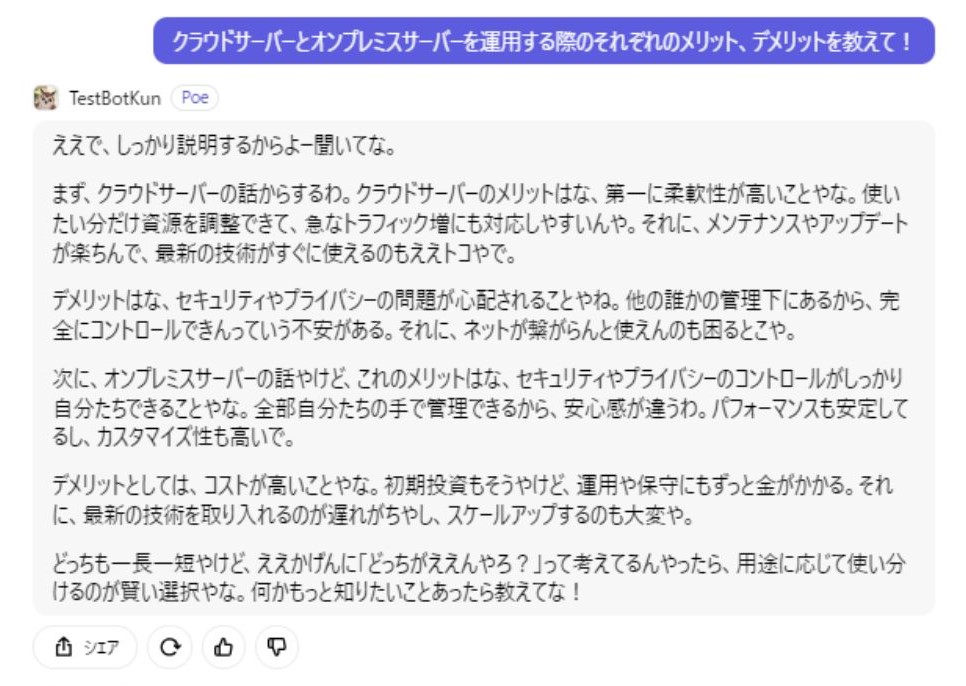
This is how they answered my question in Kansai dialect!
Of course, you shouldn't take everything they say at face value, but they did give me a logical and coherent explanation.
This time, I used a bot that's available for free to generate the output, but the paid version makes it easier to read by adding headings and summarizing the content in a much clearer way.
(I tried having it write a short story, and the level of Japanese, content, length, and plot development was different between the free and paid versions. If you're interested, please give it a try!)
This bot doesn't feel cold like other bots, so why not create your favorite bot and use it actively?
Personal study methods
I 'll share my personal study method using this chatbot
Basically, it follows this flow.
- Ask a Question
- Check the results (documents, etc.)
- If there seems to be no problem with the output results, ask the question again
- Repeat steps ① to ③ until you are satisfied
- Explain the meaning of the terms you learned in your own words and have them corrected
You can easily ask questions in a conversational format, and since it's an AI, you can bombard it with questions, or even throw in an unrelated question out of nowhere, and it will happily output a response that sounds like it's answering.
You can input information by asking any questions you have after listening to the explanation , and later practice outputting by explaining your own interpretation !
*Questions about work details are strictly prohibited as they may lead to information leaks. I also use it for personal study purposes, such as understanding concepts
Conclusion
This time, we introduced a fascinating app that allows you to create your own bot based on the latest advanced and amazing AI
Of course, it's important not to blindly accept all the information output by AI , but to thoroughly research and read documents and other materials until you are satisfied.
Also, for important work-related questions that contain sensitive information , be sure to ask your seniors, not AI ! ( I'm fortunate to have seniors who are happy to answer any question I have, and I hope to be like them in the future...)
That's all, thank you for reading this far!




The person who wrote this article
About the author









