

A comprehensive guide to website monitoring tools and a comparison of recommended tools [URL Monitoring]

Last updated: August 23, 2022
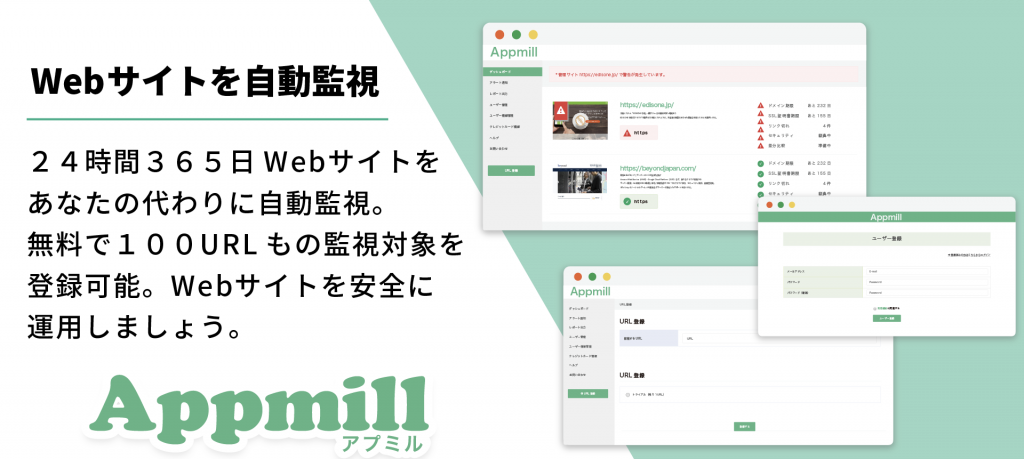
Get free, permanent monitoring of 100 URLs for websites!
AppmillGo to the official
Hello! This is Koide from the Systems Development Department.
Today I'd like to write about "Website Monitoring Tools . "
It is extremely important to check whether the website has experienced any unintended malfunctions or has been damaged by external attacks, such as tampering
For example, when a user visits a website, if the siteis slow to loadorcannot load,
This could directly lead to a decline in usability and the service's image
A website monitoring tool allows you to centrally manage the problems that arise during website operation .
However,
- "I don't know what kind of supervision is needed."
- "I don't know what kind of website monitoring service I should use..."
I'm sure there are some of you who are worried about this
Therefore, in this article, I will share my insights as someone who works for a company that provides server operation and maintenance services to over 350 companies and possesses a high level of infrastructure expertise.
- What can be monitored with a website monitoring tool?
- Recommended website monitoring tools
Please watch until the end!
1. Four essential monitoring items for website monitoring
You may be wondering just how much you should monitor your website, but basically, if you monitor the following four items, you will be able to continue operating your website with good quality
- Communication check... The response time from when a user makes a request until a response is received. Also known as health monitoring.
- Status Codes... Status codes are codes that determine whether an HTTP request was completed successfully or not. There are five main categories.
- Checking the domain expiration date... Check the expiration date from the domain information registered in whois.
- Checking SSL certificate expiration date... Check the expiration date of the SSL certificate.
Below we will explain each item one by one
✔1-1. Check the site's connection status "Connection Check"
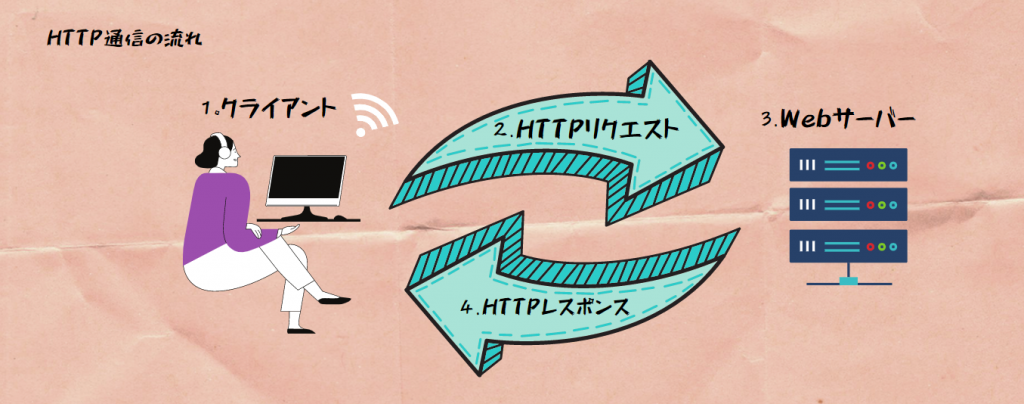
Communication check (health monitoring) refers to the time it takes from when a client sends a request (to view a website) until a response is received (the website is displayed)
The longer this time takes, the more likely it is that users will become frustrated and lose trust
Ultimately, speed is key in everything
Check the status of your site with status codes!
The status codes returned during HTTP communication can be broadly divided into the 100s to 500s
Below are the status codes by category and their meanings and contents
| Status Code | What the code means | Code content |
| 1xx | information | Request processing is ongoing |
| 2xx | success | Indicates that the request was successful |
| 3xx | redirection | More work is required to complete the request |
| 4xx | Client Error | The request failed due to an error on the client side |
| 5xx | Server Error | The request failed due to an error on the server side |
These are also status codes that you will often see on websites. Remembering the following is all you need to know about status codes
| Status Code | What the code means | Code content |
| 401 | Authentication failed | User authentication has failed (ID, password is incorrect, etc.) |
| 403 | Viewing prohibited | The server's request was denied due to lack of access privileges |
| 404 | Undetected | No resource was found that matches the requested URL |
| 500 | Internal Server Error | A state in which an error occurs during execution of a program on the server, such as a CGI program |
| 503 | Service unavailable | The server is unable to keep up with the number of simultaneous accesses to the server |
Surprisingly easy to forget? Domain expiration date
Domain renewal is an infrequent task, occurring about once a year, so it's easy to forget to renew it
The following article explains the problems that can occur if you forget your domain or SSL certificate
[Easy] Free method to manage domain and SSL certificate expiration dates [Website Management]
Website monitoring tools allow you to obtain domain expiration dates from whois information and check them at any time
Whois information is information that allows you to check information about IP addresses, domain name registrants, etc
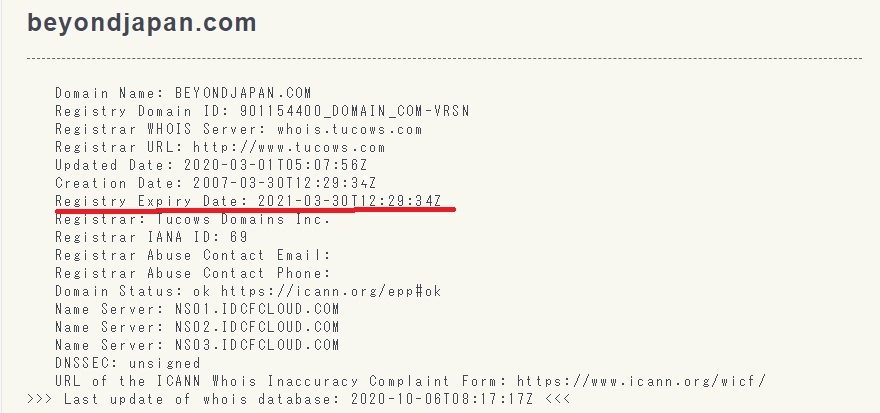
The image above is the whois information on our website
You can see that the domain expiration date is displayed in the area with a red line
SSL expiration date is essential for safe use of the site!
Just like with domains, it's easy to neglect managing your SSL expiration date, which can leave you panicking when it's about to expire
If your SSL certificate expires, you will not be able to communicate via https and your website will not be displayed properly, so you need to renew it as soon as possible
Note that you can check the SSL certificate expiration date even without a website monitoring tool by following these steps.
(Although it's a bit tedious to check it every time...)
■ Procedure for checking the SSL expiration date
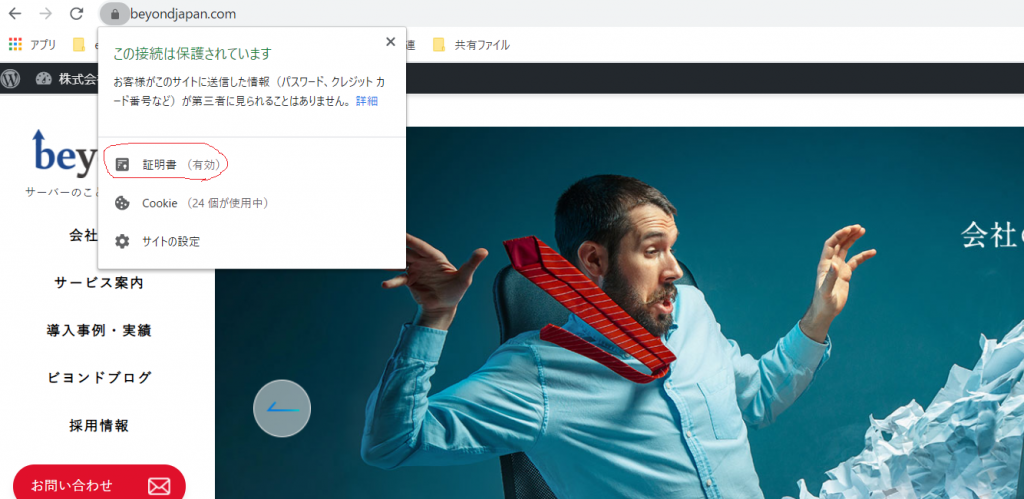
- Step 1: Access the https URL in your browser and click the lock icon in the address bar
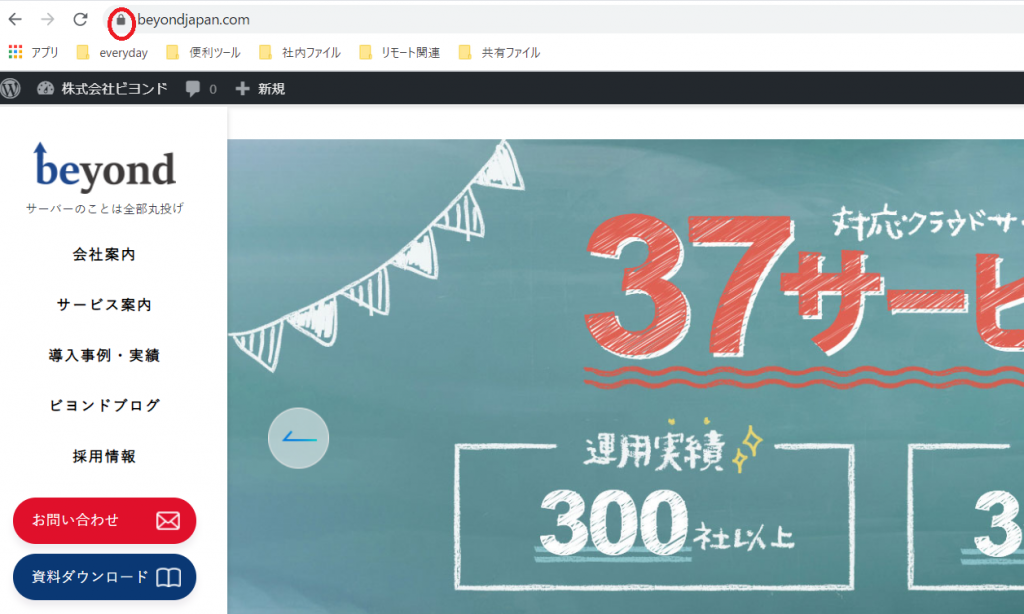
- Step 2: Click on Certificate
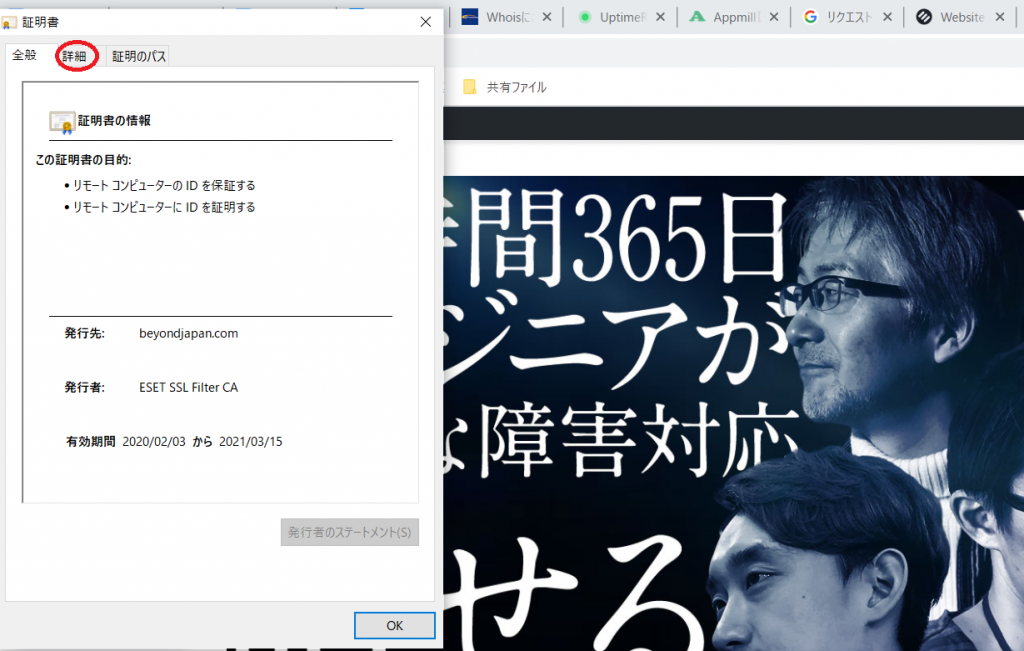
- Step 3: Click on the Details tab
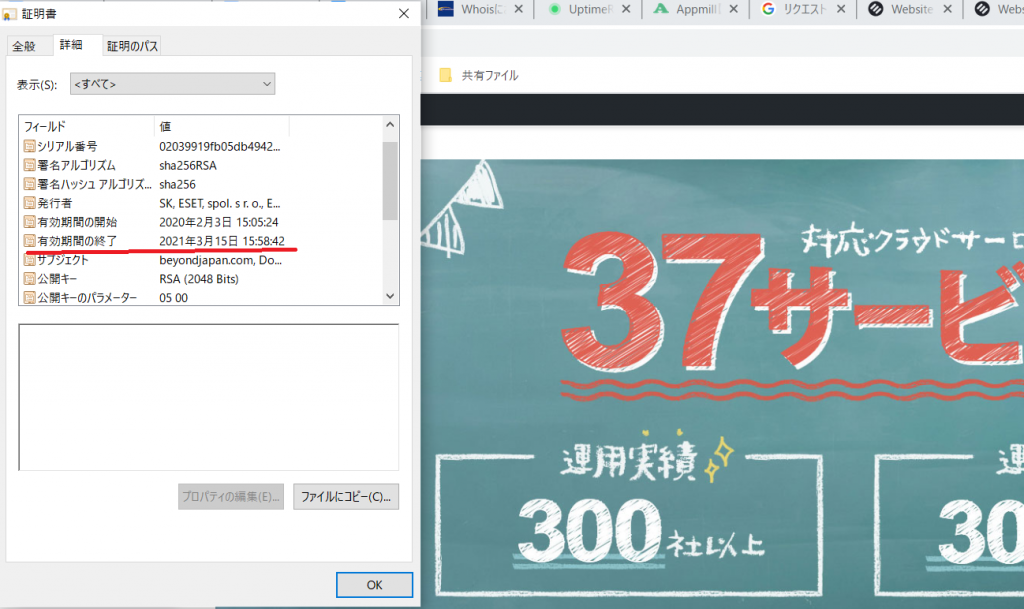
- Step 4: Check the start and end dates of the validity period
3. Introducing 4 recommended website monitoring tools
In the previous chapter, we explained the basic monitoring items that can be monitored using a website monitoring tool and the details of each item
Below, we'll introduce some website monitoring tools that are easy to implement and offer free plans.
Many website monitoring tools are available with free plans. The number of URLs that can be monitored and the features available vary
depending on the tool, so check which tool is best suited to your needs. It's also a good idea to try them out and stick with the one you like best.
✔3-1. Site24x7: A versatile tool with excellent expandability
| Monitored items | Communication check | Status Code | Domain Monitoring | SSL monitoring |
| 〇 | 〇 | 〇 | 〇 |
Site24x7 offers a wide range of services, including not only website monitoring (external monitoring) but also server monitoring, APM (application performance management), network monitoring, and cloud cost management, including ping server monitoring, scenario monitoring, and real user monitoring. It's the perfect service for those looking for more comprehensive monitoring. However, the free plan only allows you to monitor up to five URLs, so if you want to use it more extensively, you may need to upgrade to a paid plan
Free plan monitoring limit: 5 URLs
*Paid plan available for free for 30 days
✔3-2. Monitoring Plus: A domestic tool you can use with confidence!
Monitoring Plus is a website monitoring tool released by Startup Plus Co., Ltd., located in Tokyo, so if you have any questions, feel free to contact us using the inquiry form
The business plan (2,980 yen per month) allows you to register up to 30 URLs and checks for malware links in addition to communication checks. However, the free plan limits the number of URLs that can be monitored to three, and the only item that can be monitored is communication checks. If you also want to implement security measures, the business plan is the best option. On the other hand, if you want to monitor multiple pages for free, it may be a little difficult
Additionally, Monitoring Plus allows you to use WordPress plugins even with the free plan, making it a highly convenient tool if you are running a WordPress site
Free plan monitoring limit: 3 URLs
*Paid plans are available for free during the first month of use.
URL: https://www.monitoring-plus.jp/
✔3-3. UPTRENDS
| Monitored items | Communication check | Status Code | Domain Monitoring | SSL monitoring |
| 〇 | 〇 | 〇 | 〇 |
UPTRENDS provides bandwidth throttling, snapshots at the time of failure, and transaction checks (e-commerce, authentication functions, reservation systems, etc.)
We also provide APM (application performance management), real user monitoring, and server monitoring
However, since this is an overseas service that does not support Japanese, you may find it difficult to use if you are not familiar with English
*Free trial available
URL: https://www.uptrends.com/
✔3-4. Uptime Robot
| Monitored items | Communication check | Status Code | Domain Monitoring | SSL monitoring |
| 〇 | 〇 | ☓ | ☓ |
Uptime Robot
・Port connection check
・String monitoring (keyword monitoring)
- Cron job monitoring (checking whether requests arrive on time)
We also provide external and internal server monitoring, real user monitoring, and APM (application performance management)
*Free plan available
4. Appmill, a site specializing in external monitoring
The following video provides a concise introduction to Apmir in just 1.5 minutes
Please take a look at this as well
https://www.youtube.com/watch?v=dFDnxAxeh4Y
The biggest feature of the website monitoring tool Appmill is that the free plan allows you to monitor up to 100 URLs
Apmil is a website monitoring tool developed by Beyond, an IT infrastructure company that operates servers for over 350 companies in Japan
Therefore, the software was developed by pursuing what functions are truly necessary for website monitoring from an expert's perspective, and any questions you may have while using it can be submitted at any time through the inquiry form
Appmill allows you to perform communication checks , status codes , domain expiration dates , SSL expiration dates , and the following security-related monitoring
✔4-1. Check for content errors and security
- Link monitoring... This checks if any links on the site are broken.
- HTML difference comparison... This checks whether a website has been tampered with by comparing the differences between past and current HTML.
- Snapshot comparison... This feature compares past and current snapshots to check for any website tampering.
① Broken Link Monitoring
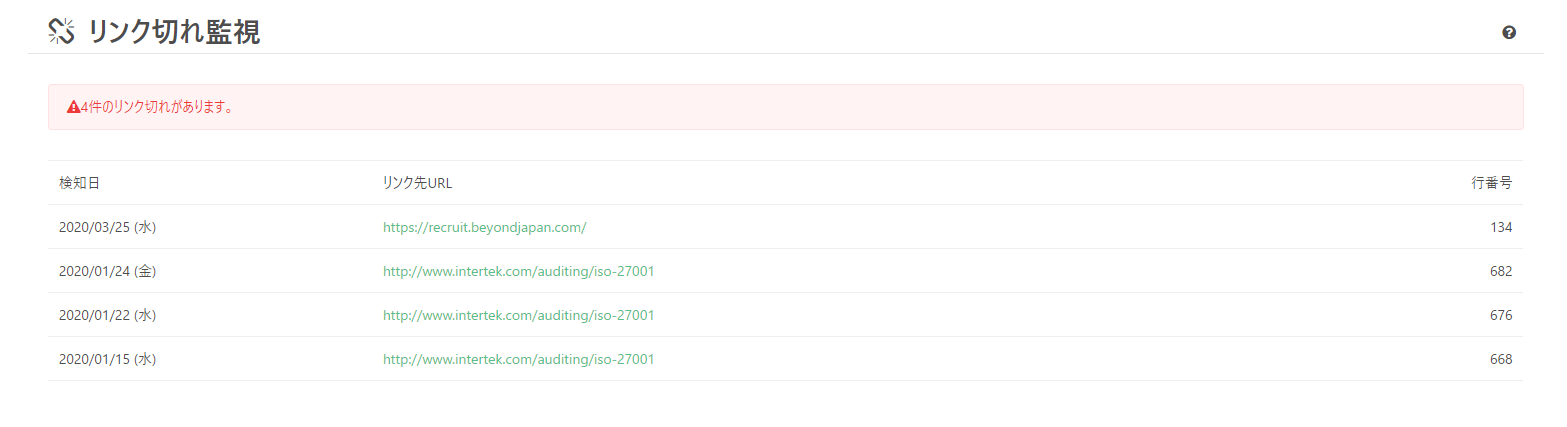
Ensure users have a smooth browsing experience by checking for broken links on your site
② HTML difference comparison
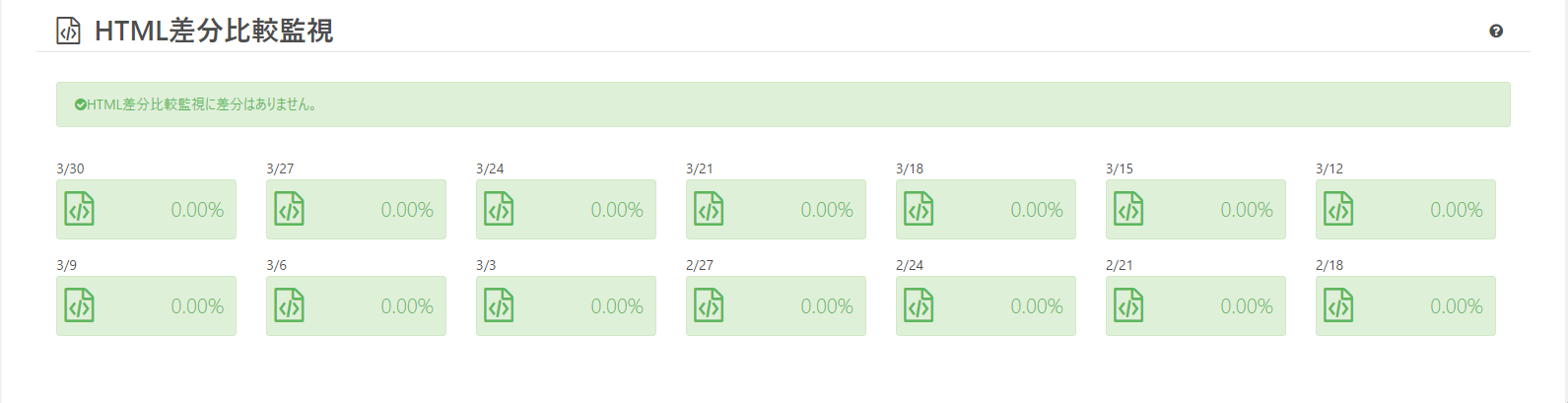
You can compare the differences between past HTML and the latest HTML to check whether the website has been tampered with by a third party
③ Snapshot comparison
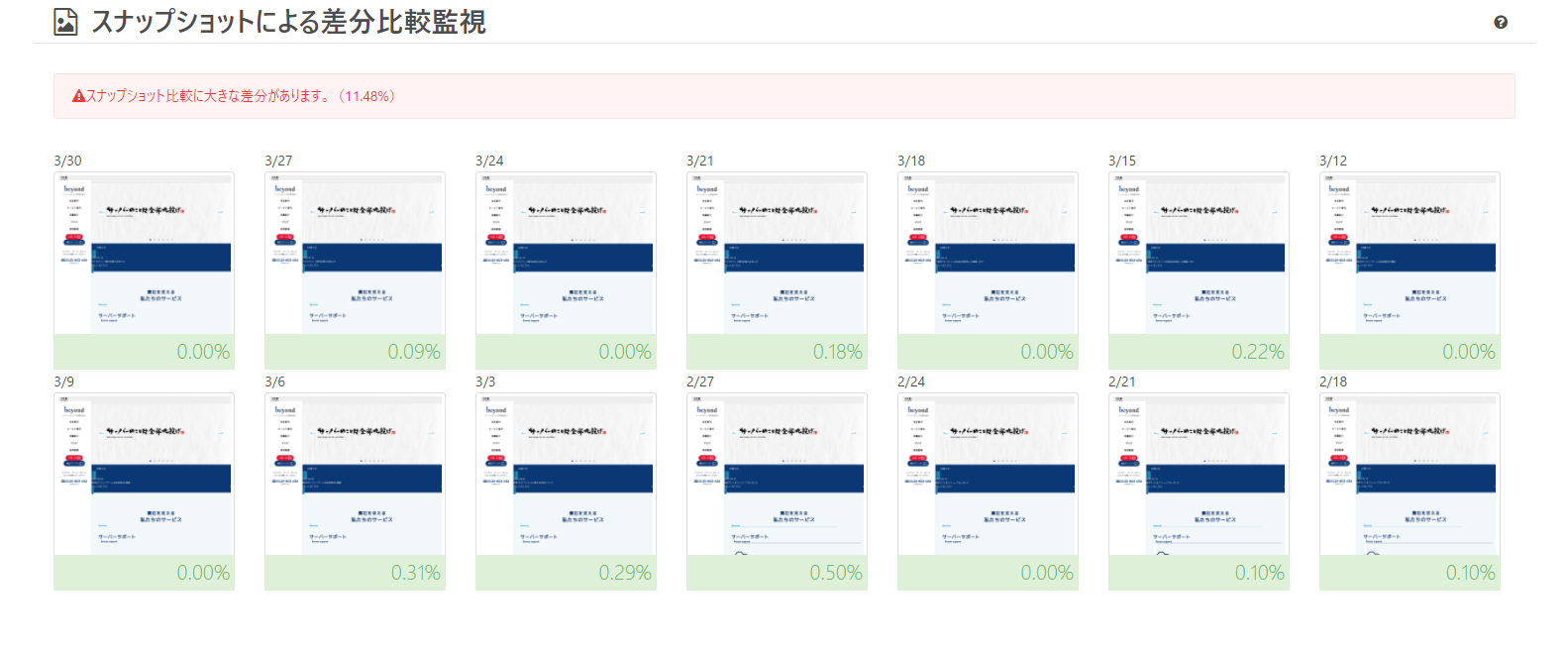 By comparing past snapshots with the latest snapshot, it is possible to detect if a website has been significantly modified by a virus or a third party
Appmill Summary
- Communication check
- Status Code
- Domain Expiration Date
- SSL Expiration Date
- Broken Link Monitoring
- Check HTML differences
- Check snapshot differences
Apmil not only monitors the above items externally,
In addition, we can also provide malware protection and social engineering protection
Furthermore, we plan to provide updates from time to time in the future, so please look forward to it!
If you are introducing a website monitoring (URL monitoring) tool, you should also check the monitoring interval
Each website monitoring (URL monitoring) tool has a different monitoring interval for each service. The monitoring interval is the frequency at which the system checks the status of the website
The shorter the monitoring interval, the more secure it is, but depending on the purpose, such a short monitoring interval may not be necessary, so be sure to compare other features, the number of URLs that can be registered, and other factors before introducing a monitoring tool
A monitoring interval of 5 minutes is a sufficient monitoring frequency for peace of mind
In particular, with free plans, the monitoring interval is often longer, so it's a good idea to check in advance
For reference, here we list the monitoring intervals for three major website monitoring (URL monitoring) tools based on information published on their official websites as of 2021
| FREE (0 yen) / 5 URLs | STARGTER (2,000 yen/month)/10 URLs | PRO (7,000 yen/month) / 40 URLs | MSP (9,000 yen/month) / 50 URLs |
| 10 minutes | 1 minute | 1 minute | 1 minute |
| FREE (0 yen)/3 URLs | STANDARD (980 yen/month) / 15 URLs | BUSINESS (2,980 yen/month) / 30 URLs |
| Every hour or more | Every 5 minutes | Every minute |
| Free plan (0 yen) / 100 URLs | Security Complete Plan (1 URL) / 9,800 yen |
| 5 minutes | 5 minutes |
Beyond can also build, operate and maintain servers
Furthermore, Beyond also provides MSP (Server Construction, Maintenance, and Operation) services. For anything related to servers, please feel free to contact Beyond !

Apmil's functions and operation procedure introduction video
A video introducing Apmil's functions and operating procedures is available on YouTube below
Please take a look if you are considering it
summary
The most important thing to avoid missing out on business opportunities through your website is to operate it from the user's perspective
The most important thing in this case is to maintain normal communication conditions, and it is important to check the following four points
- Communication check (response speed)
- Status Code
- Check domain expiration date
- Checking SSL expiration date
It is difficult to monitor 24 hours a day, 365 days a year, so it is best to rely on an external site for monitoring
The sites introduced this time are as follows
Make sure to take advantage of this to increase user satisfaction and avoid missing out on business opportunities!
This concludes our explanation of what should be monitored on your website and a comparison of website monitoring services
Thank you for watching until the end




The person who wrote this article
About the author









