

[For beginners] Illustrated explanation of how a server works from powering on to booting up
Hello.
I'm Kita from Beyond, and I'm currently dominating Battle Cats with a super rare character I obtained.
Last time, I wrote a blog post about hardware
This time, I'd like to explain in an easy-to-understand way how a server works from the moment it's powered on until it's fully booted up.
We often start and stop servers in the cloud without giving it much thought, but I suspect that fewer people than you might think understand the process behind it.
(I was one of those people.)
This time, we will explain the startup order with illustrations so that even beginners can understand, so please read to the end
Overall view of Linux server startup
First of all, in conclusion, a Linux system boots up in the following order:
Firmware (BIOS/UEFI) → Boot loader → Kernel → Init process
However, this information alone is difficult to understand, so we will explain in more detail using diagrams
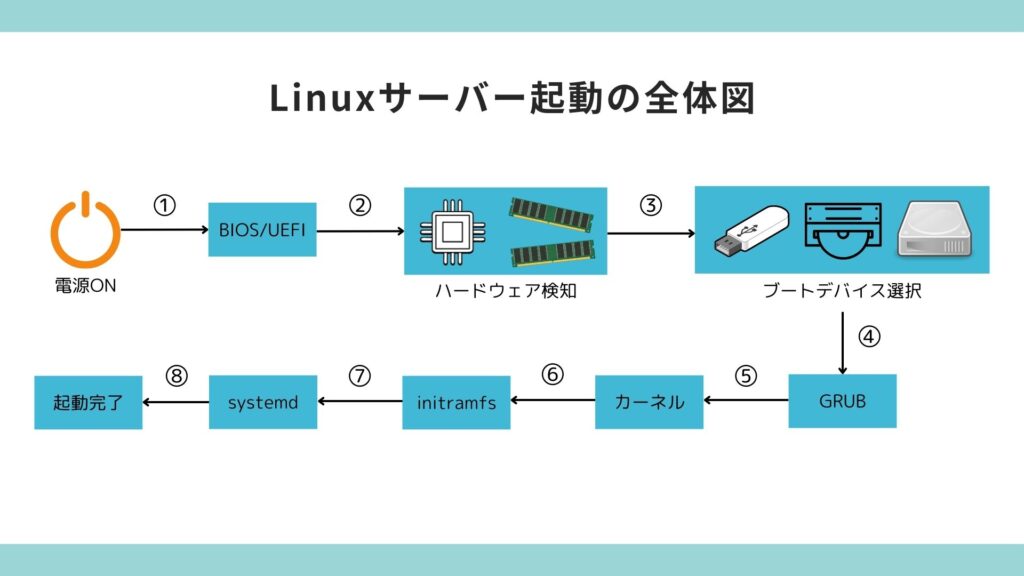
There are a total of eight steps from powering on to the completion of startup.
In short, the startup process follows these steps:
- Boot to BIOS/UEFI
- Hardware detection is performed
- Boot device selection process runs
- GRUB starts
- The kernel starts
- initramfs starts
- systemd starts
- Startup completed
The overall process is as shown in the diagram above. This entire system startup process is called booting, and
the sequence of steps from the BIOS/UEFI startup to the above-mentioned steps is called the "boot sequence" or "boot-up process."
Next, we will explain the details of each item.
Explanation of each item
①BIOS/UEFI boot
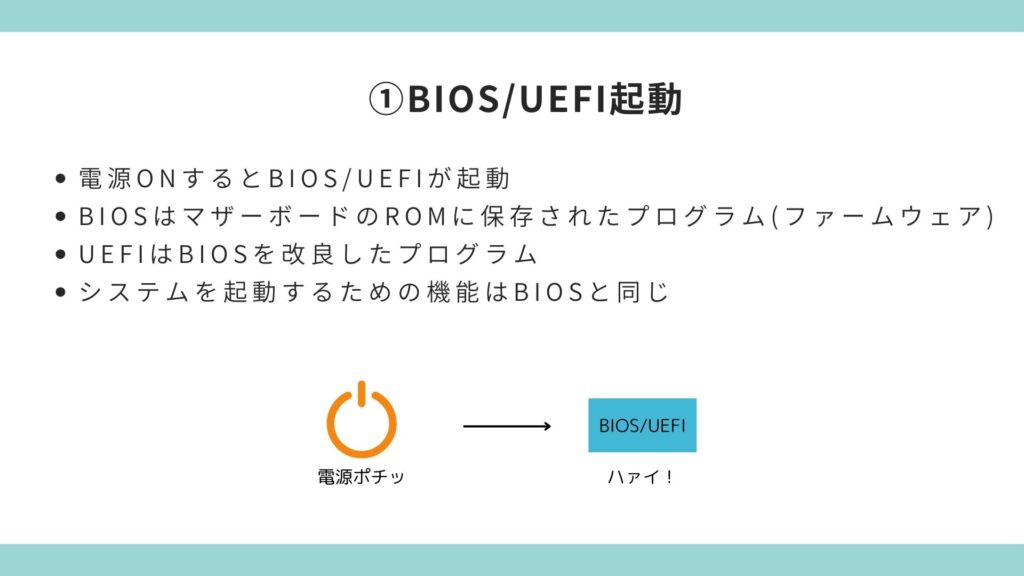
First, when you press the power button on your computerto start it up, the first thing that runsis the BIOS/UEFI.
The BIOS/UEFI is located in the ROM of the motherboard, and its role is to initialize the various components installed in the computer before the OS starts up, so that the OS can start up properly.
The difference between BIOS and UEFI is that, as shown in the diagram, UEFI is an improved version of BIOS.
However, this doesn't mean that UEFI alone is sufficient; currently, both coexist.
Although both are similar in terms of functionality, UEFI has improved upon the traditional BIOS in terms of its complexity and ease of use
②Hardware detection
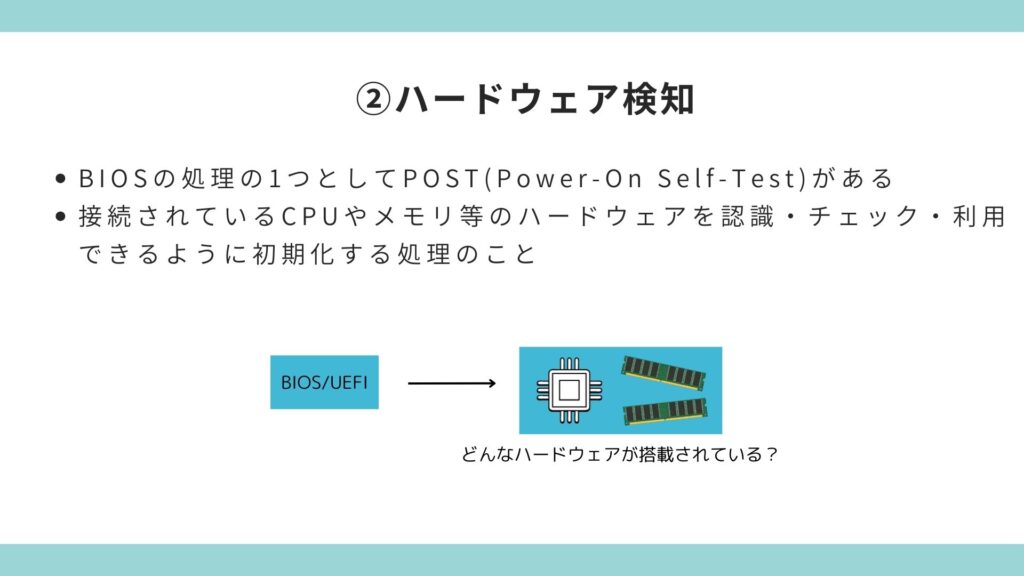
Next, we will explain hardware detection
One of the processes performed by the BIOS is called POST (Power-On Self-Test),
which recognizes, checks, and initializes connected hardware so that it can be used.
③ Select boot device
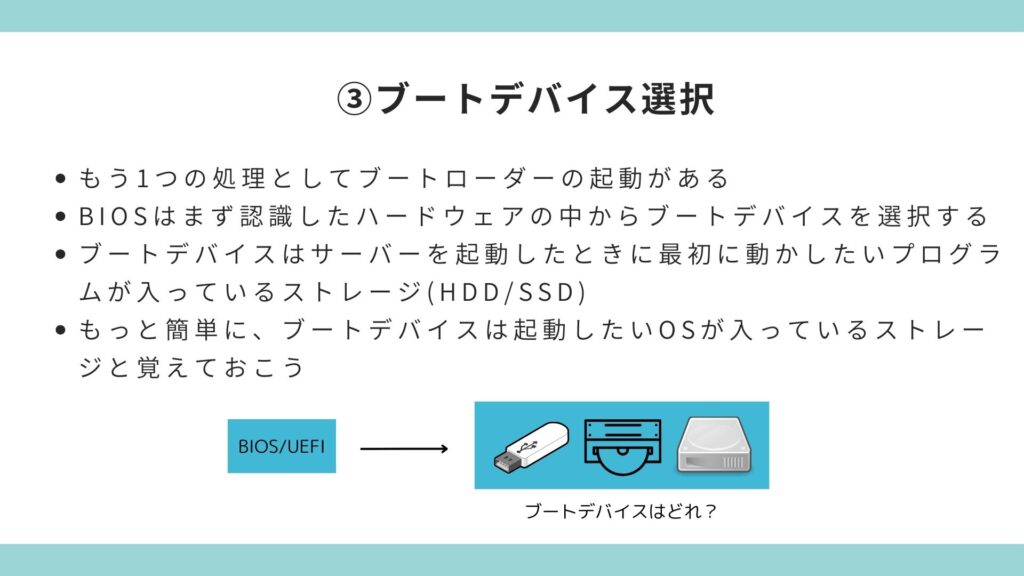
Next, the boot device selection process runs.
This is also a BIOS process; after POST (Post-Output), it selects the boot device (the storage device containing the OS).
The boot device is the storage device (HDD/SSD) that contains the program you want to run first when the server starts up.
It's easiest to remember that the boot device is the storage device containing the operating system you want to boot
④ Boot loader startup
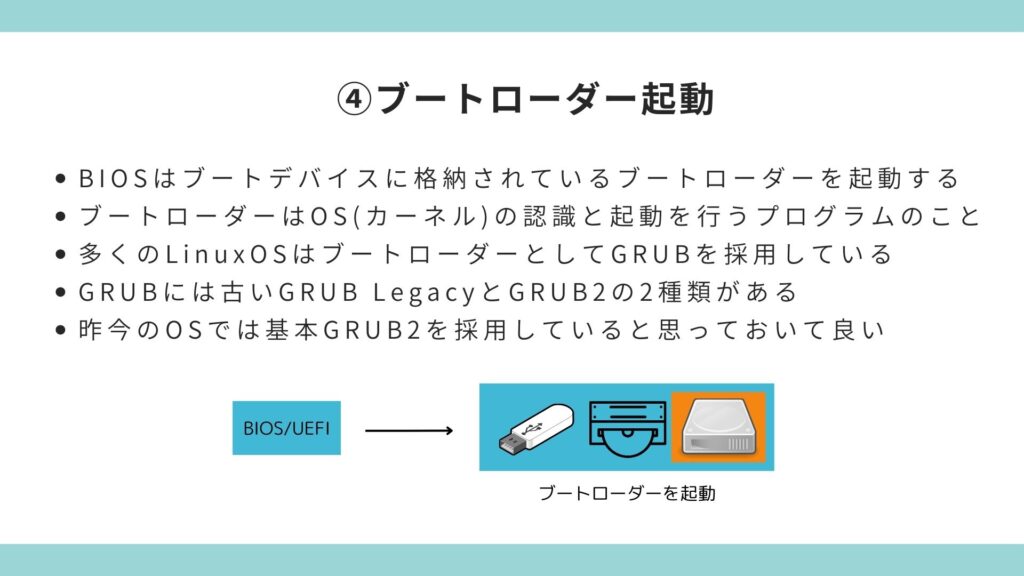
Next, the BIOS starts the boot loader stored in the boot device.
The boot loader is the program that recognizes and starts the OS (kernel).
Many Linux distributions use GRUB as
their boot loader, and there are two versions of GRUB: the older "GRUB Legacy" and "GRUB 2".
*Note: GRUB Legacy is no longer supported.
Most modern operating systems use the newer version of GRUB 2
⑤Start the kernel
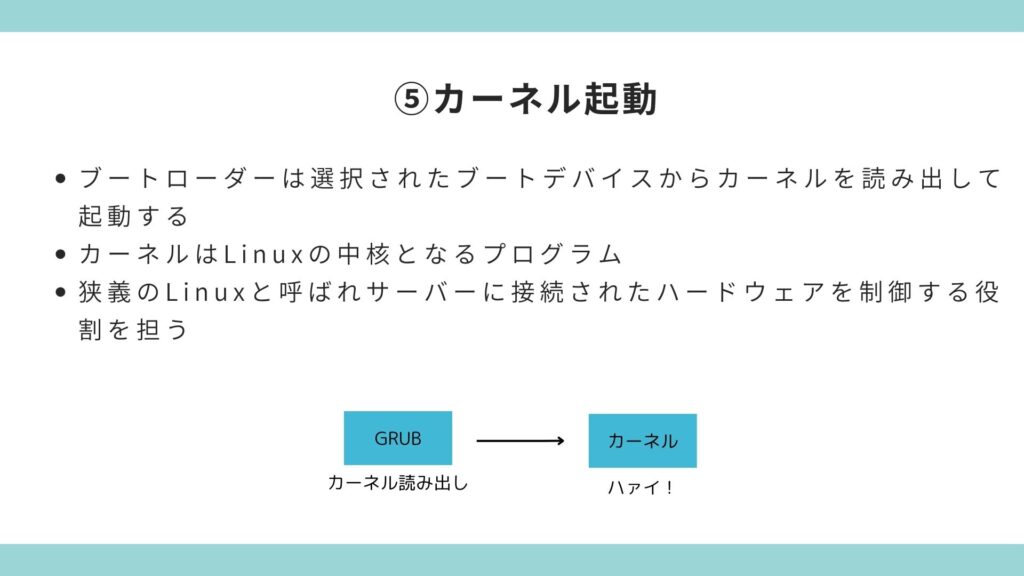
Now we are finally ready to start the kernel
The kernel is the core program of Linux, and is also referred to as Linux in the narrow sense. Its
main role is to control the hardware connected to the server.
In summary, the BIOS/UEFI launches the boot loader (GRUB) contained in the boot device, and the boot loader launches the kernel
⑥Start initramfs
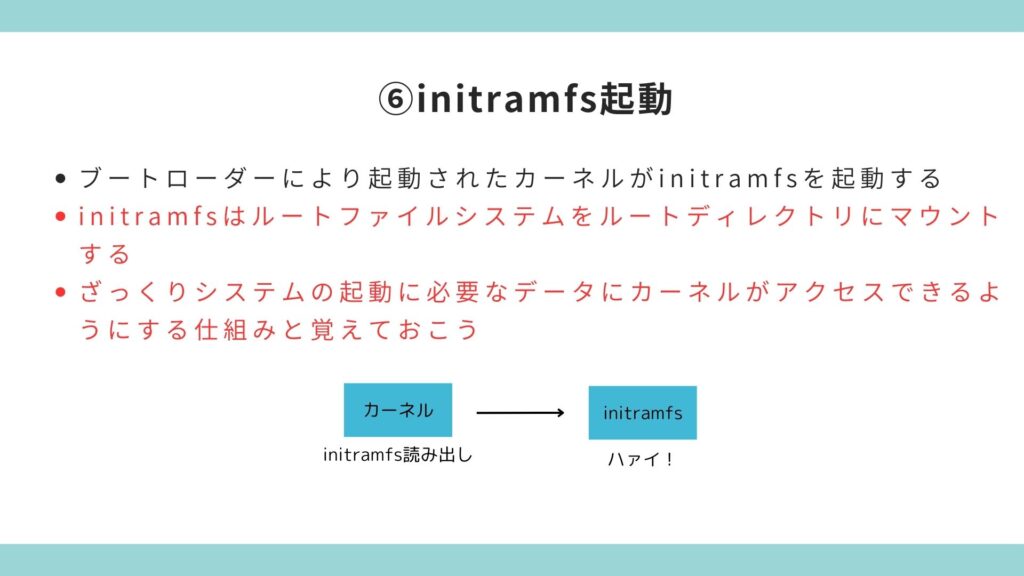
The kernel then starts the initramfs to access the data it needs to boot the system
⑦Start systemd
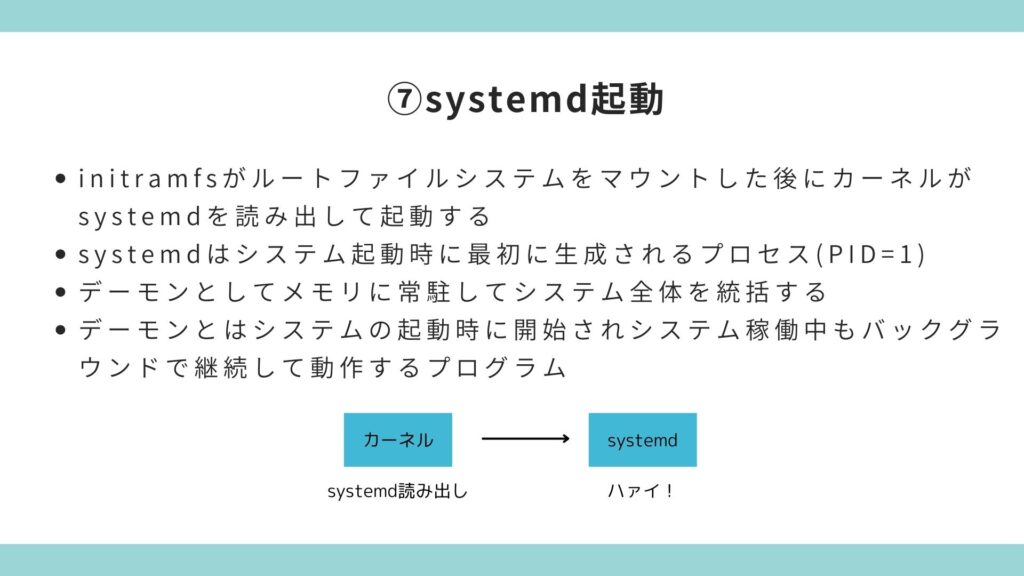
After initramfs mounts the root filesystem, the kernel loads and starts "systemd"
systemd is the first process (PID=1) created when the system starts up.
It is an abbreviation for "system daemon," anda daemon is a process that resides in memory and manages the entire system.
A daemon is a program that is started when the system boots and continues to run in the background while the system is running
⑧Startup complete
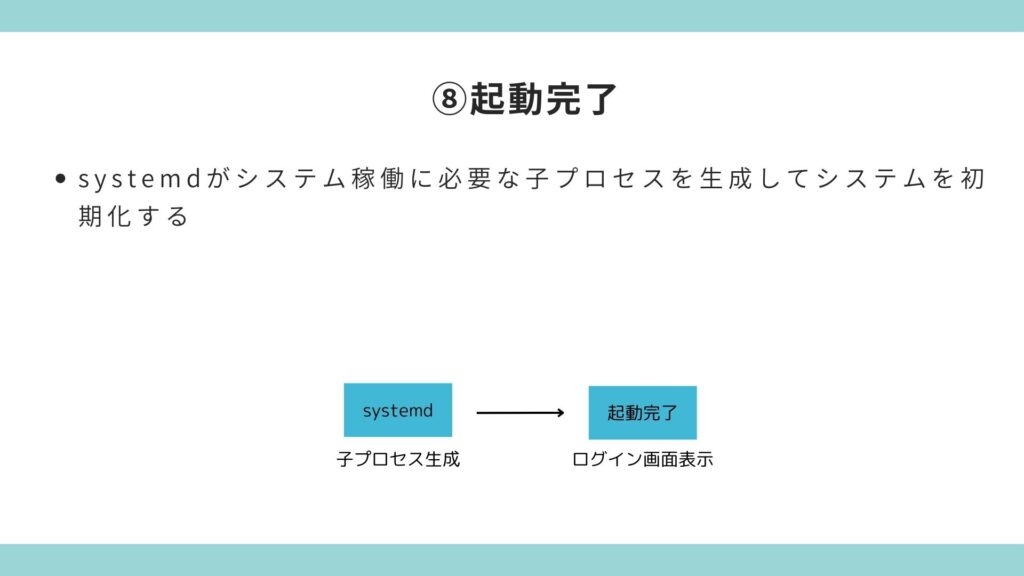
Finally, the startup process is complete.
After systemd is called from the kernel, it sequentially creates "child processes" necessary for system operation, and the login screen is displayed.
summary
Finally, let's review the process up to startup
- First, press the power button to start the BIOS/UEFI (firmware)
- BIOS initializes hardware through POST
- The BIOS selects the boot device from the recognized hardware
- The BIOS launches the boot loader stored on the boot device
- The boot loader loads and starts the kernel from the selected boot device
- The kernel starts the initramfs
- initramfs provides the kernel with the data it needs to start the system
- systemd takes over the process, creates the child processes necessary for system operation, initializes the system, and displays the login screen
That's how it went
lastly
So far, we have provided detailed explanations about BIOS/UEFI, boot devices, boot loaders, initramfs, systemd, and more, from the time the power is turned on until booting is complete
Since it is common for servers to start up, you may not have many opportunities to understand the startup process, but this knowledge will be useful when troubleshooting if the server does not start up properly, so I hope that this article will help you understand at least a little about the server startup process
This article was created with reference to videos from the "Nezumi-san's Infrastructure Engineer Dojo" channel, which is operated by our company
It's a fantastic channel where you can learn about infrastructure from scratch, so if you're interested, please subscribe and give it a thumbs up!




The person who wrote this article
About the author









