

Let's change the sort order using the top command, which is essential for checking CPU load!
2016.02.29




My name is Ito and I am an infrastructure engineer
The `top` command is often used when the CPU load is high.
If you just casually look at it, the process with the highest CPU usage will appear at the top.
However, in some cases you may want to sort processes by something other than CPU
This time, we will show you how to change the sort order using the top command!
* Click here if you want to review how to use the top command.
To change the sort order
Sorting Type
There are three ways to sort the data:
shift key + m
shift key + p
shift key + o
Use the shift key
You can sort by combining the swift key with "m" or "p"
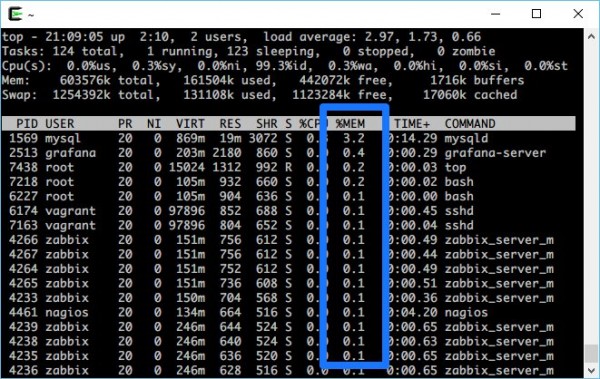
| shift+m | Sort by memory usage |
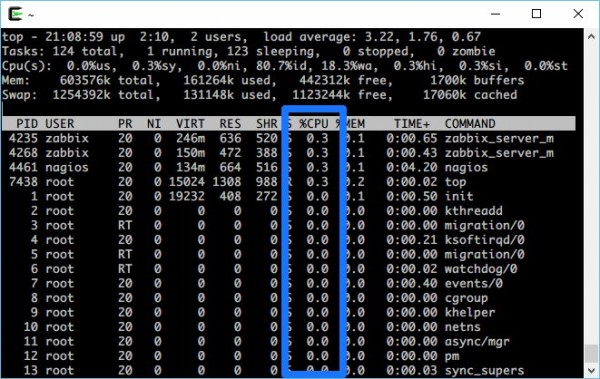
| shift+p | Sort by CPU usage (default) |
It will look like this
・shift+m
・shift+p (default)
If you want to sort more precisely
Of course, there will be other items you want to sort besides memory and CPU.
In those cases,"shift + o".
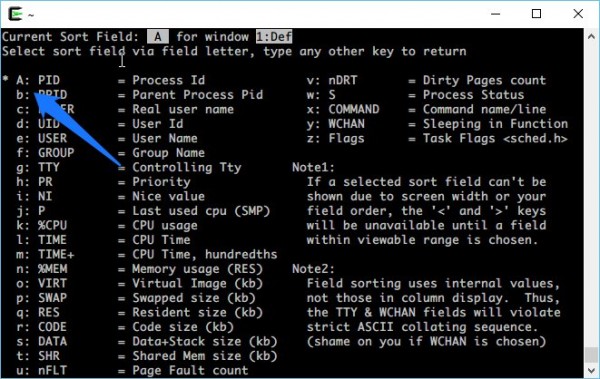
The screen will look like this
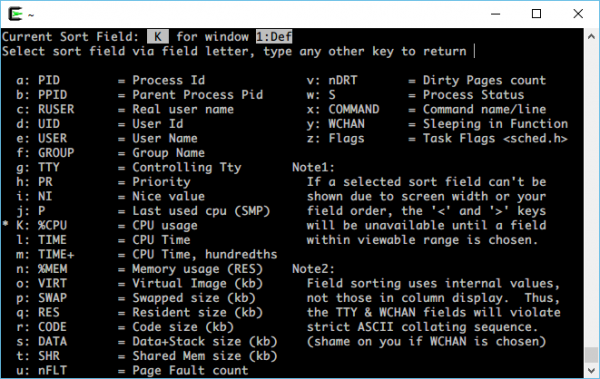
On this screen, simply select the alphabet of the item you want to sort and press Enter. Easy!
By default, it's sorted by CPU usage, so the "K" section is selected (the section with the asterisk).
Now let's try sorting by PID.
When you type "a", you will see that the PID is selected and the lowercase "a" is changed to an uppercase "A"
Now when you press Enter..
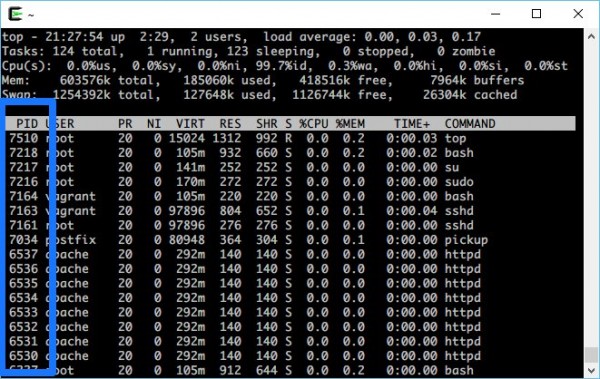
I was able to sort by PID!
The most commonly used PIDs are probably RES (q) and Status (w).
bonus
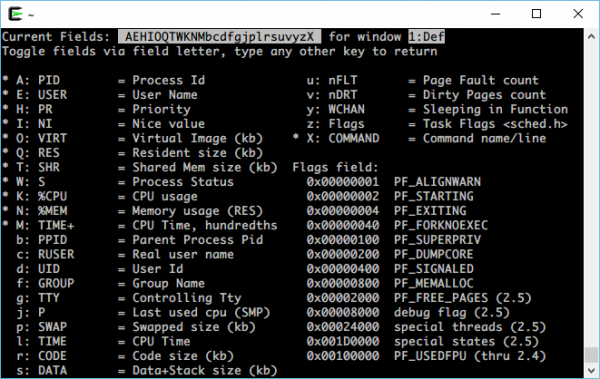
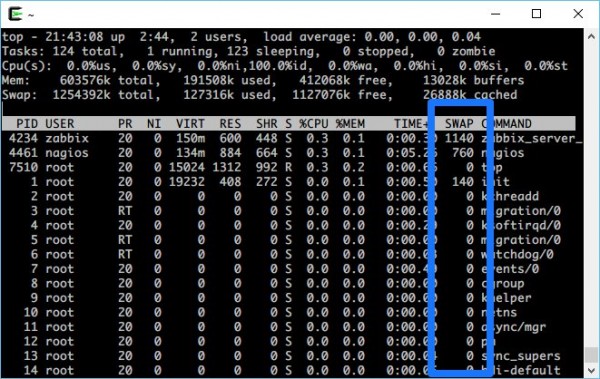
By the way, if you press "f" on the top command, you can add more fields as needed on a screen similar to shift+o!
I calculated the SWAP capacity
`top` is arguably the first command you'd use if something goes wrong with your server.
If you're curious about more than just the CPU performance, please remember this article!
If you want to talk to a cloud professional
Since our founding, Beyond has used the technical capabilities we have cultivated as a multi-cloud integrator and managed service provider (MSP) to design, build, and migrate systems using a variety of cloud/server platforms, including AWS, GCP, Azure, and Oracle Cloud
We provide a custom-made cloud/server environment optimized for our customers based on the specifications and functions of the systems and applications they require, so if you are interested in the cloud, please feel free to contact us
● Cloud/Server design and construction
● Cloud/Server migration
● Cloud/Server operation, maintenance, and monitoring (24 hours a day, 365 days a year)
The person who wrote this article
About the author









