

Stop sending mass emails using BCC - How to use Mail Distributor

This is Ohara from the China office
Unlike email newsletters, which are sent to thousands or tens of thousands of people,
- Increase potential customers through email marketing
- Information on irregular study sessions
- New service information
There are times when you want to send an email to multiple recipients at once, but
writing and sending each email individually is very time-consuming. However
, using BCC for distribution carries the risk of accidental errors, such as pasting email addresses into the wrong fields (To or Cc). Furthermore,
if an accident occurs, the following risks may arise:
- Loss of social credibility due to reports and rumors
- Risk of loss of trust from business partners, suspension of business transactions, and litigation
- Initial response costs and recurrence prevention costs
- Risk of bankruptcy due to decreased sales and increased costs
This article introduces " Mail Distributor ," a distribution tool we use for securely sending mass emails
It can be downloaded and installed for free from the following URL.
[Mado no Mori]
http://www.forest.impress.co.jp/library/software/maildstrbtr
Basic usage of Mail Distributor
Configuring your email environment
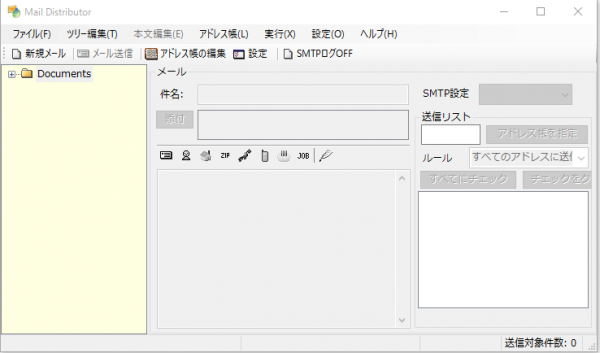
- From the "Settings (O)" menu, select "Email Preferences (O)" and when the settings screen appears, set up the account and SMTP server you will use to send email
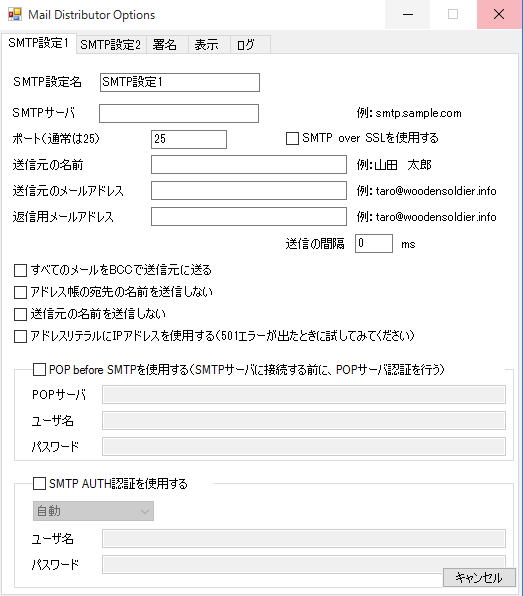
*Please set "Use POP before SMTP" to suit your email environment
Edit the address book you want to send from
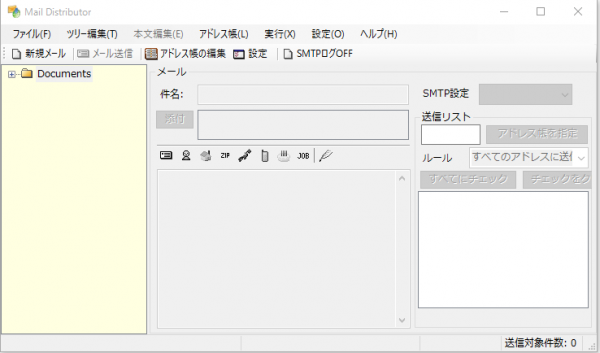
- Select "Edit Address Book (L)" from the "Address Book (L)" menu.
- Select "Create New Address Book (N)" from the "File (F)" menu.
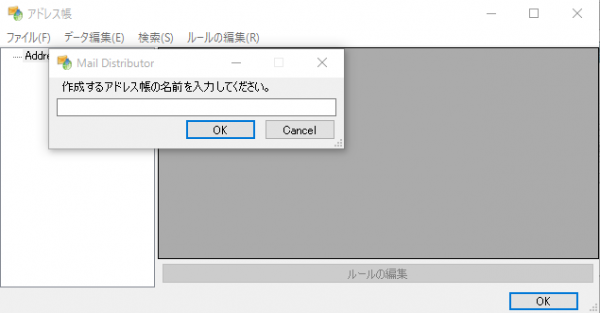
- Give the address book a name and click the "OK" button. (Here, we will name the address book "Beyond List.")
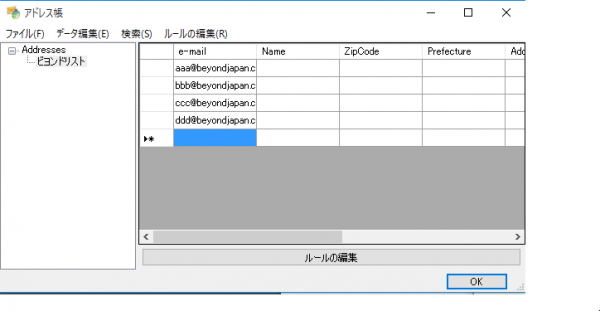
・Register the destination address
[Contents that can be registered]
- e-mail: Email address
- Name: Name
- ZipCode: Postal code
- Prefecture: Prefecture
- Address: Address
- Tel: Telephone number
- Birthday: Birthday
- Occupation: Occupation
When you have finished editing the address book, click the "OK" button to close the window
Send email
- Select "Create New Email (N)" from the "File (F)" menu
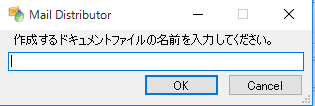
- Give the document in the email body a name and click the "OK" button. (Here, we'll name the document "Beyond.")
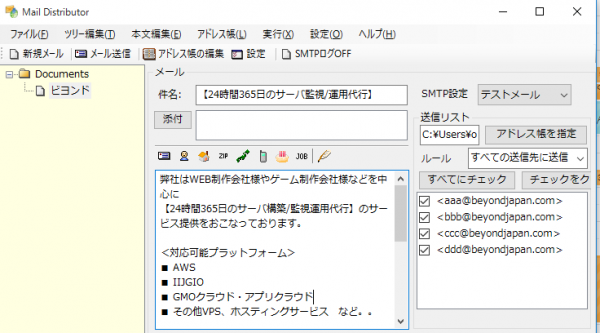
- After writing the email body, in the "Send List" section, press the "Specify Address Book" button.
- The address book will be displayed, so select the address book you registered earlier, "Beyond List," and press the "OK" button.
A list of recipients registered in the address book will then be displayed in the sending list
Once the transmission is complete, the message above will be displayed
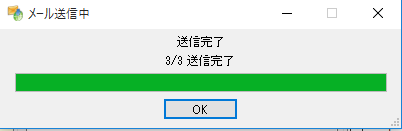
This is the basic usage of Mail Distributor
summary
- Mail environment and server settings
- Address Settings
- Email body settings
If you set up the above three points in advance, you will be able to send basic mass emails
If you want to talk to a cloud professional
Since our founding, Beyond has used the technical capabilities we have cultivated as a multi-cloud integrator and managed service provider (MSP) to design, build, and migrate systems using a variety of cloud/server platforms, including AWS, GCP, Azure, and Oracle Cloud
We provide a custom-made cloud/server environment optimized for our customers based on the specifications and functions of the systems and applications they require, so if you are interested in the cloud, please feel free to contact us
● Cloud/Server design and construction
● Cloud/Server migration
● Cloud/Server operation, maintenance, and monitoring (24 hours a day, 365 days a year)




The person who wrote this article
About the author









