

How to comment out multiple lines at once in vim
2016.05.19




I'm Ito, an infrastructure engineer.
If you're editing files on Linux, you'll probably use "Vim" most often.
When editing configuration files, you may sometimes want to comment out unnecessary settings or other elements, and
you might want to comment out multiple lines at once.
This time I would like to introduce you to how to do this
Use rectangular selection mode
For operations on multiple lines, use the "Rectangle Selection Mode."
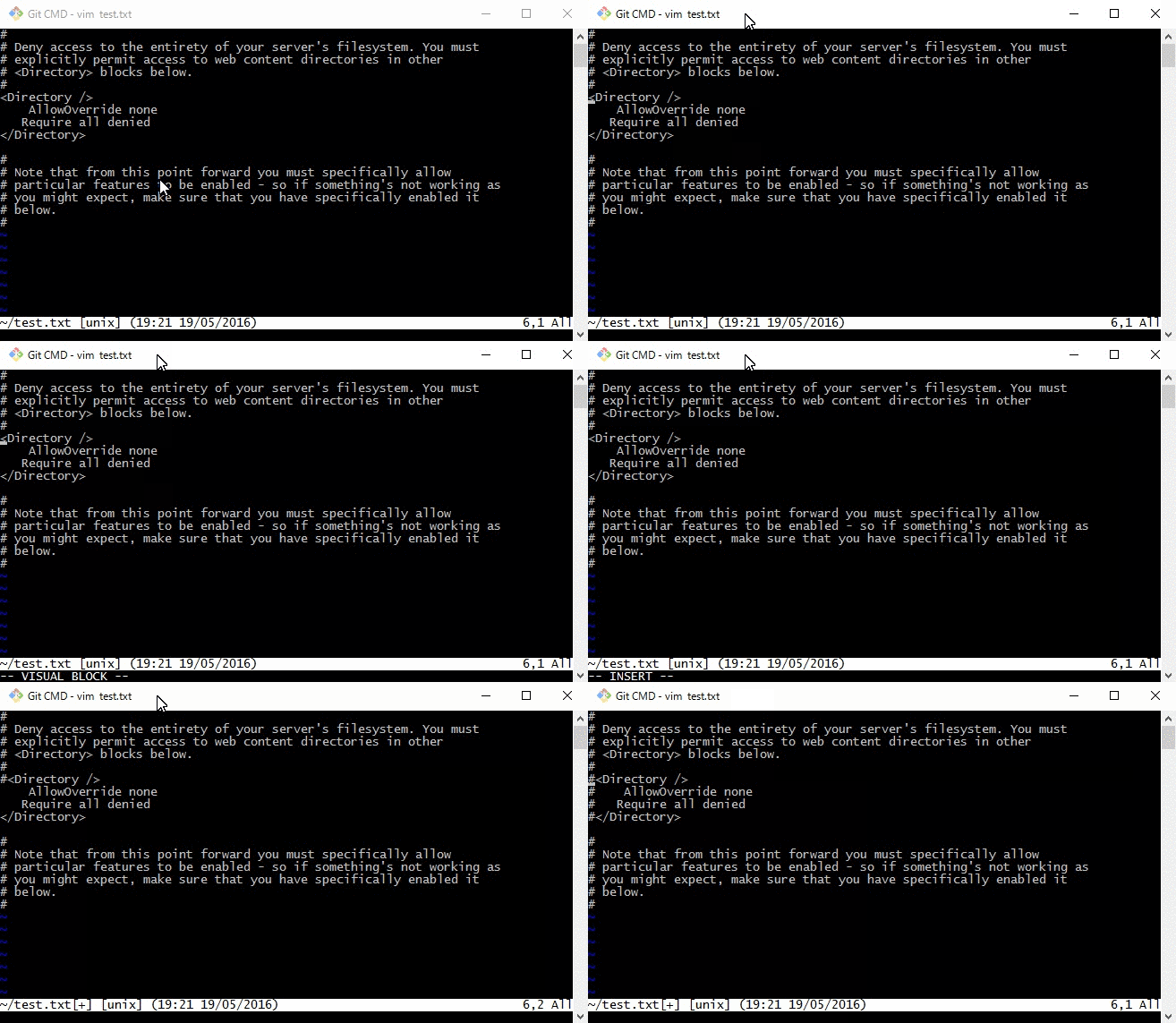
Open the file in vim and enter the following command:
ctrl + v
Enter "Rectangular Visual Mode".
Use the cursor to select the lines you want to comment out.
I (shift + i)
This is "insert mode."
Enter the character to comment out (such as "#")
Esc
Exit insert mode
I've put it all together in GIF
How about that?
A comment has been inserted at the beginning!
Let's try our best to become proficient in Vim
The person who wrote this article
About the author









