

[Android] Before playing Pokemon Go! Save data with Opera Max

table of contents
This is Yamada from the Systems Department.
an article about Android apps last time and it got a decent response, so here
's another timely one.
*As always, we cannot guarantee that it will work on your smartphone. Please use it at your own risk.
Pokemon Go has finally been released in Japan
It's only been about a week since it was released, but
already see people playing it everywhere.
I started playing it a few days ago too. It's fun... I also play
Clash Royale, Clash of Clans, Puzzle & Dragons, and White Cat Project, and
I browse the internet and YouTube on my commute...huh?
Is the data usage okay?
I think I had the cheapest 2GB plan...
tragedy
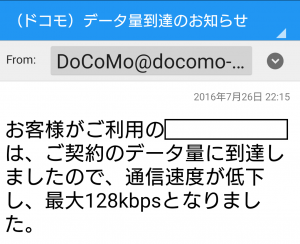
Oh no! Data restrictions have been imposed!!!
I can't even use the internet anymore. 128kbps is too slow
By the way, with my usage, the amount of internet data used was by far the highest.
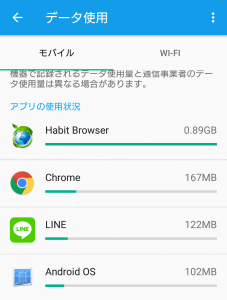
1GB just for the internet...?!
Is a 2GB limit too much in this age of huge social games?
If only we could somehow reduce our internet data usage...!
No, there's still a way!
That's it!

Opera Max (Google Store)
Just by installing it, you can save data on your data usage.
And it's made by Opera, the famous web browser.
Opera was also installed on the Nintendo DS back in the day.
How to use
First, install it from
 the Google Store
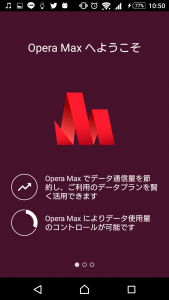
When you open the app, a welcome screen will appear. Swipe right to accept the terms and conditions. (Please read the terms carefully.)
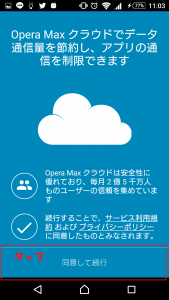
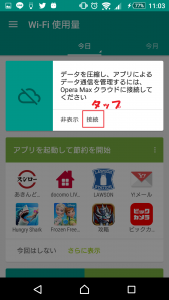
Tap "Connect" under "To the Cloud"
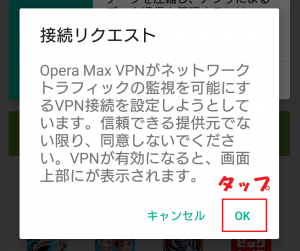
Tap "OK" on "Connection Request"
Allows access to usage history
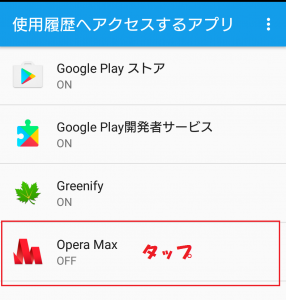
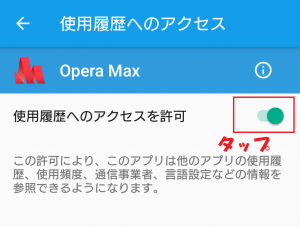
That's all you need to do. After that, compatible apps will automatically save data.
*Please note that social games like Pokémon GO often use encrypted data, so not all data will be saved perfectly!
This app works by creating a VPN connection between the Opera Max cloud server and the Opera Max app, and
compressing
data communication for each app through the above route to save money
You can also use this app to manage data usage for each app and save money.
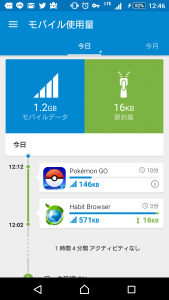
It's also convenient because you can set individual settings for each app.
I've only just started using it myself, so I'll have to wait and see how it works.
That's all for now!
Previous article: Eliminate your frustrations with Android! How to disable Google Now
 0
0 Loading...0



The person who wrote this article
About the author









