

Installing/Uninstalling Bash on Windows from the command line
2017.01.30




My name is Ito and I am an infrastructure engineer
Do you use Bash on Windows?
I previously wrote about the installation method on this blog.
How to use Bash after Windows 10 Anniversary Update | Beyond Co., Ltd.
After it was released, I was messing around with it, wondering what it could do, and
ended up forgetting what state it was in.
And since I didn't have any particularly important files there,
I thought I might as well recreate it from scratch.
I wondered if there was a way to do this quickly from the command line...and I was able to
lxrun command
You can install or uninstall Bash on Windows using the lxrun command from the command prompt (administrator privileges)
*Installation requires you to first install Windows Subsystem for Linux from the Control Panel. (See:
How to use Bash after Windows 10 Anniversary Update | Beyond Co., Ltd.)
This is because the lxrun command itself is stored within Windows Subsystem for Linux.
Let's take a look
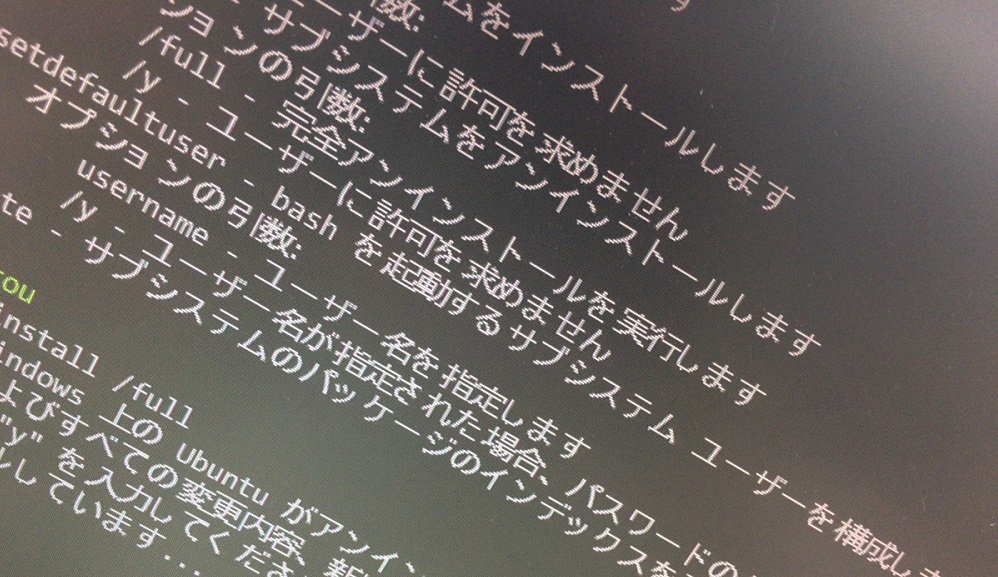
λ lxrun /? Performs management operations for LX subsystems Usage: /install - Installs the subsystem Optional arguments: /y - Does not prompt the user for permission /uninstall - Uninstalls the subsystem Optional arguments: /full - Performs a full uninstall /y - Does not prompt the user for permission /setdefaultuser - Configures the subsystem user that bash starts as. If the user does not exist it will be created. Optional arguments: username - Specify a username /y - If a username is specified, do not prompt for password creation /update - Updates the package index for the subsystem
The command is incredibly simple.
Okay, let's try deleting it.
λ lxrun /uninstall /full This will uninstall Ubuntu on Windows. The Ubuntu environment and all modifications, new applications, and user data will be removed. Enter "y" to continue: y Uninstalling... λ bash -- Beta Feature -- This will install Ubuntu on Windows. Ubuntu is a product distributed by Canonical and is licensed under the terms found at: https://aka.ms/uowterms Enter "y" to continue:
It appears to have been successfully uninstalled.
(If it were still installed, the `bash` command would launch Bash on Windows.)
Installation can be done using the current "bash" command or "lxrun /install"
λ lxrun /install -- BETA FEATURE -- This will install Ubuntu on Windows. Ubuntu is a product distributed by Canonical and is licensed under the terms at: https://aka.ms/uowterms Enter "y" to continue: y Downloading from Windows Store... 100% Extracting file system. This may take a few minutes... Create a default UNIX user account. The username does not need to match your Windows username. More information: https://aka.ms/wslusers Enter new UNIX username: unixuser Enter new UNIX password: Re-enter new UNIX password: passwd: password updated successfully Installation completed successfully λ bash unixuser@BYD-PC-15:/mnt/c/Users/itou$
Yeah, it's easy!
The person who wrote this article
About the author









