

The biggest update this time isn't multi-root workspaces! Visual Studio Code 1.18 released!
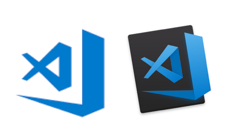
table of contents
- 1 The long-awaited multi-root workspace
- 2 Vertical split display of terminal and debug console
- 3 VScode Blue logo Icon is Back
- 4 Now auto-imports JS/TS
- 5 Refactoring variables just got easier in JS/TS
- 6 Update files are now easily visible in the Explorer pane
- 7 Inline source code review now available
- 8 Improved usability of the debugging tools
- 9 summary
Hello,
I'm Mandai, the Wild Team member of the development team.
The latest version of Visual Studio Code (VSCode), version 1.18, has been released!
The highlight of this release is the multi-root workspace feature that everyone has been waiting for!
But there's a hidden gem!
The long-awaited multi-root workspace
Multi-root workspaces have finally been released.
To put it simply, it significantly changes the concept of workspaces defined in VSCode up until now. The previous structure was "directory (folder) = workspace", but now it is "directory ∈ workspace".
Until now, you could only open one directory per window, so if you wanted to open another directory, you had to open another window.
This might be fine if the two directories contained completely unrelated information, but if you plan to use them permanently, the hassle of opening a new window every time can be a problem.
In such cases, you can quickly create a multi-root workspace to solve the problem in one go.
Being in the same workspace doesn't just have its benefits - it
also includes the workspace-wide search you can perform with Ctrl + Shift + F.
When you create a multi-root workspace, a file like "test.code-workspace" is created.
This file contains information about the directories included in the multi-root workspace, such as a JSON file.
If you want to open a multi-root workspace in VSCode, you can easily do so by double-clicking this code-workspace file
For more nerdy information, it seems you can also create a multi-root workspace and add directories from the command line
Vertical split display of terminal and debug console
In previous versions, the terminal was stuck to the bottom of the window and could not be moved, and the only options were hide, show, or maximize, but now there is an option to show it to the right of the editor.
Furthermore, by pressing the maximize button, you can shrink the editor area on the left and see the terminal in a larger size.
VScode Blue logo Icon is Back
This is a bolt from the blue!
The previous update was met with harsh criticism, and the orange logo that had helped me expand my English vocabulary of expletives has now been removed...!
It seems to depend on the state of the OS's icon cache, so I think I'll reboot and wait (in my Windows 10 environment, the icon changed after rebooting).
I've taken a closer look at Microsoft's stance on OSS
Now auto-imports JS/TS
Will we no longer encounter undefined errors around functions?
That's sad.
Refactoring variables just got easier in JS/TS
The target is refactoring that pushes locals into a wider scope.
The technique is to turn it into a function and retrieve it as an array, but I feel like this is less common than turning processing into a function.
Update files are now easily visible in the Explorer pane
It's a small thing, but it's nice to see the update status in every pane
Inline source code review now available
Accepting changes and reverting can now be done in blocks. This
can be confusing if you are working on the same source code in multiple windows (such as stable and preview versions).
Improved usability of the debugging tools
To use the debug tool, you previously had to open the debug pane (or Ctrl + Shift + d ) and press the start button, but now you can launch it from the button on the status bar.
If you are using something like nodemon, this may not be so important, but in my environment nodemon crashes immediately when it takes a break, so I stopped using it and now I restart it manually, so I'm grateful for this
Additionally, a new shortcut has been added: Ctrl + F5
, which will launch the program without any debugging tools attached.
This is also great for shortcut addicts
summary
I was excited about the multi-root workspaces (an outdated phrase), but when I updated, the logo changed, which was a pretty quirky update.
To be honest, I don't really care about the other updates anymore.
The orange logo is rare, so I used it in the article about the last 1.17 update, which might be a good memory.
Aside from the multi-root workspace feature, this update seems to be quite productive.
I'm worried that they'll soon run out of ideas for updates.
That's all
 0
0 Loading...0



The person who wrote this article
About the author









