

About VAddy, a cloud-based web vulnerability assessment service for web applications

table of contents
This is Ohara from the Technical Sales Department
We will try diagnosing the vulnerability of a website using the cloud-based vulnerability diagnosis service "VAddy."
By the way, this "VAddy" service
is a vulnerability diagnosis service Bitforest, the developer of
"Scutum," is provided by our partner SecureSky Technology
Create an account
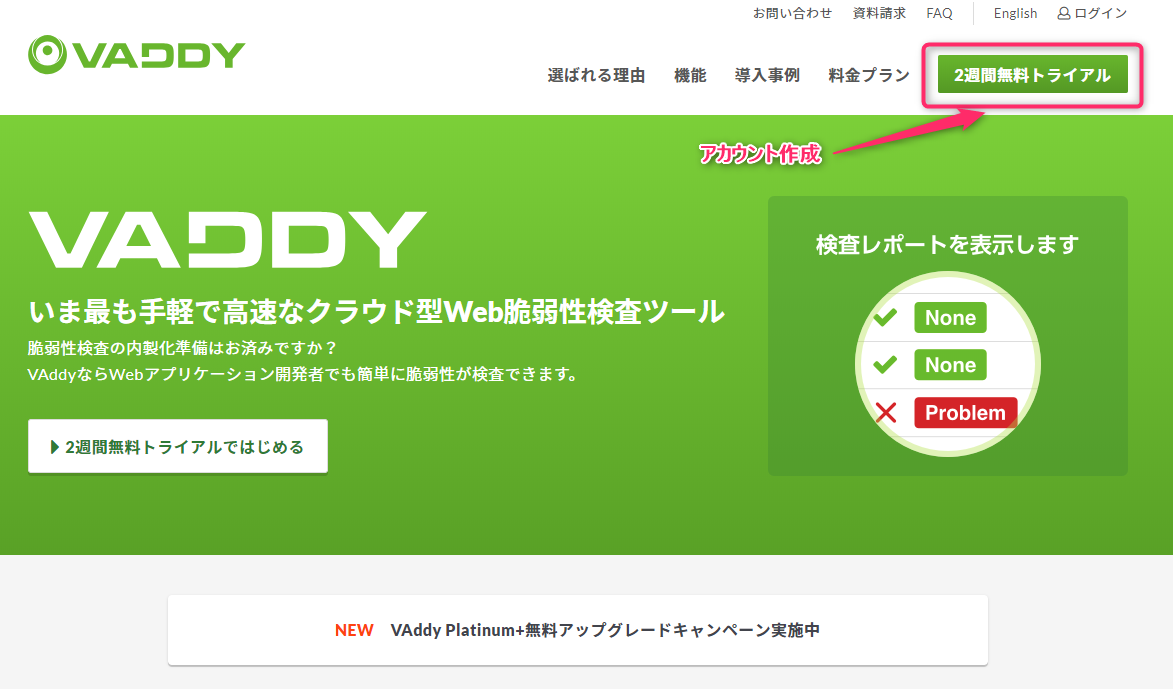
Create an account from the top page of https://vaddy.net/ja/
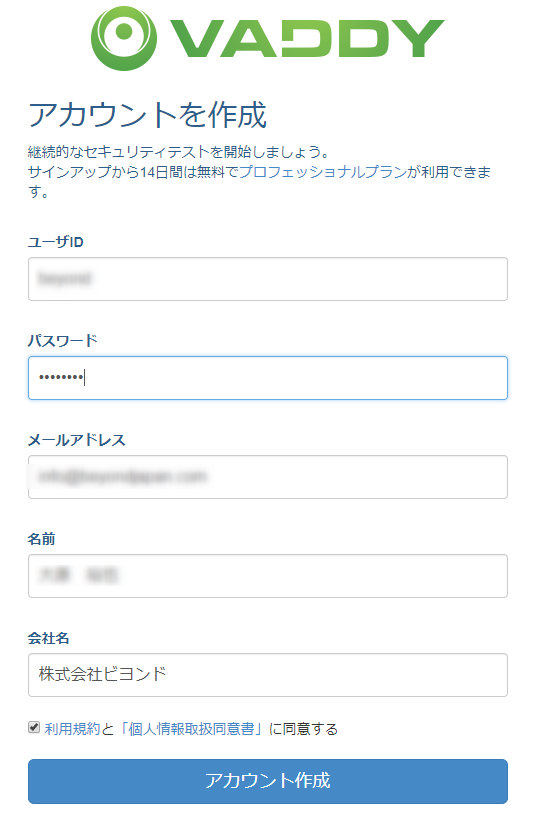
Enter the required information to create your account ID
After creating your account, you will receive a confirmation email.
Click on the URL in the confirmation email to complete the account creation process.
Steps to set up vulnerability assessment
There are four main steps to setting up a vulnerability assessment.
Follow the steps below to prepare for vulnerability testing.
====================
① Registering the URL
② Placing a verification file in the document root
③ Crawl settings
④ Browser proxy settings
==========================
Registering a URL
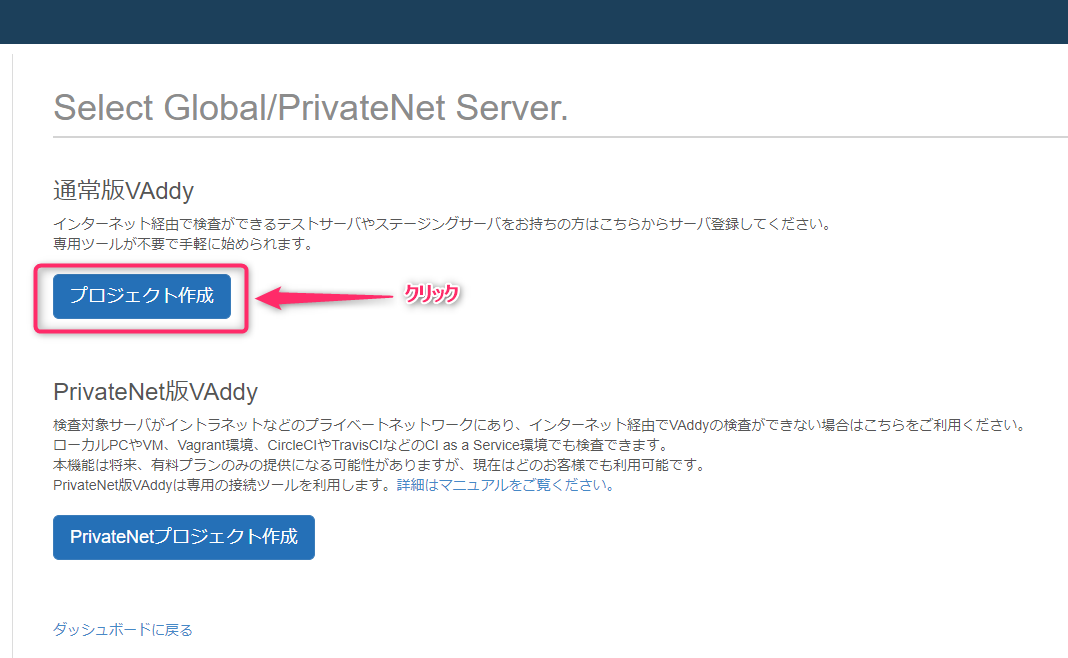
Click the Create Project button
You must first allow the IP addresses that VAddy will use to crawl vulnerabilities

If the server you want to assess for vulnerabilities is a web server, click "Standard VAddy."
If it's a local server within your company, click "PrivateNet VAddy."
For this test, we'll use the "Standard VAddy" as an example.
Enter the "Project Name" and "URL" and click "Create"

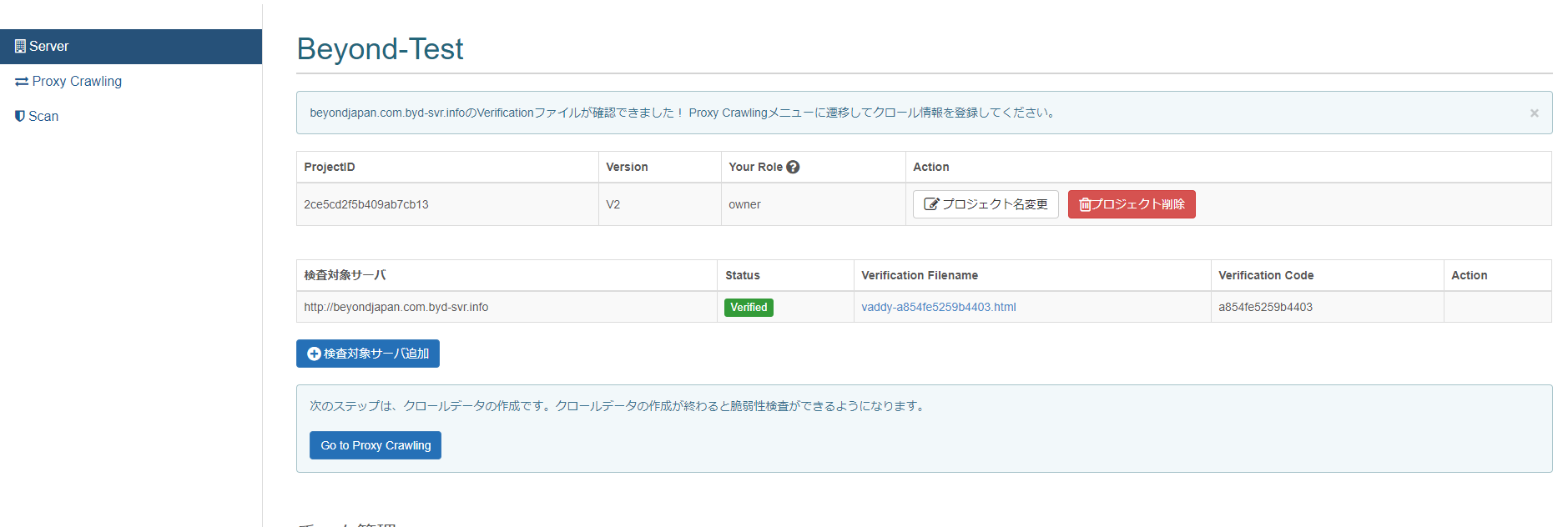
Place the verification file in the document root
Download the verification file and place it in the document root of your server.
Follow steps 1 to 3 in the image below.
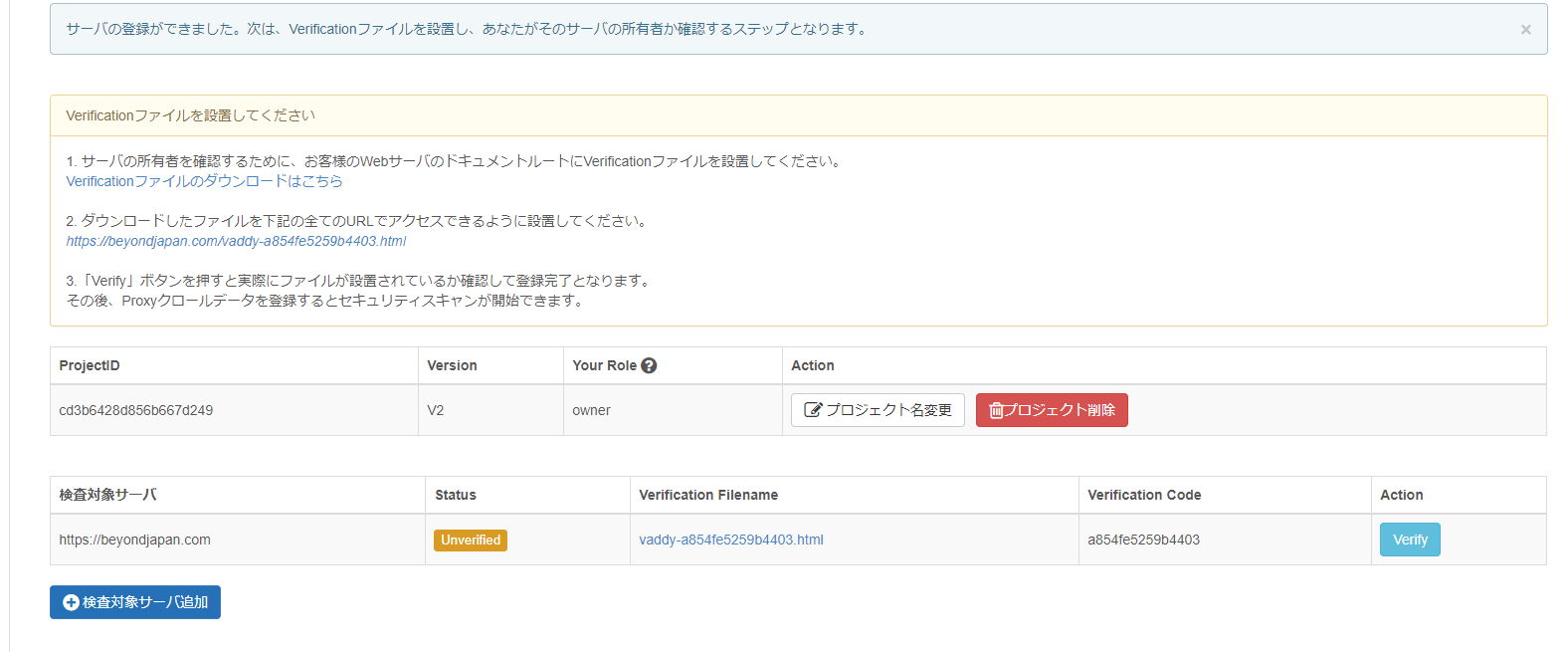
If you follow steps 1 to 3, the file installation will be completed as shown below
Crawl Settings
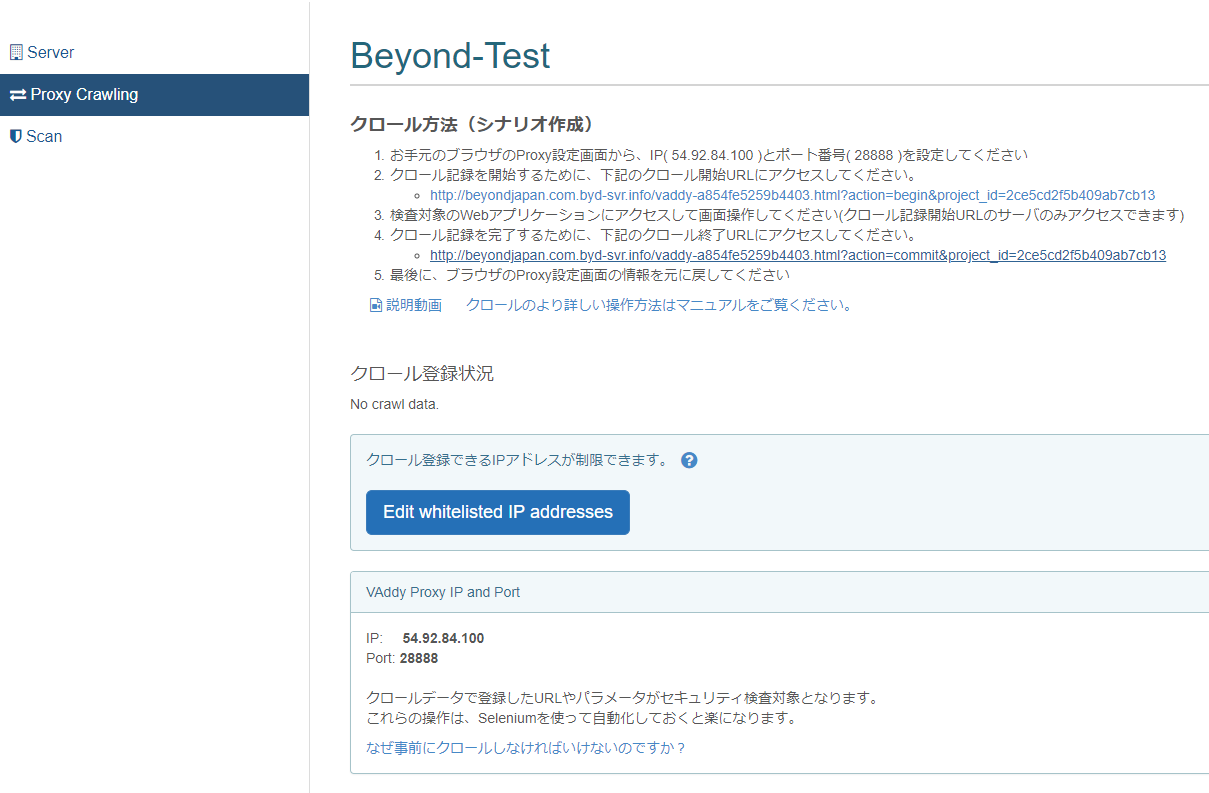
To scan the site, you need to configure the crawl settings.
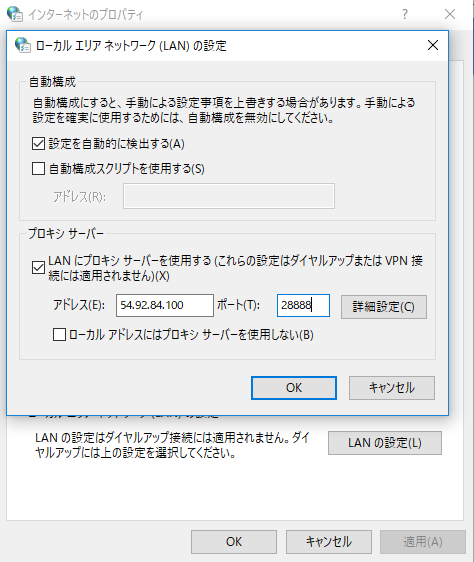
, you need to configure the proxy settings on a PC connected to the LAN using the IP address and port number listed in step 1
To configure the proxy settings on your PC, enter the following:
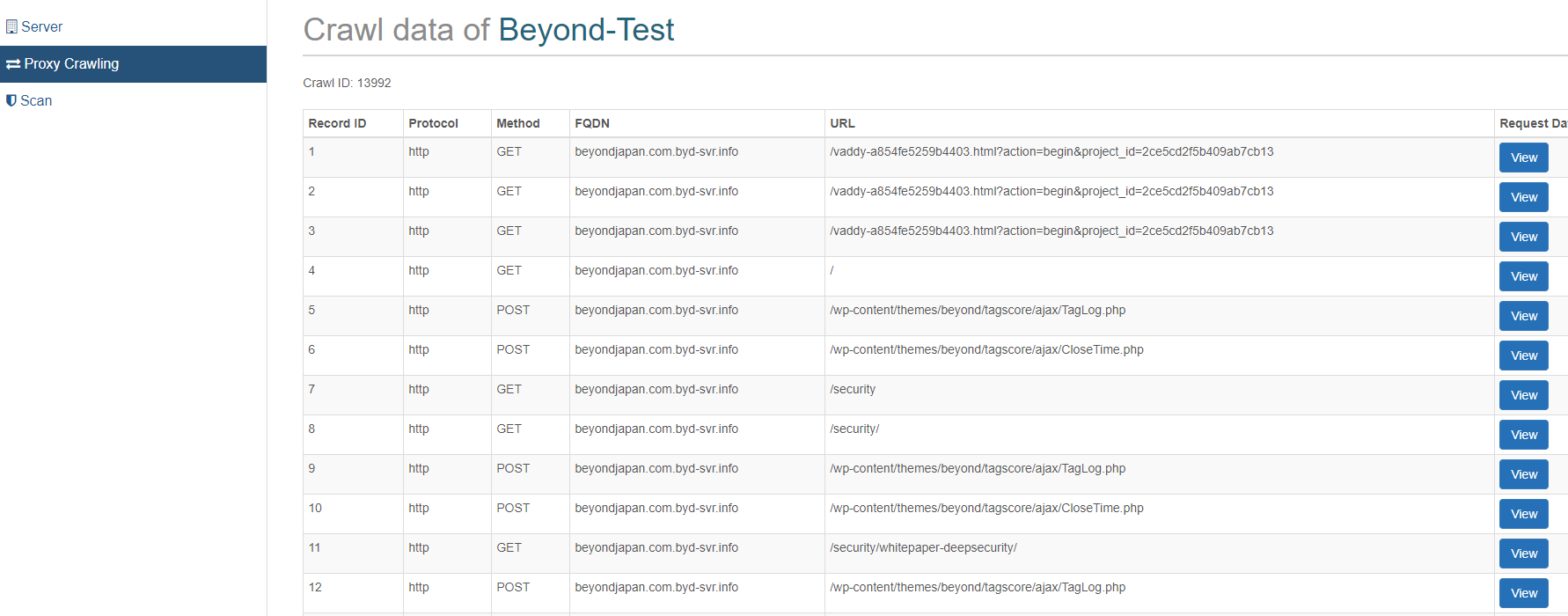
Once the crawl settings are complete, the target directories for vulnerability assessment will be listed as shown below.
Once listed, there will be a "SCAN" button in the left side navigation, so click it.
Then, just wait for the vulnerability assessment to finish.
Vulnerability assessment results
The diagnostic results came out in about 3 minutes after "SCAN". No vulnerabilities were found
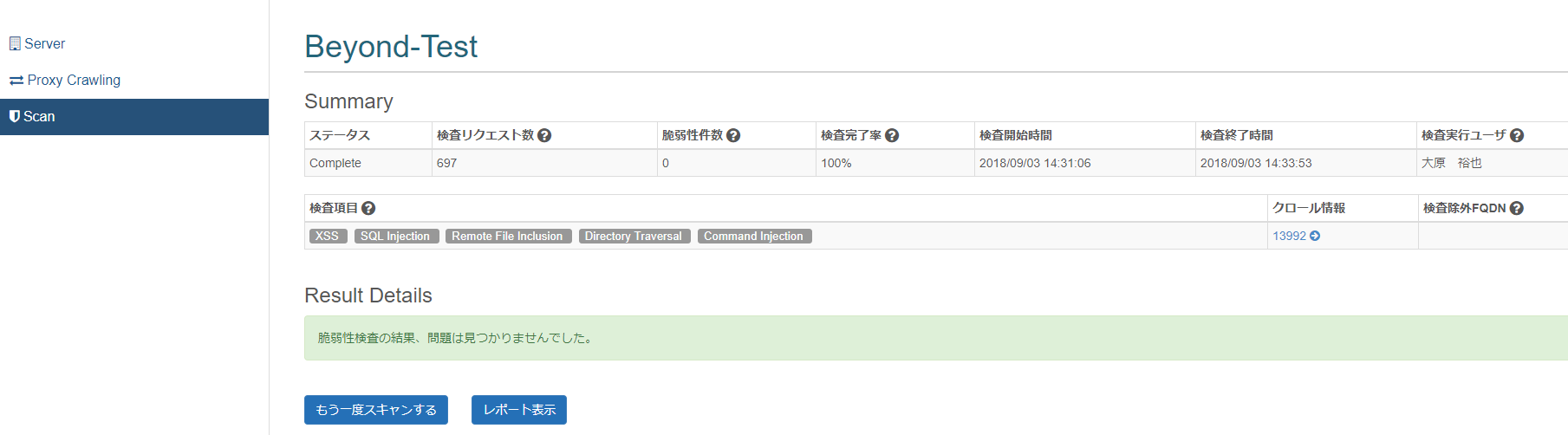
A vulnerability assessment report will be generated for each directory

summary
of VAddy's service are that it offers an unlimited number of vulnerability assessment scans and
supports all Japanese language notation.
This will be especially useful for diagnosing web services that require constant updates , such as social games and e-commerce sites
If you are a company that wants to diagnose web service vulnerabilities at any time, contact Beyond
>>>【For inquiries click here】<<<
 0
0 Loading...0



The person who wrote this article
About the author









